Talk with our engineers by joining the new Onehouse community Slack!
TL;DR
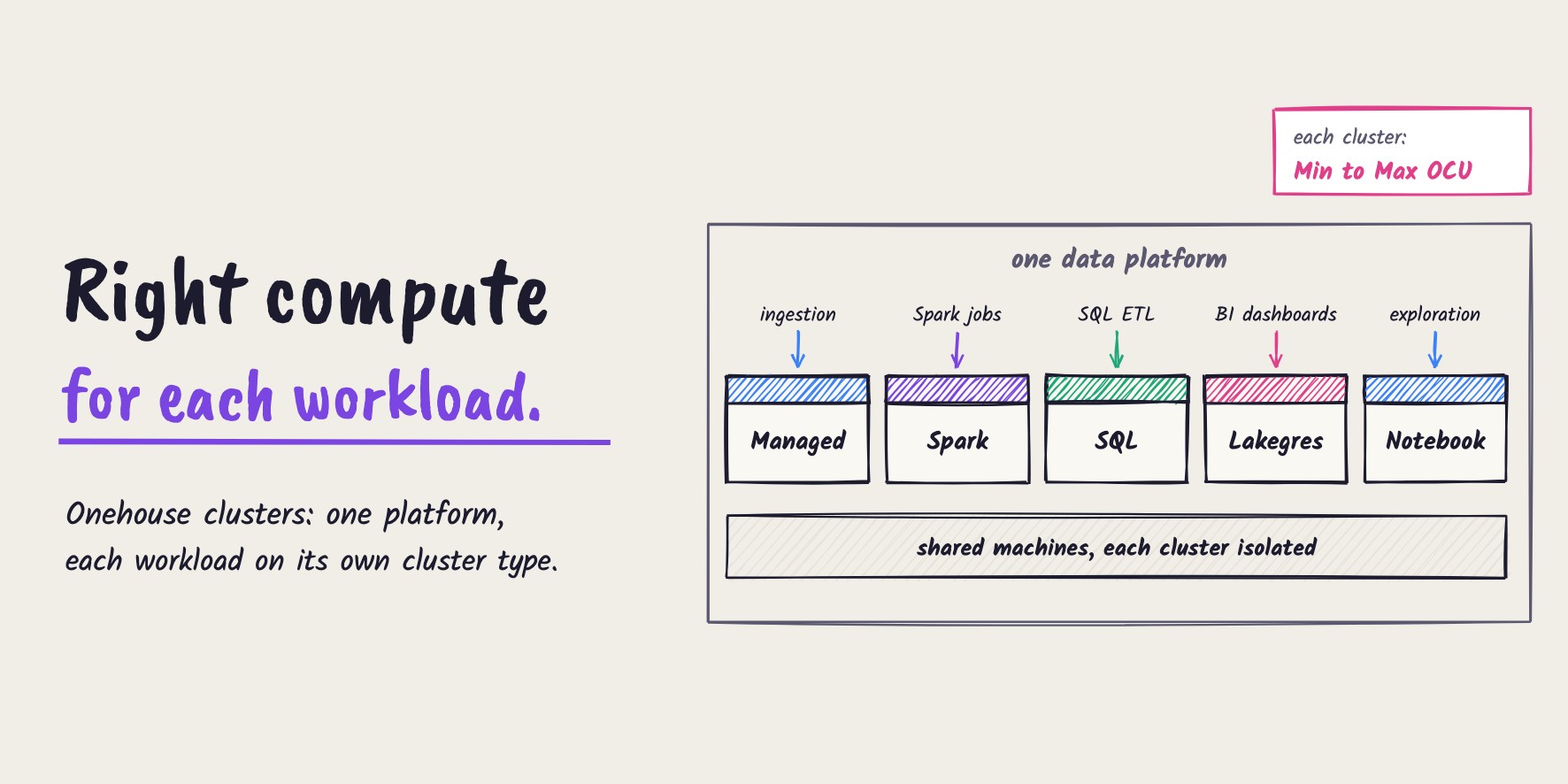
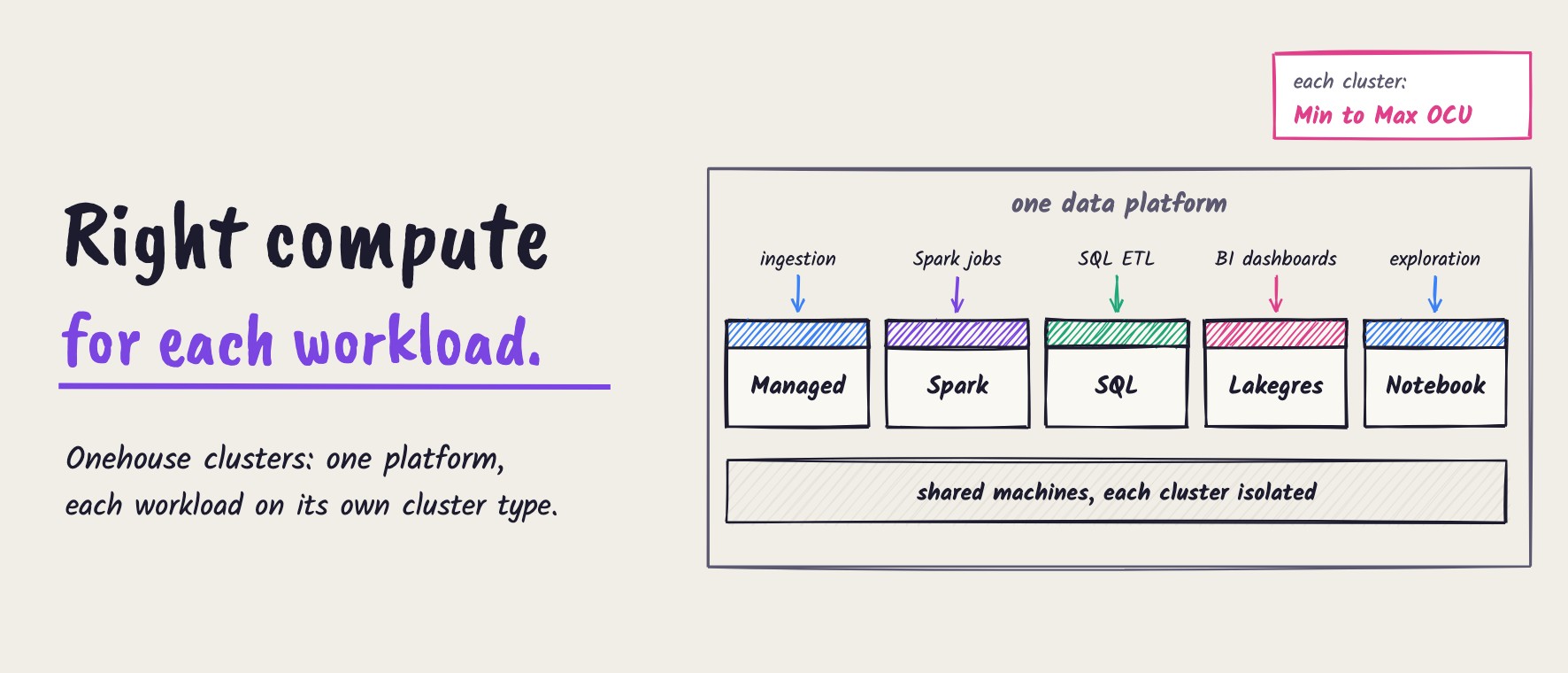
A data team runs many workloads on their data platform, and each needs different compute profiles. Onehouse runs on a Kubernetes cluster in your cloud account. Each Onehouse cluster is a virtual cluster that takes its share of cores and stays isolated, and all clusters are powered by Quanton. Managed clusters run ingestion, table services and catalog sync; Spark clusters run Spark jobs; SQL clusters run SQL ETL; Lakegres runs interactive SQL in whole engines; Notebook clusters run exploration in Python; Table Optimizer keeps tables that other tools write healthy, in open table formats such as Apache Iceberg and Apache Hudi. Each cluster scales between its Min and Max OCU, so you know the most it can spend.
Onehouse Compute Runtime: choosing and sizing clusters
If you run a data platform, you already know the pattern. Ingestion runs all day. A Spark job runs for an hour, then stops. A BI dashboard fires many small queries and needs fast answers. Table maintenance runs in the background. Put all of them on one shared pool of compute, and three things go wrong:
- the workloads fight for the same cores,
- one heavy job slows down the others,
- and the cloud bill surprises you.
Alternatively, give each workload its own fixed machines, and you end up paying for CPUs that sit idle.
Onehouse clusters solve this in three ways. Each workload gets a cluster type made for it. Each cluster stays isolated, while sharing the machines underneath. And each cluster has limits that you set, so you know the most it can spend. This post shows how it works, with screens from a live Onehouse project. It is for the person who owns the platform budget and keeps the pipelines on time.
How do Onehouse clusters work?
Why this matters: you want isolation between workloads without paying for a separate set of machines for each one.
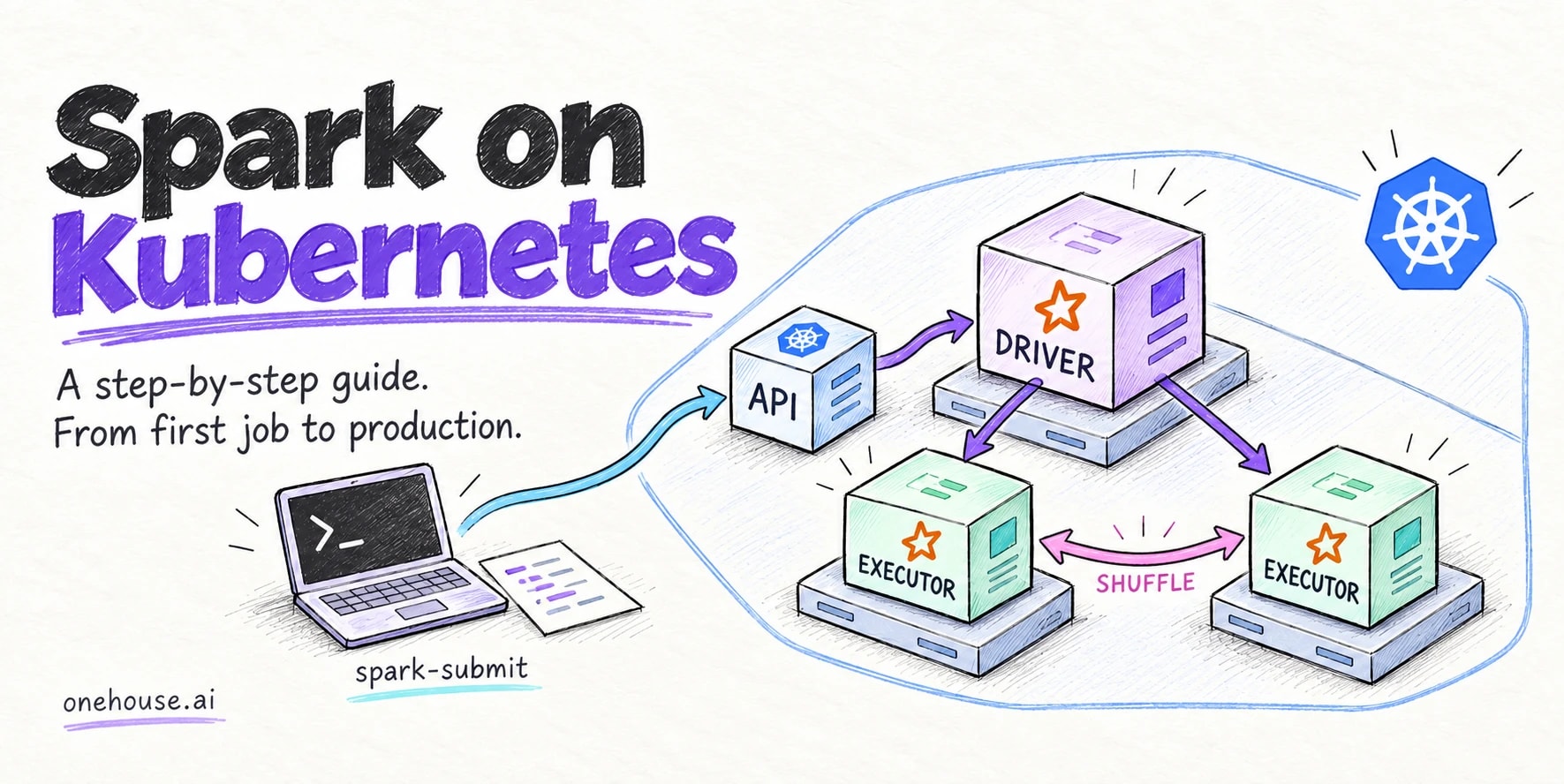
Onehouse runs on a Kubernetes® cluster in your cloud account. A Onehouse cluster is a virtual cluster: it takes its share of cores from that Kubernetes cluster. Clusters share the same machines, and control groups keep each cluster isolated, so one workload cannot take another’s cores (resource sharing). All Onehouse clusters are powered by Quanton, the Onehouse engine for Apache Spark™ workloads.
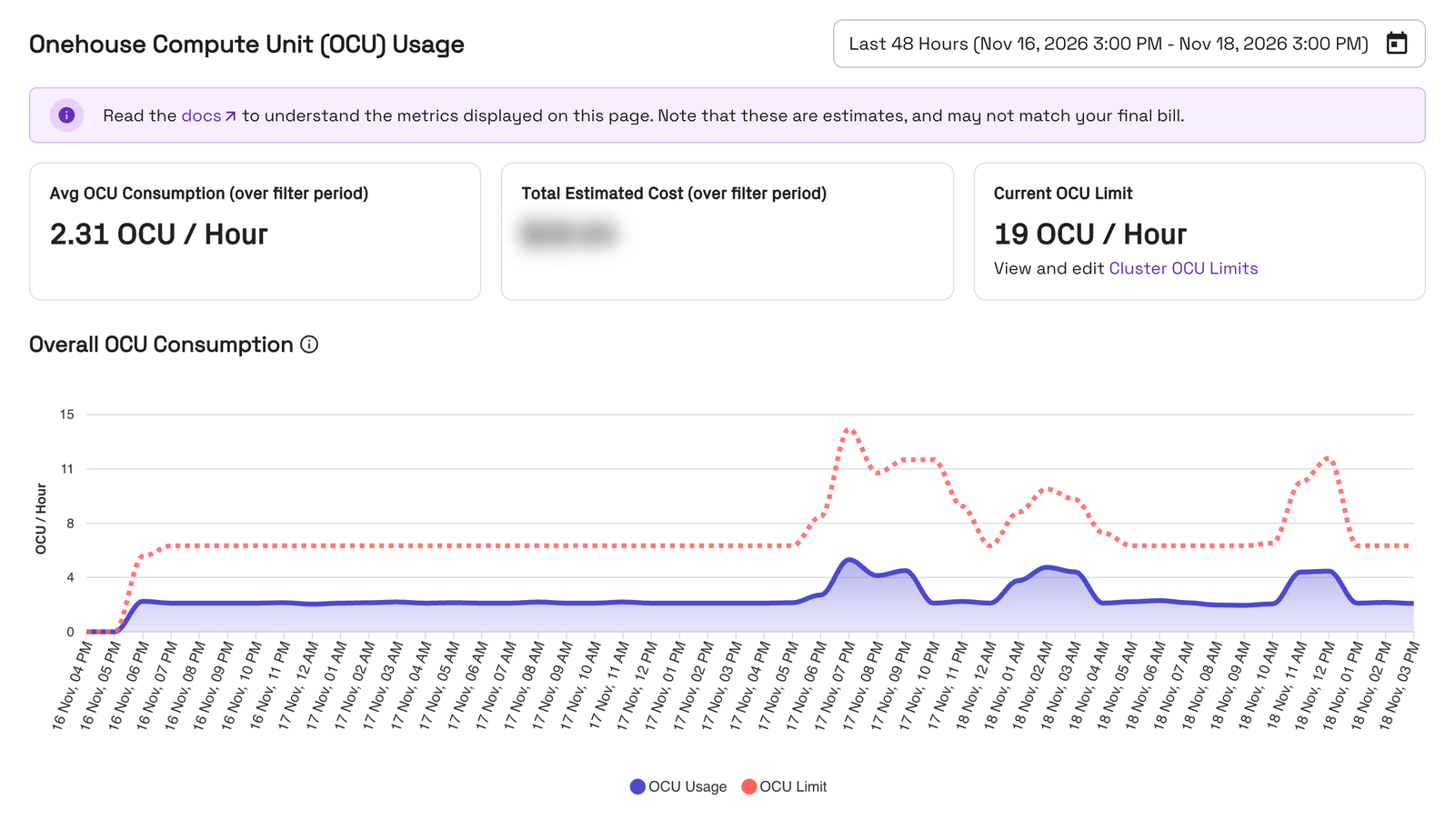
You pick the cluster type once, when you create the cluster. The type sets which workloads the cluster runs (clusters).
OCU limits: one set on each cluster
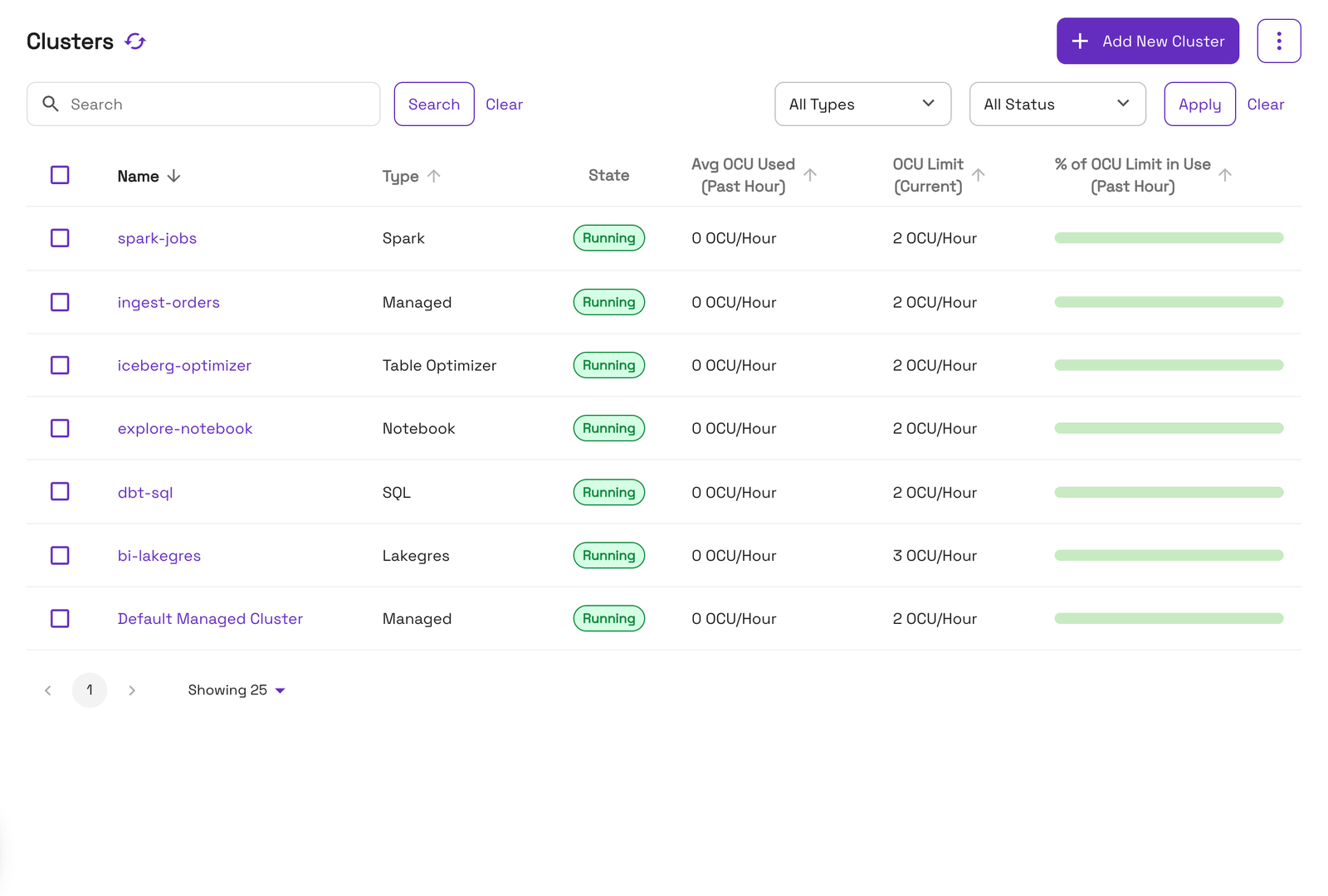
You set OCU limits on each cluster, not on the project. The Usage page shows the Current OCU Limit, next to the OCU usage over time. The card is read-only: its “View and edit Cluster OCU Limits” link opens the Clusters page, where you edit each cluster.
Which cluster type runs each workload?
| Workload | Cluster type | What runs on it |
|---|---|---|
| Ingestion and table upkeep | Managed | Flows, table services and catalog sync |
| Spark jobs | Spark | Apache Spark code in Python, Java or Scala |
| SQL ETL pipelines | SQL | Spark SQL from tools such as dbt or Apache Airflow™, on a JDBC endpoint |
| Interactive SQL and BI | Lakegres | Fast queries from BI tools and SQL exploration, in whole engines |
| Exploration in Python | Notebook | Jupyter notebooks for interactive PySpark |
| Upkeep of tables that other tools write | Table Optimizer | Table services and catalog sync for tables in open table formats, such as Apache Iceberg™ and Apache Hudi™ |
Managed clusters: ingestion, table services and catalog sync
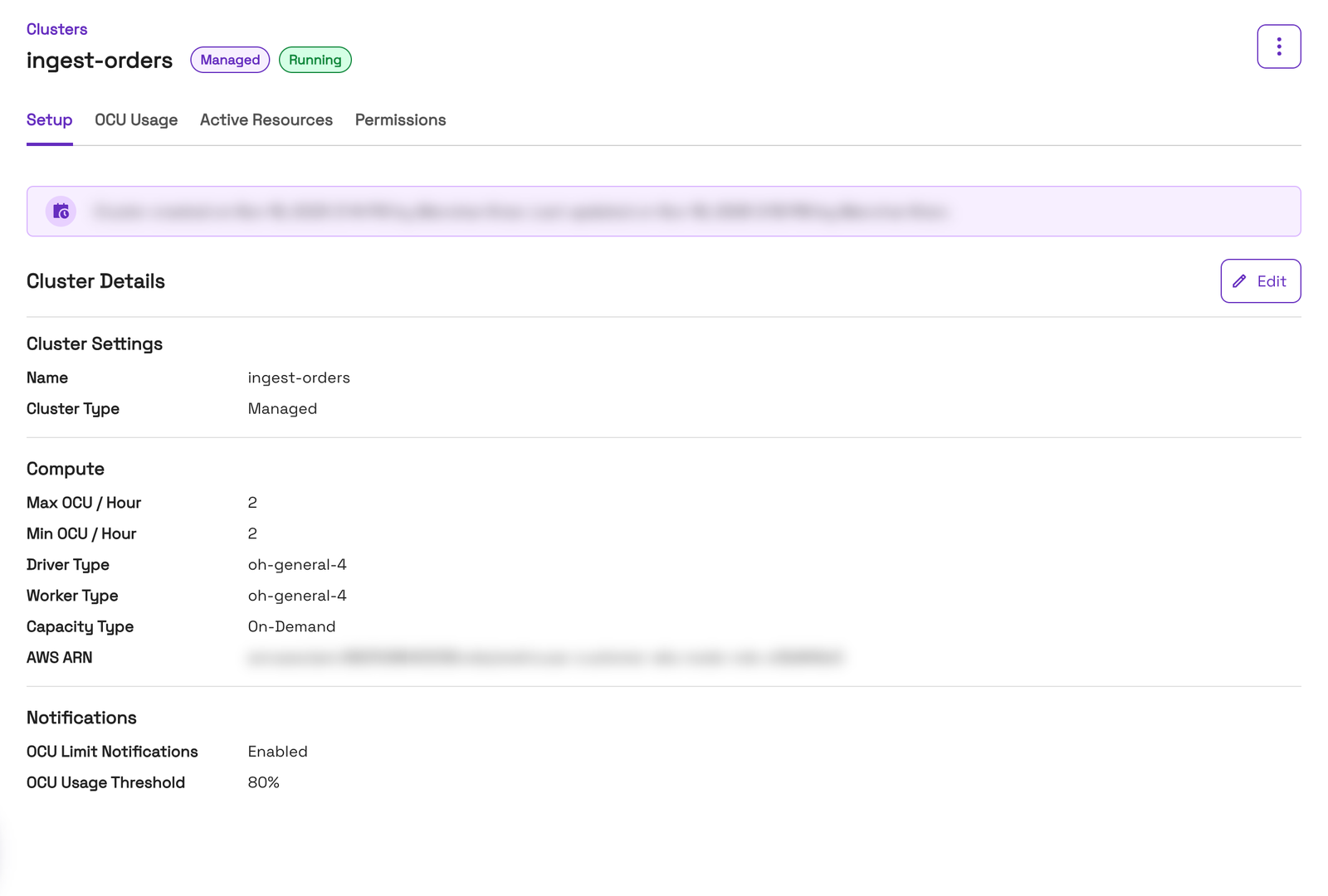
Ingestion is the workload that never stops, and the tables it writes need upkeep. Managed clusters run both. A Flow brings data from a source into an open table, such as Apache Iceberg or Apache Hudi. The same cluster keeps those tables healthy with table services such as compaction and cleaning, and syncs them to your catalogs. You don’t need to schedule this upkeep as a separate job.
Spark clusters: periodic Spark jobs
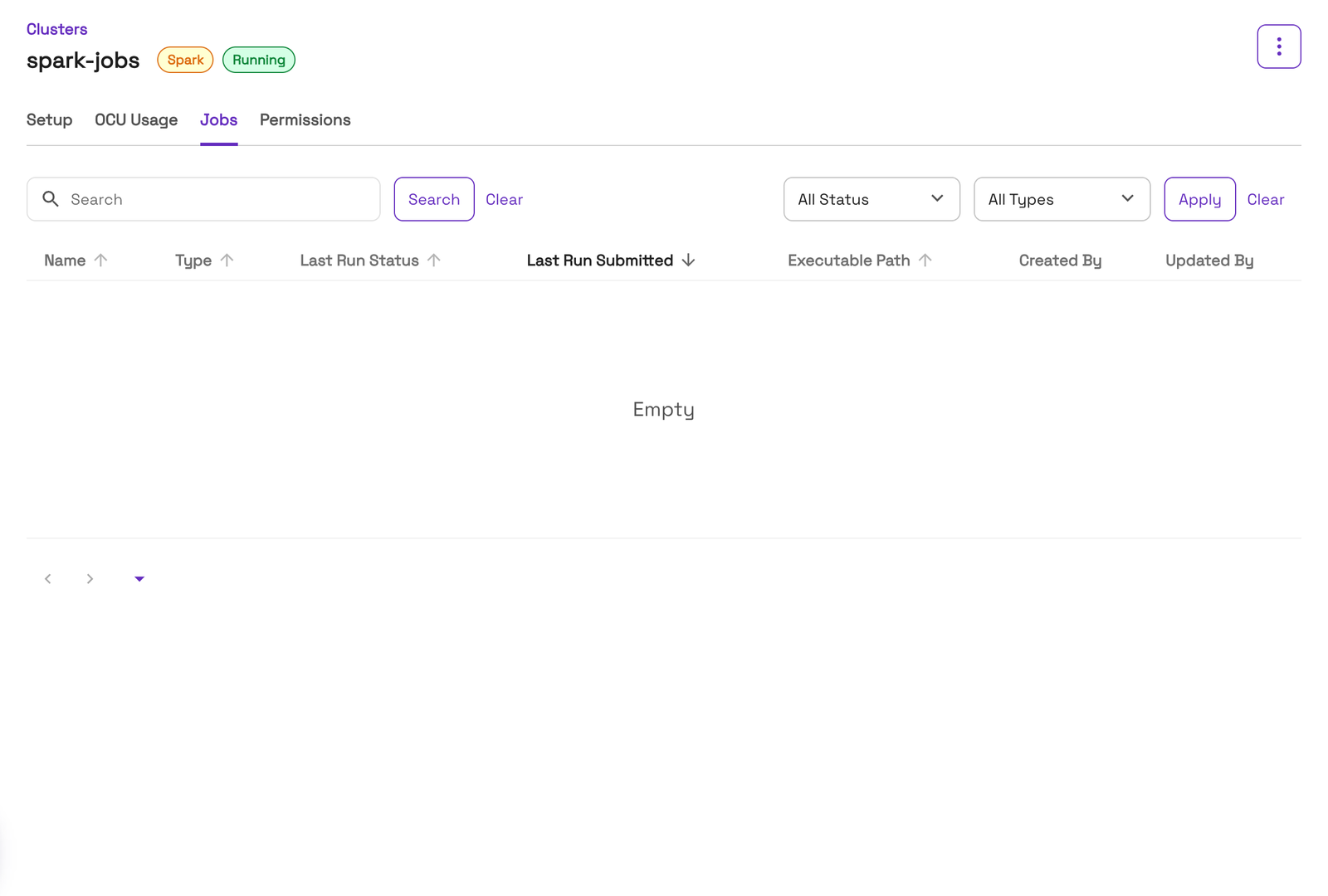
Many teams run periodic Spark jobs: start a cluster, run the job, stop the cluster. On Onehouse, a Job is Apache Spark code in Python, Java or Scala. You start it from the console, the Onehouse API, or a scheduler such as Apache Airflow. Your team brings the code, and Onehouse runs the cluster.
SQL clusters: SQL ETL pipelines
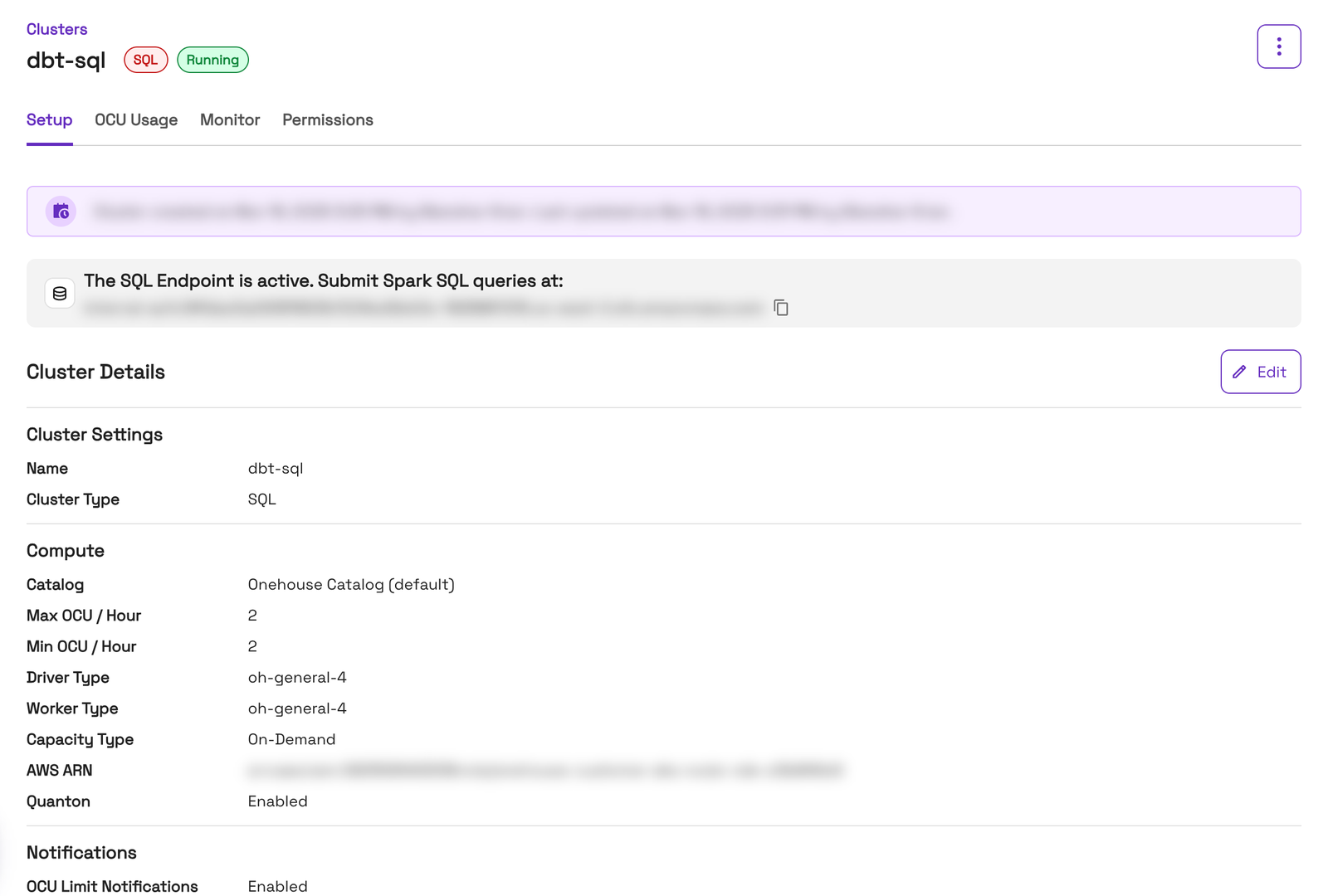
SQL clusters run SQL ETL pipelines. Tools such as dbt or Apache Airflow connect to the cluster’s JDBC endpoint and run Spark SQL. For exploration or analysis with SQL, Onehouse has Lakegres, which is next.
Lakegres clusters: interactive SQL, sized in engines
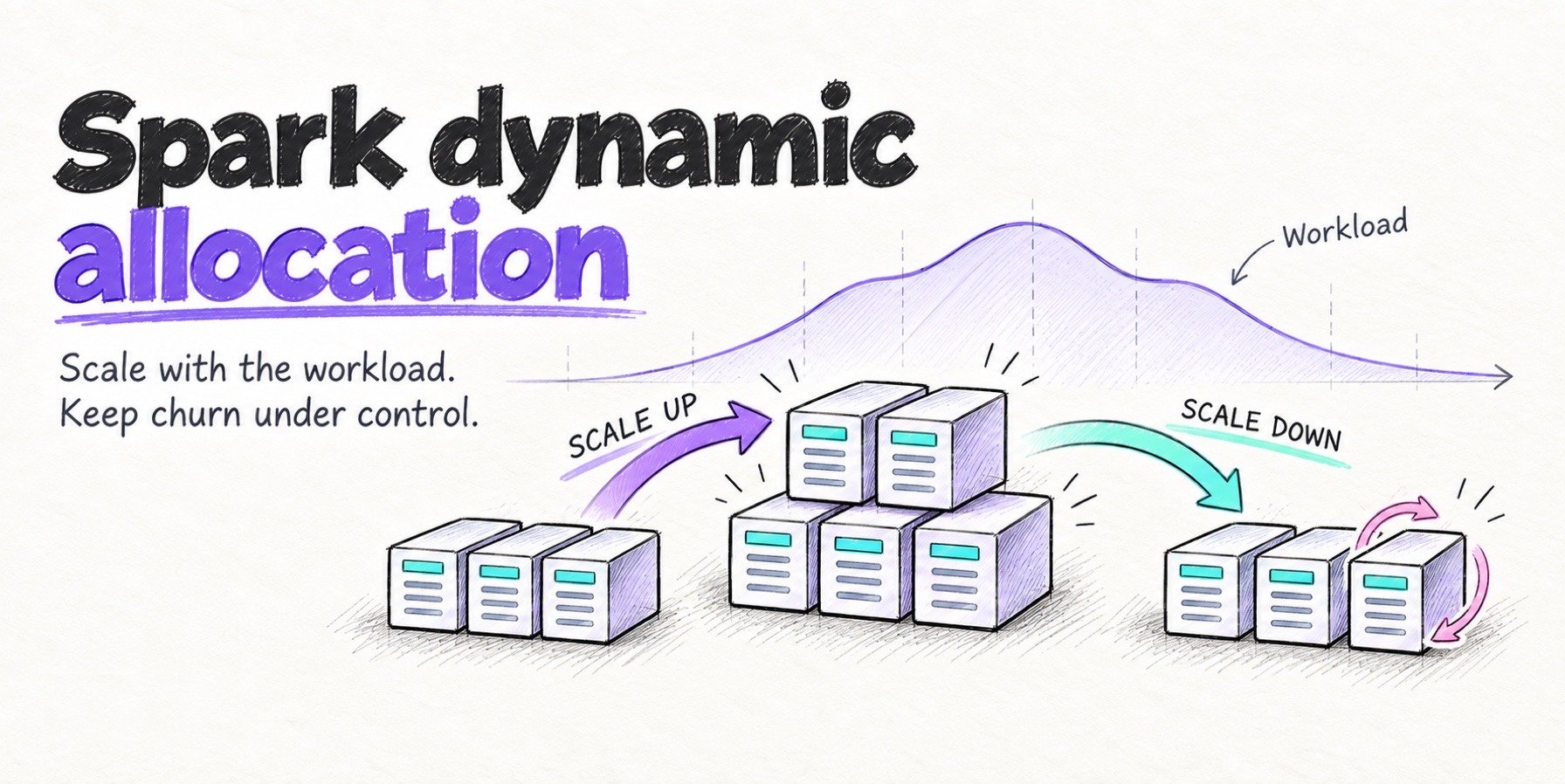
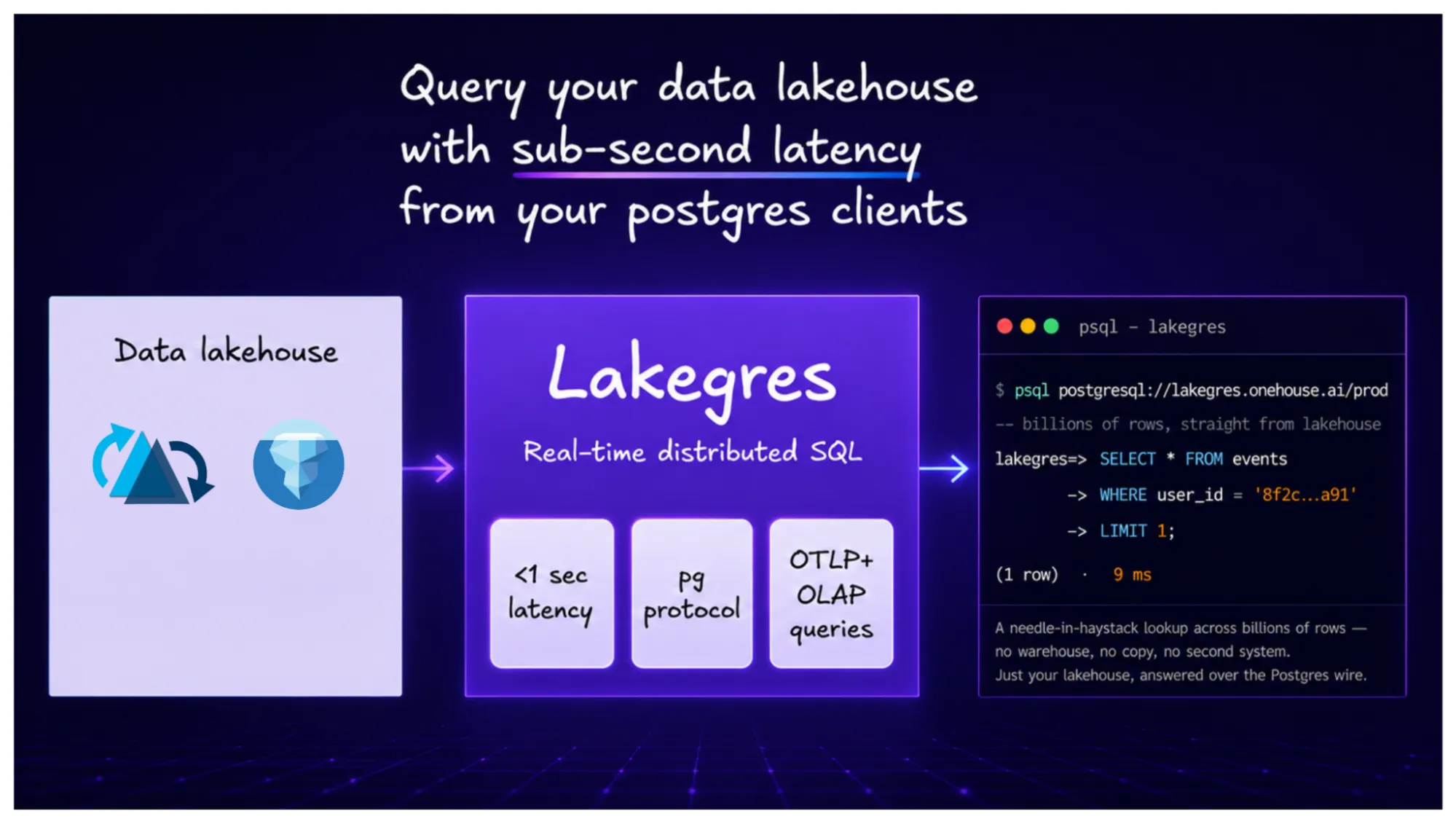
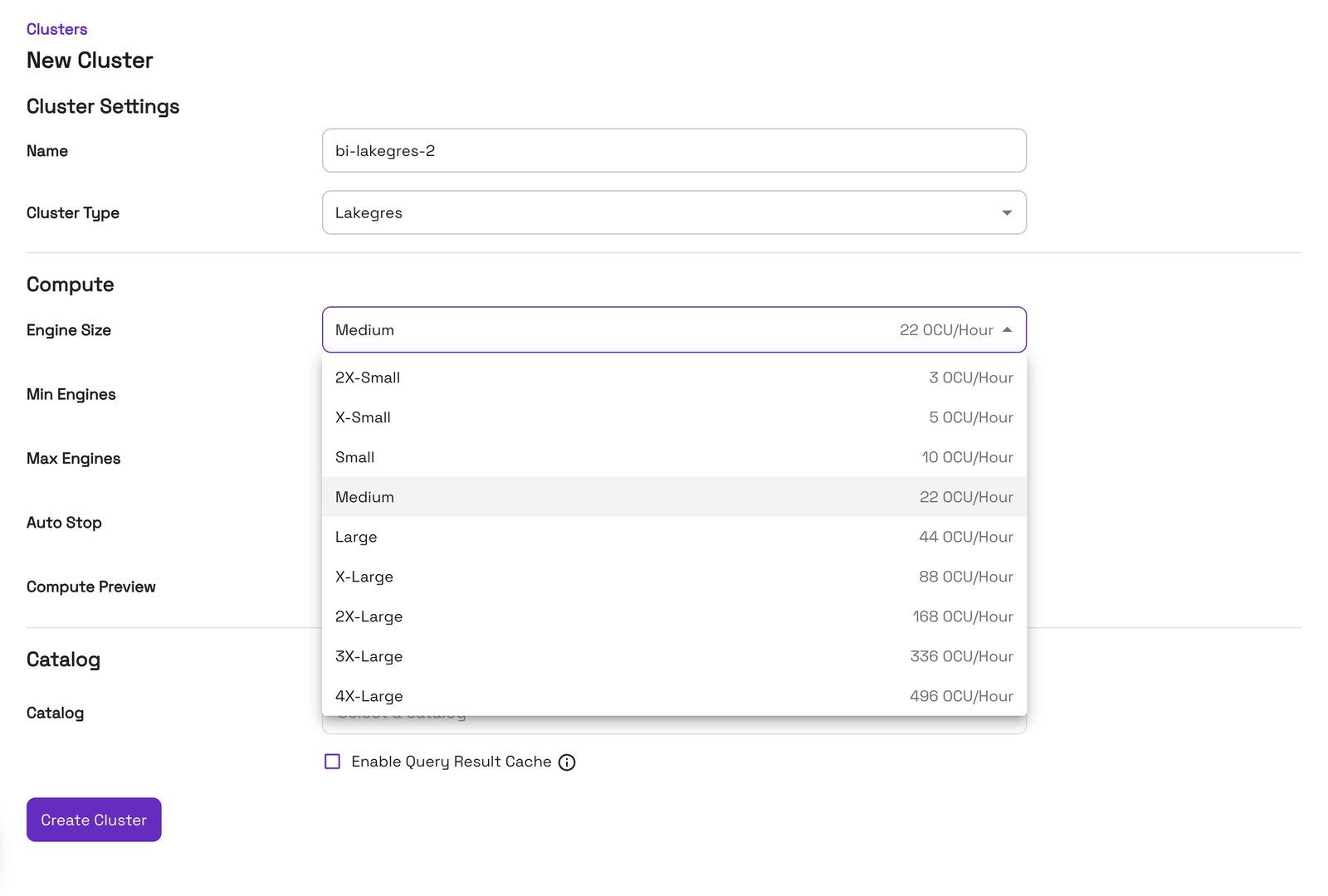
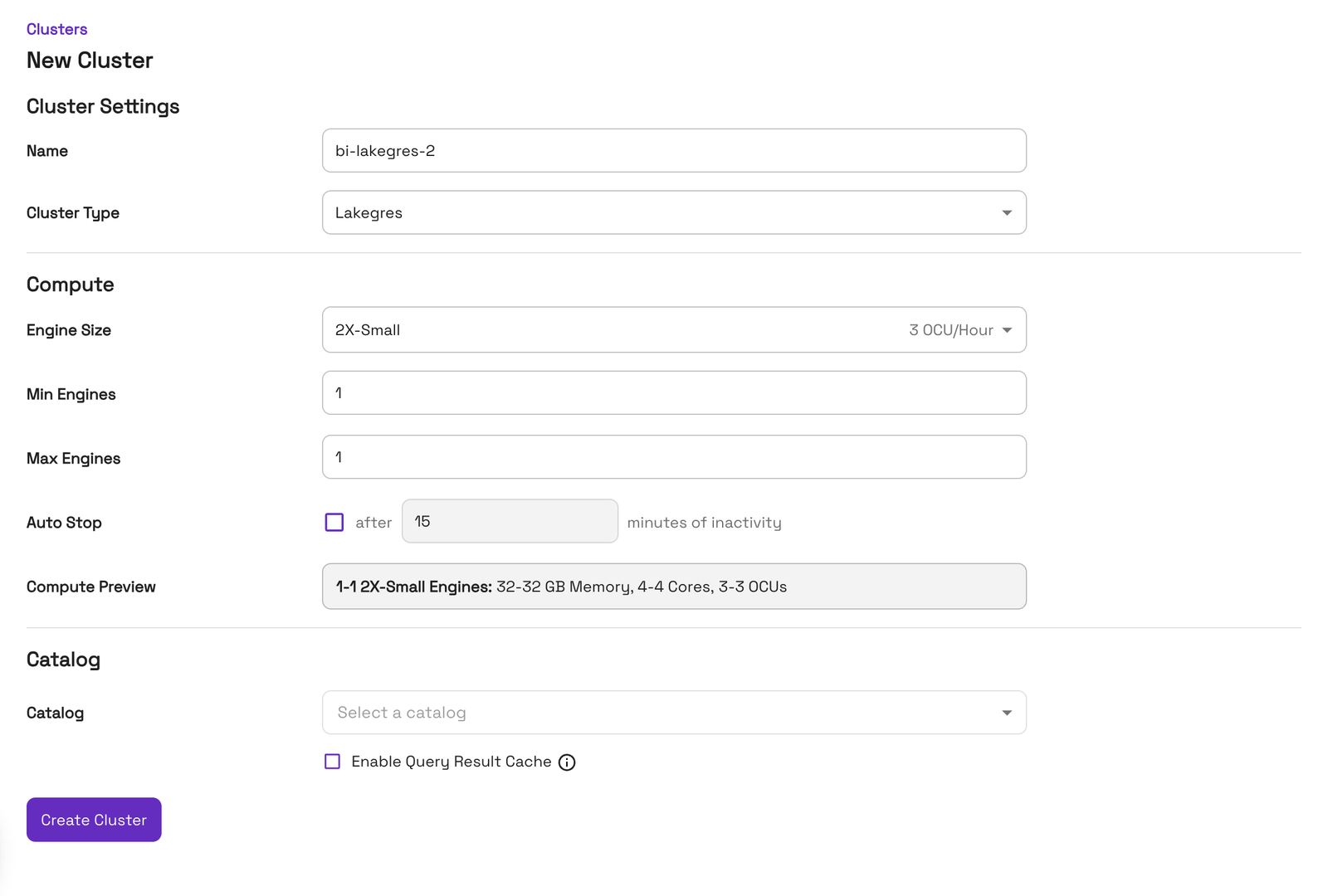
A BI dashboard sends many queries, and each one needs an answer fast. Lakegres sizes compute for that. Compute comes in engines: each engine has one driver and a fixed number of workers. Lakegres sends each query to one engine, so you pick the engine size that fits your biggest query. Then you set Min Engines and Max Engines. When the engines get busy, Lakegres starts another whole engine, up to Max Engines. When the load drops, it stops the extra engines, down to Min Engines (Lakegres clusters).
Each engine size uses a fixed number of OCUs per hour, so Min Engines and Max Engines also set your OCU range. In our project, a 2X-Small engine uses 3 OCU per hour, and the list goes up to 4X-Large. Spark and SQL clusters scale in a different way: they add or remove workers as the workload needs them.
Notebook clusters: exploration in Python
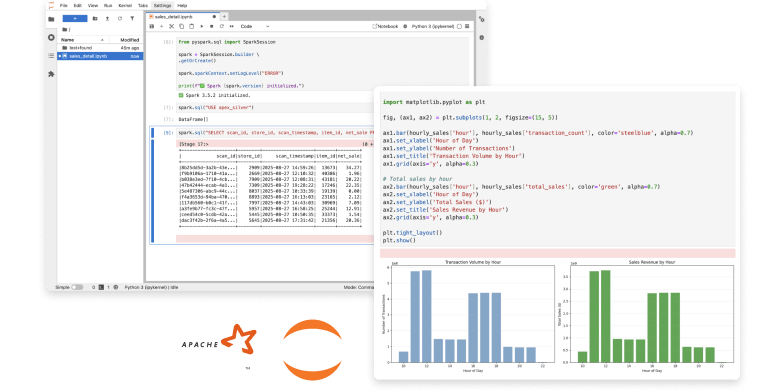
You can also run explorations in Python on Notebook clusters. A Notebook cluster gives a Jupyter notebook for interactive PySpark on the same lake tables. The cluster page shows the notebook address and the sign-in details.
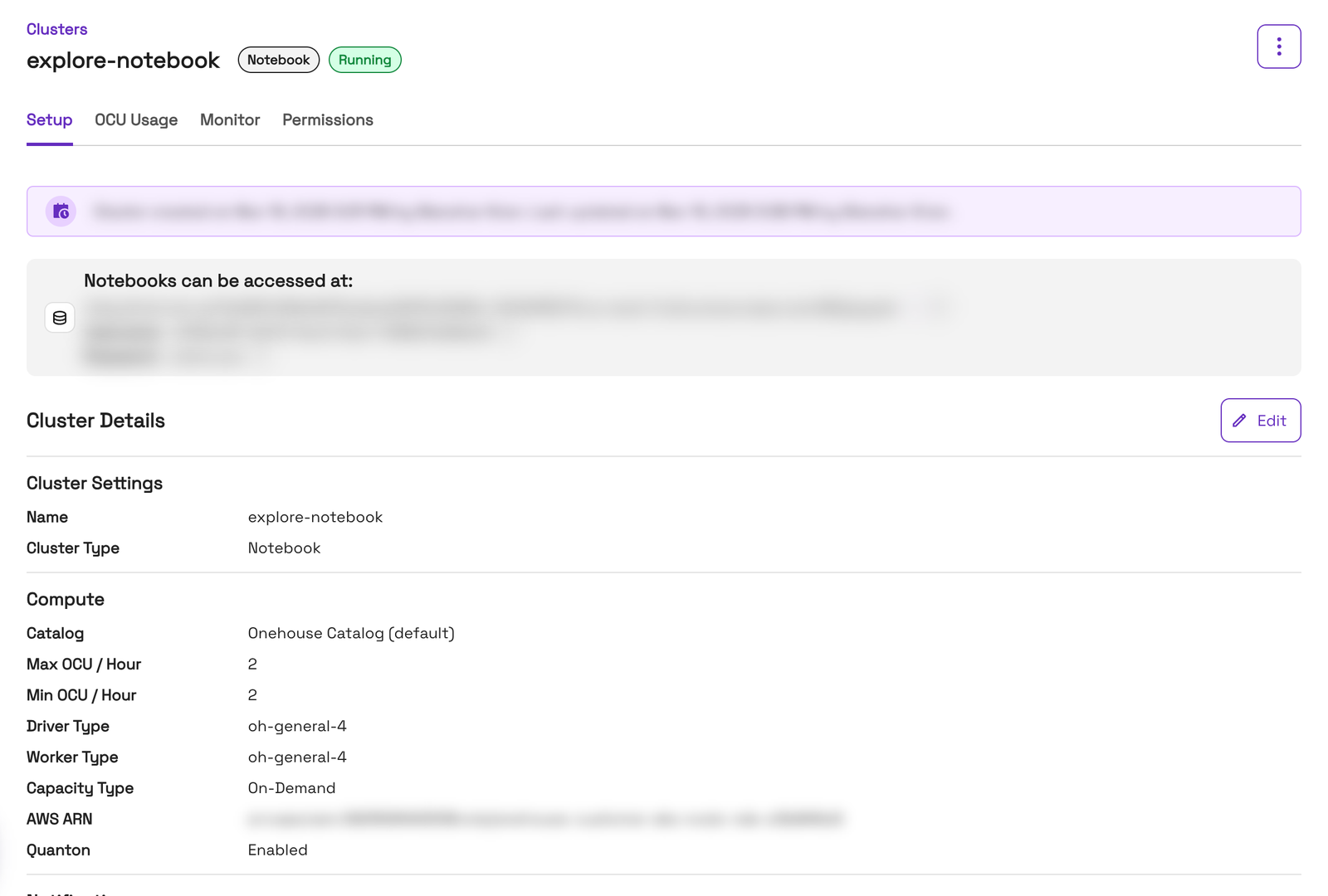
Table Optimizer clusters: upkeep for tables that other tools write
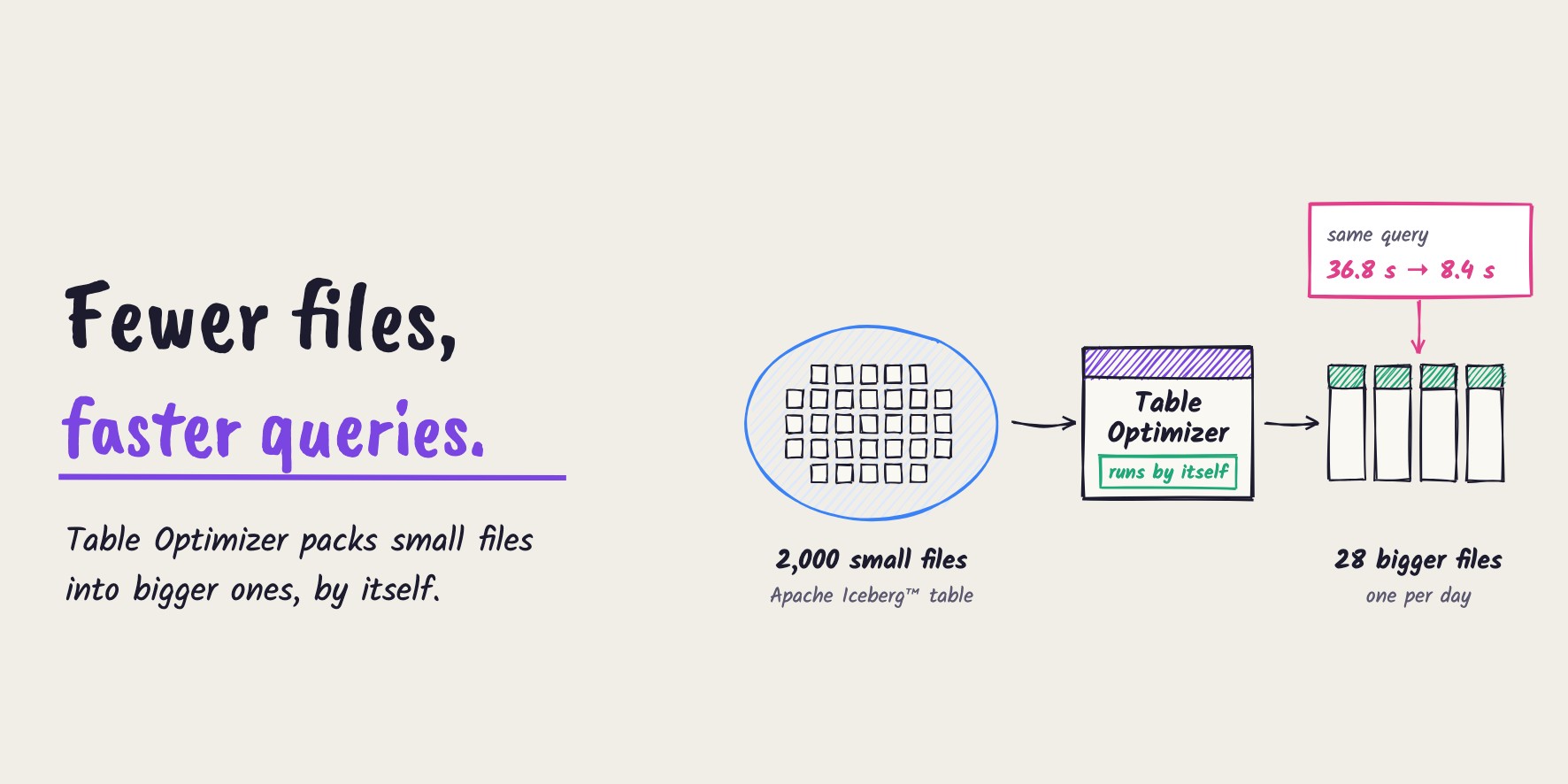
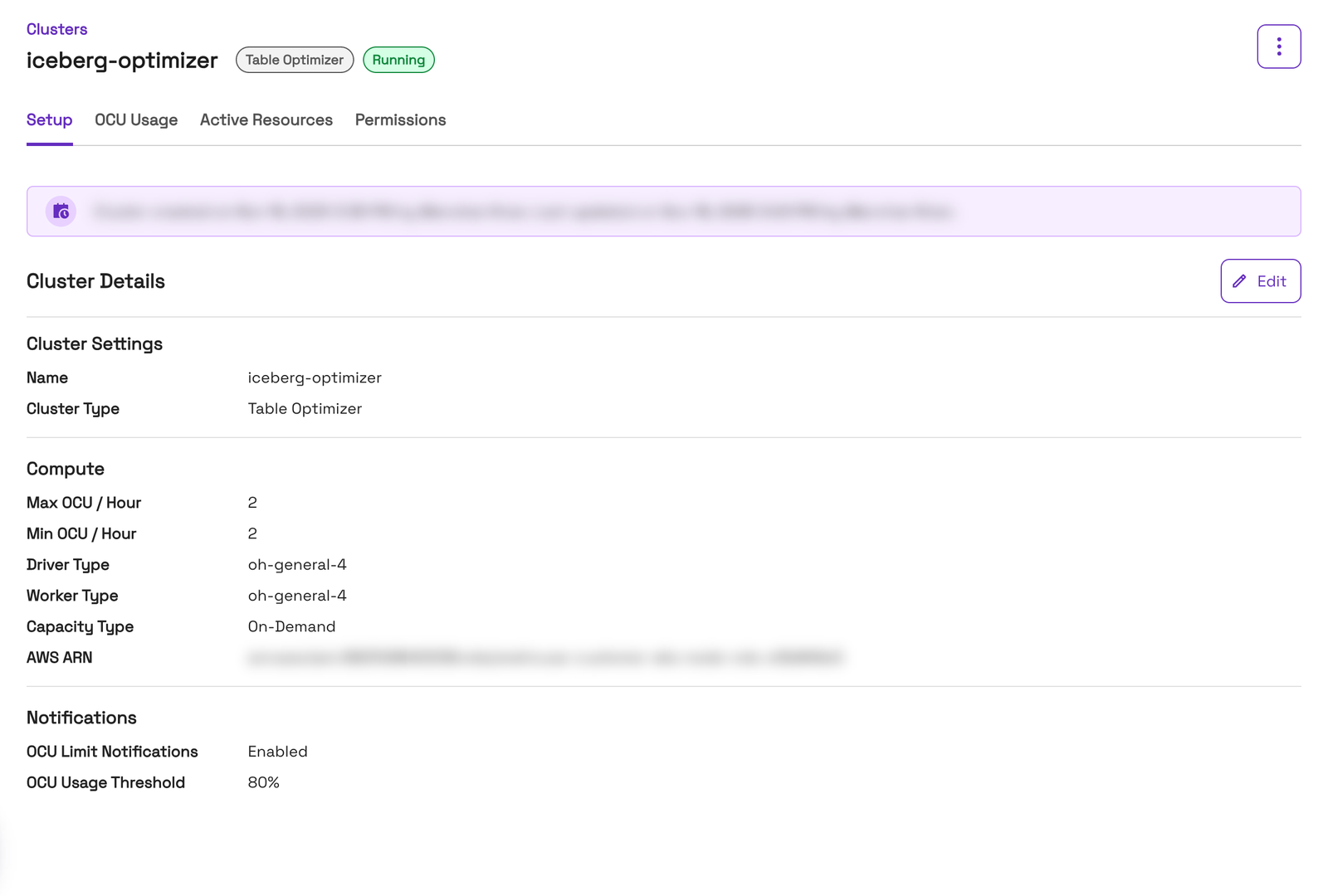
Tables that many small writes land in slow down over time, because every query must open many small files. Many teams build and run their own upkeep jobs to fix this. A Table Optimizer cluster does it for you. It runs table services, such as compaction, clustering and cleaning, and catalog sync, for tables that other tools write, in open table formats such as Apache Iceberg and Apache Hudi. It runs no Flows, Jobs or queries, and table services for newly observed Iceberg tables go to it automatically (CREATE CLUSTER). It’s rare to see such a dedicated cluster for upkeep alone.
For a full walkthrough with real numbers, read Fix slow Apache Iceberg queries caused by small files, with Table Optimizer.
How do you control size and cost?
Why this matters: an autoscaling cluster can grow with every spike, and so can the bill. These settings set the most each cluster can use.
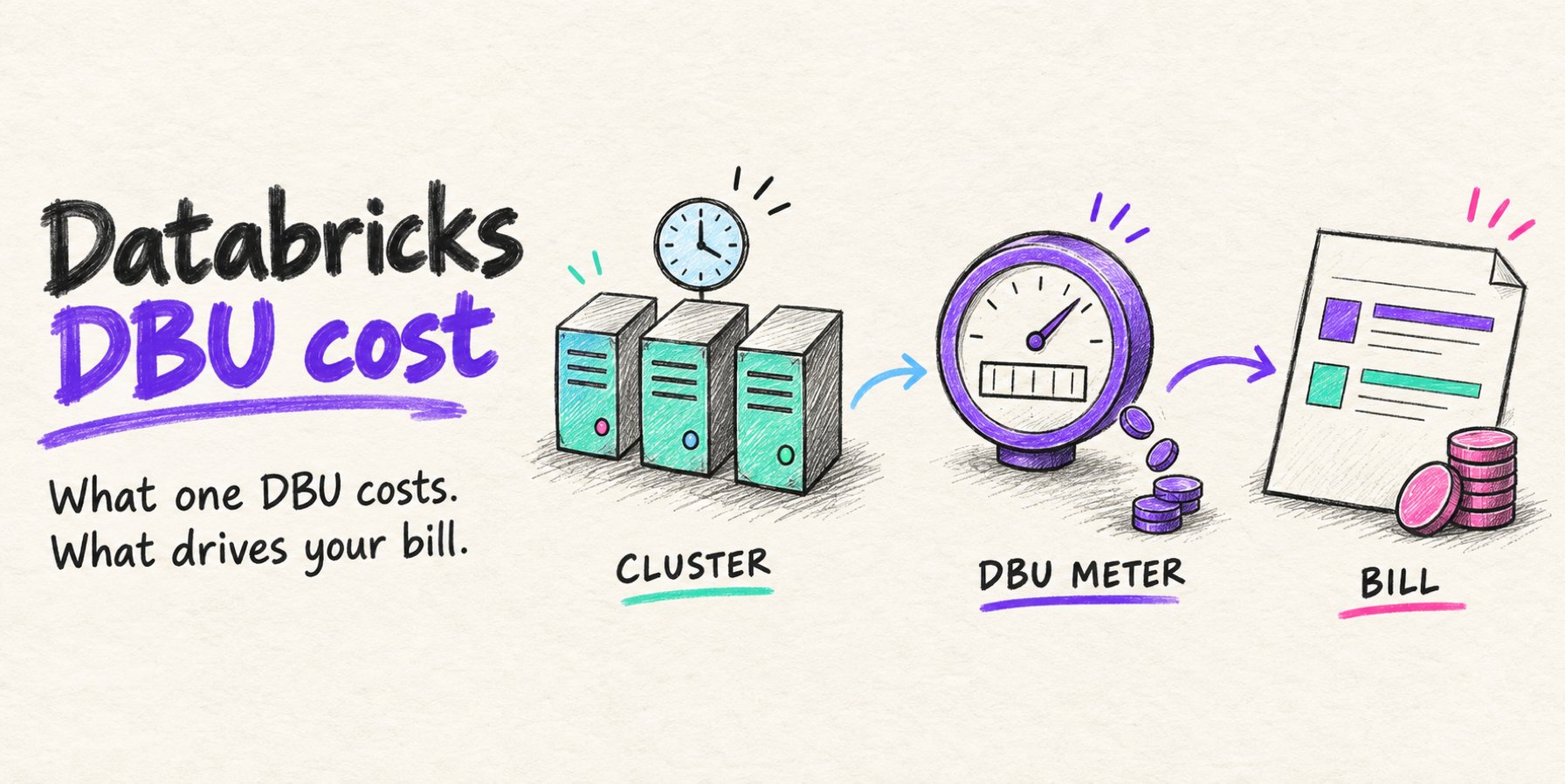
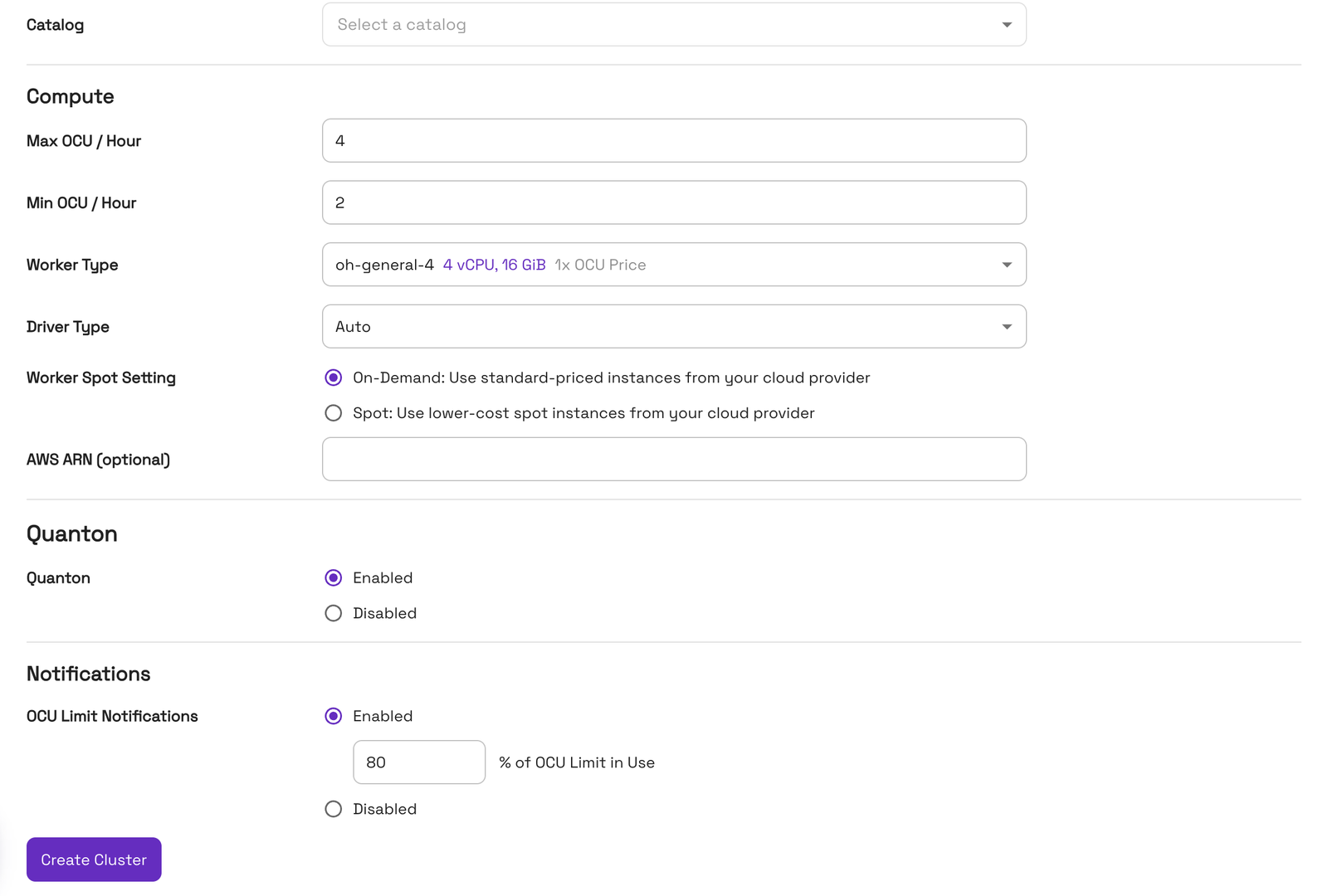
Onehouse bills in OCU, the Onehouse Compute Unit. One OCU is one 4-core machine for one hour, so a 16-core machine for one hour uses 4 OCU (usage and billing). Each cluster scales up and down between two limits that you set.
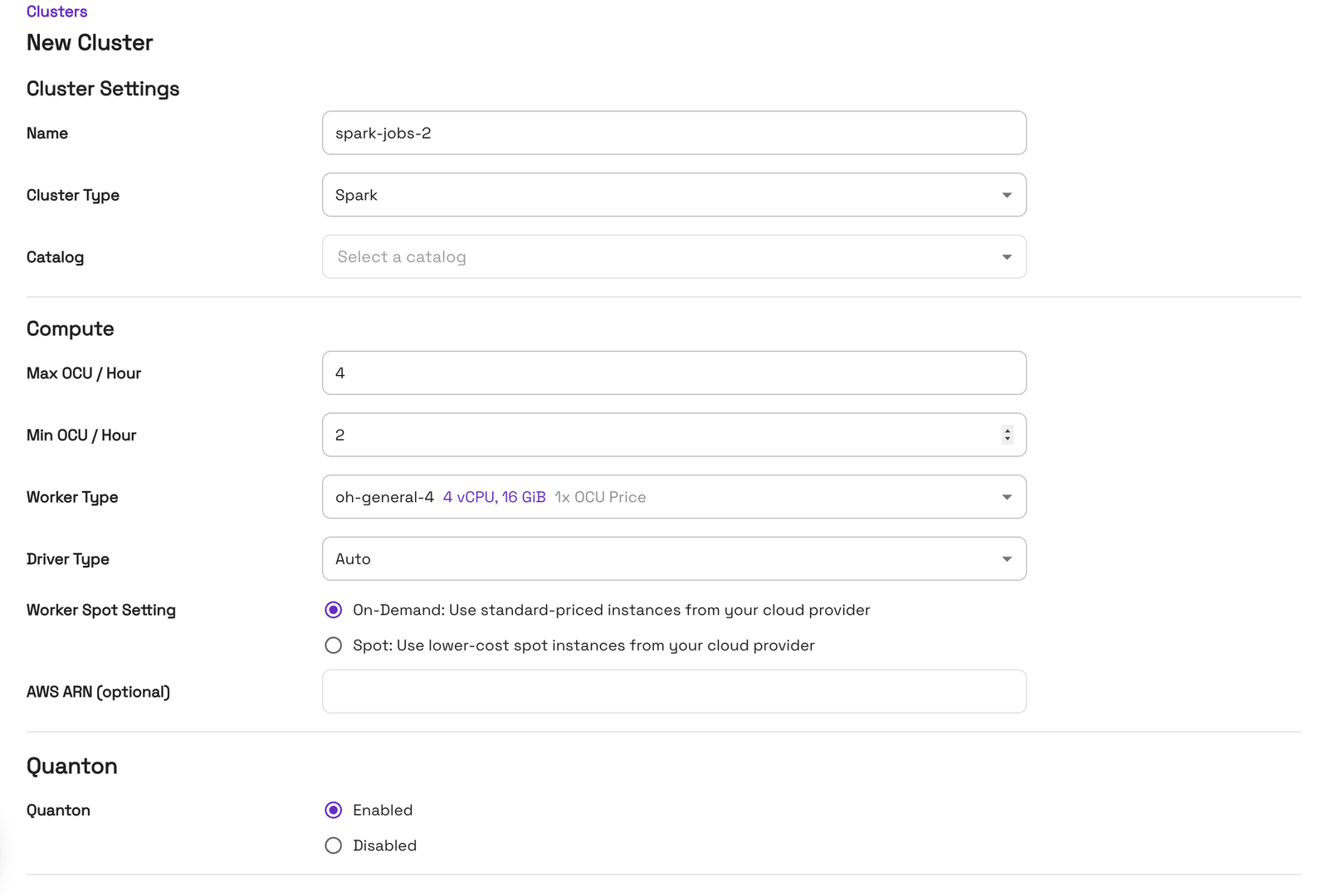
- Max OCU per hour: your spend limit. The cluster cannot scale beyond this number, which keeps your costs in check. If the workload grows past the cap, the execution slows down.
- Min OCU per hour: warm compute, no start-up wait. This much compute stays running and available, so no time is lost in starting up the cluster and warming it.
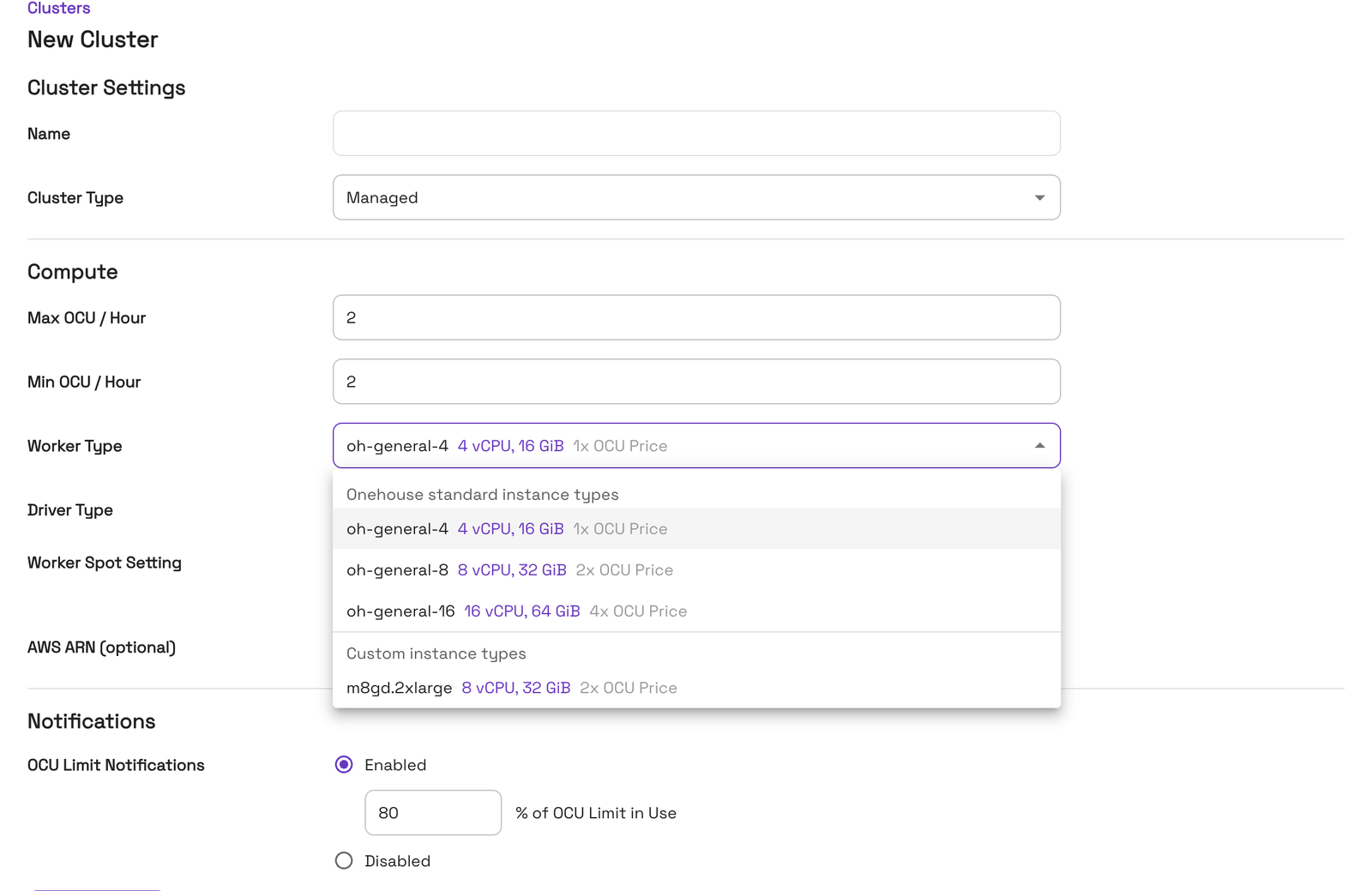
- Worker type and driver type: the machine sizes. Worker type sets the machine size for the workers, and driver type sets the machine for the driver. If you choose Auto, Onehouse uses the worker’s machine type for the driver too, so one setting sizes the whole cluster.
- Spot: a lower cloud bill. Spot instances use lower-cost cloud machines, for workers only. They lower the cloud bill, and the OCU price stays the same.
- Catalog. SQL and Spark clusters also need a catalog: the Onehouse managed catalog, or an external REST catalog.
- OCU alert: a warning before the cap. The OCU alert sends a notice when utilization reaches a set share of Max OCU. The default threshold is 80 percent, and you can change it.
More machine types: custom instance types
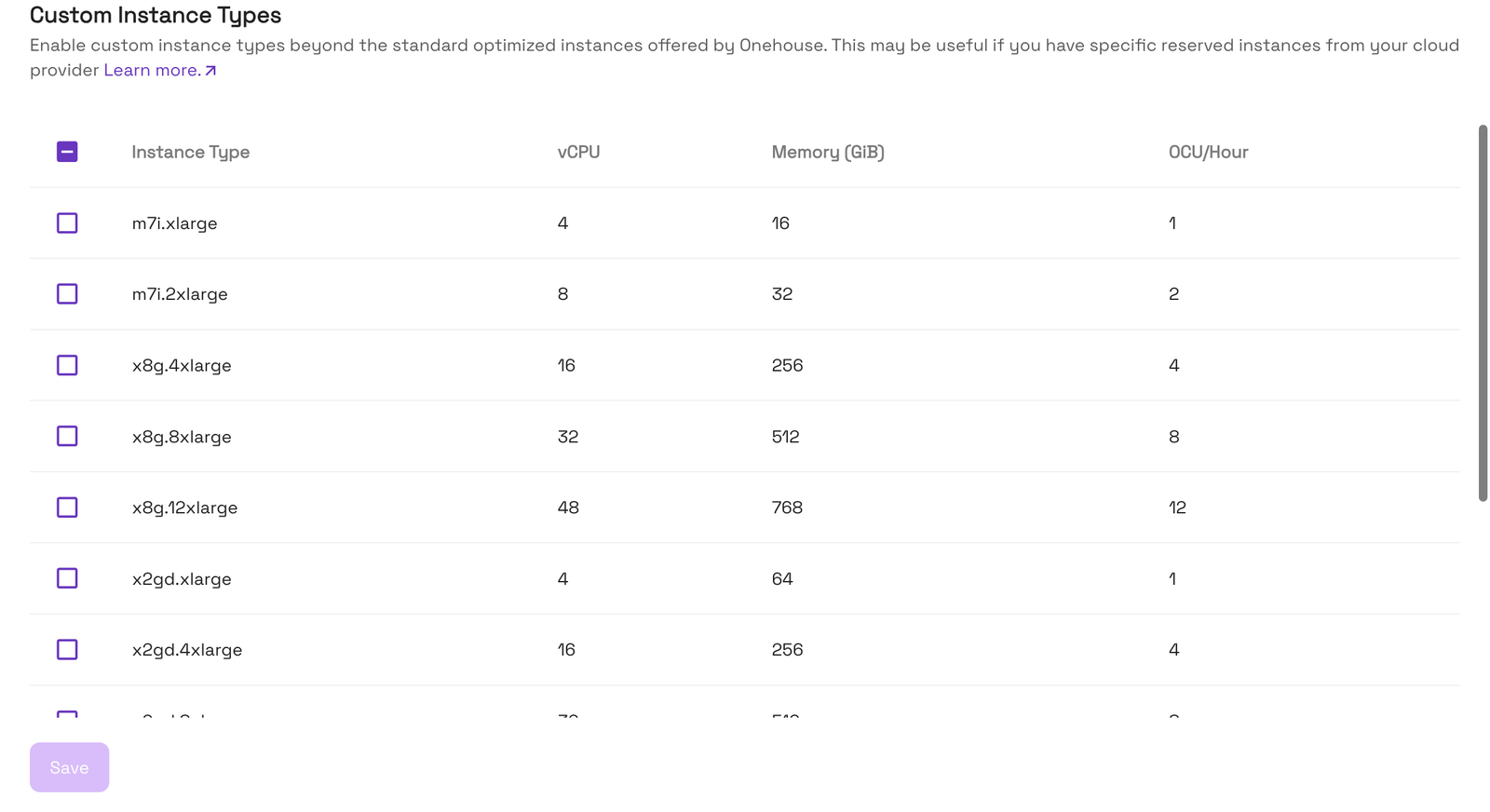
The worker list starts with the standard Onehouse machine types. A project admin can turn on more types under Project Settings, Custom Instance Types. Those types then show in the worker and driver lists of every cluster, under “Custom instance types”.
Changing settings later
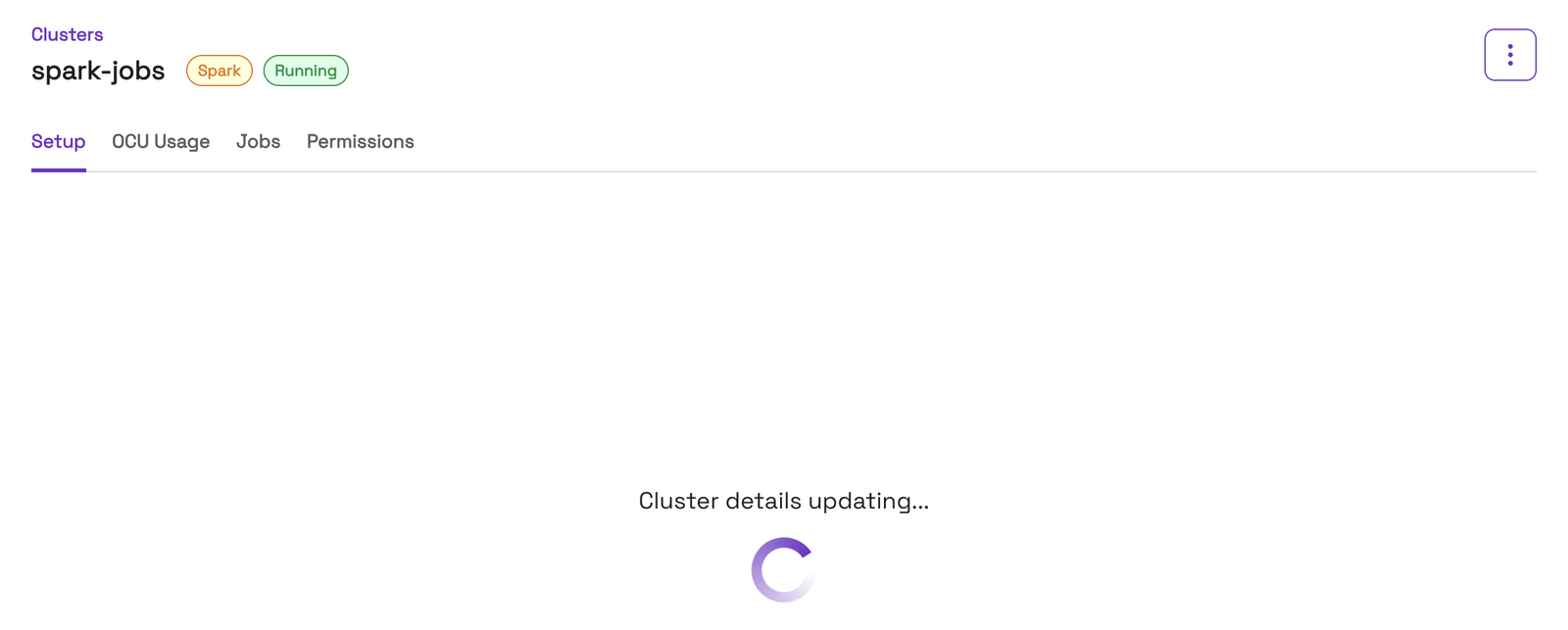
Except for the cluster type, you can change these settings anytime. A change to OCU or machine type restarts the cluster, and running queries and jobs stop until the cluster is ready again. After you click Save, the cluster page shows “Cluster details updating…” while the cluster restarts.
Share machines, or isolate work?
Why this matters: sharing saves money, but some workloads cannot wait.
Clusters can share machines. Onehouse packs workloads from many clusters onto the same machines, and keeps each cluster isolated. This cuts down the chance of CPUs being idle, so keeping workloads together by default is a good choice for most cases.
Give a workload its own cluster when it needs guaranteed compute. Take a large backfill next to busy Spark jobs and Flows. On the shared cluster, the backfill can use only the cores that are free, so a backlog builds. If data waits longer than its source keeps it, for example past an Apache Kafka™ topic’s retention period, that data is lost for good. On its own cluster, the backfill scales up to its Max OCU, finishes on time, and then the cluster tapers down when the load drops (when to isolate). The same applies to business-critical Flows and to real-time ingestion that must not fall behind.
Conclusion
Each workload on your data platform has a cluster type made for it. Ingestion and table upkeep run on Managed clusters. Spark jobs run on Spark clusters, and SQL pipelines run on SQL clusters. BI and SQL exploration run on Lakegres, Python exploration runs on Notebooks, and Table Optimizer keeps your lakehouse tables healthy, including the Apache Iceberg and Apache Hudi tables that other tools write. Each cluster scales inside its own limits, so you know the most it can spend. Share machines by default, and give a workload its own cluster when it needs guaranteed compute. To try it on your own data, start at onehouse.ai.
Other recommended blogs:
- Fix slow Apache Iceberg queries caused by small files, with Table Optimizer
- Announcing Onehouse Lakegres: database speeds finally on the lakehouse
- Introducing the Quanton Kubernetes Operator for Apache Spark
Frequently asked questions
What is a Onehouse cluster?
A virtual cluster on the Kubernetes cluster in your cloud account. It takes its share of cores, shares machines with other clusters, and stays isolated from them.
Can I change a cluster’s type after I create it?
No. You pick the type once, at create. You can move workloads between clusters of a compatible type.
How does Lakegres scale?
In whole engines. You pick an engine size that fits your biggest query, then set Min Engines and Max Engines. Lakegres starts or stops whole engines as the load changes.
What does one OCU mean in machines?
One OCU is one 4-core machine for one hour. A 16-core machine for one hour uses 4 OCU.
Does spot change the OCU price?
No. Spot applies to workers only, and the OCU price stays the same. Spot lowers the cloud bill.
Does a Table Optimizer cluster need setup for each table?
No. Once it runs, table services for newly observed Iceberg tables go to it automatically.
When should a workload get its own cluster?
When it needs guaranteed compute: for example, a large backfill next to busy jobs, business-critical Flows, real-time ingestion, one cluster for each team, or a big load that must finish fast.
Show video transcript
The data team runs many workloads on their data platform. Each workload needs different compute. Ingestion runs all day. A Spark job runs for an hour, then stops. A BI dashboard must answer many small queries fast. Onehouse supports multiple cluster types, tailor-made for each workload.
Here is how they all look together in the Onehouse console. Onehouse runs on a Kubernetes® cluster in your cloud account. All Onehouse clusters are powered by Quanton. Each Onehouse cluster is a virtual cluster that takes its share of cores. Each cluster stays isolated, so one workload cannot take another's cores. You pick the cluster type once, at create. It sets which workloads the cluster runs.
Onehouse measures compute in OCUs, or Onehouse Compute Units. We explain how they work later in this video. You set OCU limits on each cluster, not on the project. The Usage page shows the Current OCU Limit, next to the OCU usage over time. To change a limit, you edit the cluster.
First, Managed clusters. They run ingestion, table services and catalog sync. A Flow brings data from a source into an open table, such as Apache Iceberg™ or Apache Hudi™. The same cluster keeps those tables healthy with services such as compaction and cleaning, and syncs them to catalogs. You don't need to schedule this upkeep as a separate job.
Next, Spark clusters. Many teams run periodic Spark jobs: start a cluster, run the job, stop the cluster. On Onehouse, a Job is Apache Spark™ code in Python, Java or Scala. You start it from the console, the Onehouse API, or a scheduler such as Apache Airflow™. The team brings the code, and Onehouse runs the cluster.
Next, SQL clusters. They run SQL ETL pipelines. Tools such as dbt or Apache Airflow connect to the cluster's JDBC endpoint and run Spark SQL. For exploration or analysis with SQL, Onehouse has Lakegres, which comes up next.
Next, Lakegres clusters. For interactive SQL, such as BI dashboards and data exploration, use a Lakegres cluster. Lakegres sizes compute in engines. Each engine has one driver and a fixed number of workers. Lakegres sends each query to one engine. So pick the engine size that fits your biggest query. Then set Min Engines and Max Engines. When the engines get busy, Lakegres starts another whole engine, up to Max Engines. When the load drops, it stops the extra engines, down to Min Engines. Each engine uses a fixed number of OCUs per hour. So Min Engines and Max Engines also set your OCU range. Spark and SQL clusters scale in a different way: they add or remove workers as the workload needs them.
Next, Notebook clusters, for exploration in Python. A Notebook cluster gives a Jupyter notebook, for interactive PySpark on the same lake tables. The cluster page shows the notebook address and the sign-in details.
Last, Table Optimizer clusters. Data teams also need table services. These are background jobs that keep tables fast to query, such as compaction, clustering and cleaning. A Table Optimizer cluster runs these services, and catalog sync, for tables that other tools write. It runs no Flows, Jobs or queries. It's rare to see such a dedicated cluster for upkeep alone. On many platforms, teams build and run their own upkeep jobs.
Now let's dive into which configurations help you manage the sizing and cost associated with these clusters. Most cluster types share the same settings. Onehouse bills in OCU, the Onehouse Compute Unit. One OCU is one 4-core machine for one hour. A 16-core machine for one hour uses 4 OCU. Each cluster scales up and down between two limits you set.
Max OCU per hour is the top limit. This prevents the cluster from scaling beyond a known number, thereby keeping our costs in check. If the workload grows past the cap, the execution slows down. Min OCU per hour keeps compute running and available, so no time is lost in starting up the cluster and warming it.
Worker type sets the machine size for the workers. Driver type sets the machine for the driver. If you choose Auto, Onehouse picks the driver machine for you. It uses the same machine type as the workers, so one setting sizes the whole cluster. Spot instances use lower-cost cloud machines, specifically for workers only. They lower the cloud bill, and the OCU price stays the same.
The worker list starts with the standard Onehouse machine types. A project admin can add more types in Project Settings. Those types then show in the worker and driver lists of every cluster.
The OCU alert sends a notice when utilization reaches a set share of Max OCU. The default threshold is 80 percent, but you can always change it.
Except for the cluster type definition, you can change these settings anytime. A change to OCU or machine type restarts the cluster, and stops any running queries and jobs, as the system applies the changes to the cluster.
Clusters can share machines. Onehouse packs workloads from many clusters onto the same machines, and keeps each cluster isolated. This cuts down the chance of CPUs being idle, so keeping workloads together by default is a good choice for most cases. Give a workload its own cluster when it needs guaranteed compute. For example, a large backfill next to busy Spark jobs and Flows. On its own cluster, it scales up for the load, then tapers down, and finishes on time.
Here is the full map. Ingestion and table upkeep run on Managed clusters. Spark jobs run on Spark clusters, and SQL pipelines run on SQL clusters. BI and SQL exploration are powered by Lakegres, Python exploration runs on Notebooks, and Table Optimizer keeps lakehouse tables healthy. Each cluster scales inside its own limits.
Pick each cluster type for the workloads it runs. Set Max OCU for the budget, and share machines unless a workload needs its own. To try it on your own data, start at onehouse.ai.
Apache®, Apache Spark™, Apache Airflow™, Apache Iceberg™, Apache Hudi™, Apache Kafka™ and their logos are trademarks of The Apache Software Foundation.