Talk with our engineers by joining the new Onehouse community Slack!
TL;DR
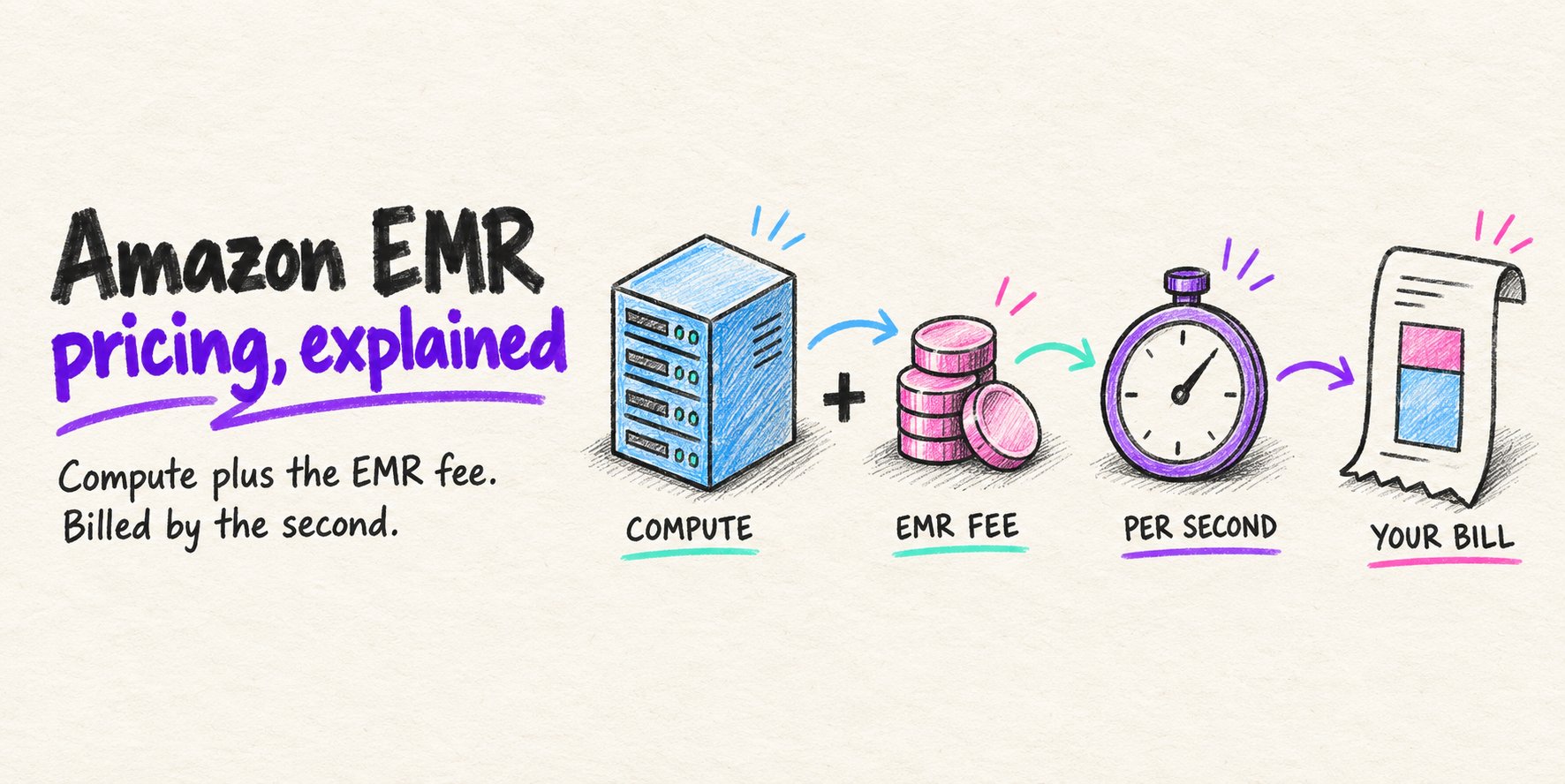
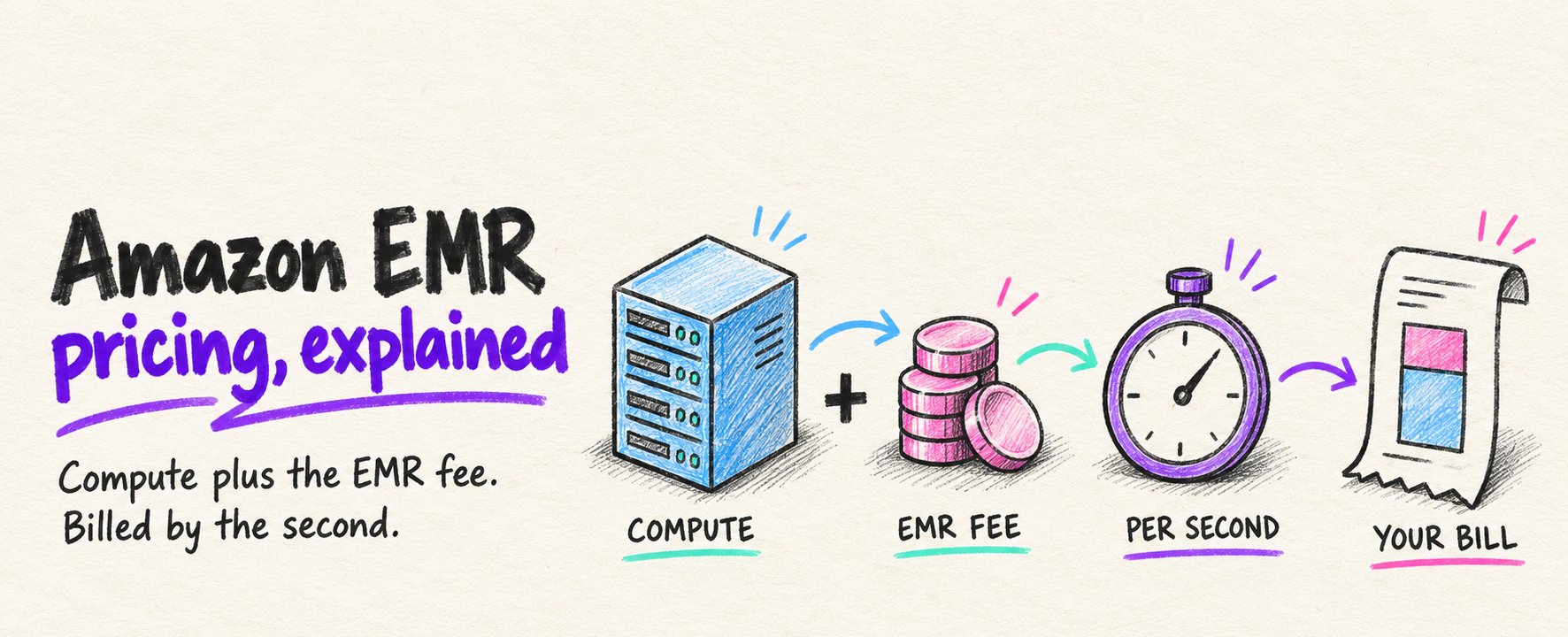
Amazon EMR bills compute plus an EMR fee, per second, and the unit changes by model: instance-hours on EC2, requested pod resources on EKS, and bundled worker rates on Serverless. The EMR fee is priced off on-demand EC2, so Spot and Reserved discounts shrink only the instance part and the fee's share of the bill grows, while storage, networking and runtime decide the rest. Quanton swaps in a faster Spark engine on your own AWS instances and bills per GiB processed, so your EC2 discounts cover all the compute and every speedup cuts instance hours.
Amazon EMR pricing is additive. On every deployment model except EMR Serverless, you pay AWS for the compute that runs your Apache Spark™ jobs, and then you pay an EMR fee on top of that compute. Both are billed per second with a one-minute minimum.
What changes between models is the unit. EMR on EC2 charges per instance-hour, EMR on EKS charges per vCPU-hour and GB-hour of the pods you request, and EMR Serverless charges per vCPU-hour, GB-hour, and storage-hour of the workers it runs. Storage, networking, and job runtime then decide how large the total bill gets.
How Amazon EMR pricing works
Every EMR bill has two components, the underlying compute and the EMR service fee, both billed per second.
The EMR uplift on top of compute
AWS calls the EMR service fee an “uplift”. On the Amazon EMR pricing page, the EMR price “is added to” the price of the EC2 instances, EKS resources, or Outposts capacity underneath it. The uplift pays for the managed service: cluster provisioning, the EMR runtime for Spark, Apache Hive™, and Presto, and integration with the rest of AWS.
On EC2, the uplift is a fixed hourly rate per instance type. For common general-purpose instances it works out to roughly 25% of the on-demand EC2 price. An m5.xlarge in us-east-1, for example, costs $0.192 per hour for EC2 and $0.048 per hour for EMR.
EMR Serverless is the exception to the two-part structure. Serverless publishes a single rate per vCPU-hour and GB-hour that bundles the compute and the service fee, so there is no separate EC2 line.
Per-second billing and what counts as usage
EMR bills per second with a one-minute minimum on all deployment models. AWS states the consequence directly: a 10-node cluster running for 10 hours costs the same as a 100-node cluster running for one hour.
The billing clock starts earlier than many teams expect. On EMR on EKS, charges run from the time the EMR image starts downloading until the pod terminates. On EMR Serverless, they run from the time a worker is ready until it stops, and custom images are billed from the start of the image download.
Because billing is linear in time, runtime and cost move together. A Spark job that finishes in half the time costs roughly half as much, as long as the capacity is released when the job ends, on every EMR deployment model.
EMR on EC2 pricing
EMR on EC2 is the original model and still the most common. You choose instance types for the primary, core, and task nodes, and you pay for every running instance until the cluster terminates.
Instance-hours plus a per-instance EMR fee
The formula is EC2 instance cost, plus EMR fee per instance, plus any attached EBS volumes. All three are billed per second. The EMR fee depends only on the instance type and region, not on how busy the instance is.
AWS’s own example uses three c4.2xlarge instances (one primary, two core) in us-east-1 for a full month. The EC2 portion is $0.398 per instance-hour and the EMR portion is $0.105. Over 730 hours, the cluster costs $871.62 in EC2 and $229.95 in EMR fees, for a total of $1,101.57.
That same arithmetic works for any cluster. Multiply each instance type’s EC2 rate and EMR rate by the instance count and the hours the cluster runs, then add EBS. The AWS Pricing Calculator for EMR and third-party tools like the CloudBurn EMR calculator do the same sum across regions and purchase options.
Why Spot and Reserved discounts shrink on EMR
EC2 discounts apply only to the EC2 portion of the bill. Spot Instances, Reserved Instances, and Savings Plans can cut the instance price substantially, but the EMR uplift stays at its full rate.
The effect is easy to see on a single m5.xlarge. If Spot takes 70% off the $0.192 EC2 rate, the instance costs about $0.058 per hour, while the EMR fee remains $0.048. The EMR fee is now close to half of the hourly cost instead of a fifth.
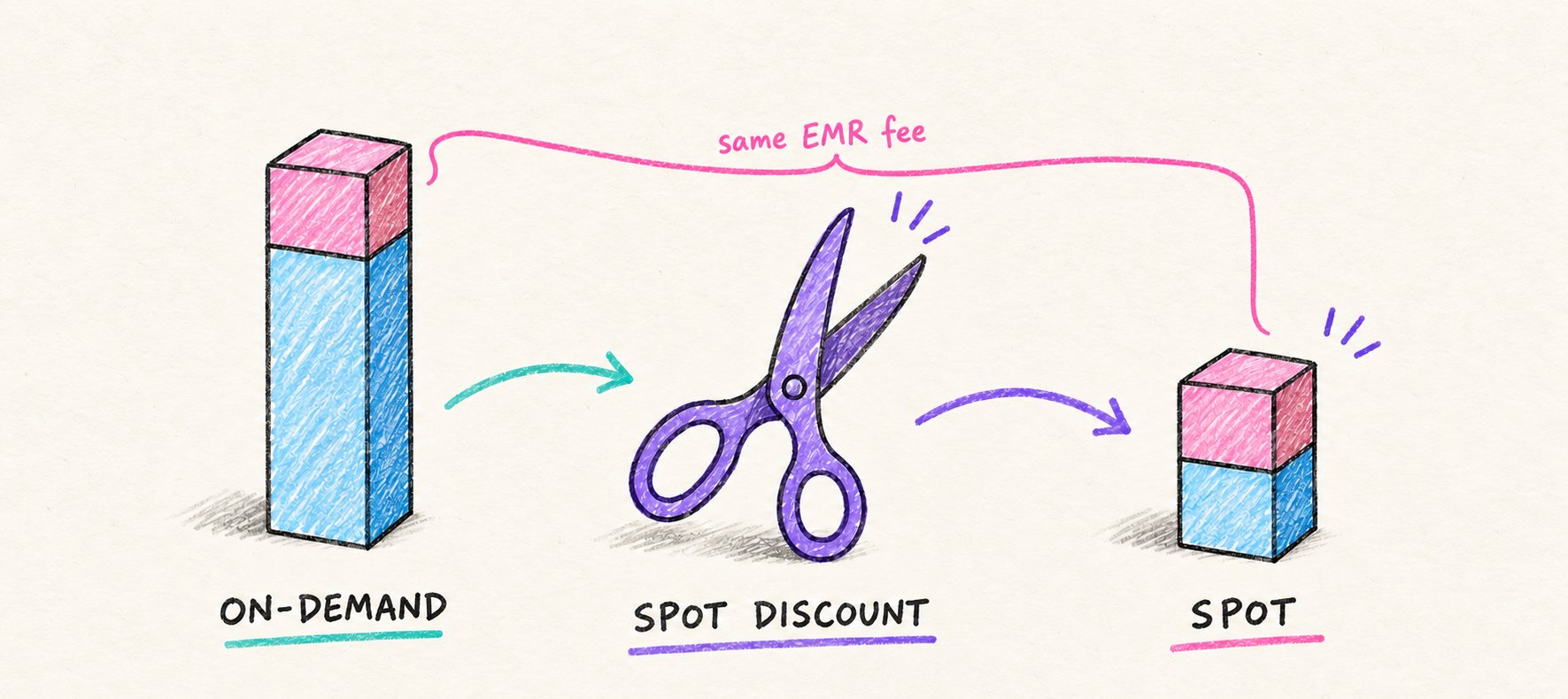
Reserved purchases follow the same pattern. Concurrency Labs’ EMR Reserved guide shows a one-year Standard All Upfront reservation on an m5.xlarge saving about 33% on the combined EMR and EC2 cost, lower than the same reservation saves on EC2 alone. The more discount you negotiate on EC2, the larger the EMR fee’s share of the bill becomes.
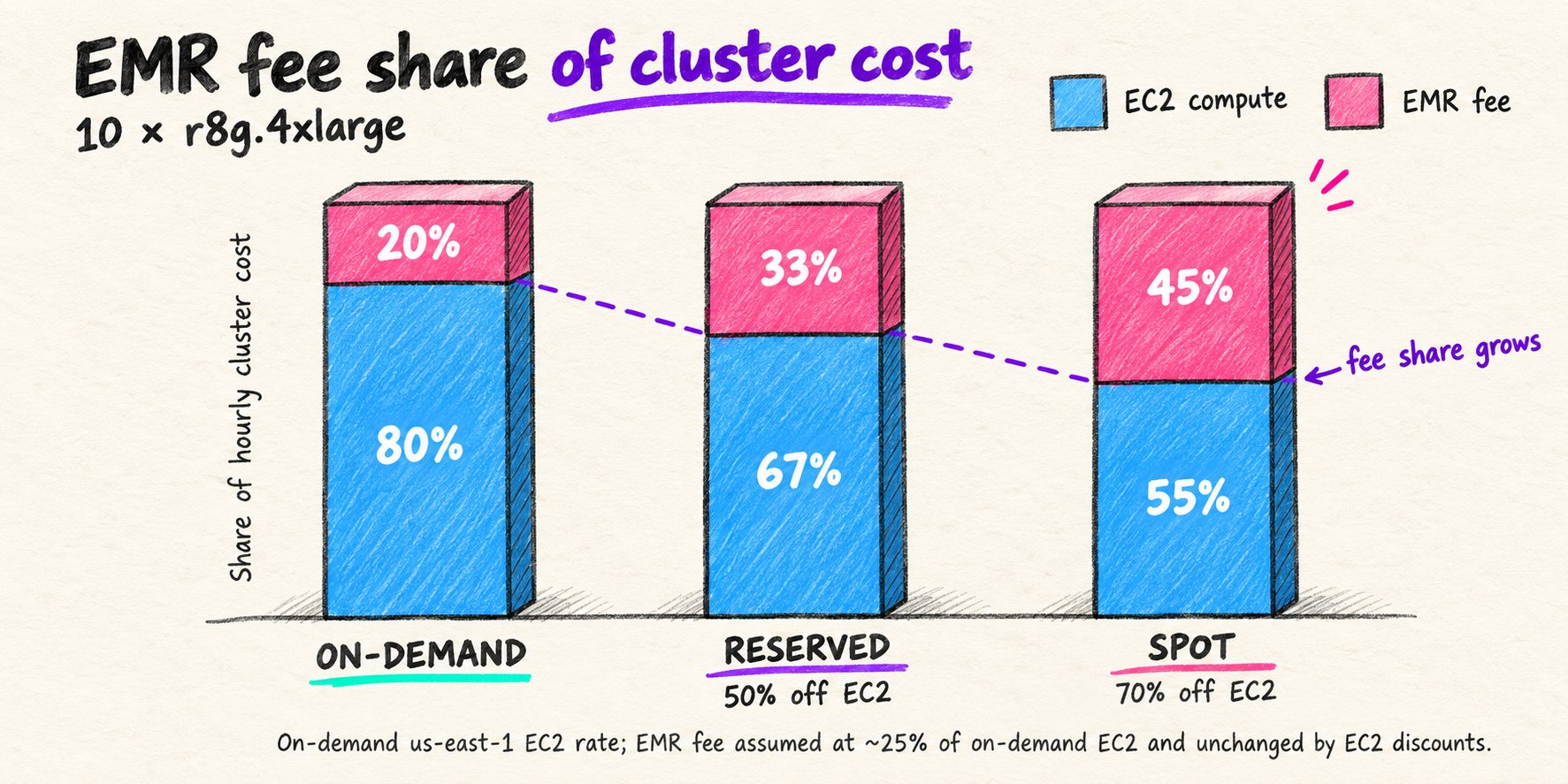
The same math holds for a full cluster. On 10 × r8g.4xlarge instances in us-east-1, EC2 is about 80% of the hourly bill at on-demand prices and the EMR fee is about 20%. With a 50% Reserved or Savings Plans discount on EC2, the EMR fee grows to about 33% of the bill. With a 70% Spot discount, it reaches about 45%.
That is why EMR can look cheap at first. Next to on-demand EC2, the fee is small. It is priced off the on-demand instance rate, though, so it stays flat when you buy cheaper capacity. The more a team optimizes its EC2 spend, the larger the share of the remaining bill that goes to the EMR fee, for the same managed service.
EMR on EKS pricing
EMR on EKS runs Spark jobs as pods on an Amazon EKS cluster you already operate. You pay for the EKS cluster, for the EC2 or AWS Fargate capacity that backs the worker nodes, and for an EMR uplift based on the vCPU and memory each Spark pod requests.
In us-east-1, the uplift is $0.01012 per vCPU-hour and $0.00111125 per GB-hour. AWS’s example is a job that requests 100 vCPUs and 300 GB of memory for 30 minutes, which adds $0.67 of EMR uplift on top of the EC2 nodes it runs on. The EKS control plane adds $0.10 per cluster-hour, shared across every workload on that cluster.
The main cost difference from EMR on EC2 is what the uplift is charged on. On EC2, the fee attaches to every instance for as long as the cluster is up. On EKS, the fee attaches only to the resources Spark pods request while they run, so idle node capacity carries no EMR charge.
That makes EMR on EKS attractive for teams that already run shared Kubernetes clusters with bin-packed workloads. The trade-off is operational: you run and scale the EKS cluster yourself, and the EC2 nodes under it are still billed whether pods are scheduled on them or not.
EMR Serverless pricing
EMR Serverless removes clusters from the picture. You create an application, submit jobs, and AWS adds and removes workers within the limits you set.
Per-vCPU and per-GB rates by worker size
EMR Serverless bills aggregate vCPU, memory, and storage across all workers. In us-east-1 on x86, the rates are $0.052624 per vCPU-hour and $0.0057785 per GB-hour. Each worker gets 20 GB of standard ephemeral storage at no charge, and additional storage is billed per GB-hour. Graviton (arm64) workers are billed at a lower rate than x86.
Workers range from 1 to 16 vCPUs, with 2 to 120 GB of memory depending on the vCPU count. AWS’s worked example is a Spark job with 25 workers of 4 vCPU and 30 GB each, which runs for 30 minutes and scales to 75 workers for 15 of those minutes. The job costs $5.26 in vCPU charges and $4.33 in memory charges, $9.60 in total.
There is no EC2 line on a Serverless bill, and there is also no way to apply your EC2 discounts. Spot capacity, Reserved Instances, and negotiated EC2 rates do not reduce the Serverless per-vCPU rate.
Where Serverless charges add up
The first cost to watch is pre-initialized capacity. If an application is configured to start workers when the application starts, those workers bill from startup until the application stops or times out as idle. Pre-initialized capacity cuts job start latency, but warm workers that sit waiting are billed at the full rate.
The second is scaling. AWS’s own EMR Serverless cost guidance warns that Spark dynamic allocation can assign more workers than a job needs, and recommends capping spark.dynamicAllocation.maxExecutors or the application’s maximum capacity.
The third is shuffle storage. Shuffle-optimized disks are billed for the full configured size per worker, including the first 20 GB. On EMR 7.12 and later, serverless storage for EMR Serverless removes local storage provisioning for Spark shuffle, and intermediate data operations incur no storage charge.
EMR on EC2 vs EKS vs Serverless: hourly cost side by side
The fastest way to compare the three models is to price the same capacity for one hour. The table below uses 4 vCPUs and 16 GB of memory, the size of one m5.xlarge.
| Deployment model | Compute | EMR charge | Total per hour |
|---|---|---|---|
| EMR on EC2 (m5.xlarge) | $0.192 | $0.048 | $0.240 |
| EMR on EKS (m5.xlarge node, pod requests 4 vCPU / 16 GB) | $0.192 | $0.058 | $0.250 |
| EMR Serverless (x86 worker, 4 vCPU / 16 GB) | Bundled | $0.303 | $0.303 |
On-demand rates in us-east-1, taken from the Amazon EMR pricing page and published EC2 rates. EKS excludes the $0.10 per hour cluster fee; Serverless includes the free 20 GB of storage. Rates change, so confirm them before modeling.
Per busy hour, EMR Serverless costs about 26% more than on-demand EMR on EC2. Serverless bills only while workers run, though, while an EC2 cluster bills for every hour it is up. At on-demand prices, an EC2 cluster has to be doing useful work roughly 80% of the time it is running to beat Serverless on the same capacity.
That is why the answer on the re:Post EMR Serverless thread is workload-dependent. Short or bursty jobs tend to cost less on Serverless. Long-running, steadily busy clusters, especially on Spot or Reserved capacity, usually cost less on EC2 or EKS.
Costs outside the EMR line item
The EMR and EC2 charges are the largest part of the bill, but they are not the whole bill. Several services that every Spark job touches are billed separately, and none of them appear in the per-hour math above.
Storage comes first. EBS volumes attached to EMR on EC2 instances are billed per GB-month, and Amazon S3 charges for storage, requests, and data retrieval on the data lake your jobs read and write. Jobs that read many small files can run up S3 request costs that rival the storage charge.
Networking is the second category. Data transfer between regions and out to the internet is billed at standard rates. AWS also recommends using a VPC endpoint for S3 rather than a NAT gateway for EMR Serverless traffic, because NAT gateway data processing charges apply to every byte that passes through it.
Smaller items add up across many clusters. EMR on EC2, EMR on EKS, and EMR Serverless can incur public IPv4 address charges when public IPv4 addresses are assigned, and CloudWatch logs and metrics are billed at CloudWatch rates. An EKS cluster also carries its own hourly control-plane fee.
How to lower an Amazon EMR bill
EMR costs respond to two kinds of changes: paying less per hour, and running fewer hours. Most published guidance focuses on the first. The second is usually the larger lever in practice.
Configuration levers: Spot, Graviton, and right-sizing
Spot Instances are the biggest per-hour discount on EMR on EC2. AWS puts Spot savings at up to 90% off on-demand, and the Spot Instance Advisor shows interruption rates for EMR-supported instance types. The standard pattern is on-demand primary and core nodes, with task nodes on Spot through an instance fleet spanning several instance types.
Graviton instances lower the EC2 rate and, on Serverless, the per-vCPU rate. EMR managed scaling resizes clusters to match YARN demand, and auto-termination shuts down idle clusters. Transient clusters that start for a job and terminate at the end avoid idle hours altogether.
Right-sizing clusters requires measurement. Clusters sized for peak parallelism often run far below it for most of a job, and Onehouse’s analyses across organizations typically find 30 to 70% of Spark compute wasted.
The free, read-only Spark Analyzer (pip install spark-analyzer) reads the Spark History Server on EMR on EC2 or EMR Serverless. It reports allocated compute against useful work for each application, and with --save-local nothing leaves your environment.
The runtime lever: fewer hours on the same instances
Per-second billing means runtime converts directly into cost. EMR charges EC2 instance-hours plus a per-instance uplift, so every instance-second released by managed scaling or cluster termination is saved at the full instance rate.
Waste removal is the first half of that lever. Idle executors, dynamic allocation churn, stragglers from data skew, shuffle spill, and retries all stretch runtime without producing output. Each has a Spark UI signature, which the Spark waste-hunting guide walks through; the fixes are ordinary Spark engineering and apply to EMR unchanged. To dive deeper into how EMR and Spark auto-scaling fails your jobs, read this deep dive blog.
The second half is the execution engine itself. AWS has improved the EMR runtime for Spark every year, including a 32% price/performance gain in EMR 7.12. A faster engine shortens every job on the same instances. That saving stacks on top of Spot and Graviton discounts.
Quanton: an EMR alternative that bills per GiB processed
Quanton is a drop-in replacement for the Apache Spark execution engine, built by Onehouse on an optimized fork of Velox, the open-source C++ execution engine that originated at Meta. The Quanton engine has a free tier for the first 100 GiB processed each month, and reverts to open-source Spark with one config line.
A drop-in Spark engine in your own AWS account
Quanton runs as a Kubernetes operator on your own Amazon EKS cluster, directly on EC2 instances, or inside EMR as a custom image, all within your AWS account. Existing Spark jobs, JARs, and Python code run unchanged, and the EKS setup guide covers the install. Data sources, catalogs, and orchestration stay where they are.
Because Quanton runs on your instances, your Spot, Reserved, and Savings Plans discounts apply to all of the compute. Quanton’s own charge is based on data processed: cost equals GiB processed times a volume-tiered rate (starting at $0.0009 per GiB read), with writes billed at twice the read rate. There is no per-instance uplift. The per-GiB fee is separate and scales with data processed, not instance time. Large Spark deployments can also negotiate a flat annual fee to keep engine fees fixed.
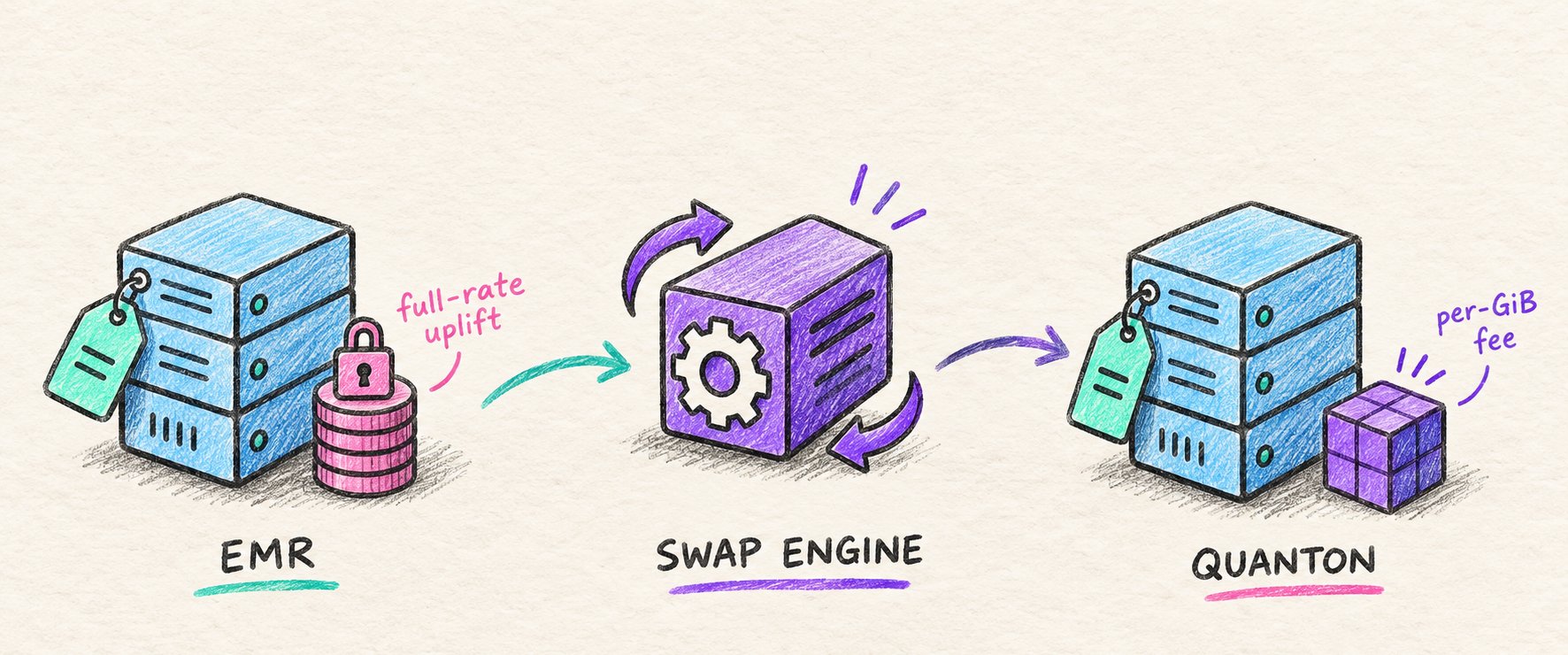
When the Quanton engine gets faster, EC2 hours drop and the per-GiB fee stays flat. Current rates and a TCO calculator are on the Quanton pricing page.
Benchmark: Quanton vs EMR
Onehouse benchmarked Quanton against EMR 7.12, the latest EMR runtime at the time, on TPC-DS 10 TB for query performance and 1 TB LakeLoader merges for Iceberg writes, using the latest general-purpose Graviton instances. Quanton delivered 2.5x better price/performance than EMR 7.12 on those workloads. In the latest TPC-DS price/performance comparison, Quanton came out 3.55x better than EMR Serverless.
The 10 TB scale matters for how the result translates. At smaller scales, many TPC-DS joins become broadcast joins, which hide shuffle cost; 10 TB exercises the shuffle behavior that dominates large production jobs. Against open-source Spark, Quanton completes the 99-query TPC-DS 10 TB suite 6x faster (2,034 s vs 12,200 s on 11 × m8gd.4xlarge), and the full setup is in the Quanton benchmark results. These results are derived from TPC-DS and results on your own jobs will differ.
In production, teams that moved from EMR to Quanton on EKS saw similar results. A large US airline cut costs 60% and saved 3.8 million core-hours per year, and a public fintech saved $800K a year and cut its Spark job runtimes by 45%.
Which EMR pricing model fits your workload?
EMR on EC2 fits long-running, steadily busy clusters, especially where Spot or Reserved capacity lowers the instance price. EMR on EKS fits teams already operating shared Kubernetes clusters that want the EMR runtime without dedicated clusters. EMR Serverless fits short, bursty, or unpredictable jobs where paying only while workers run outweighs a higher per-hour rate.
In all three models, the bill scales with how long Spark jobs run. Measuring wasted compute is the first step. If the remaining spend is still large, the Quanton engine runs on the AWS account and discounts you already have, and it bills per GiB instead of per instance-hour. To run one pipeline side by side against EMR in your own VPC, create an account.
Frequently asked questions
Is Amazon EMR free?
No. Amazon EMR has no free tier of its own, and every deployment model charges for compute and the EMR service. EMR on EC2 and EMR on EKS add an EMR fee on top of EC2 or Fargate charges, and EMR Serverless charges per vCPU-hour, GB-hour, and extra storage. The open-source frameworks EMR runs, such as Spark and Hive, carry no license fee.
Is EMR Serverless cheaper than EMR on EC2?
It depends on utilization. For the same 4 vCPU and 16 GB of capacity, EMR Serverless costs more per running hour than on-demand EMR on EC2, but Serverless bills only while workers run. Short, intermittent jobs are usually cheaper on Serverless; clusters that stay busy most of the time, particularly on Spot or Reserved instances, are usually cheaper on EC2.
Do Reserved Instances and Savings Plans apply to EMR?
They apply to the EC2 portion only. EMR has no Reserved pricing of its own, so you buy EC2 Reserved Instances or Savings Plans for the instance types your clusters use, and the EMR uplift is still charged at its full rate. As a result, the percentage saved on the total EMR on EC2 bill is lower than the percentage saved on EC2 alone.
How do I estimate my Amazon EMR cost?
For EMR on EC2, multiply each instance type’s EC2 rate and EMR rate by instance count and runtime hours, then add EBS, S3, and data transfer. For EMR Serverless, multiply total vCPU-hours and GB-hours by the published rates. The AWS EMR pricing page lists current rates by region, and measuring your current jobs’ useful work against allocated compute shows how much of the estimate is waste.
Is Quanton open source?
Quanton is open core. The free tier covers 100 GiB of accelerated processing each month with no credit card, falls back to open-source Spark with Apache DataFusion™ Comet and Apache Gluten™ pre-installed past the cap, and one config line returns any job to open-source Spark. The Quanton FAQ and the pricing and plans page cover what is open and what each plan includes.
Can I run Quanton on my existing EMR clusters?
Yes. Quanton deploys inside an EMR cluster as a custom image, so you keep EMR for cluster provisioning, security configuration, and orchestration, and swap only the Spark execution engine. Existing jobs, catalogs, and data stay where they are, and one config line returns a job to the EMR runtime. The EMR fee still applies to those instances, and Quanton adds its per-GiB fee. Shorter runtimes cut the instance-hours that both EC2 and the EMR fee are billed on.
Author
Bhavani Sudha Saktheeswaran
Head of Open Source
Sudha is the Head of Open Source at Onehouse and a PMC member of the Apache Hudi project. She comes with vast experience in real-time and distributed data systems through her work at Moverworks, Uber and Linkedin’s data infra teams. She is a key contributor to the early Presto integrations of Hudi. She is passionate about engaging with and driving the Hudi community.