Talk with our engineers by joining the new Onehouse community Slack!
TL;DR
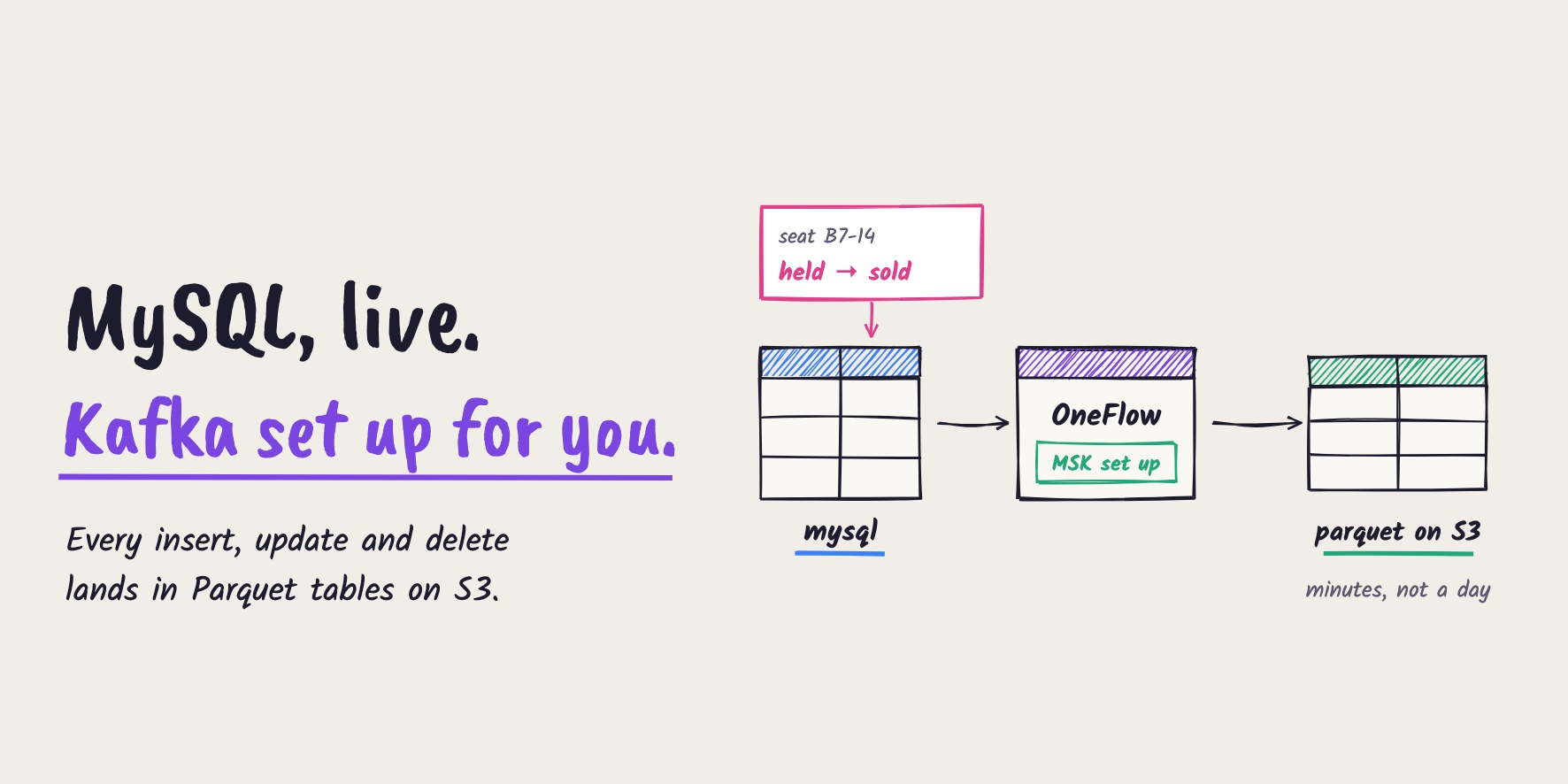
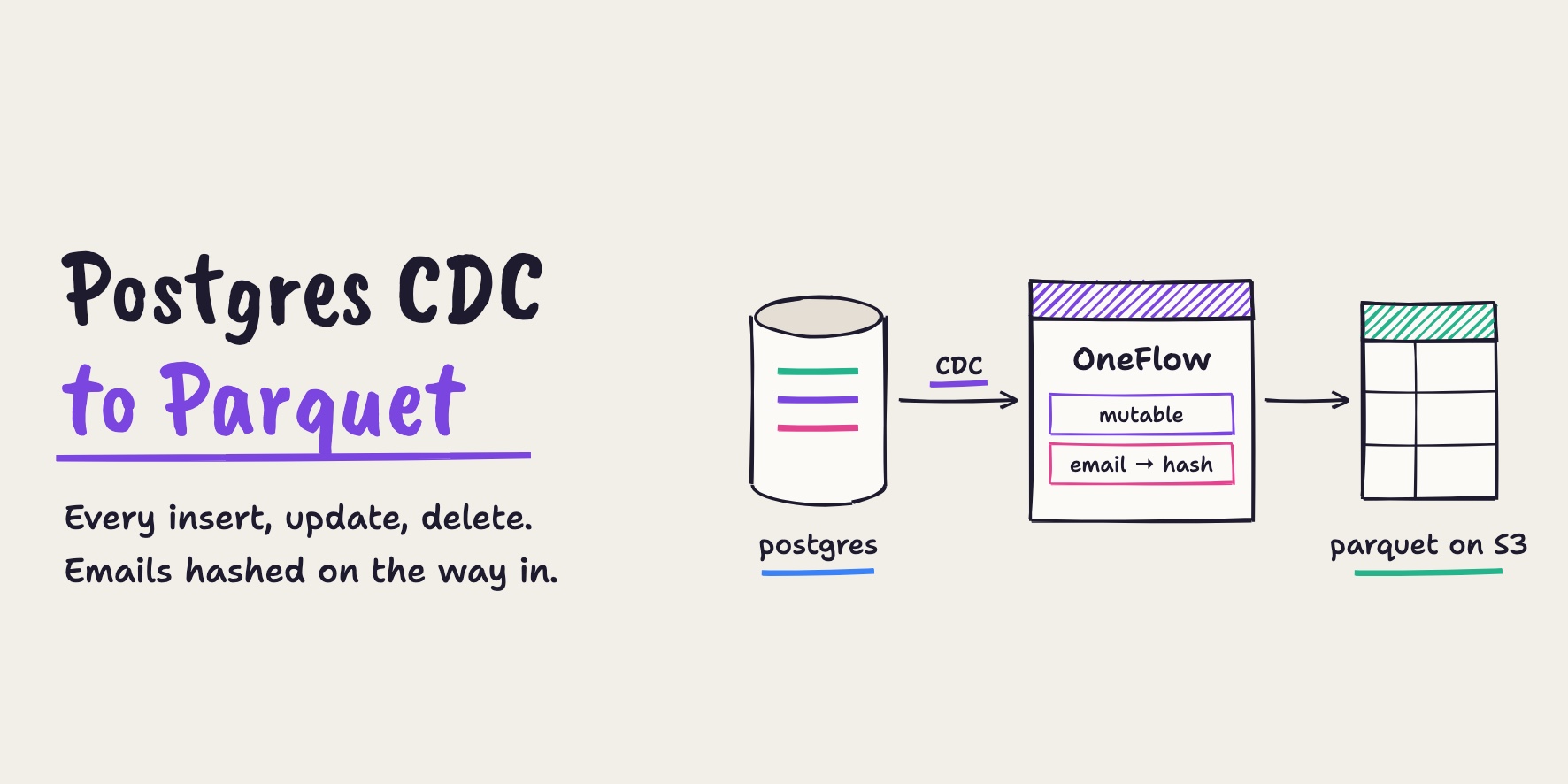
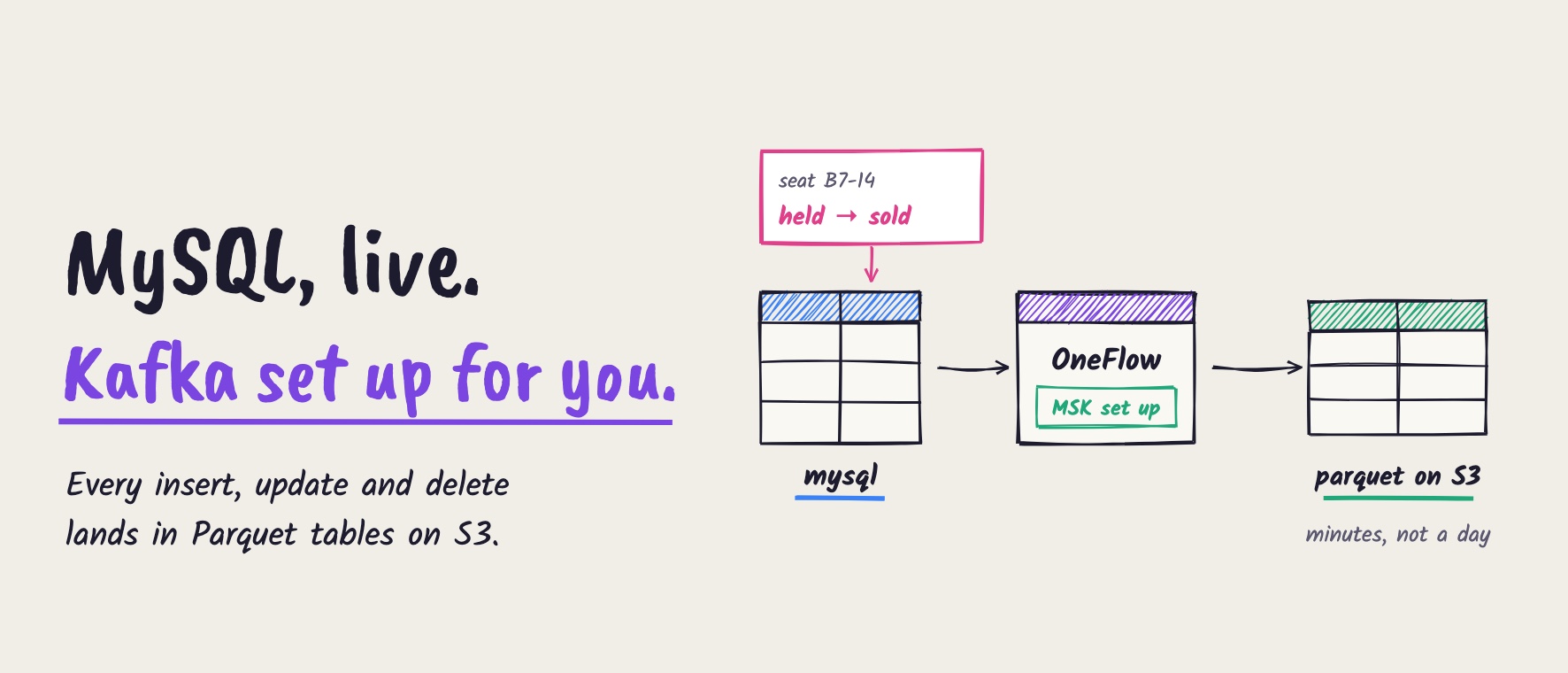
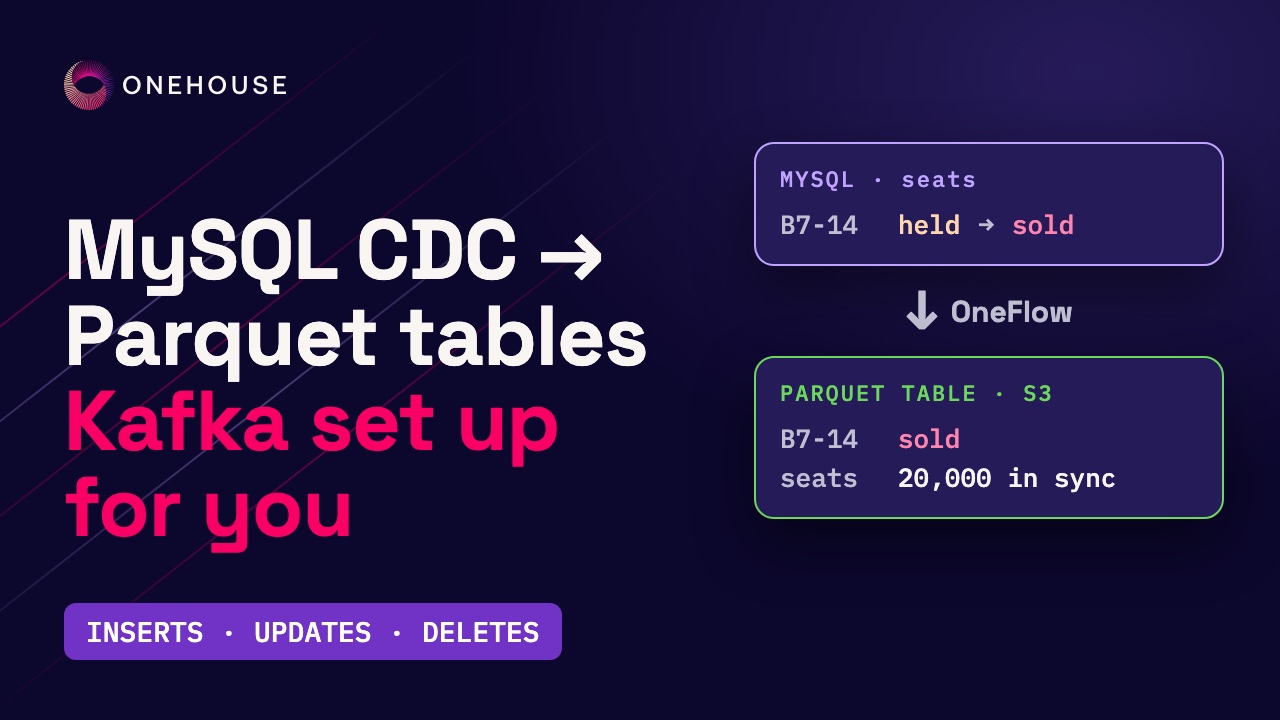
Onehouse OneFlow turns a live MySQL table into Apache Parquet™ tables on Amazon S3 with one MySQL CDC source and one flow, both created in the console and with no pipeline code. Onehouse sets up the change stream for you: an Amazon MSK (Apache Kafka™) cluster in your own AWS account. The Mutable write mode applies inserts, updates and deletes to the existing rows, and Pipeline Quarantine sets bad records aside. In our run, a 20,000-seat table was copied in about 8 minutes; after 60 seconds of simulated ticket buying, the Parquet table matched MySQL's counts a few minutes later; and a single seat's changes reached the table within 2 to 4 minutes on the default 5-minute sync.
Onehouse OneFlow: MySQL changes to Parquet tables, with Kafka set up for you
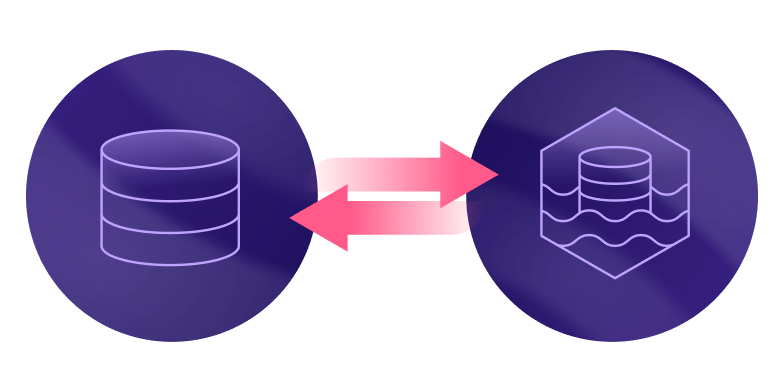
A lot of the questions a business asks right now live in a MySQL database. That database is built to run the application, not the analytics, so the usual answer is a nightly copy, and a nightly copy is always a day behind. You can now stream a MySQL table into Apache Parquet™ tables on Amazon S3 with Onehouse OneFlow, keep them current through every insert, update and delete, and let Onehouse set up the Apache Kafka™ part for you, as Amazon MSK in your own AWS account.
In this post, we walk through the whole setup in the Onehouse console, one step at a time, and check the result against the real numbers from our run.
The problem: a ticket sale that analytics can’t see
Let’s take a very common problem. A ticketing site keeps every seat for tonight’s show in MySQL. At 10 a.m., 20,000 seats go on sale.
The show-day ops team wants to see which sections are selling out, right now. But their analytics tables load only once a night. A seat goes from free, to held, and eventually to sold, or back to free when a checkout times out. A nightly copy misses all of it.
What the team needs is every change, as it happens. That’s change data capture (CDC). Building it yourself usually means assembling and operating:
- A CDC reader for MySQL’s binary log
- A Kafka cluster to carry the change events
- A schema registry to track the format of those events
- An Apache Spark™ job that applies inserts, updates and deletes to the destination table
- Table maintenance to keep the files fast to query
Each piece is a project of its own, and they all have to keep working at the same time.
How the MySQL CDC pipeline works
With OneFlow, the whole pipeline is one source and one flow, both created in the console. The change stream runs in your own AWS account, and OneFlow manages it for you:
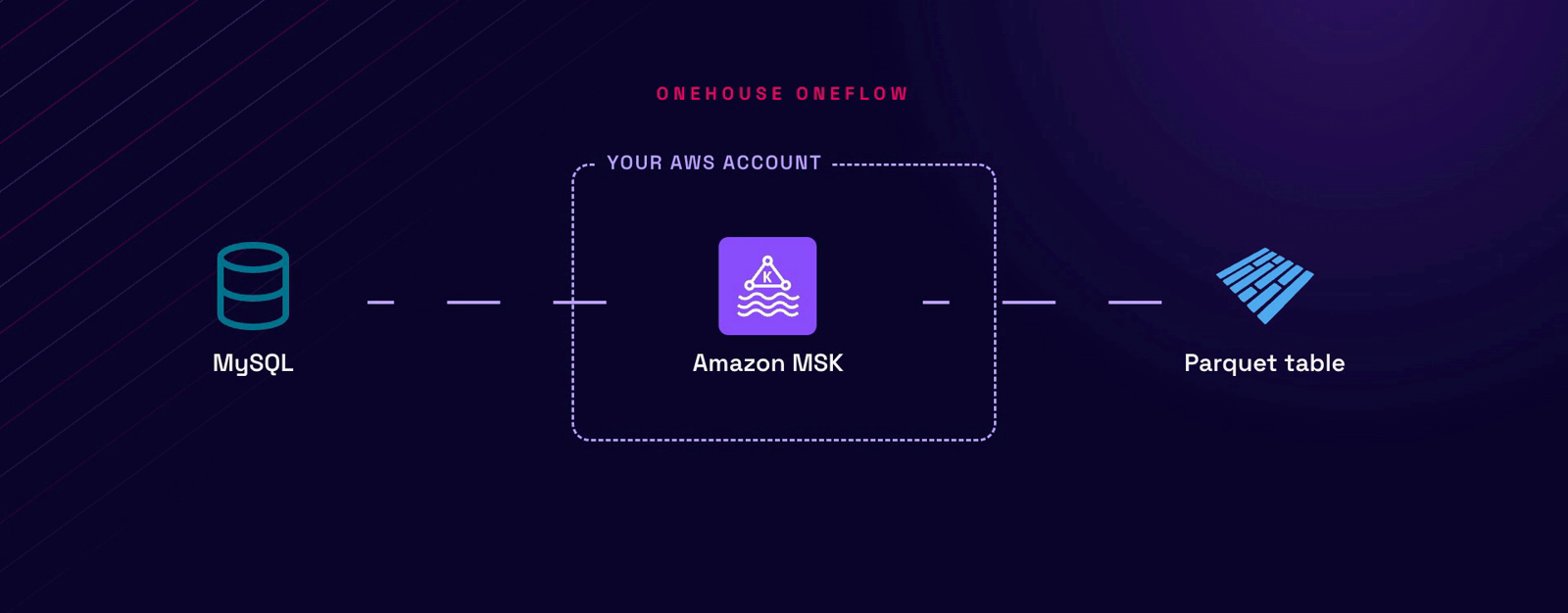
- MySQL CDC source: takes a first copy of the table, then reads only the rows that changed from MySQL’s binary log (binlog), in the Debezium MySQL change format.
- Amazon MSK: carries the changes. Onehouse provisions this Kafka cluster in your AWS account the first time you create a MySQL CDC flow, and later flows reuse it.
- OneFlow: a managed Spark job that syncs every 5 minutes. It turns change events into rows, applies updates and deletes in place (Mutable) and sets bad records aside (Pipeline Quarantine).
- Parquet table on S3: the result, synced to the AWS Glue Data Catalog and ready to query.
How to stream MySQL changes into Parquet tables on S3, step by step
In the following, we walk through the whole setup for the ticketing site’s seats table: preparing MySQL, connecting it to Onehouse, creating the flow, and then checking the Parquet table as the ops team would.
The example table holds one row per seat, 20,000 in all, and every seat starts free:
CREATE TABLE tickets.seats (
  seat_id    VARCHAR(12) PRIMARY KEY,          -- e.g. B-07-14: section B, row 7, seat 14
  section    CHAR(1)     NOT NULL,
  row_no     INT         NOT NULL,
  seat_no    INT         NOT NULL,
  status     VARCHAR(8)  NOT NULL DEFAULT 'free',   -- free | held | sold
  price      INT         NOT NULL,
  updated_at DATETIME(6) NOT NULL DEFAULT CURRENT_TIMESTAMP(6) ON UPDATE CURRENT_TIMESTAMP(6)
);
Step 1: Prepare MySQL for change data capture
Change data capture reads MySQL’s binary log, so the log has to record full rows. Set binlog_format to ROW (on Amazon RDS, in the DB parameter group), and check it:
SELECT @@binlog_format; -- ROWEvery table you sync needs a primary key, and Onehouse needs a user that can read the log:
CREATE USER 'cdc_user'@'%' IDENTIFIED BY '<password>';
GRANT SELECT, RELOAD, SHOW DATABASES, REPLICATION SLAVE, REPLICATION CLIENT, LOCK TABLES ON *.* TO 'cdc_user'@'%';
Finally, create the small heartbeat table that the setup guide asks for, and let cdc_user write to it:
CREATE TABLE tickets.onehouse_heartbeat (id INT DEFAULT 1 PRIMARY KEY, updated_at TIMESTAMP);
GRANT INSERT, UPDATE ON tickets.onehouse_heartbeat TO 'cdc_user'@'%';
INSERT INTO tickets.onehouse_heartbeat (id) VALUES (1) ON DUPLICATE KEY UPDATE updated_at = CURRENT_TIMESTAMP;
The MySQL CDC guide covers the full setup on Amazon RDS, including networking.
Step 2: Create a schema registry in AWS Glue
OneFlow uses an AWS Glue schema registry to keep track of the format of the change events. In the AWS console, open Glue, go to “Schema registries” and click “Add registry”. Note the registry’s name, because you’ll need it in the next step.
Step 3: Create a MySQL CDC source in Onehouse
In the Onehouse console, open “Sources” in the left nav, click “Add New Source” and pick “MySQL CDC”. Give the source a name, then enter the database host, the database and the user that can read the change log:
| Setting | Value used here |
|---|---|
| Name | tix-mysql |
| Database host / port / name | your MySQL endpoint, 3306, tickets |
| Database user / password | cdc_user |
| Log message bus | Amazon MSK (Apache Kafka) |
| Schema registry | AWS Glue Schema Registry, the registry you just created |
For the change stream, we pick Amazon MSK. The form says what happens next: Onehouse “deploys a managed Kafka Cluster in your AWS environment”. There are no brokers for you to size or look after:

Then we name the Glue schema registry. It stores the format of every change event, so the flow always knows the shape of the data:
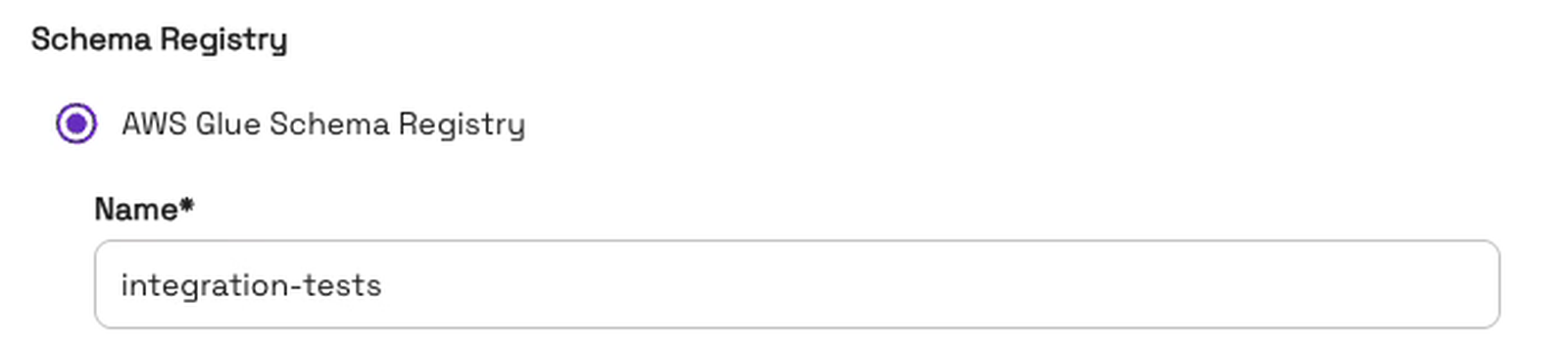
Clicking “Create source” saves it. A source is set up once, and every flow can reuse it.
Step 4: Create a flow in OneFlow
With the source ready, we create a flow. Open “Flows” in the left nav and click “Add New Flow”. We name the flow seat-status, pick the tix-mysql source and choose the “Mutable (Updates/ deletes)” write mode:
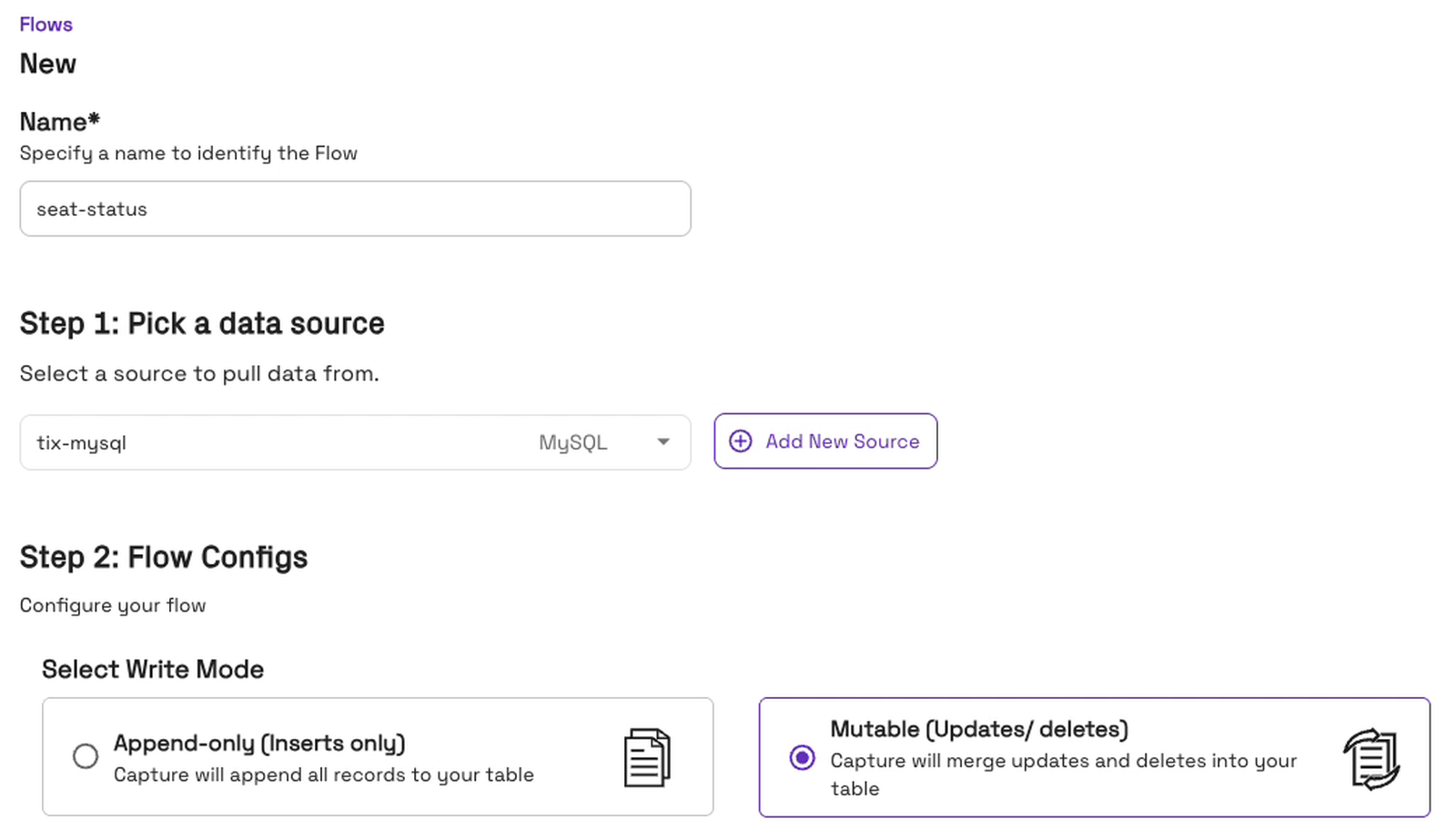
The write mode matters here. Append-only would add every change as a new row, so a seat that went from free to held to sold would show up three times. Mutable applies each change to the existing row, so the table always shows each seat’s current status. Changes sync every 5 minutes by default.
Next, we tick tickets.seats, name the destination table seats and click “Configure”. Onehouse has already added the step that turns change events into rows, “Convert data from CDC format” for MySQL (Debezium):
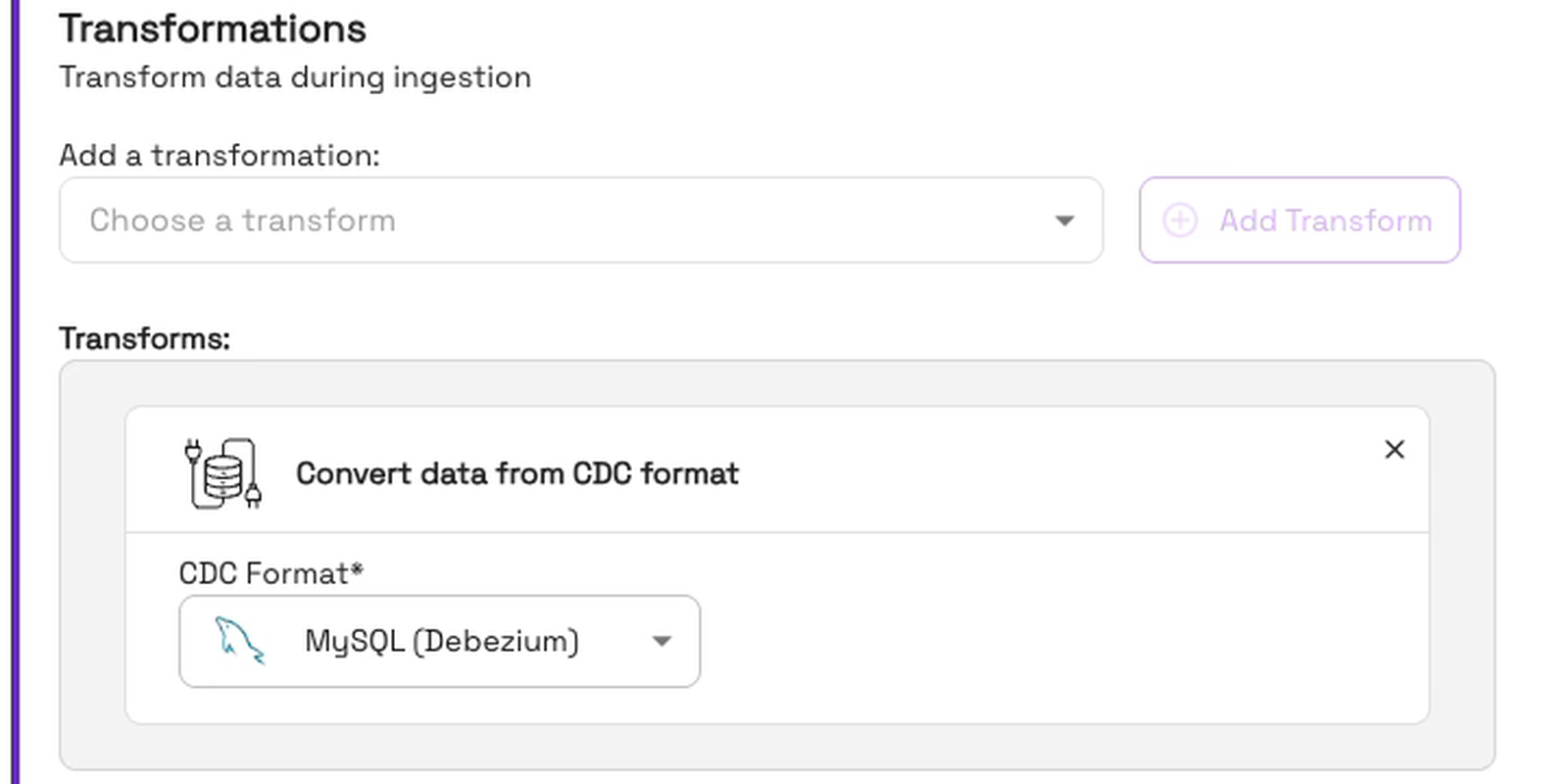
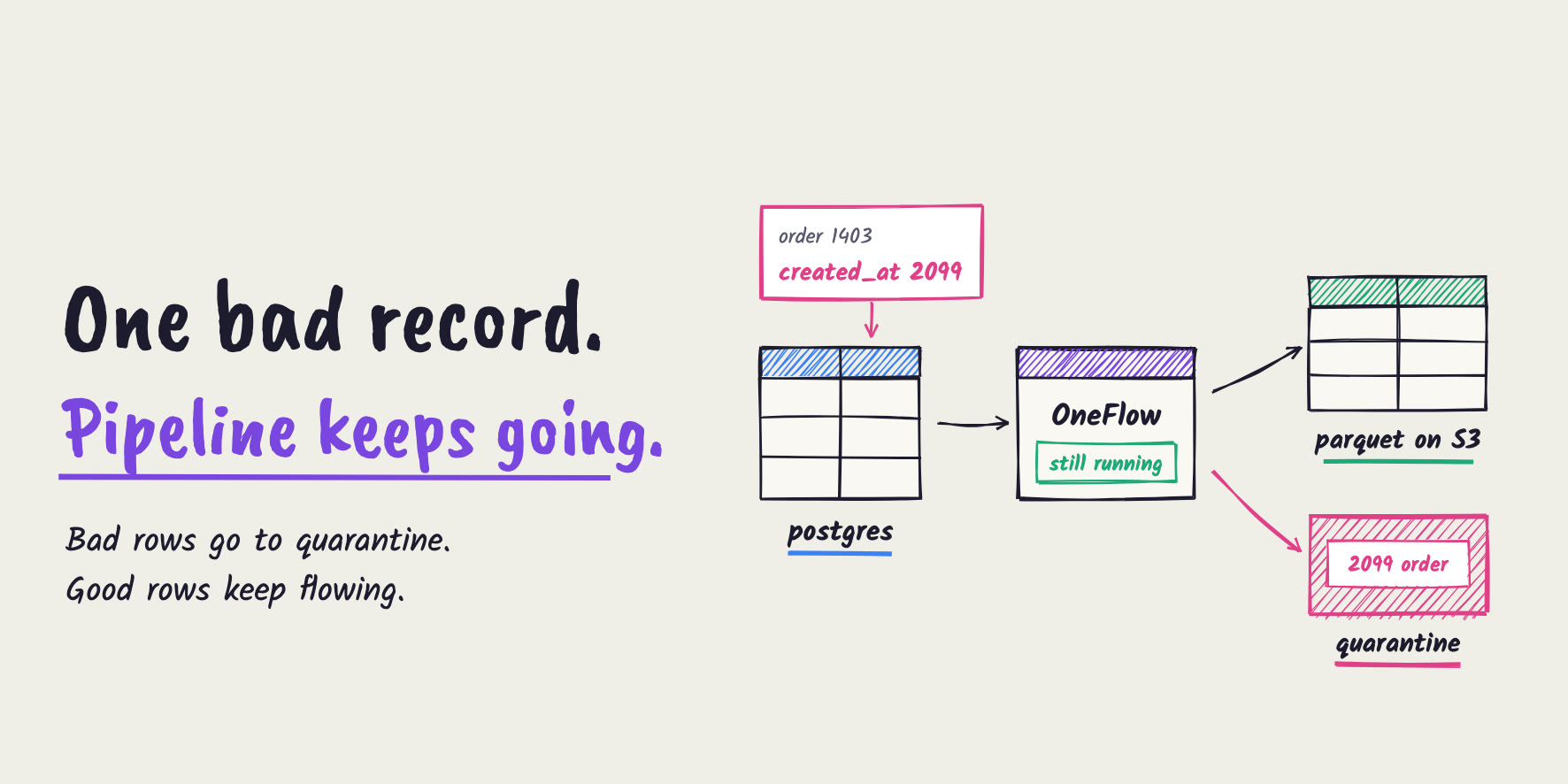
“Pipeline Quarantine” is on too. Any bad record goes to a quarantine table instead of stopping the flow:

The record key is seat_id, the table’s primary key. All that’s left is the destination: we write to a new database, tix_analytics, sync it to the Glue catalog and pick the managed cluster that runs the flow:
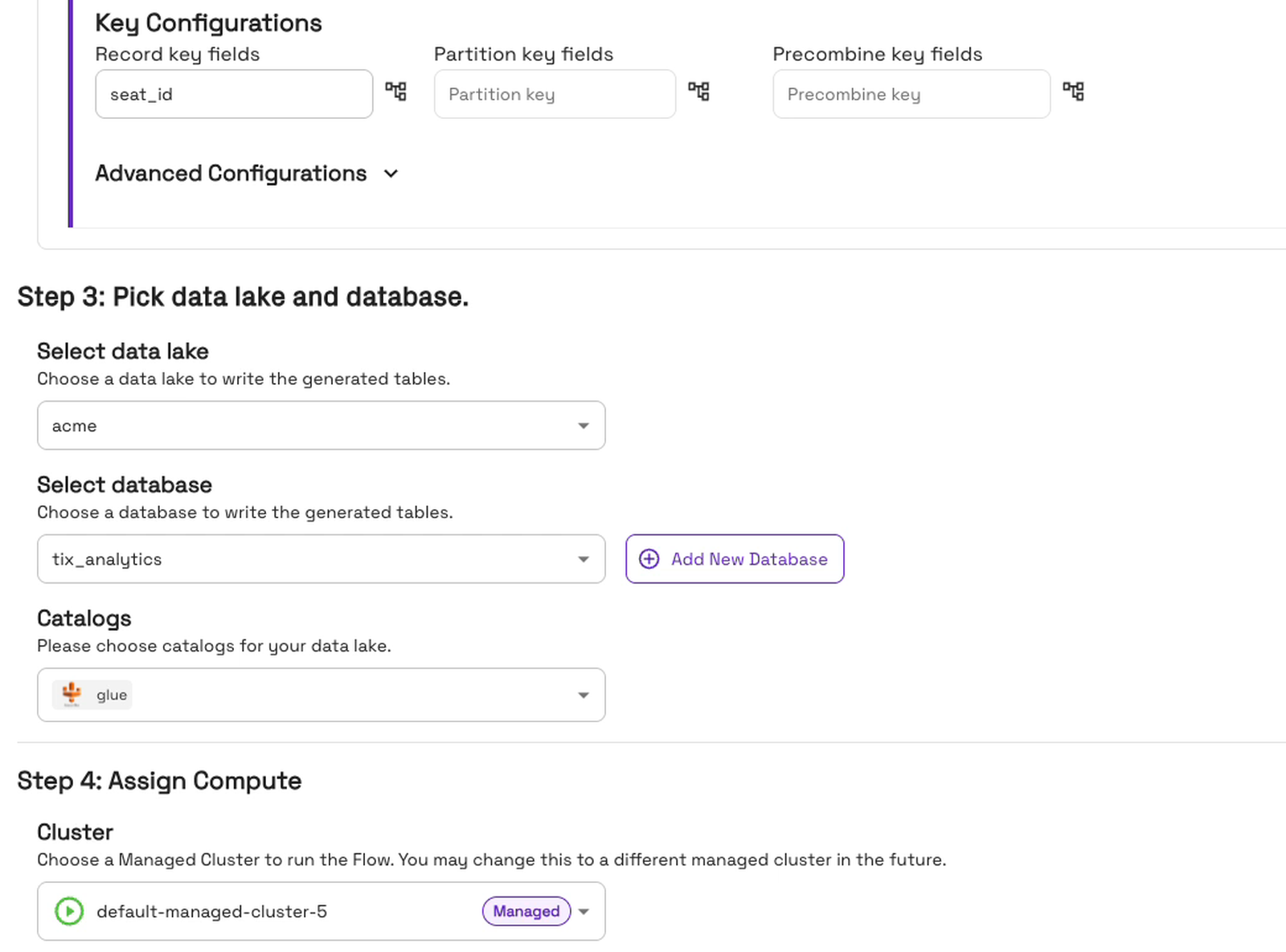
That’s all it needs. We click “Create Flow”, and the flow starts right away:
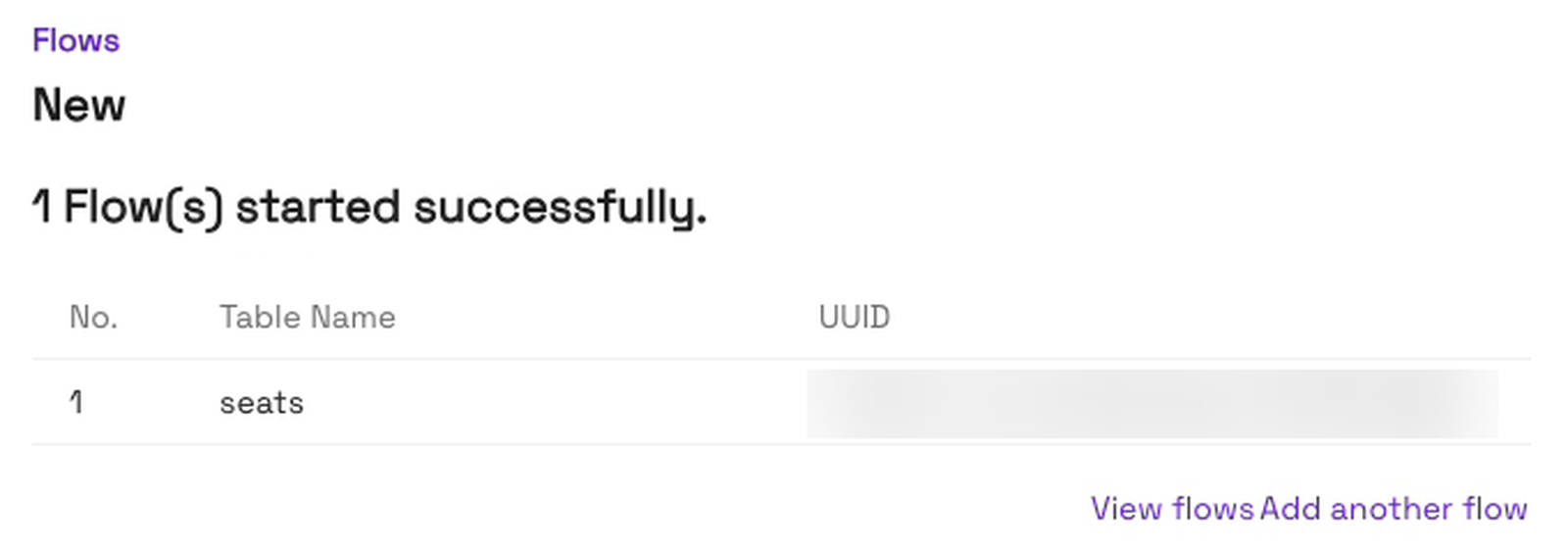
Behind the scenes, OneFlow first copies the seats that are already in MySQL, then switches to live changes. There’s no code to write or deploy.
Step 5: Query the first copy of the table
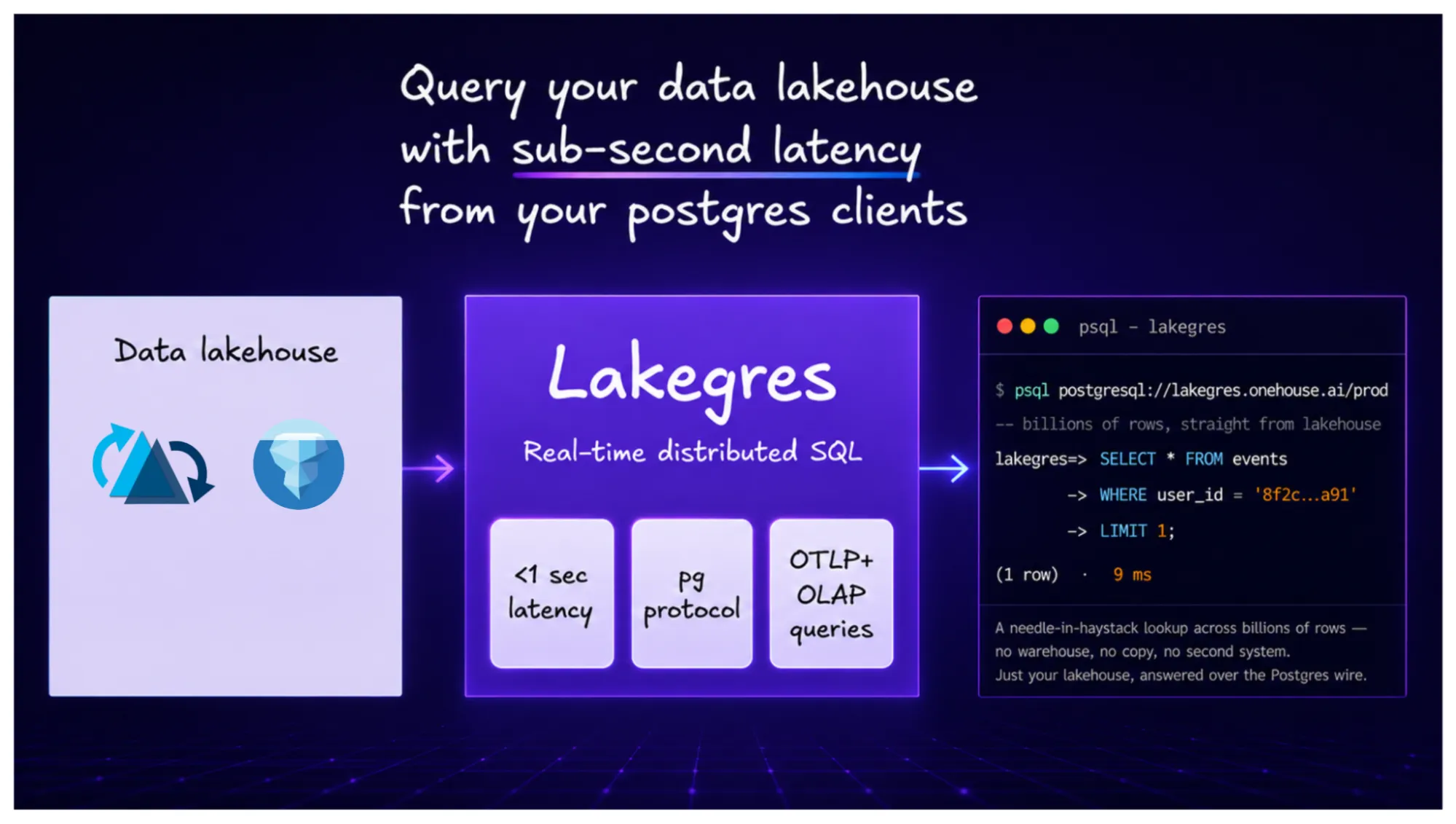
To read the Parquet table, we use Onehouse Lakegres, which speaks the Postgres protocol, so plain psql works. About 8 minutes after creating the flow, all 20,000 seats were there, every one of them free:
SELECT status, COUNT(*) AS seats FROM tix_analytics.seats_rt GROUP BY status;
We query seats_rt, the real-time view of the table, which includes the latest changes. Because the table is in the AWS Glue Data Catalog, engines such as Amazon Athena, Amazon EMR and Amazon Redshift can query it too.
Testing it on a live ticket sale
The sale opens
Now the sale opens. A script acts like a crowd of buyers for 60 seconds. Every second, it holds 90 free seats, sells 50 held ones and drops 8 checkouts back to free:
-- once a second, for 60 seconds
UPDATE seats SET status = 'sold' WHERE status = 'held' ORDER BY RAND() LIMIT 50;
UPDATE seats SET status = 'free' WHERE status = 'held' ORDER BY RAND() LIMIT 8;
UPDATE seats SET status = 'held' WHERE status = 'free' ORDER BY RAND() LIMIT 90;
When the minute was up, MySQL had 15,072 free, 1,978 held and 2,950 sold. A few minutes later, the Parquet table showed exactly the same counts:
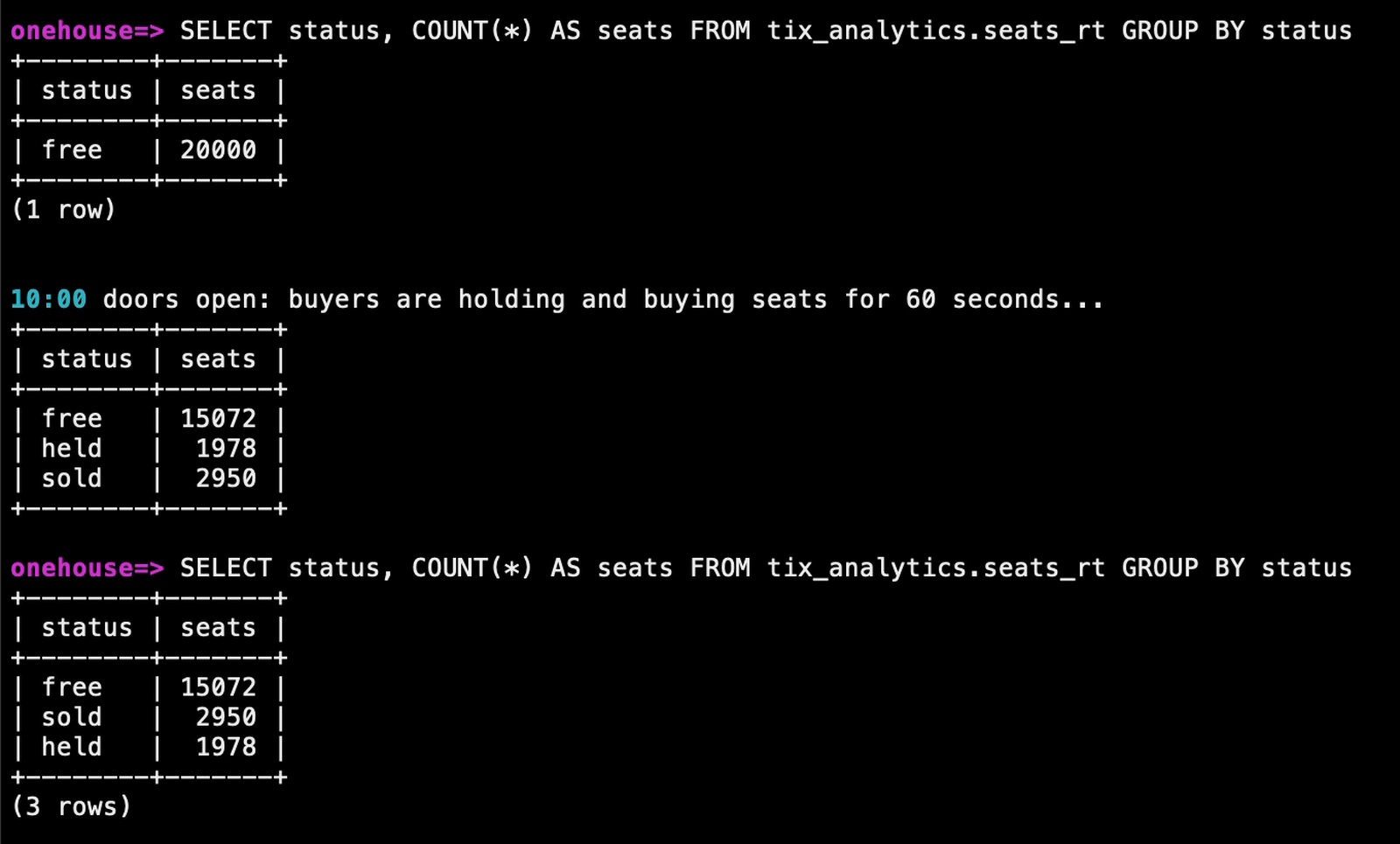
| status | MySQL | Parquet table |
|---|---|---|
| free | 15,072 | 15,072 |
| held | 1,978 | 1,978 |
| sold | 2,950 | 2,950 |
Follow one seat
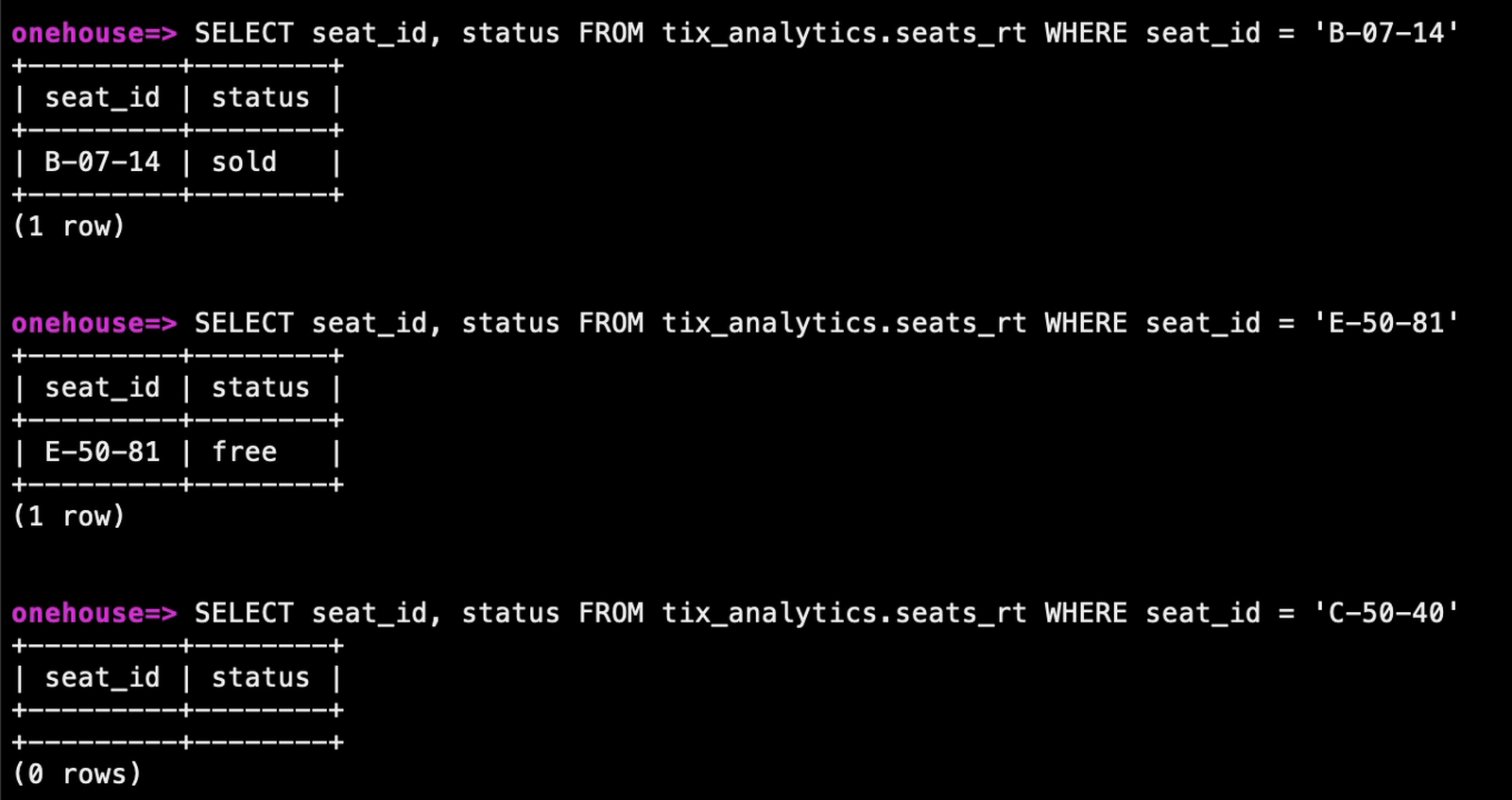
Counts can hide mistakes, so let’s follow one seat, B-07-14. Someone holds it:
UPDATE tickets.seats SET status = 'held' WHERE seat_id = 'B-07-14';About 4 minutes later, the Parquet table said held. Then the buyer paid, and in the same few minutes the venue opened one more seat and closed one for the sound desk:
UPDATE tickets.seats SET status = 'sold' WHERE seat_id = 'B-07-14';
INSERT INTO tickets.seats (seat_id, section, row_no, seat_no, status, price) VALUES ('E-50-81', 'E', 50, 81, 'free', 50);
DELETE FROM tickets.seats WHERE seat_id = 'C-50-40';
After the next sync, about 2 minutes later, the table had all three: our seat was sold, the new seat was there, and the closed one was gone:
Every sync leaves a receipt
In the console, the table’s History tab lists each commit, with how many rows it inserted, updated and deleted. The sale landed over two syncs: 2,059 rows updated, then 3,887 more. And our last sync shows exactly what we did by hand:
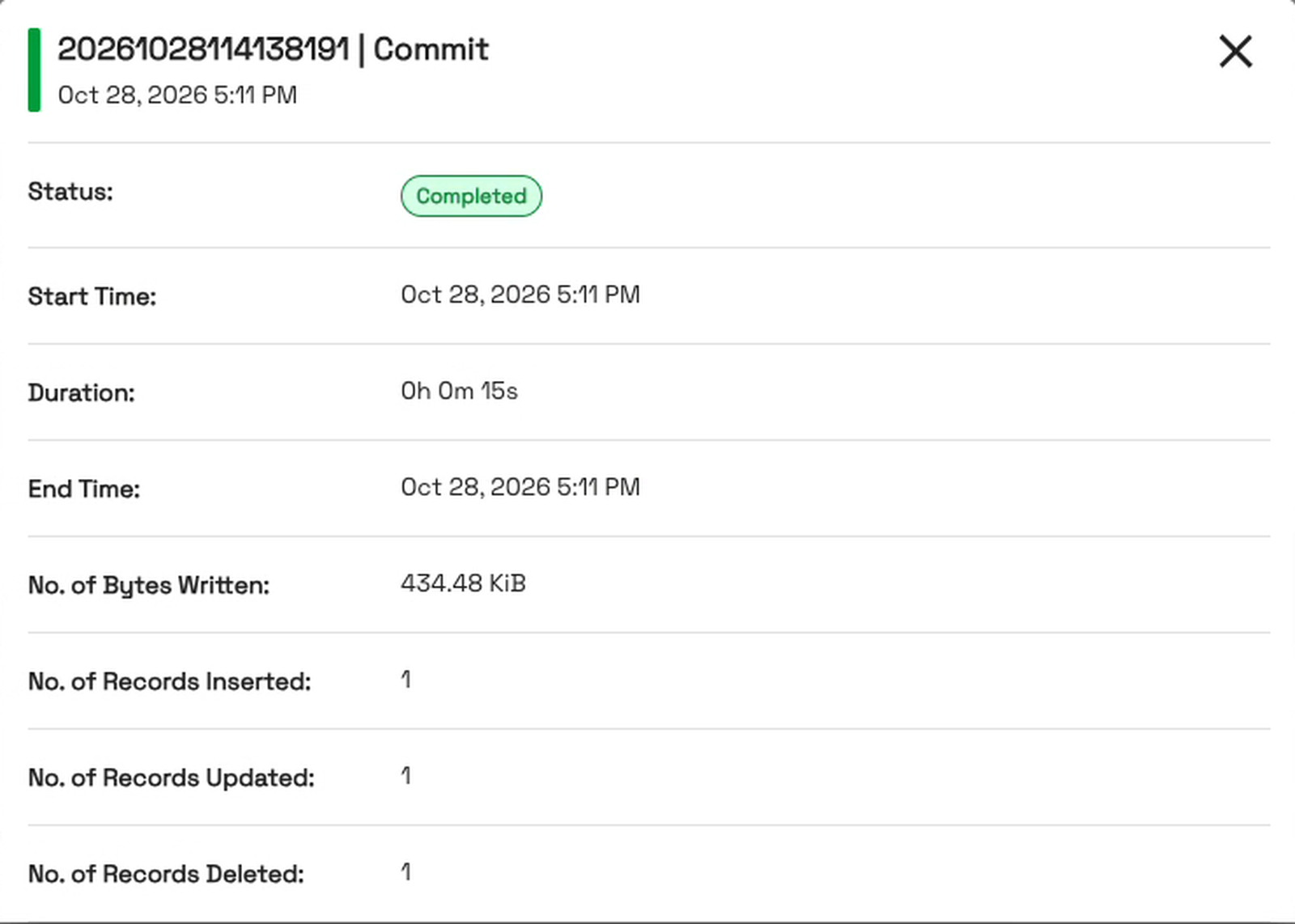
So the ops team gets a seat map from the lake that’s just minutes behind the sale, not a day.
Frequently asked questions
What is MySQL CDC?
MySQL change data capture (CDC) reads every insert, update and delete from MySQL’s binary log and sends it to another system as it happens. The copy stays current without reloading the whole table every night.
How do I stream MySQL changes to Amazon S3 without writing code?
Create a MySQL CDC source and a flow in the Onehouse console, as shown above. OneFlow copies the existing rows first, then applies every change to a Parquet table on S3, every 5 minutes by default.
Do I need to run Kafka myself?
No. Onehouse provisions an Amazon MSK cluster in your AWS account the first time you create a flow with a MySQL CDC source, and later MySQL CDC flows reuse it. It’s a real Kafka cluster in your account, and it stays up until you shut it down there. The first time, the flow can show “Provisioning” for up to an hour while this infrastructure is set up.
How quickly do changes show up?
On the next sync. With the default 5-minute sync, each change in our run reached the Parquet table within about 2 to 4 minutes.
Are updates and deletes applied, or only appended?
With the Mutable write mode and the “Convert data from CDC format” transformation, they’re applied to the existing row. In our run, a sold seat was updated in place, and a deleted seat was removed.
When should I use Append-only instead of Mutable?
Use Mutable when the table should show each row’s current state, as in this post. Use Append-only to keep every raw change event as its own row; it writes faster, but updates and deletes are not applied to the existing rows.
What does the MySQL table need?
A primary key, a binary log in ROW format, a user with replication rights and the heartbeat table. Avoid TRUNCATE TABLE on a synced table, because it can make the flow fail.
What happens if a bad record arrives?
With Pipeline Quarantine on (the default), the bad record is set aside in a quarantine table and the flow keeps running.
Does it work with MySQL outside Amazon RDS?
Yes. The setup guide uses Amazon RDS as its example, but the same steps work on any MySQL database that Onehouse can reach. GTIDs are optional; turning them on lets the flow continue after a failover to a replica without copying the table again.
Which query engines can read the Parquet table?
Any engine that reads the AWS Glue Data Catalog, such as Amazon Athena, Amazon EMR and Amazon Redshift, plus Onehouse Lakegres with plain psql, as in this post.
Which clouds are supported?
The MySQL CDC source runs on AWS.
Conclusion
In this blog, we’ve shown how to turn a live MySQL table into Parquet tables on S3 with Onehouse OneFlow. We created one MySQL CDC source and one flow, both in the console, with no pipeline code, and Onehouse set up the Kafka part as Amazon MSK in our own AWS account. Every insert, update and delete reached the table within minutes, and the counts matched MySQL after a 60-second sale.
- Postgres CDC to Parquet tables on S3, with PII masking, in a few clicks
- Introducing Onehouse OneFlow: Ingest once, query anywhere
- Announcing Onehouse Lakegres: database speeds, finally on the lakehouse
To try it on your own database, get started at onehouse.ai, or get in touch with our team at gtm@onehouse.ai.
Show video transcript
A ticketing site keeps every seat for tonight's show in MySQL. At ten a.m., twenty thousand seats go on sale. The show-day ops team wants to see which sections are selling out, right now. But their analytics tables load only once a night.
A seat goes from free, to held, and eventually to sold. Or… back to free, when a checkout times out. We need every change as it happens. That's change data capture, or CDC.
Usually that's five parts to set up and look after, from Kafka to a Spark job. With Onehouse OneFlow, it's one source and one flow. Onehouse even sets up the Kafka for you: Amazon MSK, in your own AWS account. Let's build it.
Here's the seats table in MySQL. Twenty thousand rows, one per seat, and every one of them is still free.
In the Onehouse console, we add a MySQL CDC source: the host, the database, and a user that can read the change log. For the change stream, we pick Amazon MSK. Onehouse sets up that Kafka cluster for us, in our own AWS account. No brokers for us to look after. And the AWS Glue schema registry stores the format of every change, so the flow always knows the shape of the data.
With the source ready, we create a flow. We set the write mode to Mutable, so a change in MySQL updates the row in the table, instead of adding a new one. Onehouse adds the step that turns change events into rows. Any bad records go to a quarantine table, instead of stopping the flow. The seat ID is the key here. We write to a new database, and sync it to the Glue catalog. That's all it needs. We click Create Flow, and we're ready to go.
The flow starts. About eight minutes later, it has copied every seat that's already there, all twenty thousand. From then on, it streams the live changes.
Now the sale opens. This script acts like a crowd of buyers, holding and buying seats for one minute. A few minutes later, the table in the lake shows the same counts as MySQL.
Let's follow our seat, B7-14. Someone holds it. A few minutes later, the lake says held. Then they pay. The venue also opens one more seat, and closes one for the sound desk. After the next sync, the lake has all three: our seat is sold, the new seat is there, and the closed one is gone. Inserts, updates and deletes, all of them.
And every sync leaves a receipt. The table's history lists each commit, with how many rows it inserted, updated and deleted. The sale landed over two syncs: about two thousand changes, then nearly four thousand more. And our last sync: one insert, one update, one delete.
So the ops team gets a seat map from the lake that's just minutes behind the sale, not a day.
Every change, Kafka set up for you, and tables in your own bucket. Your cloud, your data, your pipeline. Get started with onehouse.ai.