Talk with our engineers by joining the new Onehouse community Slack!
TL;DR
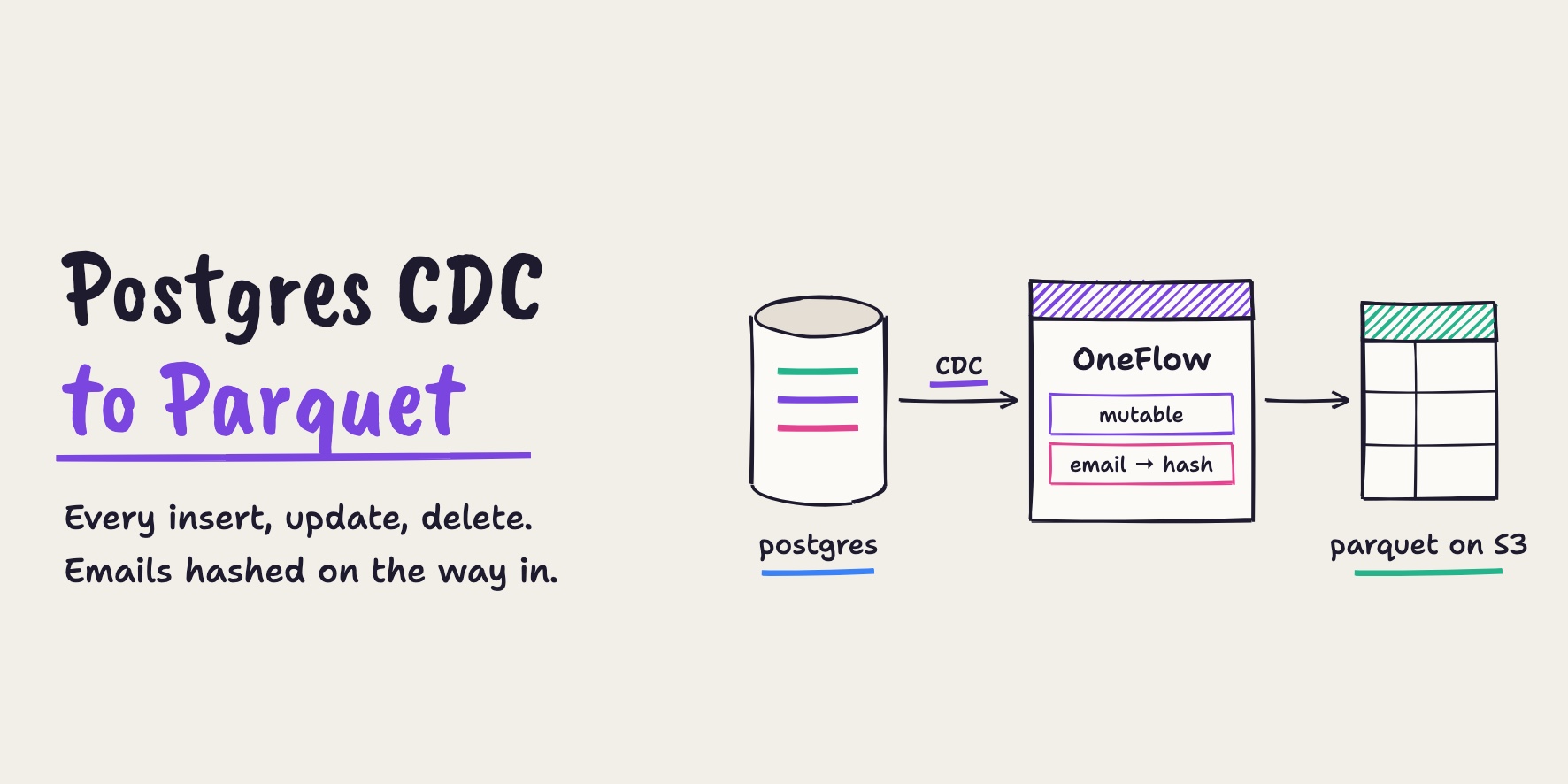
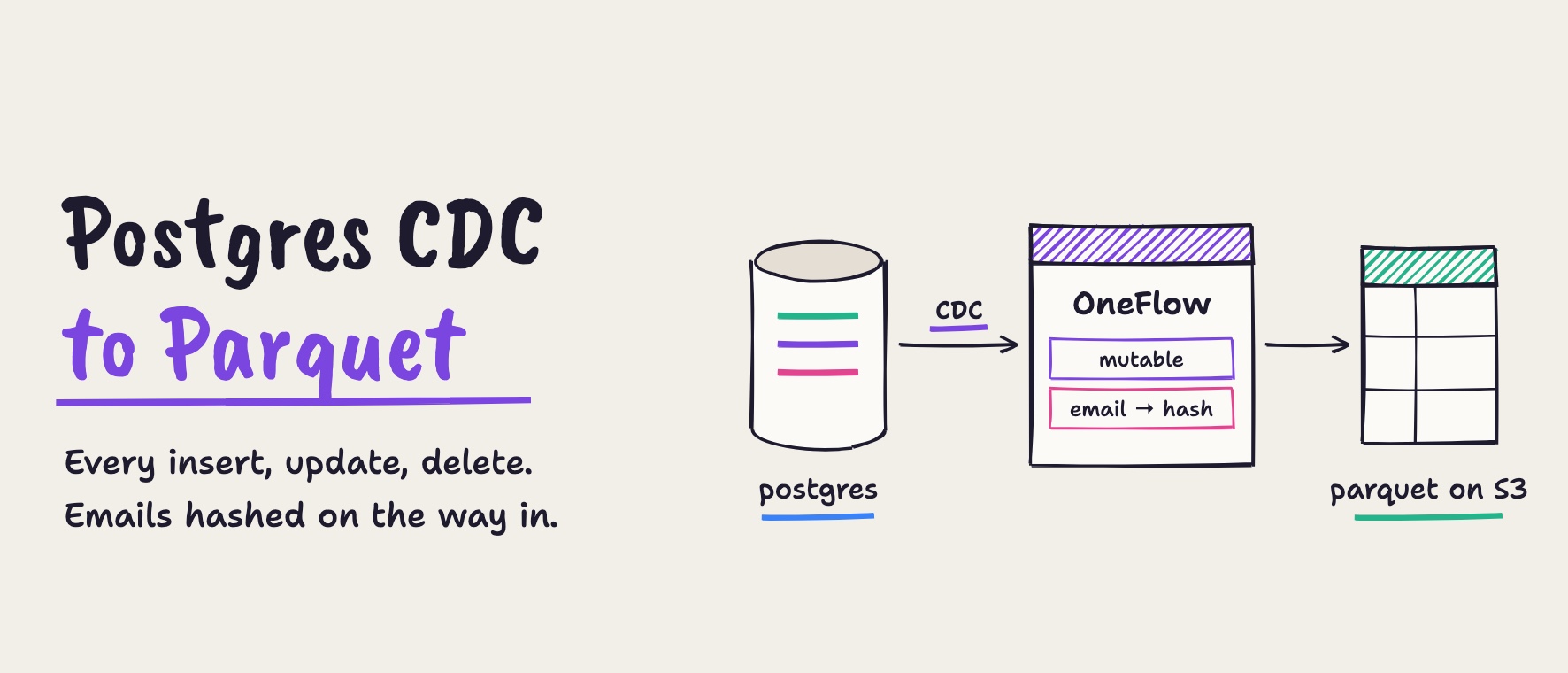
Onehouse OneFlow turns a live Postgres table into Parquet tables on Amazon S3 with one Postgres CDC source and one flow, both created in the console and with no pipeline code. The Mutable write mode applies inserts, updates and deletes to the existing rows, Data Masking hashes customer emails before anything is written, and Pipeline Quarantine sets bad records aside. In our run, the first snapshot of 1,000 orders landed in about 17 minutes, each later change reached the table within about 4 minutes on the default 5-minute sync, and revenue by status matched Postgres to the cent after every change.
Onehouse OneFlow: Postgres to Parquet tables, in a few clicks (6:58)
Operational databases like PostgreSQL are built to run your application, not your analytics. Yet the questions analysts ask, such as revenue by order status this hour, live in exactly those tables. You can now stream a Postgres table into Apache Parquet™ tables on Amazon S3 with Onehouse OneFlow, keep them current through every insert, update and delete, and hash personal data on the way in, without writing pipeline code.
In this post, we walk through the whole setup in the Onehouse console, one step at a time, and verify the result with Apache Spark™ against the real numbers from our run.
The problem: fresh, private analytics on Postgres data
Here’s a very common setup. An online retailer keeps its orders in Postgres. Every order has a customer’s email, an amount and a status: pending, paid or shipped.
An analyst wants revenue by order status. They don’t want it from yesterday’s export. They want it from tables that keep up as orders come in, get shipped or get cancelled. And there’s a catch: the analyst should never see a customer’s email address.
Building that yourself usually means assembling and operating:
- A change data capture (CDC) tool that reads the Postgres write-ahead log
- A message bus to carry the change events
- A streaming job that applies inserts, updates and deletes to the destination table
- Masking code for personal data
- Orchestration and monitoring to keep it all running
Each piece is a project of its own, and every one of them has to keep working at the same time.
The result
With OneFlow, the same pipeline is one source and one flow, both created in the console. In our run:
| What we measured | Result |
|---|---|
| First snapshot of 1,000 orders, as a Parquet table on S3 | about 17 minutes after creating the flow, including provisioning |
| INSERT reaching the Parquet table | about 3.5 minutes |
| UPDATE reaching the Parquet table | about 3 minutes |
| DELETE reaching the Parquet table | under 1 minute (committed just before a sync) |
| Sync frequency | every 5 minutes (default, configurable) |
| Revenue by status, Postgres vs Parquet table | identical to the cent, after every change |
customer_email in the Parquet table |
hashed, never plain text; 400 distinct customers still countable |
| Pipeline code written | none |
How the pipeline works
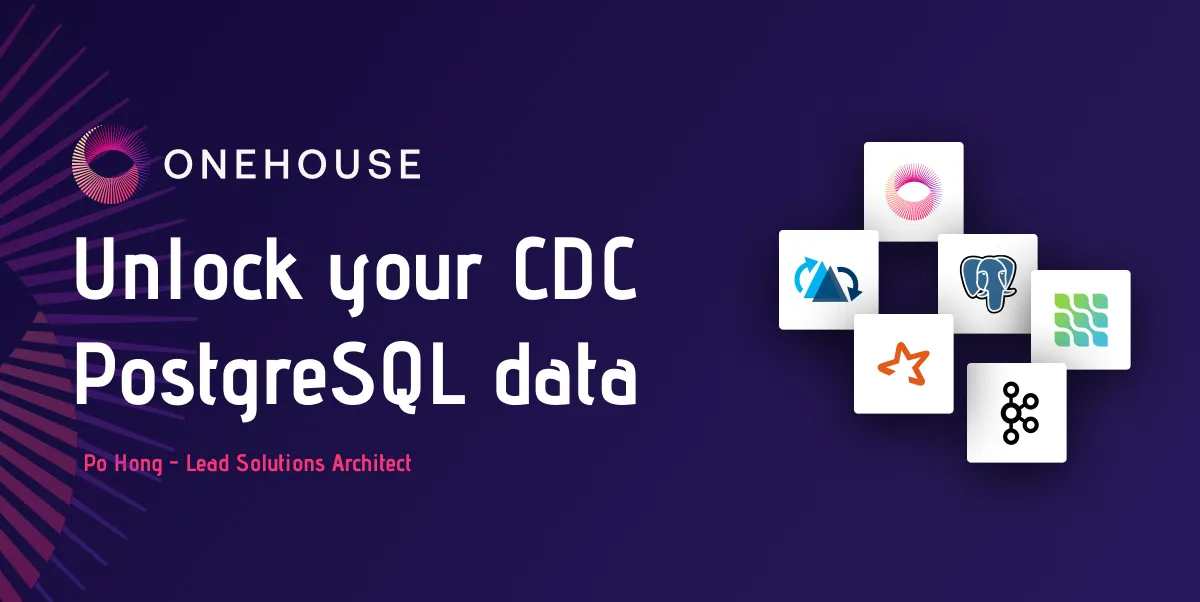
Here’s the full pipeline. Everything inside the Onehouse box runs in your own AWS account, and OneFlow manages it for you:
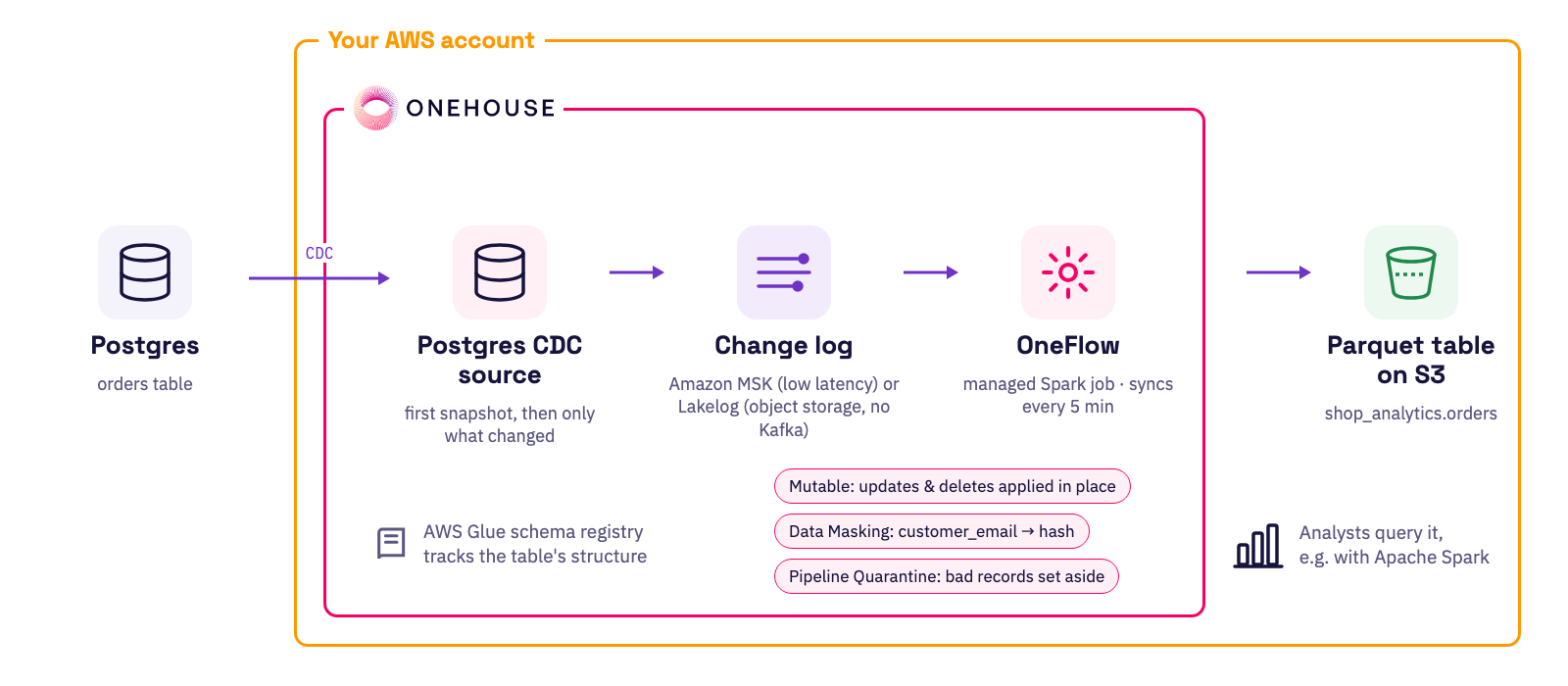
- Postgres CDC source: takes a first snapshot of the table, then reads only the rows that changed from the Postgres log. The pipeline doesn’t copy the whole table again and again.
- Change log: carries the changes, through Amazon MSK for low latency or Lakelog to write them to object storage without running Apache Kafka™.
- OneFlow: a managed Spark job that syncs every 5 minutes. It applies updates and deletes in place (Mutable), hashes
customer_email(Data Masking) and sets bad records aside (Pipeline Quarantine). - Parquet table on S3: the result, ready for analysts to query.
Streaming Postgres changes into Parquet tables with OneFlow
In the following, we walk through the whole setup for the retailer’s orders table: preparing Postgres, connecting it to Onehouse, creating the flow, and then checking the Parquet table on S3 as an analyst would.
The example table holds 1,000 orders from 400 customers:
CREATE TABLE public.orders (
  order_id       bigint PRIMARY KEY,
  customer_email text          NOT NULL,
  amount         numeric(10,2) NOT NULL,
  status         text          NOT NULL,   -- pending | paid | shipped
  created_at     timestamp     NOT NULL,
  updated_at     timestamp     NOT NULL DEFAULT now()
);
Before we start, here’s the number the analyst cares about, revenue by status in Postgres. By the end, the Parquet table should match it exactly:
SELECT status, count(*) AS orders, sum(amount) AS revenue
FROM public.orders GROUP BY status ORDER BY status;
status | orders | revenue
---------+--------+-----------
paid | 339 | 91785.76
pending | 166 | 43155.78
shipped | 495 | 132058.29Enable logical replication on Postgres
Change data capture reads the Postgres write-ahead log, so the first thing to do is make sure logical replication is turned on. To check, log in to the database and run:
SELECT name, setting FROM pg_settings WHERE name = 'wal_level';
--  wal_level | logical
On Amazon RDS or Aurora, you turn it on by setting rds.logical_replication = 1 in the parameter group. You’ll also need a database user that’s allowed to read the change log. The setup guide in the console lists the remaining Postgres-side steps, such as the replication slot and heartbeat table.
Create a schema registry in AWS Glue
OneFlow uses an AWS Glue schema registry to keep track of the table’s structure as it changes. In the AWS console, open Glue, go to “Schema registries” and click “Add registry”. Write down the registry’s name, because you’ll need it when you create the source in Onehouse.
Create a Postgres CDC source in Onehouse
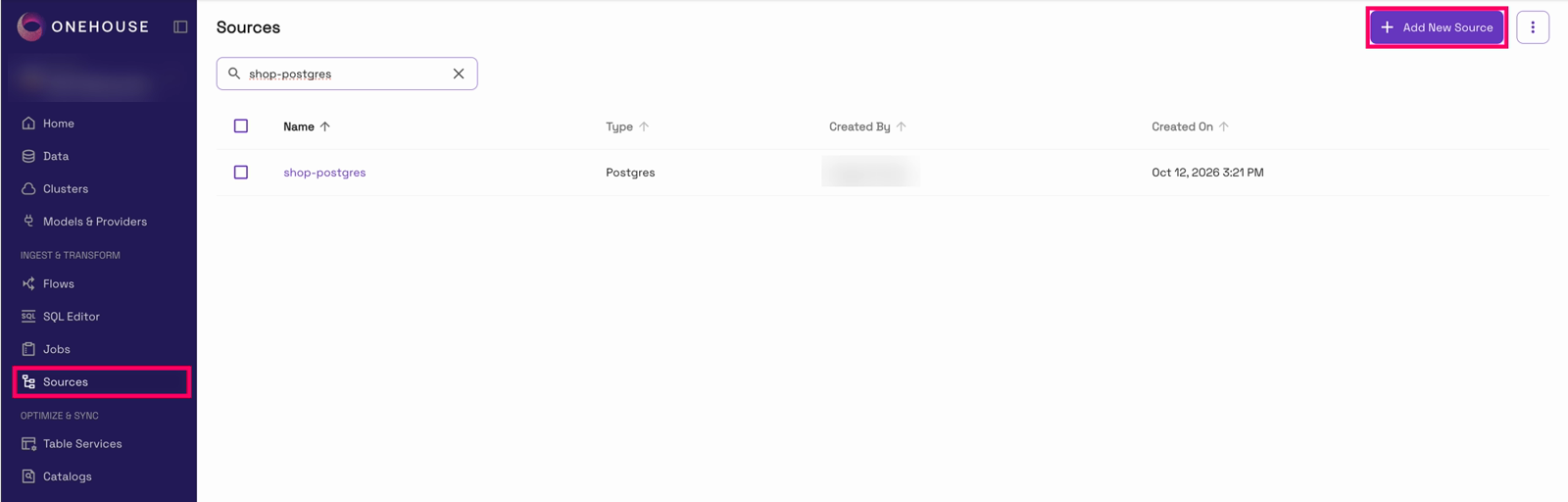
With Postgres and the registry ready, we can connect Onehouse to the database. A source is set up once, and every flow can reuse it. In the Onehouse console, open “Sources” in the left nav and click “Add New Source”:
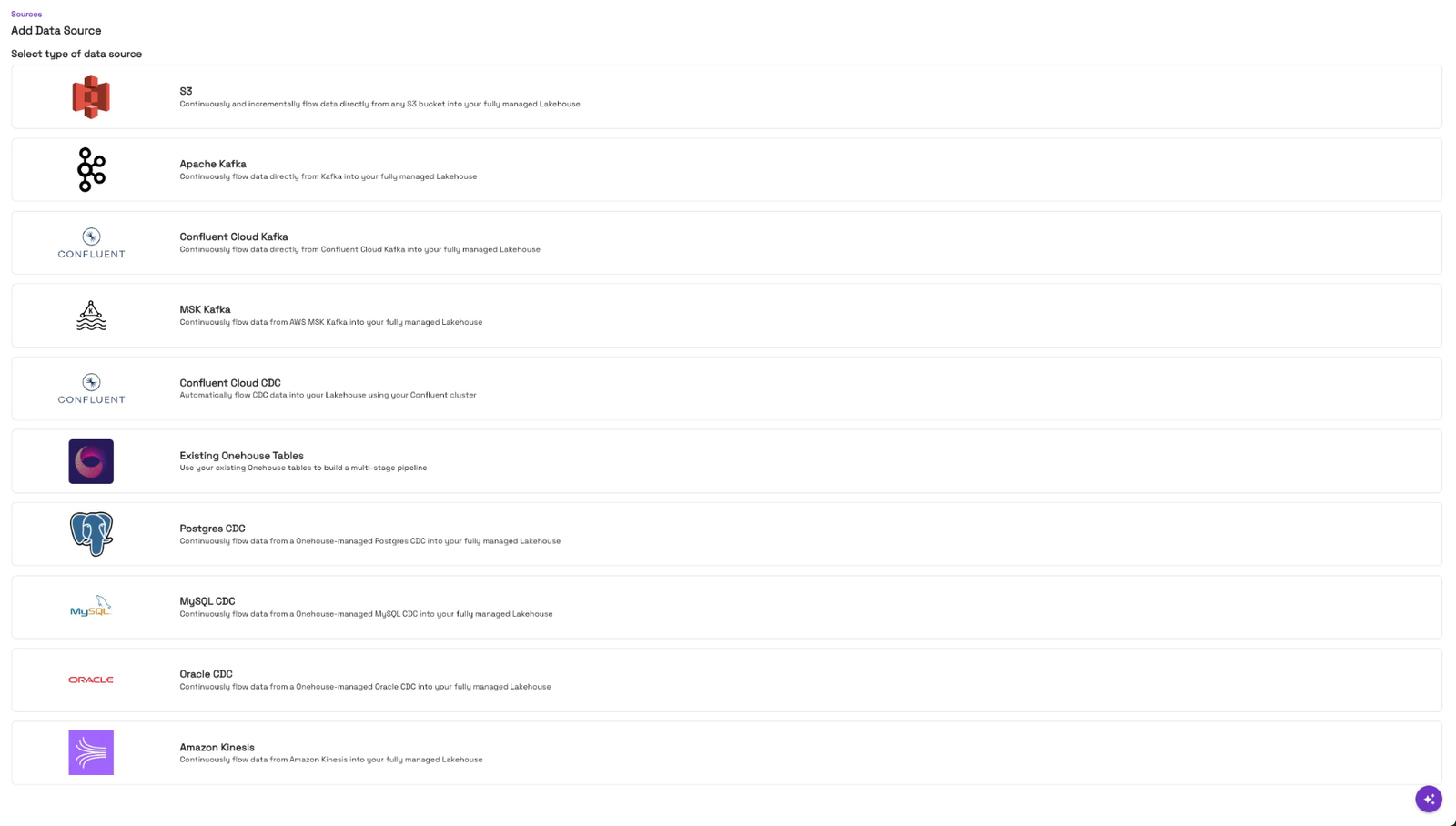
OneFlow can ingest files from S3, streams from Kafka or Kinesis, and change data from Postgres, MySQL and Oracle. Here we pick “Postgres CDC”:
This opens the source form. Give the source a name, then enter the database connection and the user that can read the change log. The setup guide on the right walks through the Postgres prerequisites:
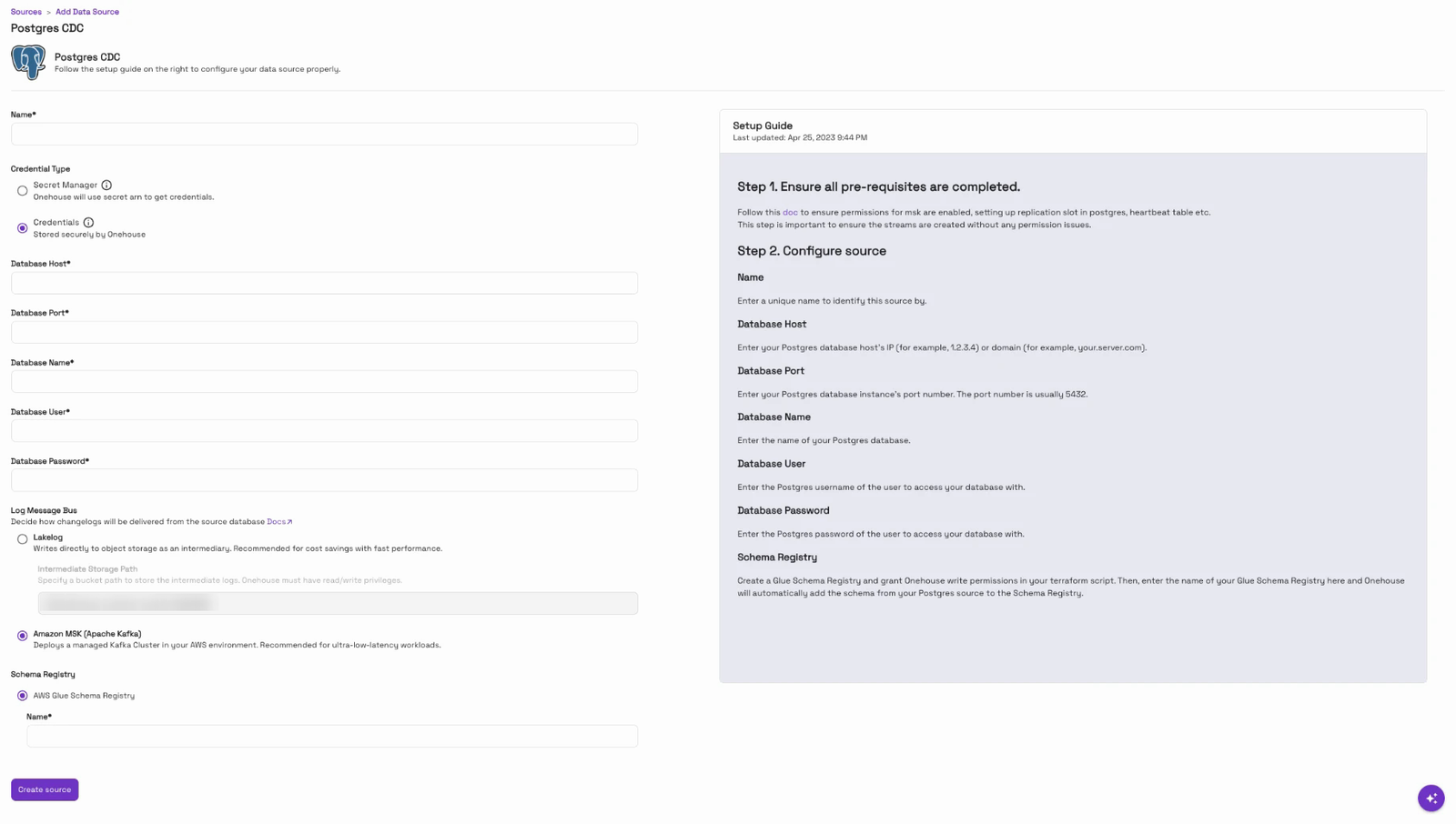
| Setting | Value used here |
|---|---|
| Name | shop-postgres |
| Credentials | stored securely by Onehouse |
| Database host / port / name | your Postgres endpoint, 5432, your database |
| Database user / password | a user with replication rights |
| Log message bus | Amazon MSK |
| Schema registry | the Glue registry you just created |
The one real design choice in this form is how the changes travel to Onehouse:
- Amazon MSK streams them through managed Kafka. It’s the low-latency option.
- Lakelog writes them straight to object storage, so there’s no Kafka cluster to run or pay for. It’s the cost-saving option, and it’s still fast.
We used MSK for this example. Clicking “Create Source” saves it, and the source is ready for a flow.
Create a flow in OneFlow
Now the part that does the work. A flow reads from the source and writes the Parquet table. Open “Flows” in the left nav and click “Add New Flow”:
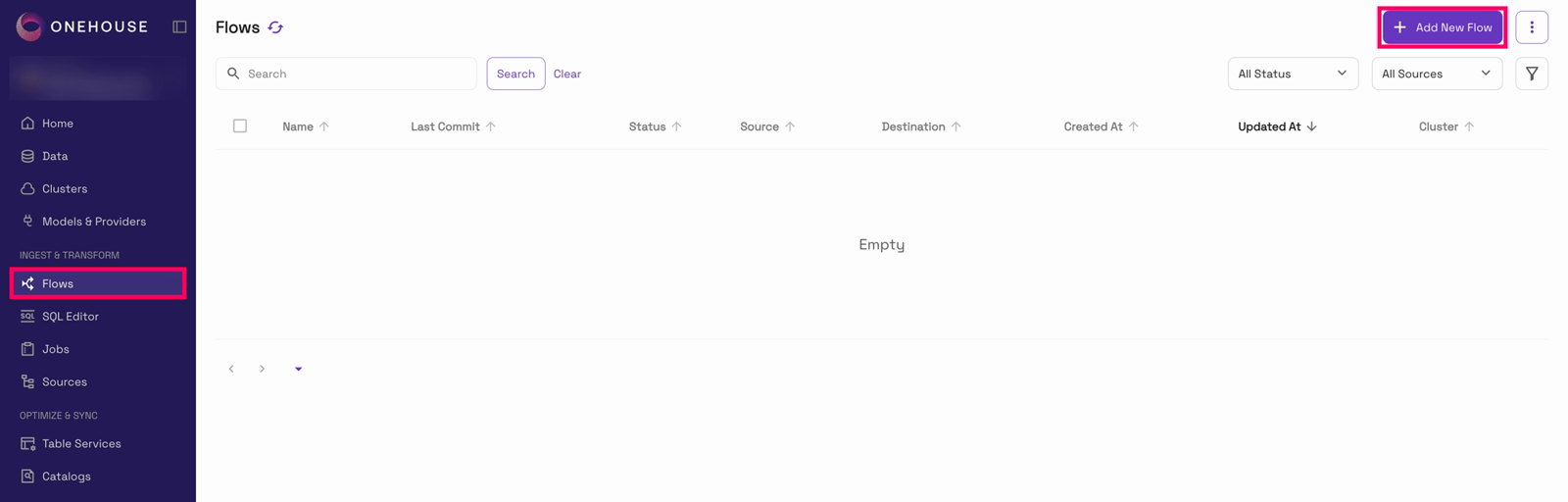
The form runs top to bottom: name the flow, pick the source, configure the tables, then choose where the data lands and which cluster runs it.
We name the flow shop-orders, pick the shop-postgres source and choose the “Mutable (Updates/ deletes)” write mode:
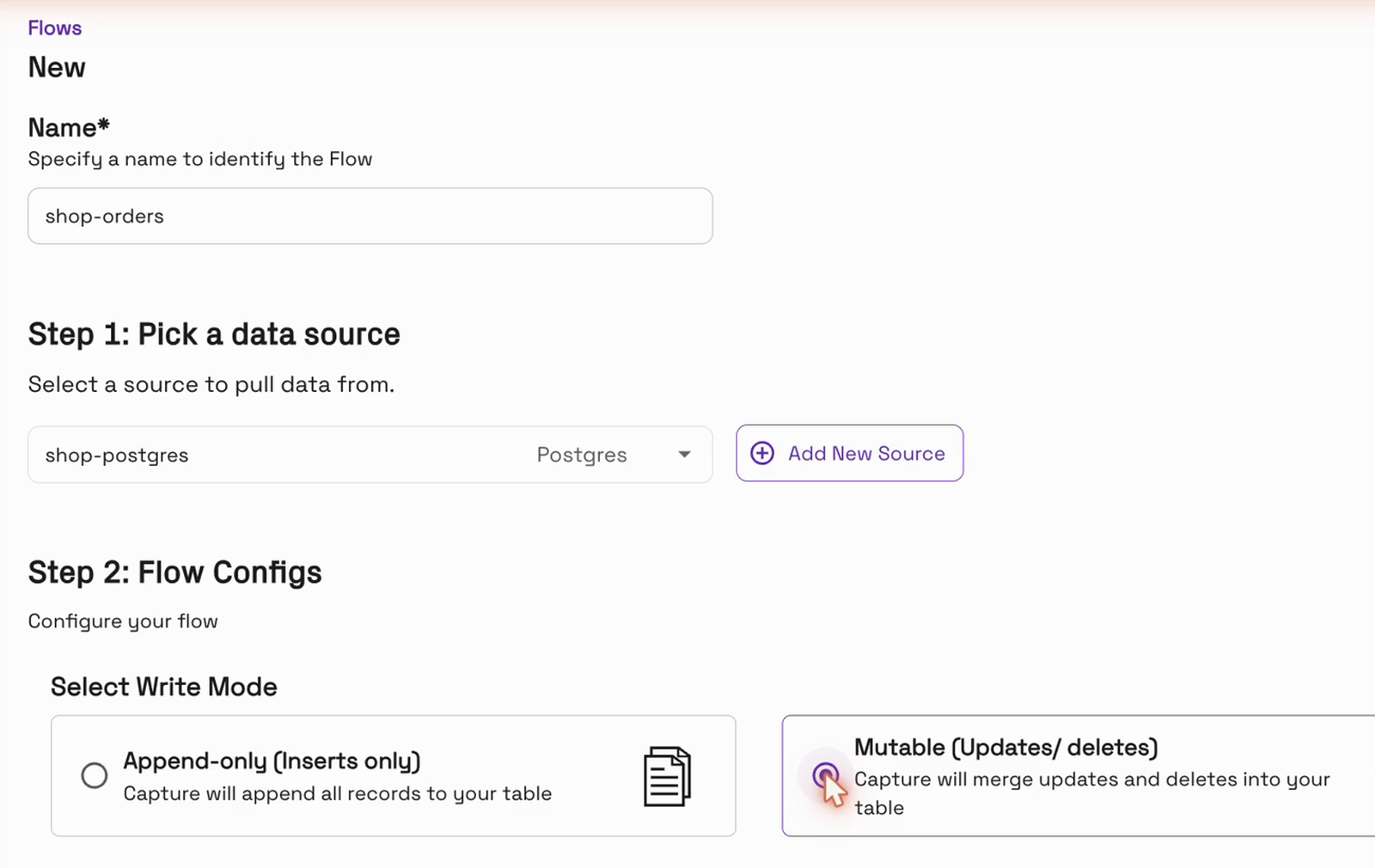
The write mode matters here. Append-only would add every change as a new row, so a shipped order would show up twice. Mutable applies updates and deletes to the existing row, so the table always looks like the database does now, which is what revenue by status needs. Changes sync every 5 minutes by default. For why mutable tables are the right fit for CDC, see Maximizing Change Data Capture.
Next, we tick public.orders, name the destination table orders and click “Configure”:
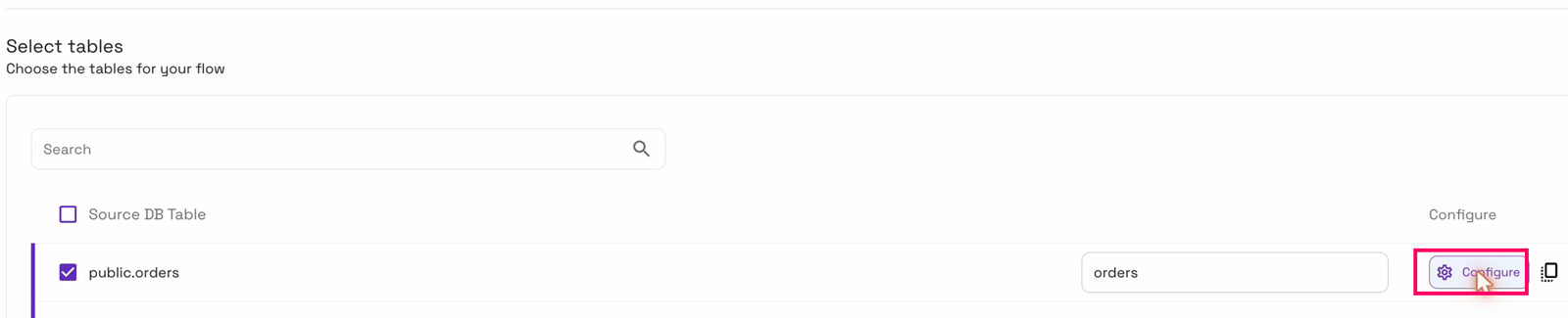
“Pipeline Quarantine” is already on, and “Convert data from CDC format” (Postgres, Debezium) is already added:
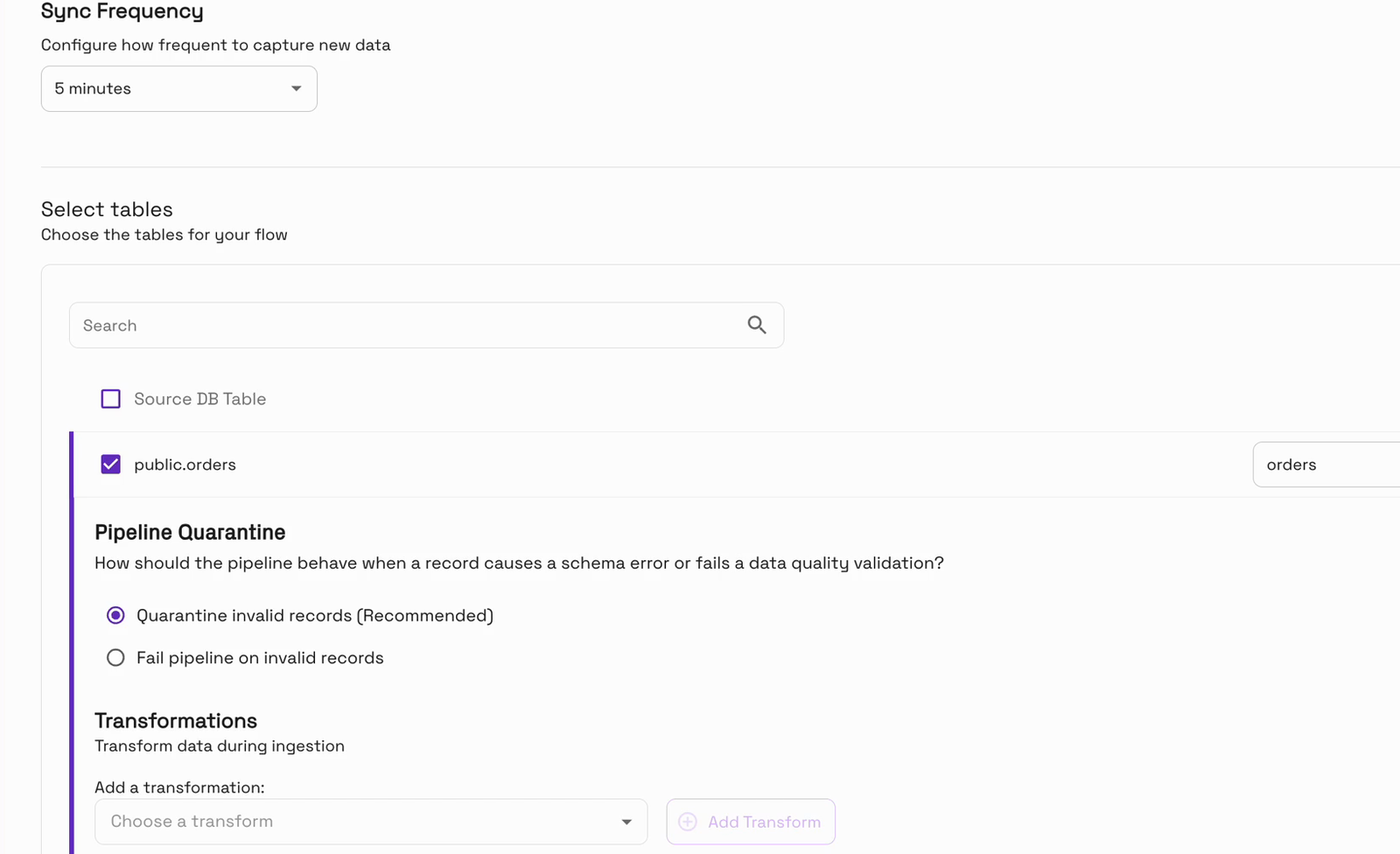
With Pipeline Quarantine on, a bad record that ever shows up is set aside in a quarantine table, and the pipeline keeps running. If you’d rather stop on invalid records, you can choose to fail the pipeline instead.
Then comes the privacy part. Under “Add a transformation” we choose “Data Masking”, click “Add Transform”, and pick customer_email as the field to mask, keeping the “Hashing” masking type:
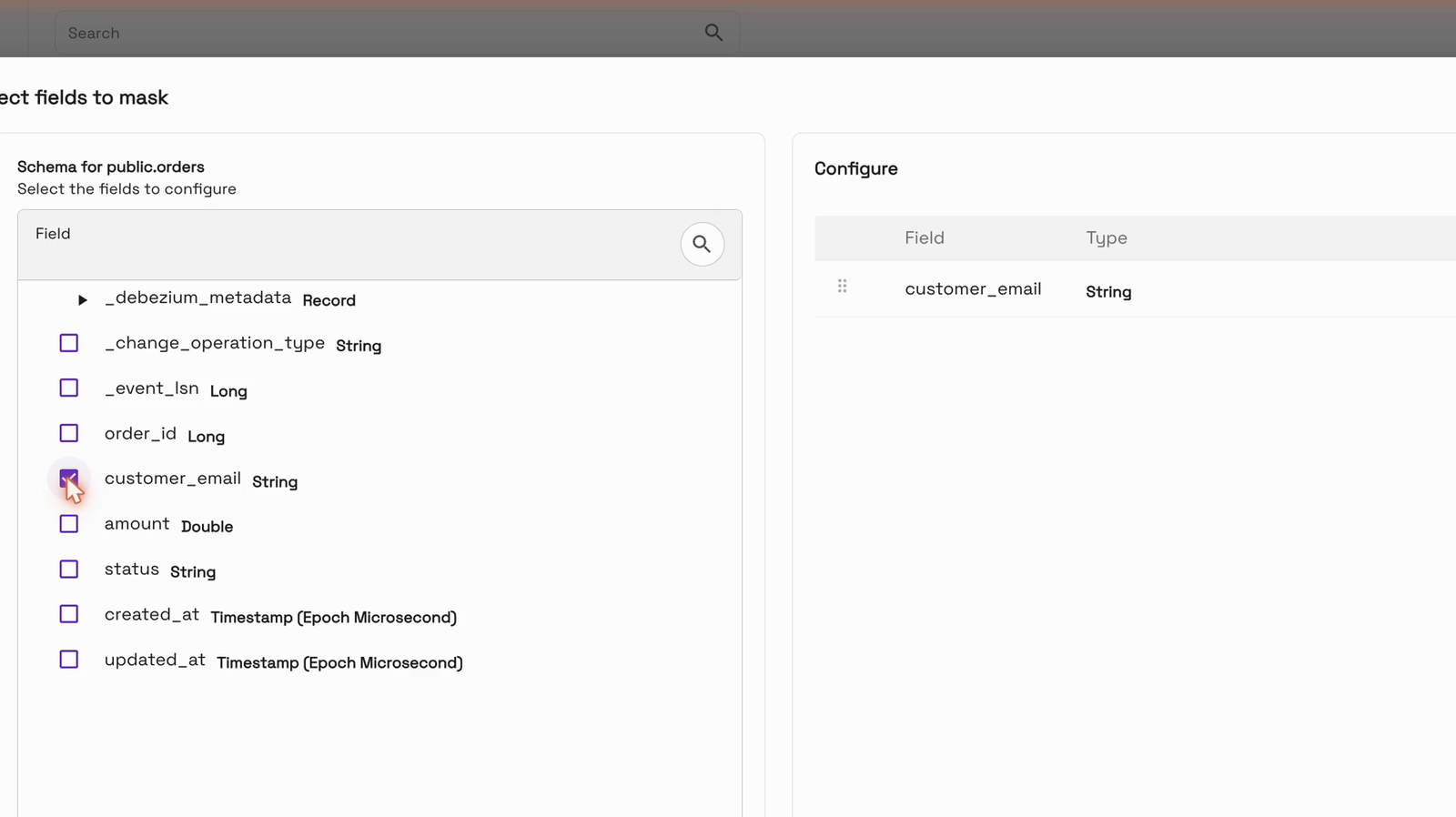
The email is replaced with a hash before anything is written, so the real address never lands in the table. The record key (order_id) and ordering field (_event_lsn) are filled in for us.
All that’s left is the destination. We choose the data lake and a database for the table, shop_analytics, and the managed cluster that runs the flow:
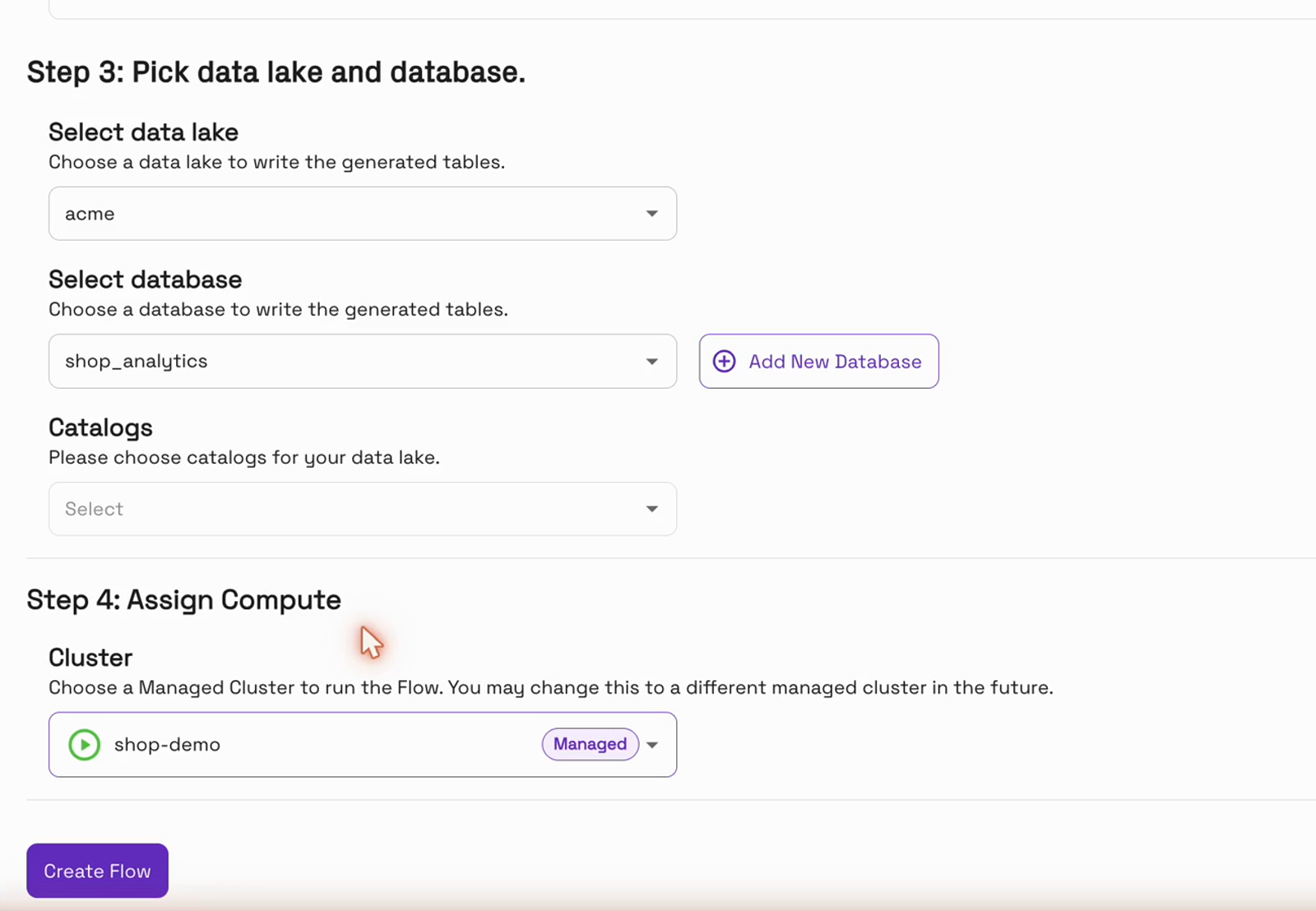
Clicking “Create Flow” starts the flow right away:
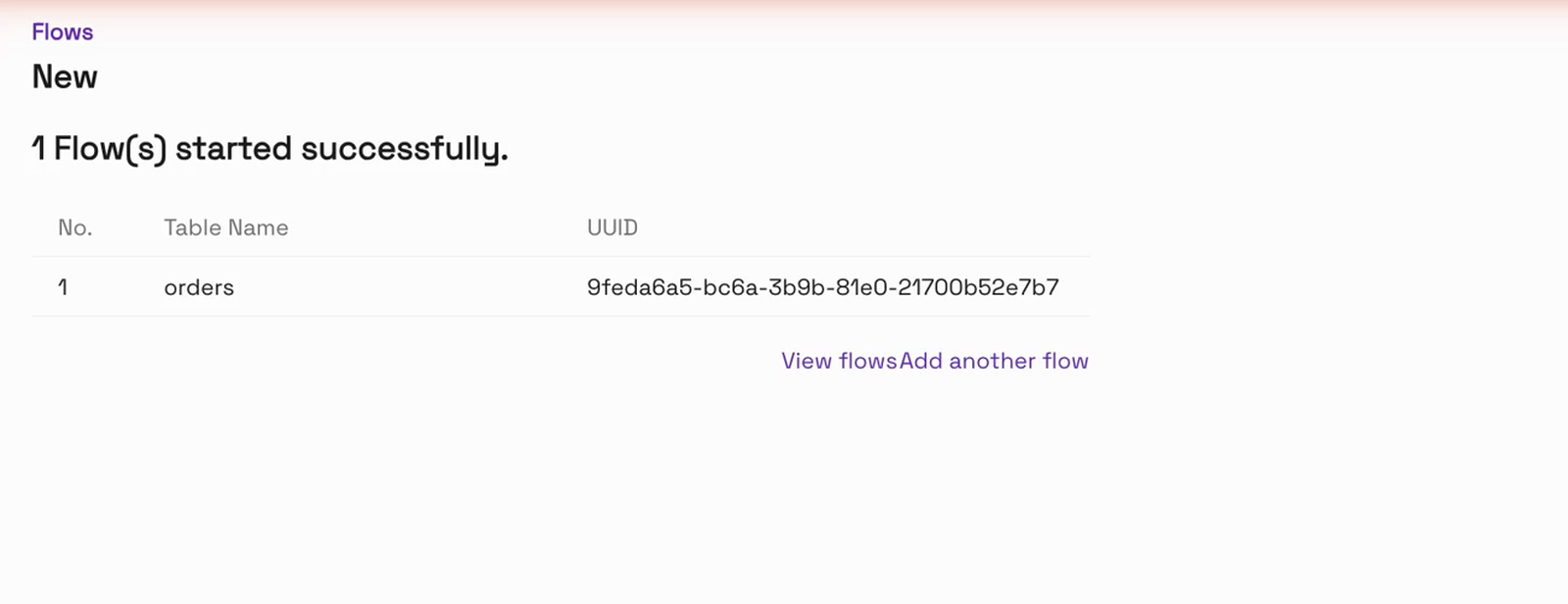
Behind the scenes, OneFlow sets up change capture on the Postgres table and a Spark job on the cluster, then takes a first snapshot of every existing order. In our run, the flow was “Running” with its first sync landed about 17 minutes later. From then on, it commits a new sync every 5 minutes:
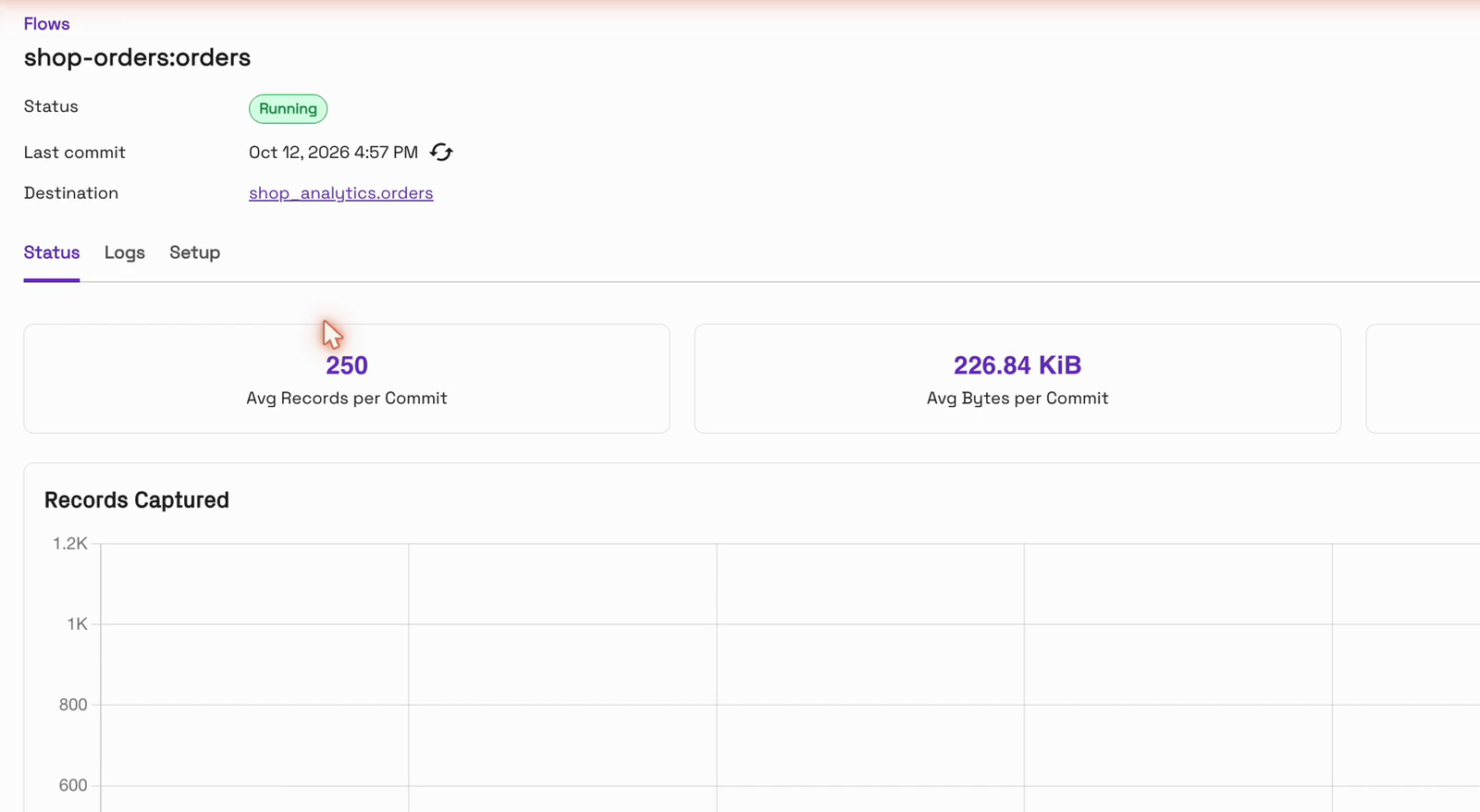
That’s it for the setup. There’s no code to write or deploy.
Query the Parquet table as an analyst
With the first sync landed, let’s put on the analyst’s hat. We read the Parquet table straight from S3 with Apache Spark:
SELECT status, count(*) AS orders, sum(amount) AS revenue
FROM shop_analytics.orders GROUP BY status;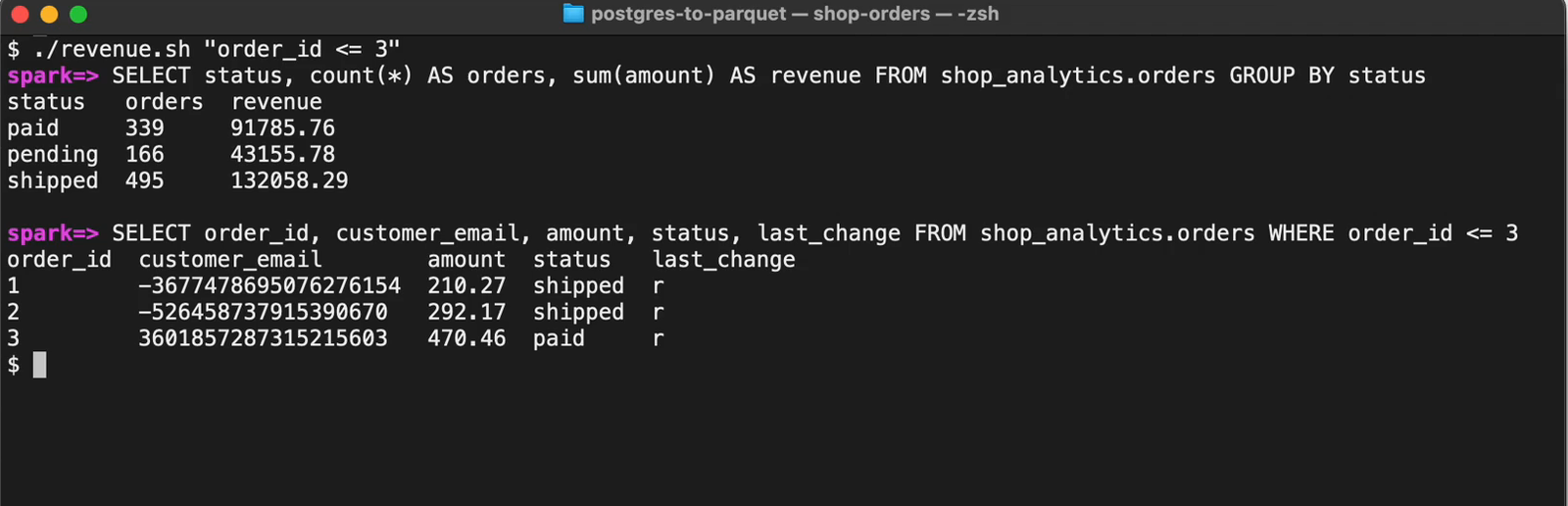
status   orders  revenue
paid     339     91785.76
pending  166     43155.78
shipped  495     132058.29
These are the same three statuses, the same order counts and the same revenue as Postgres, to the cent. The email column now holds a hash instead of an address:
order_id  customer_email        amount  status   last_change
1         -3677478695076276154  210.27  shipped  r
2         -526458737915390670   292.17  shipped  r
3         3601857287315215603   470.46  paid     r
last_change is the change type: r for the snapshot read, c for create, u for update.
Follow inserts, updates and deletes
A snapshot is only the start. The real test is whether the table keeps up as orders change, so let’s change some. First, a new order comes in:
INSERT INTO public.orders (order_id, customer_email, amount, status, created_at)
VALUES (1001, 'new.buyer@example.com', 120.00, 'paid', now());
On the next sync, about 3.5 minutes later, paid revenue in the Parquet table went up by exactly 120, from 339 orders / 91,785.76 to 340 / 91,905.76. The new row’s email is hashed, and the row is marked c.
A little later, the order ships, so its status changes in Postgres:
UPDATE public.orders SET status = 'shipped', updated_at = now() WHERE order_id = 1001;After the next sync, paid dropped back to 339 / 91,785.76 and shipped rose to 496 / 132,178.29. It’s the same row, now marked u. It was updated in place, not duplicated, and the table still has 1,001 rows:
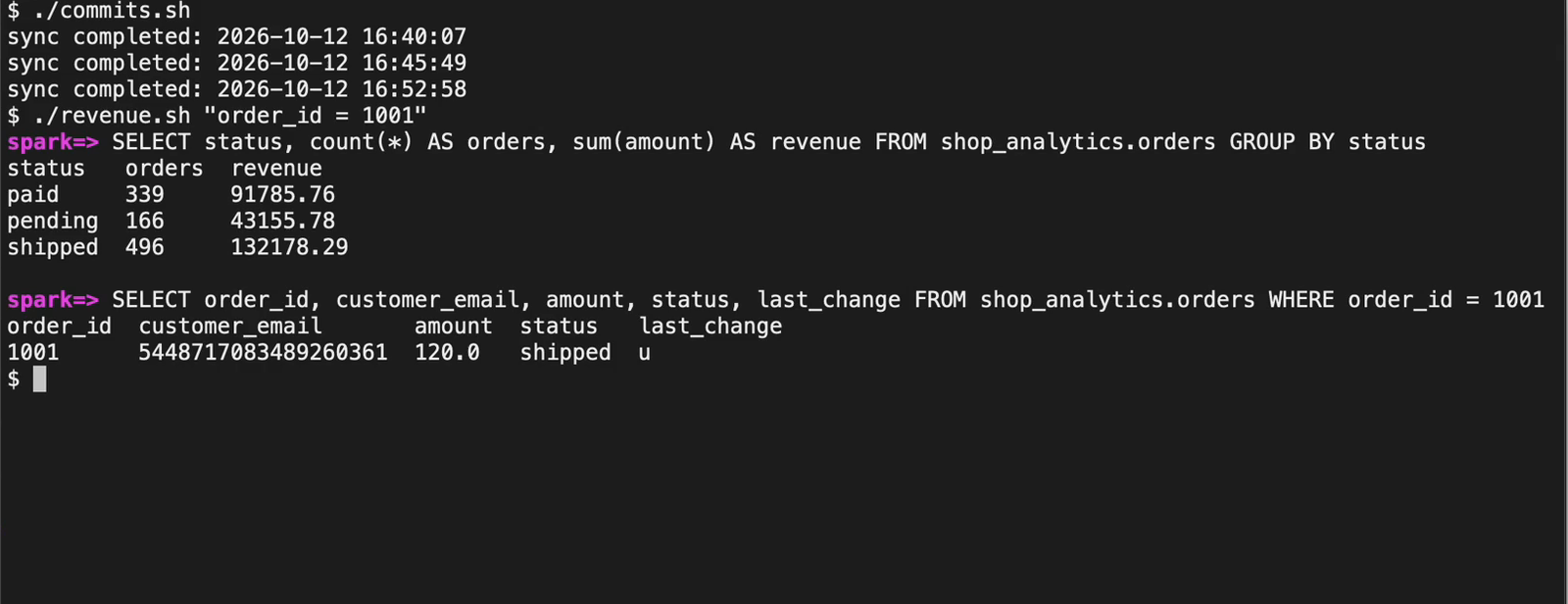
Finally, the customer cancels, and the order is deleted:
DELETE FROM public.orders WHERE order_id = 1001;One sync later, the totals were right back where we started, and order 1001 was gone from the Parquet table, leaving 1,000 rows. Here’s how the numbers moved:
| After | paid | pending | shipped |
|---|---|---|---|
| First snapshot | 339 · 91,785.76 | 166 · 43,155.78 | 495 · 132,058.29 |
| INSERT 1001 | 340 · 91,905.76 | 166 · 43,155.78 | 495 · 132,058.29 |
| UPDATE 1001 → shipped | 339 · 91,785.76 | 166 · 43,155.78 | 496 · 132,178.29 |
| DELETE 1001 | 339 · 91,785.76 | 166 · 43,155.78 | 495 · 132,058.29 |
Postgres and the Parquet table matched after each of these steps.
Why hash the email instead of dropping it?
Because the same email always becomes the same hash. Orders 1, 401 and 801 come from the same customer, and all three carry the same value:
order_id  customer_email (Postgres)   customer_email (Parquet table)
1         customer2@example.com       -3677478695076276154
401       customer2@example.com       -3677478695076276154
801       customer2@example.com       -3677478695076276154
So the analyst can still count unique customers and join with other tables, without ever seeing an address:
SELECT count(DISTINCT customer_email) AS customers, count(*) AS orders
FROM shop_analytics.orders;   -- 400 customers, 1000 orders
Frequently asked questions
Do I need to write any pipeline code?
No. The source and the flow are both configured in the Onehouse console.
How quickly do changes show up?
On the next sync. With the default 5-minute sync, each change in our run reached the Parquet table within about 4 minutes of the SQL statement.
Are updates and deletes applied, or only appended?
With the Mutable write mode, they’re applied to the existing row. In our run an update changed the row in place (u, still 1,001 rows), and a delete removed it.
Do I need Kafka?
No. Lakelog writes change logs to object storage, so there’s no Kafka cluster to run. Amazon MSK is the lower-latency option.
What happens if a bad record arrives?
With Pipeline Quarantine on (the default), the bad record is set aside in a quarantine table and the pipeline keeps running.
Is the email ever stored in plain text?
No. Data Masking hashes customer_email before anything is written to the table.
Conclusion
In this blog, we’ve shown how to turn a live Postgres table into Parquet tables on S3 with Onehouse OneFlow. We created one Postgres CDC source and one flow, both in the console, with no pipeline code. Every insert, update and delete reached the table within minutes. Revenue matched Postgres to the cent after every change, and customer emails were hashed before anything was written.
- Introducing Onehouse OneFlow: Ingest once, query anywhere
- Instantly unlock your CDC PostgreSQL data on a data lakehouse using Onehouse
To try it on your own database, start at onehouse.ai, or get in touch with our team at gtm@onehouse.ai.