Talk with our engineers by joining the new Onehouse community Slack!
TL;DR
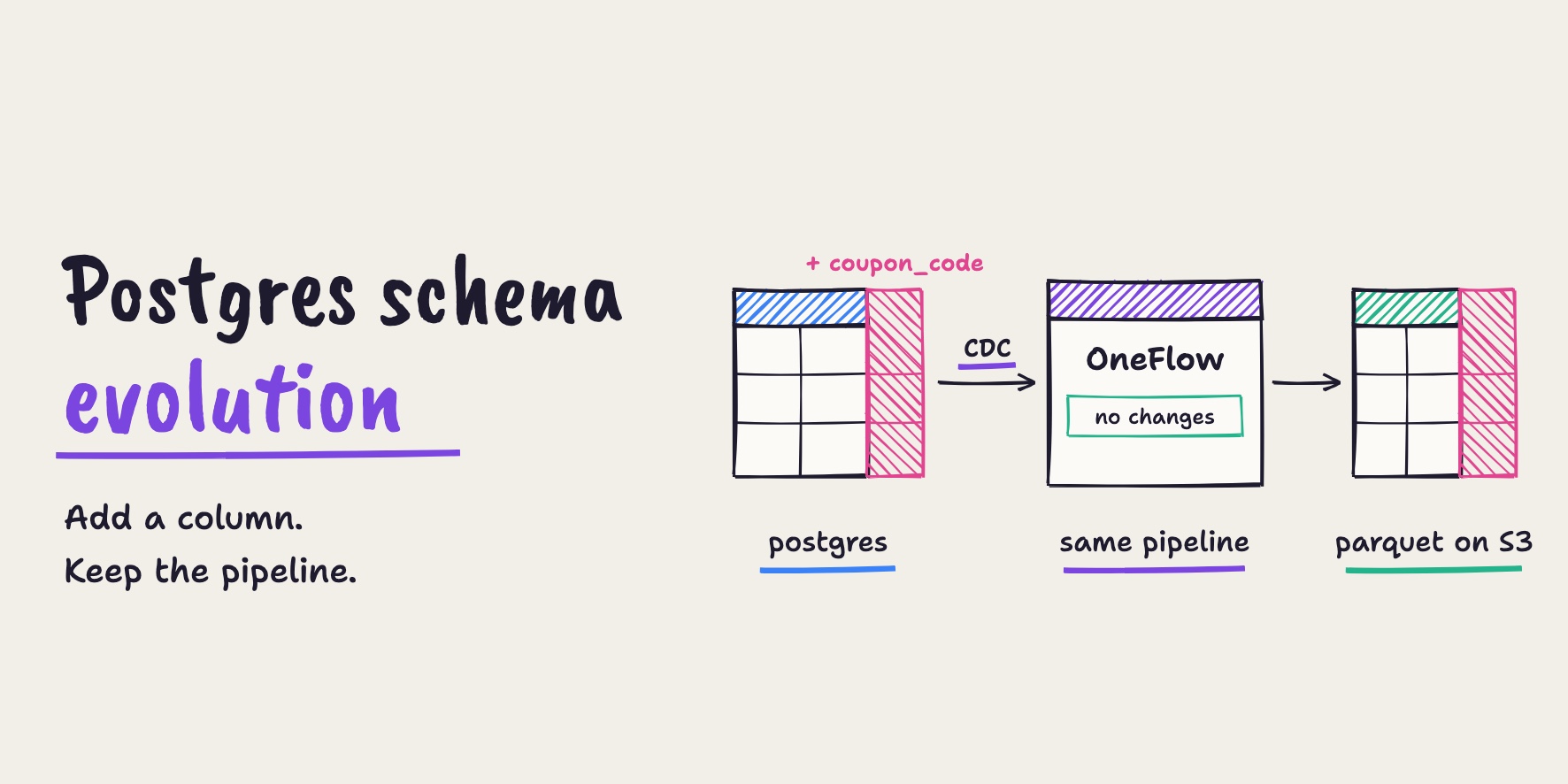
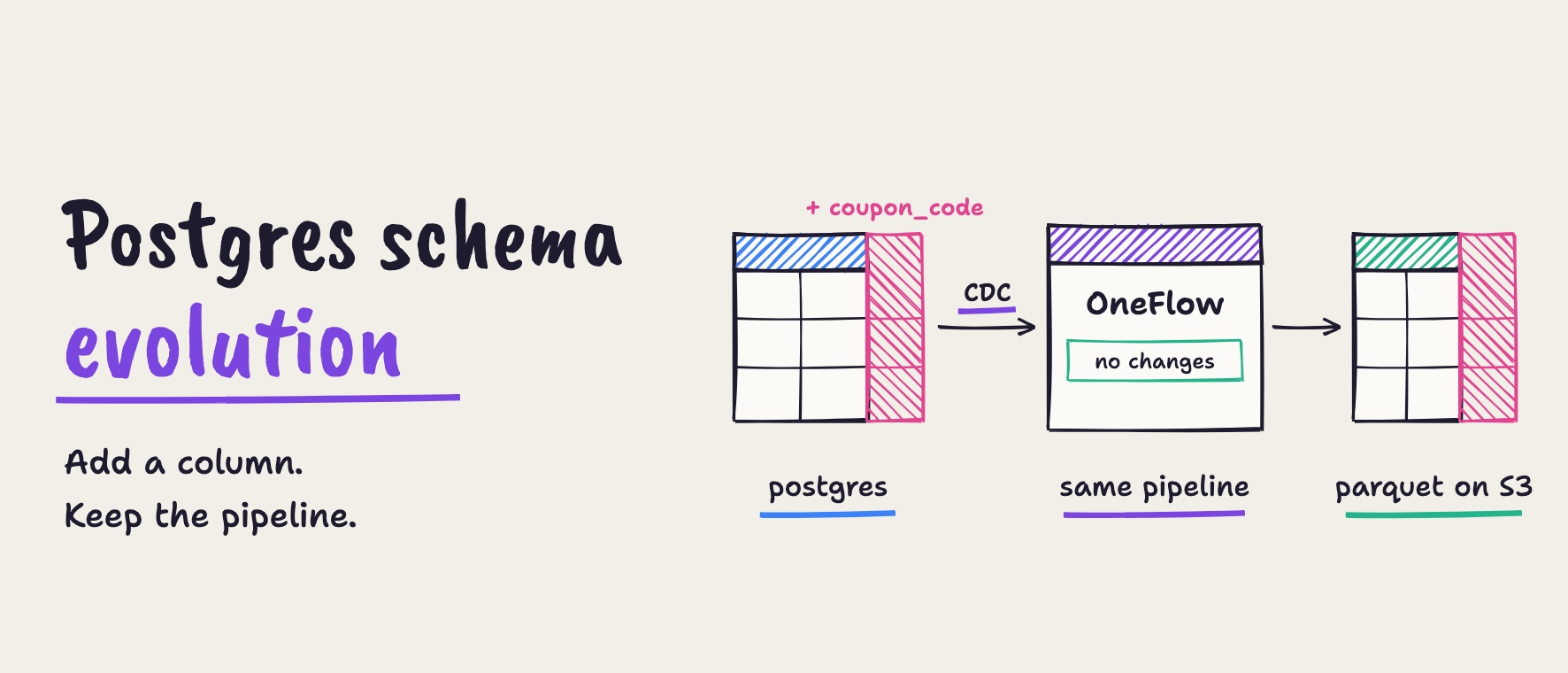
When a column is added to a Postgres table, Onehouse OneFlow carries it into the Parquet tables on Amazon S3 on the next sync, without editing, redeploying or backfilling the pipeline. In our run, a coupon_code column added with ALTER TABLE was queryable in the Parquet table about 6 minutes later. The 1,000 existing orders were kept with NULL in the new column, the new orders carried their coupon code with customer emails still hashed, and the flow's setup still showed its original last-updated date.
Onehouse OneFlow: Stop rebuilding pipelines every time the source schema changes (4:43)
Application tables never stand still. A new feature ships, and someone runs ALTER TABLE … ADD COLUMN on a production Postgres database. For the app team, it’s a one-line change. For the data team, it’s often the start of a bad week. With Onehouse OneFlow, a column added in Postgres simply shows up in your Apache Parquet™ tables on S3 on the next sync. There’s no pipeline edit, no redeploy and no backfill.
In this post, we make that change on a live pipeline and follow it end to end, using the Onehouse console and Apache Spark™.
The problem: a one-line change upstream, a broken pipeline downstream
Here’s a story most data teams know too well. One morning, an online retailer launches coupons, so the app team adds a coupon_code column to the orders table in Postgres.
In a lot of pipelines, that’s where things go wrong:
- The ingestion job fails on a field it has never seen.
- Or worse, it keeps running and quietly drops the new column, and nobody notices until a dashboard is wrong.
- Either way, someone has to step in: open a ticket, edit the pipeline, redeploy it, and maybe backfill.
Meanwhile, marketing is asking how the coupons are doing.
The result
We made exactly this change on a running OneFlow pipeline:
| What we measured | Result |
|---|---|
| New column queryable in the Parquet table on S3 | about 6 minutes after the ALTER TABLE, on the next sync |
| Existing rows (1,000 orders) | kept, with NULL for the new column; nothing rewritten or lost |
| New rows | carry the new value, with customer_email still hashed |
| Changes made to the pipeline | none; its setup still read “Last updated on Oct 12”, two days earlier |
| Ticket, redeploy, backfill | none |
We also tested this with a second text column and a boolean column in rehearsals. Each one arrived in a single sync.
How it works
Here’s what happens when the source schema changes:
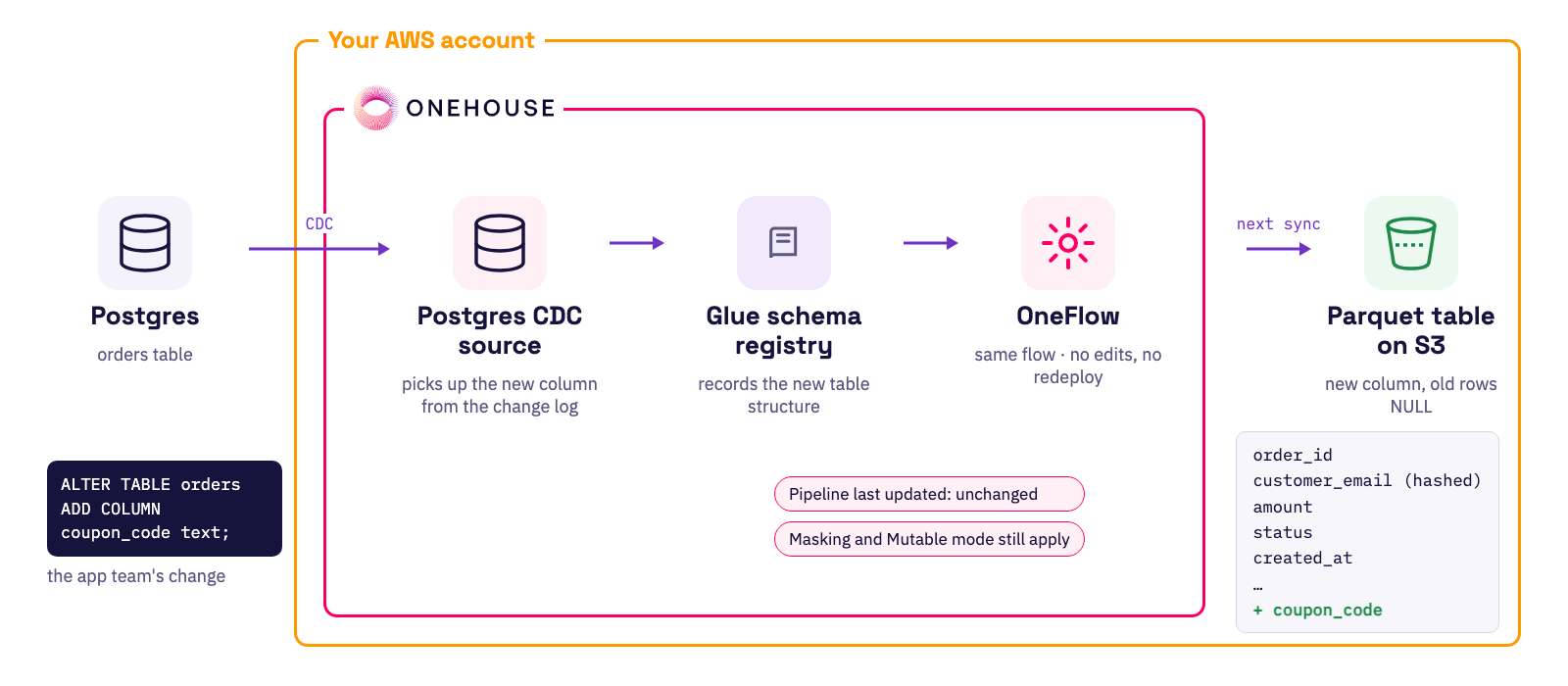
- Postgres CDC source: change data capture reads the Postgres log, so the new column comes through with the rows that use it.
- AWS Glue schema registry: records the table’s new structure.
- OneFlow: the same flow keeps running. Its Mutable write mode, Data Masking and Pipeline Quarantine all still apply, and nobody edits or redeploys it.
- Parquet table on S3: gains the new column on the next sync. Older rows show
NULL.
For the broader picture of how lakehouse tables handle changing schemas, see Schema Evolution on the Data Lakehouse.
Evolving a Postgres schema with OneFlow
In the following, we first look at how the pipeline was built, then make the schema change and check the Parquet table on S3 as an analyst would.
How the pipeline was built
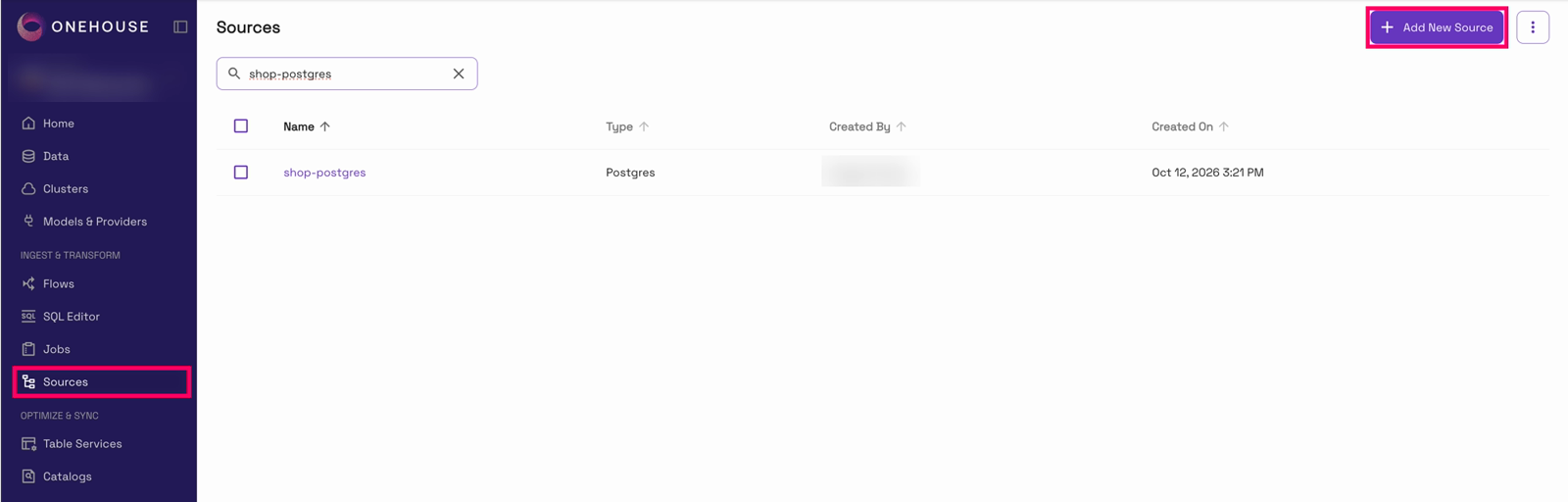
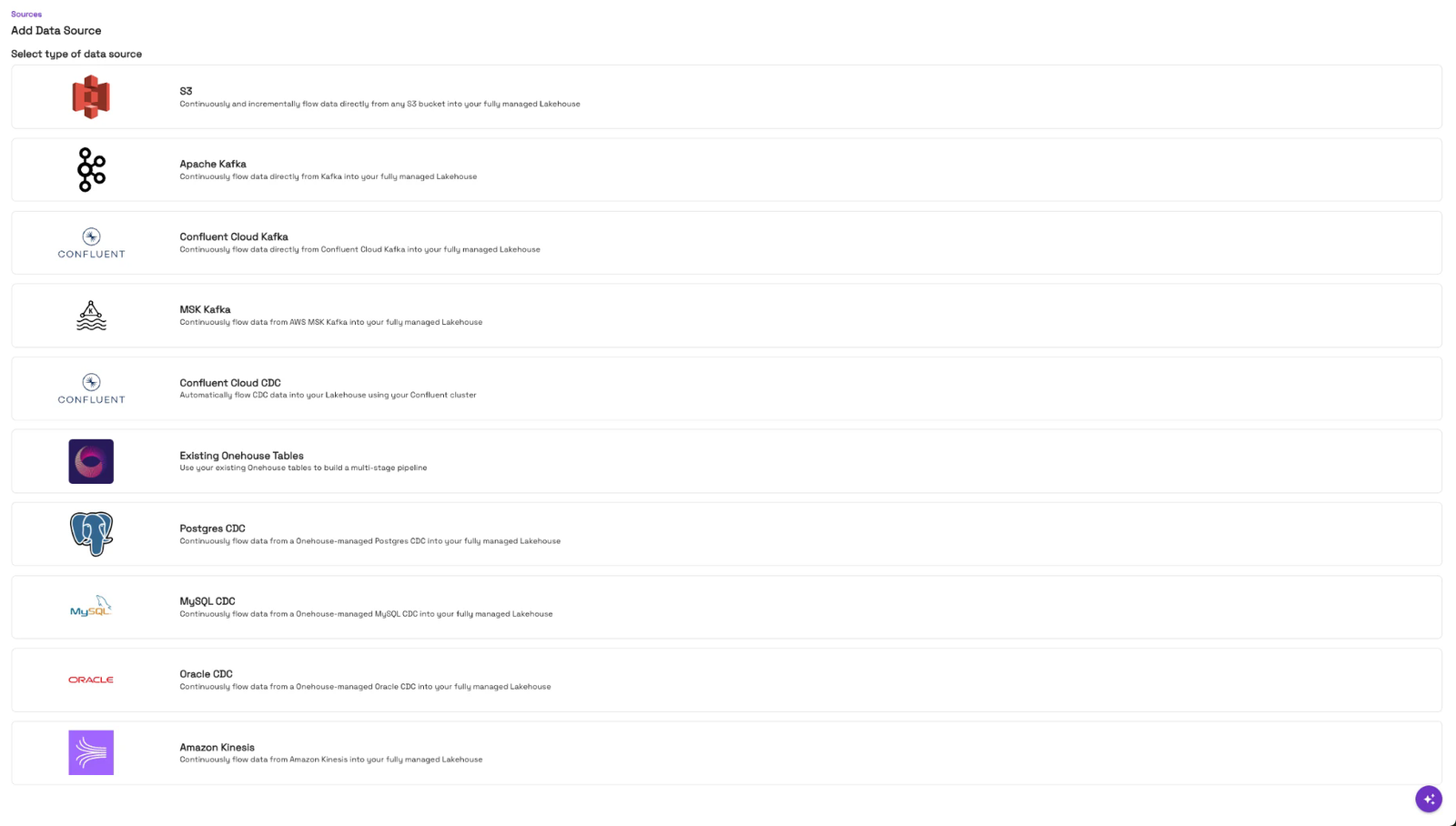
The pipeline starts with a source. In the Onehouse console, open “Sources” in the left nav and click “Add New Source”:
Then pick “Postgres CDC”:
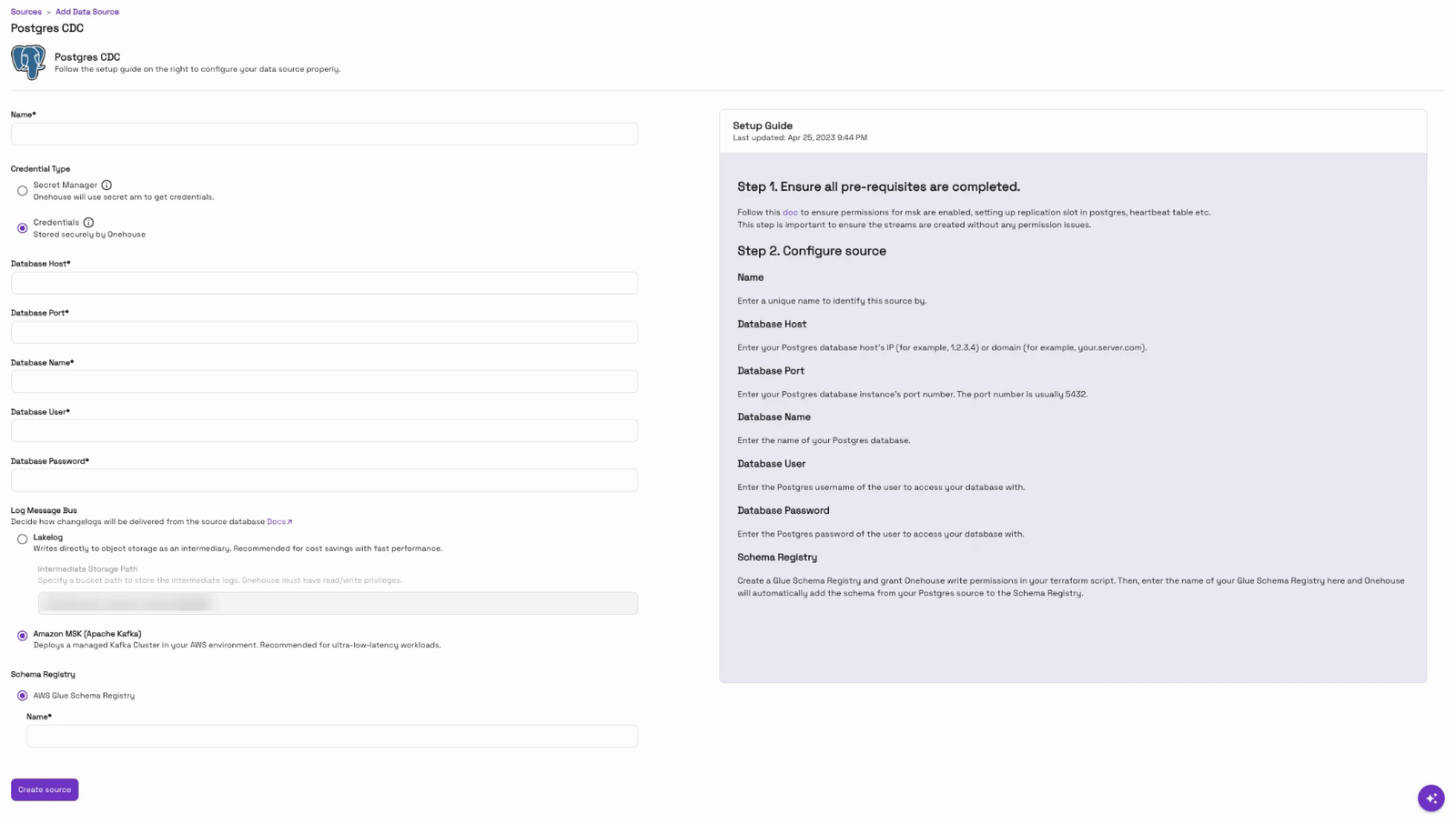
The form takes the database connection, a user that can read the change log, how changes travel (Amazon MSK or Lakelog) and an AWS Glue schema registry. That registry is what lets OneFlow keep track of the table’s structure as it changes, which is exactly what this post relies on:
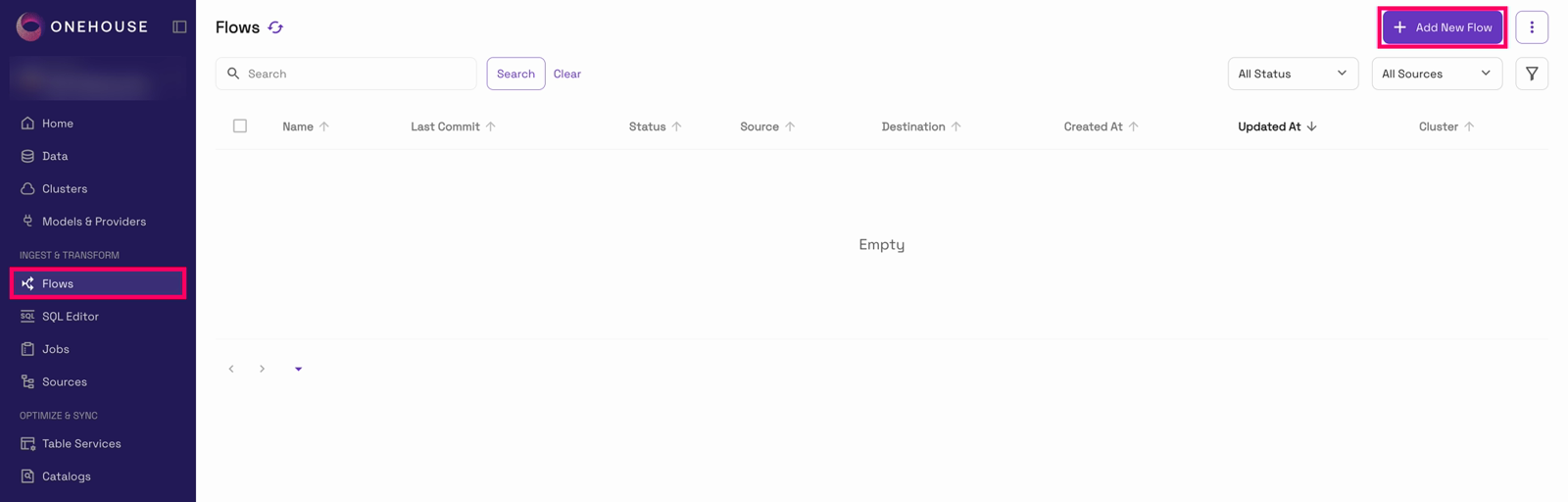
Then the flow. We opened “Flows” in the left nav and clicked “Add New Flow”:
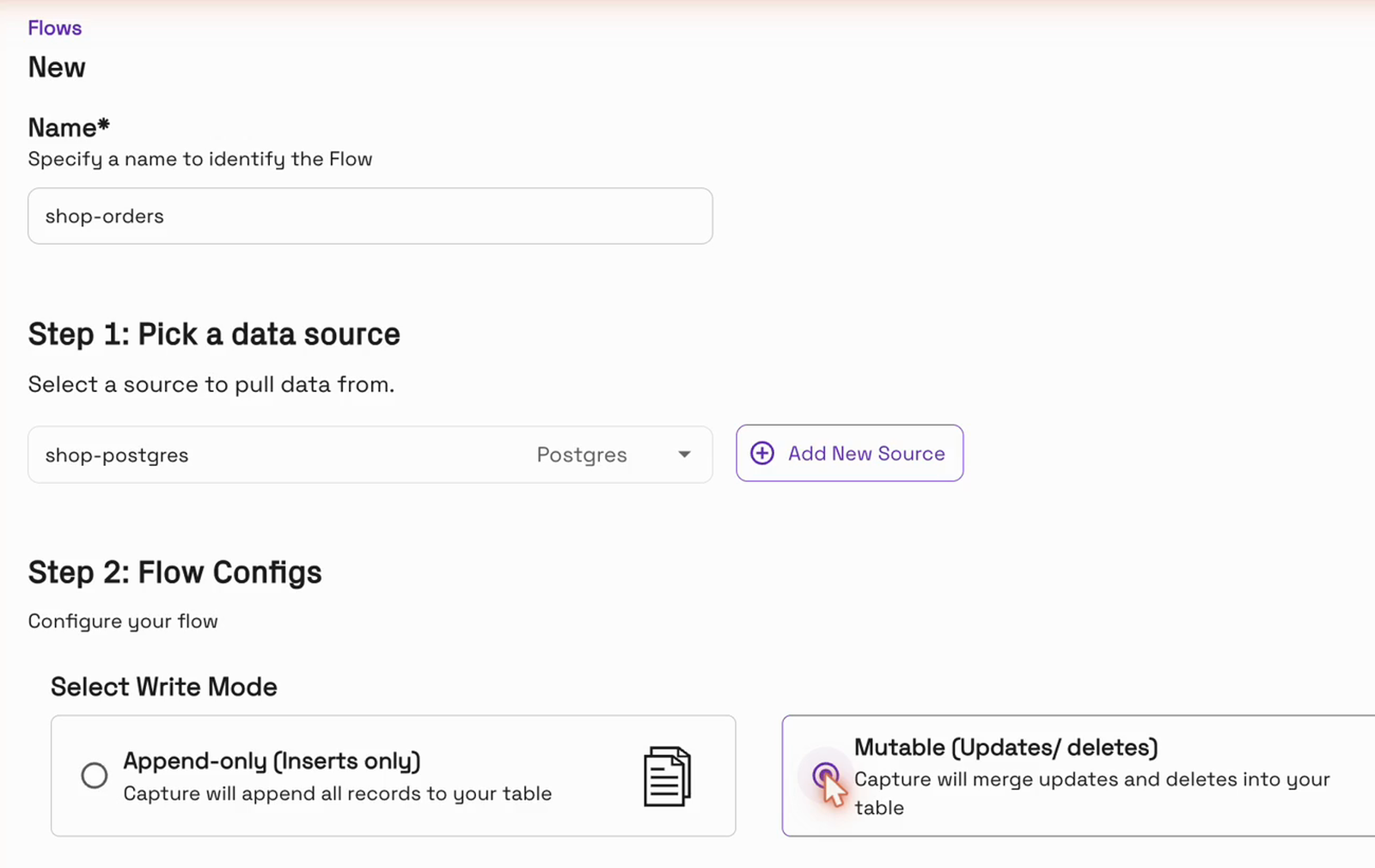
We picked the source and chose the Mutable write mode, so updates and deletes are applied to the table instead of appended:
Next, we ticked the orders table and clicked “Configure”:
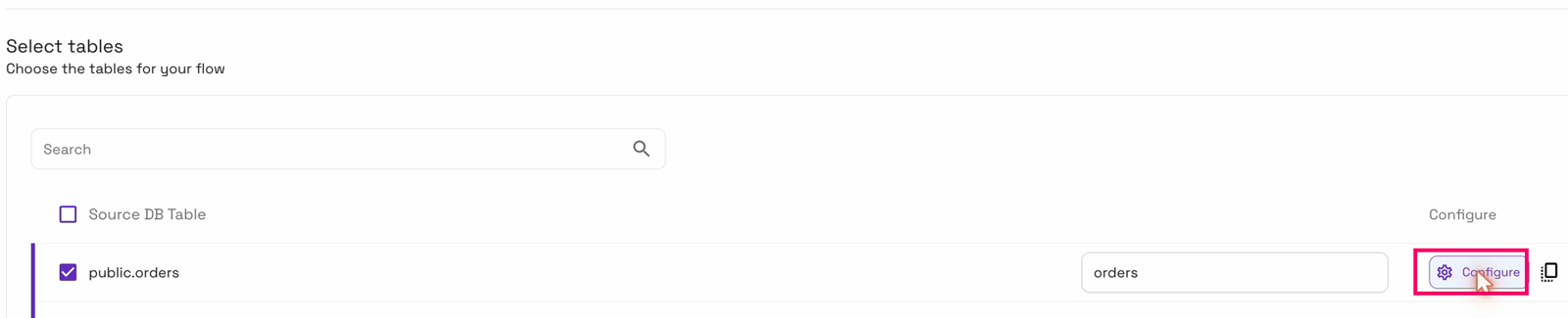
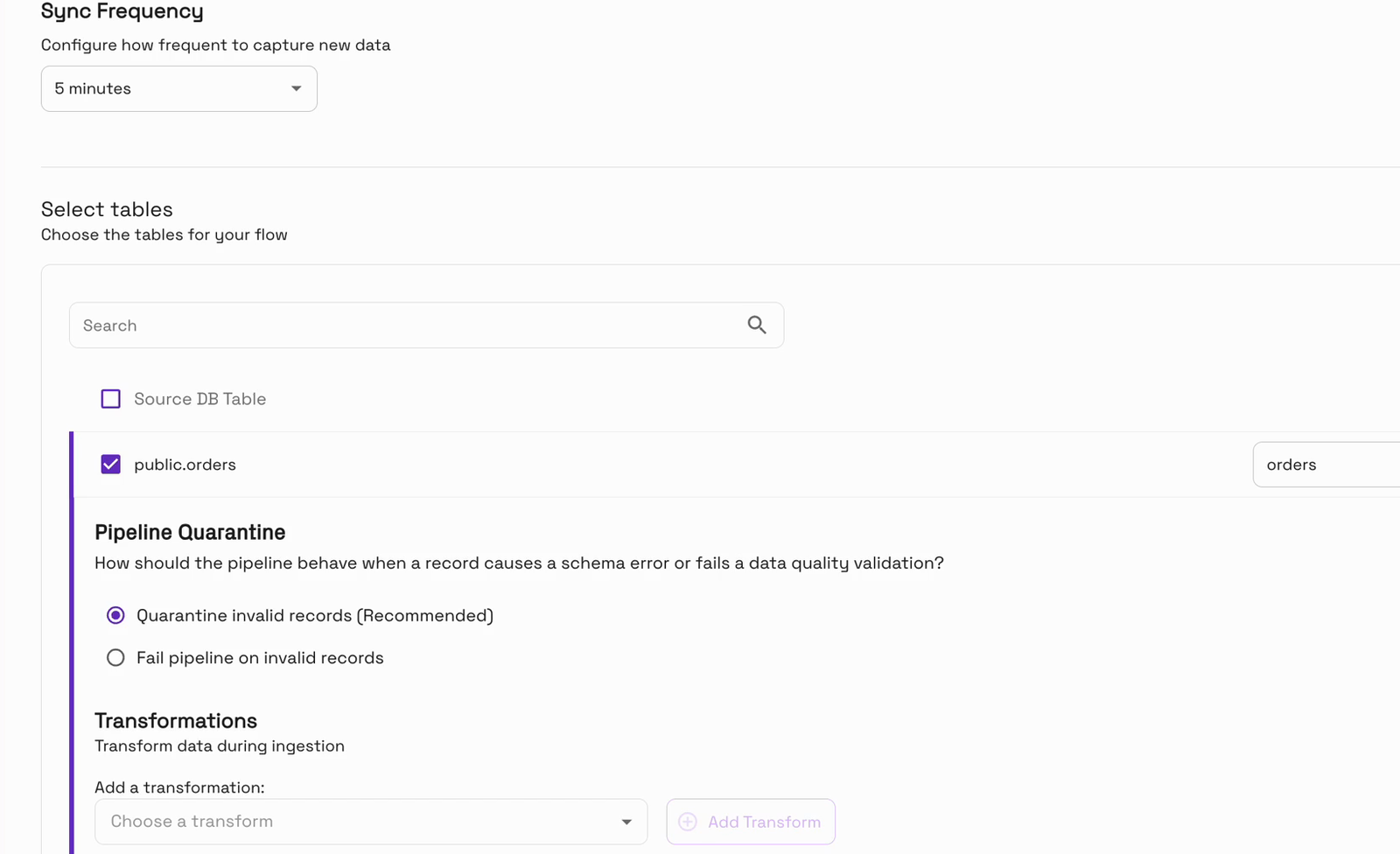
“Pipeline Quarantine” is on by default, so if a bad record ever shows up, it’s set aside in a quarantine table and the pipeline keeps running:
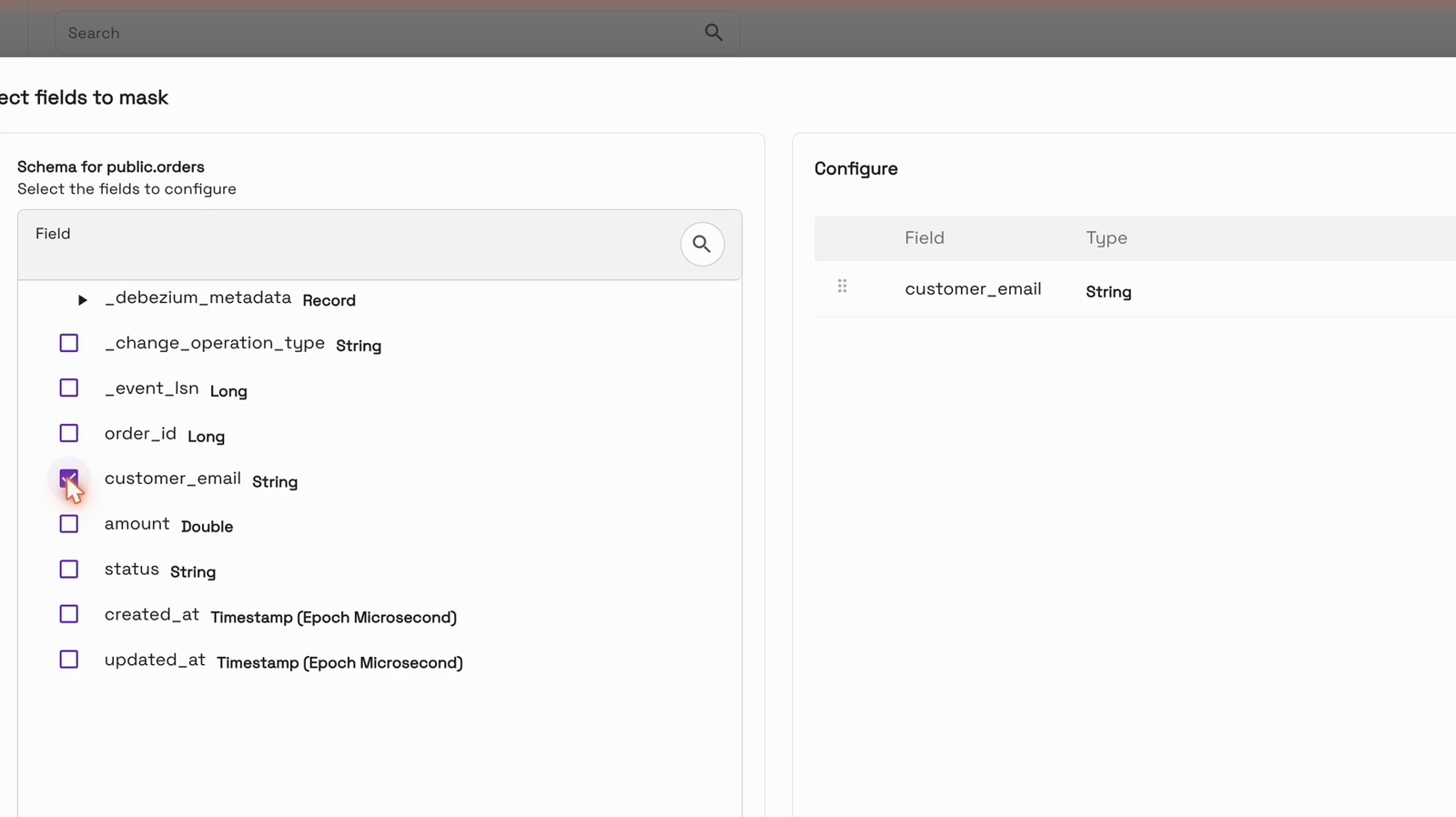
We added Data Masking to hash customer_email, and the record key and ordering field were filled in for us:
Finally, we chose the shop_analytics database and a managed cluster, and created the flow:
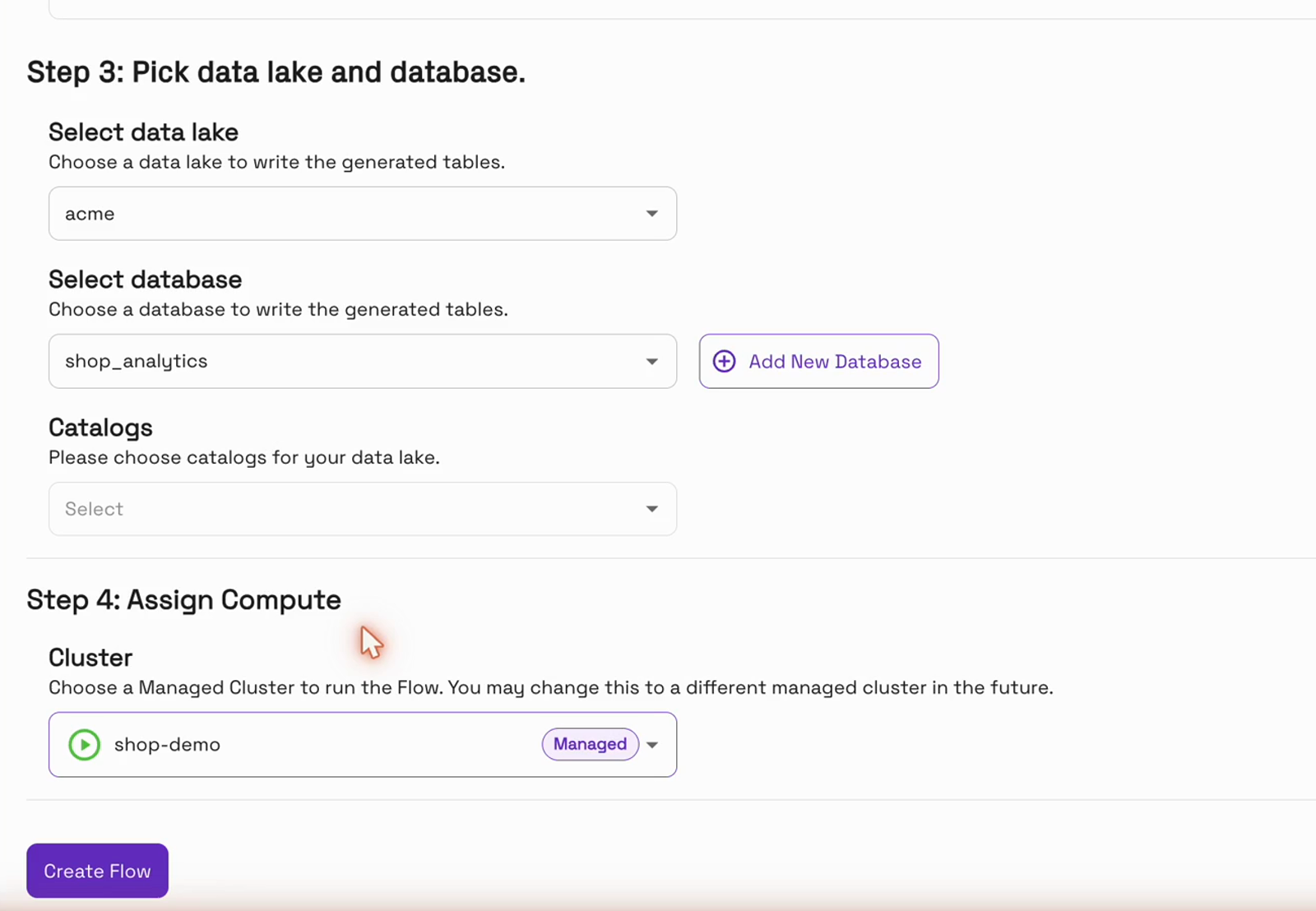
Notice what we didn’t do. There’s no schema to declare and no column list to maintain anywhere in the flow.
Check the table before the change
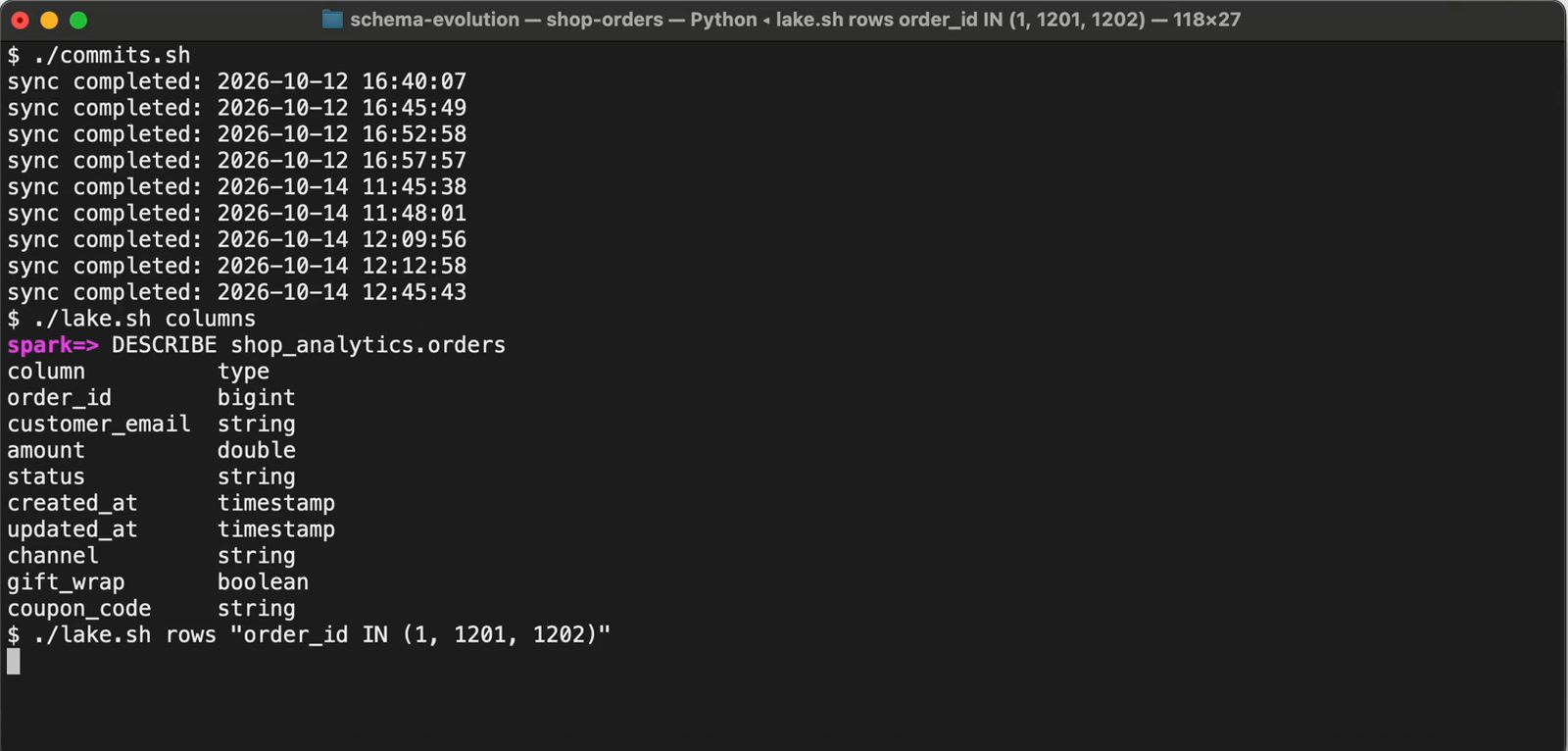
This flow had been running for two days. Here are the columns of the Parquet table on S3 before the change, read with Apache Spark. There’s no coupon_code:
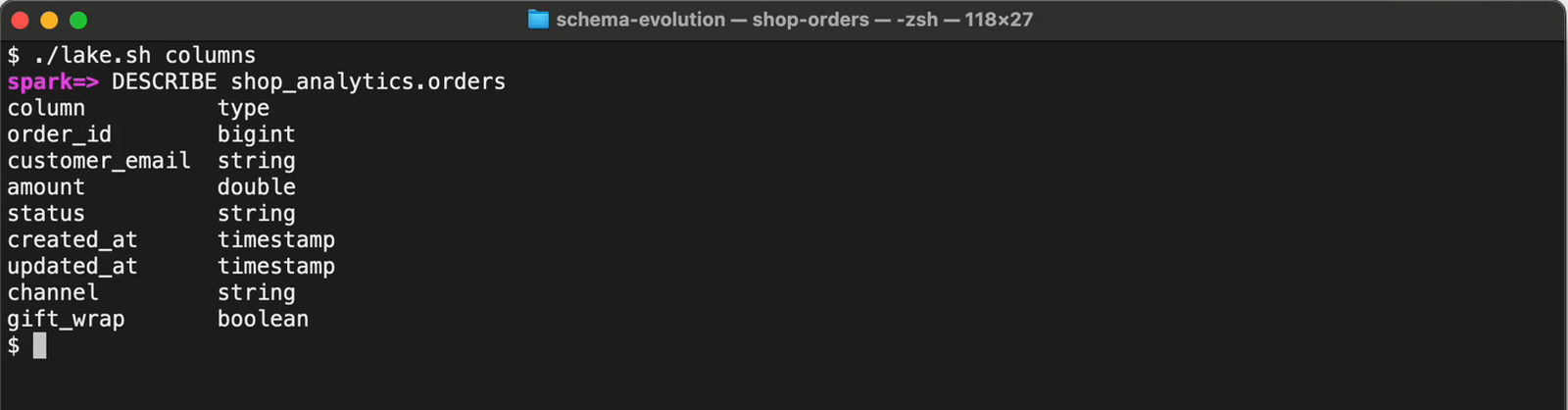
column          type
order_id        bigint
customer_email  string
amount          double
status          string
created_at      timestamp
updated_at      timestamp
channel         string
gift_wrap       boolean
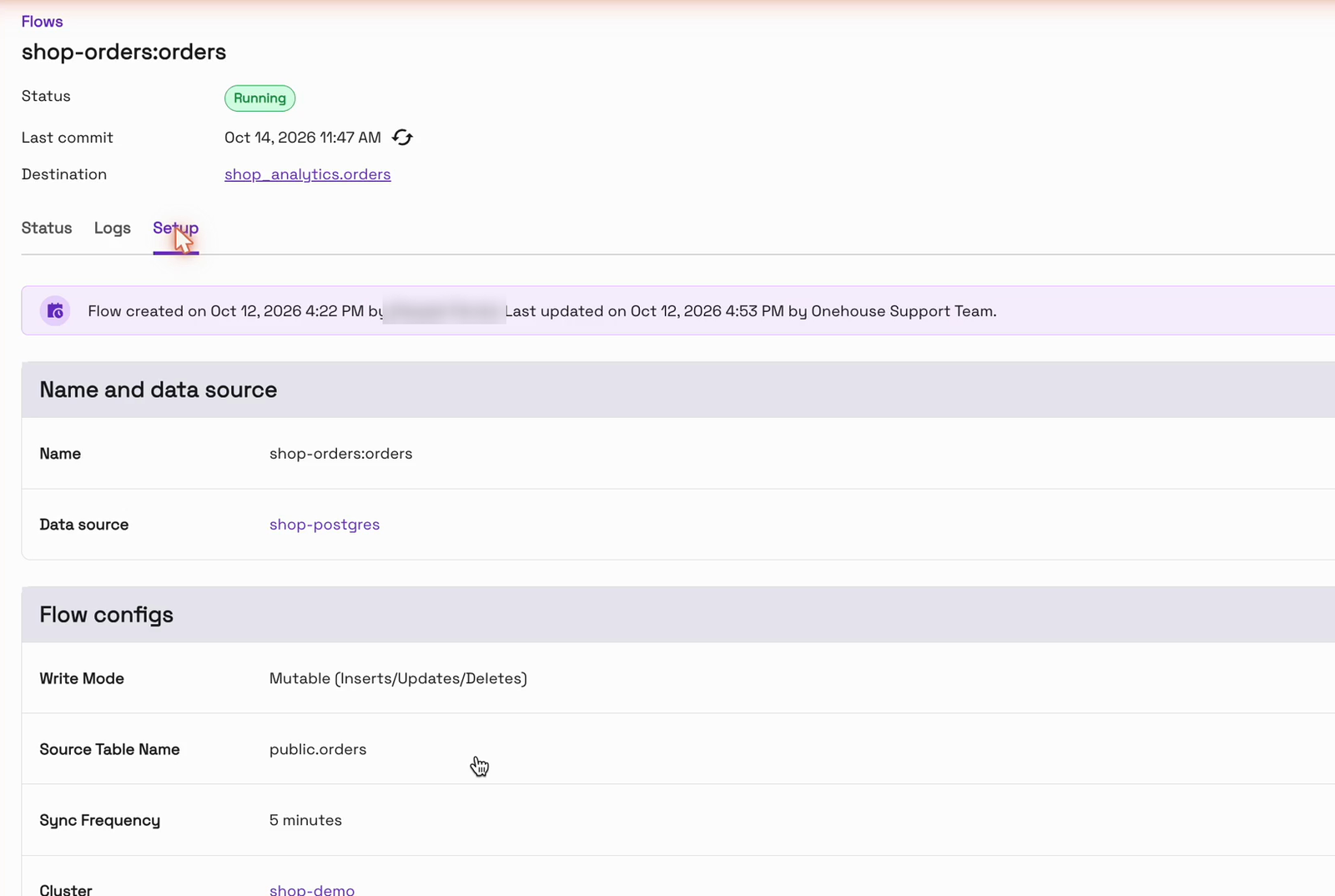
In OneFlow, the flow is running. The “Setup” tab lists everything it does: the source, Mutable mode, a 5-minute sync, the cluster and the email masking. The banner at the top shows the date to remember, last updated on Oct 12:
Add the column in Postgres
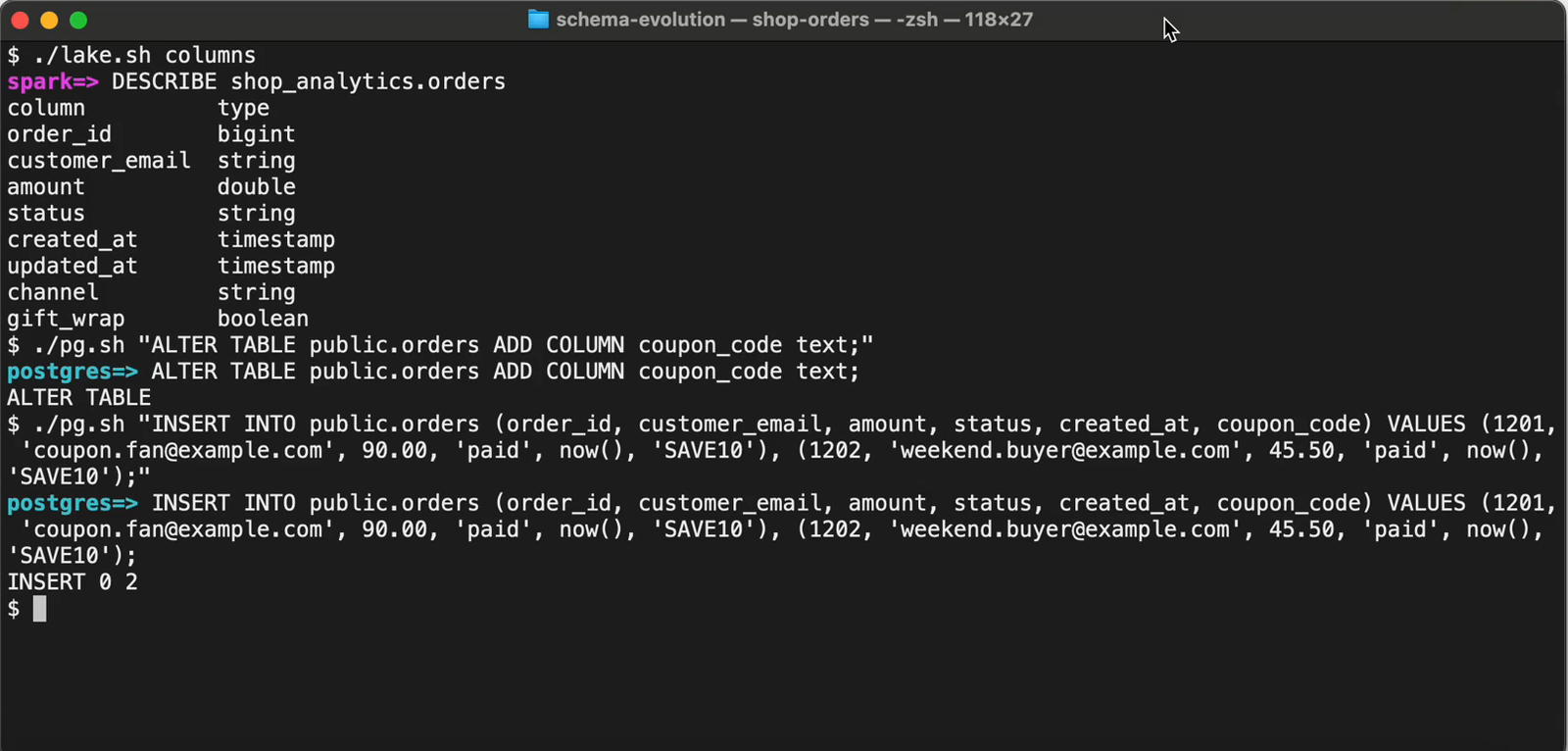
Now the app team ships the change: one statement in Postgres. Then the first two orders using the code SAVE10 come in:
ALTER TABLE public.orders ADD COLUMN coupon_code text;

INSERT INTO public.orders (order_id, customer_email, amount, status, created_at, coupon_code)
VALUES (1201, 'coupon.fan@example.com', 90.00, 'paid', now(), 'SAVE10'),
       (1202, 'weekend.buyer@example.com', 45.50, 'paid', now(), 'SAVE10');
In Postgres, there they are, with the new column filled in:
Leave the pipeline alone
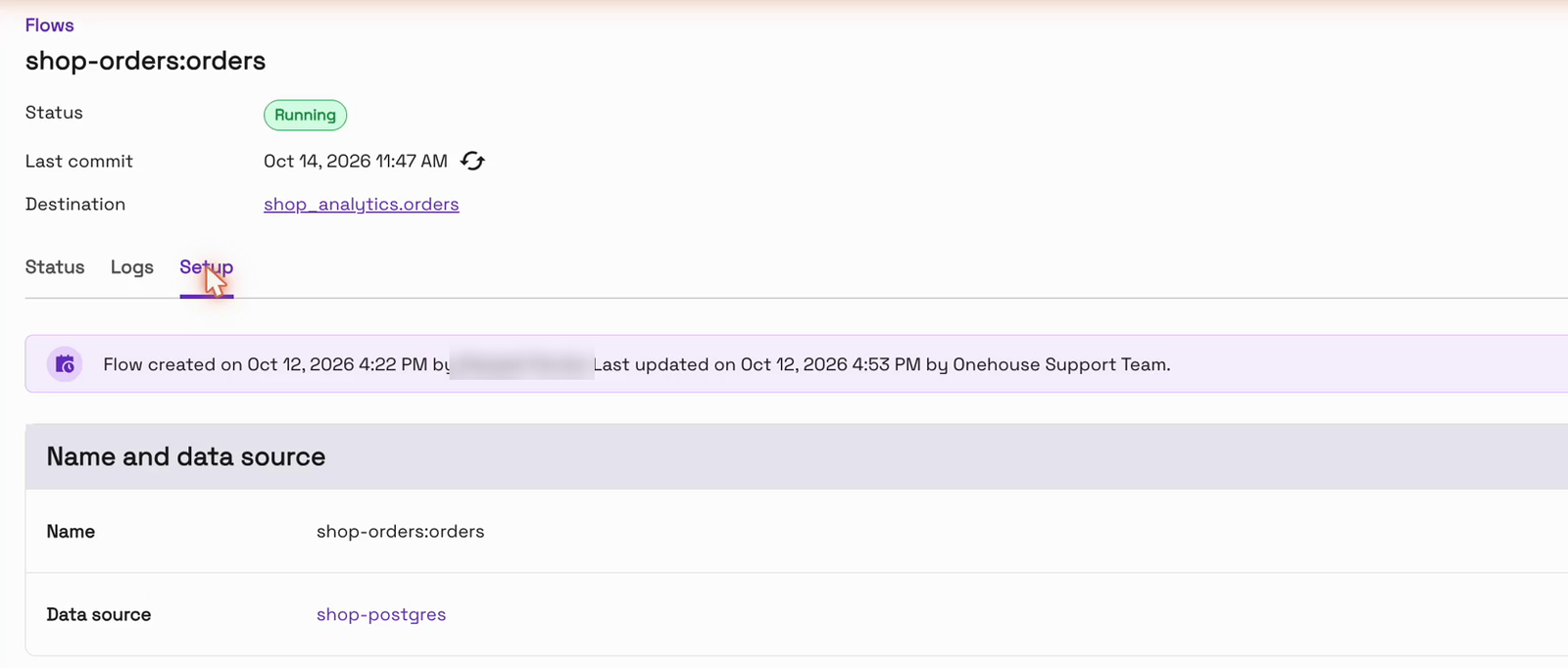
Here’s the important part: we don’t touch anything. There’s no edit and no redeploy. Back in OneFlow, the banner still says the flow was last updated on Oct 12:
See the new column arrive
About six minutes later, the next sync landed. When we asked the Parquet table for its columns again, coupon_code was there at the end. OneFlow picked up the new column from Postgres on its own:
The rows show what happened to the data. The two new orders carry SAVE10, and their emails are still hashed, because the masking rules still apply. The older orders simply show NULL. Nothing was rewritten, and nothing was lost:
SELECT order_id, customer_email, amount, status, coupon_code
FROM shop_analytics.orders
WHERE order_id IN (1, 1201, 1202);
order_id customer_email amount status coupon_code last_change
1 -3677478695076276154 210.27 shipped NULL r
1201 -2166317007533280203 90.0 paid SAVE10 c
1202 -3370049652339223738 45.5 paid SAVE10 c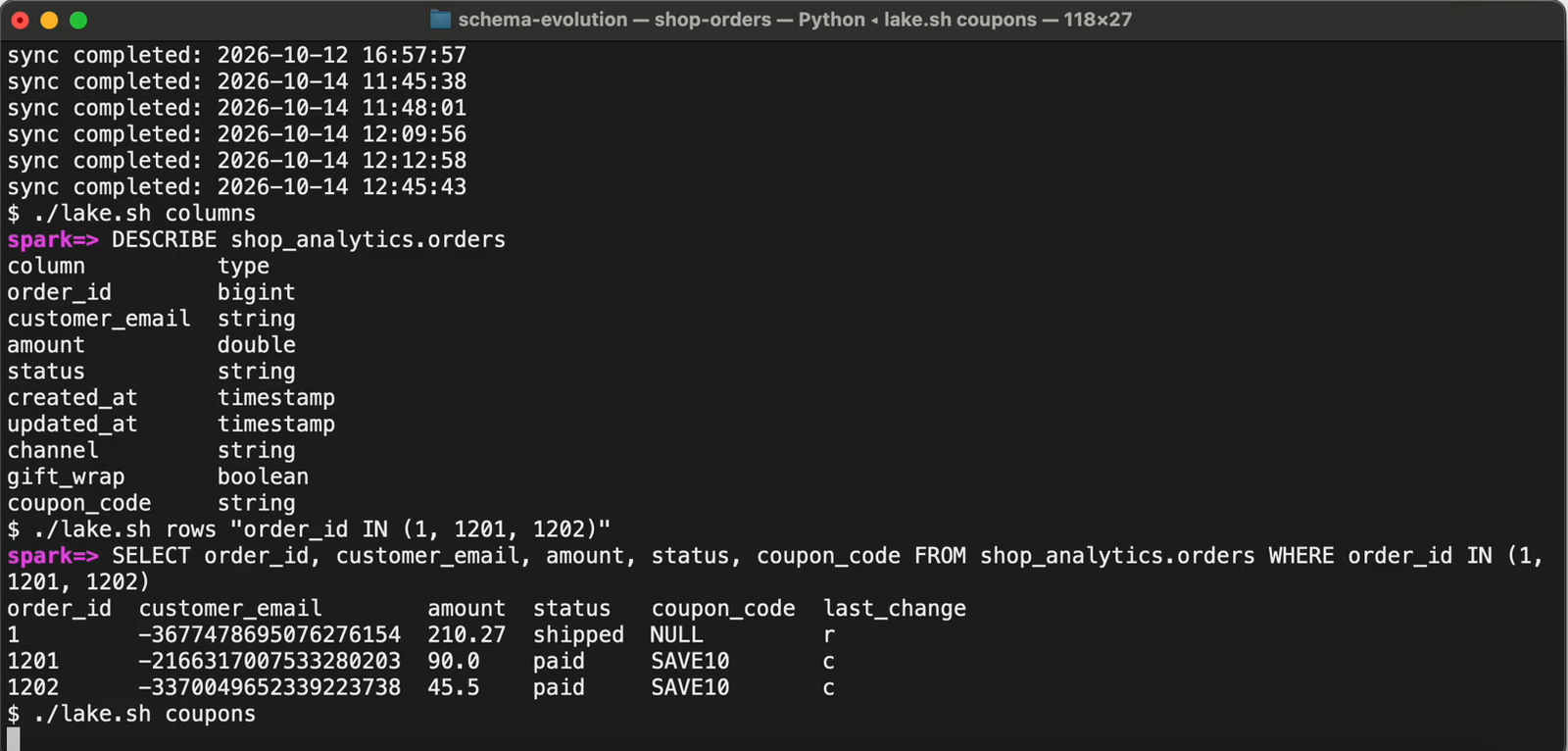
Answer the business question
The payoff for the analyst is that revenue by coupon is available straight away:
SELECT coupon_code, count(*) AS orders, sum(amount) AS revenue
FROM shop_analytics.orders
GROUP BY coupon_code;
coupon_code orders revenue
SAVE10 2 135.50
NULL 1000 266999.83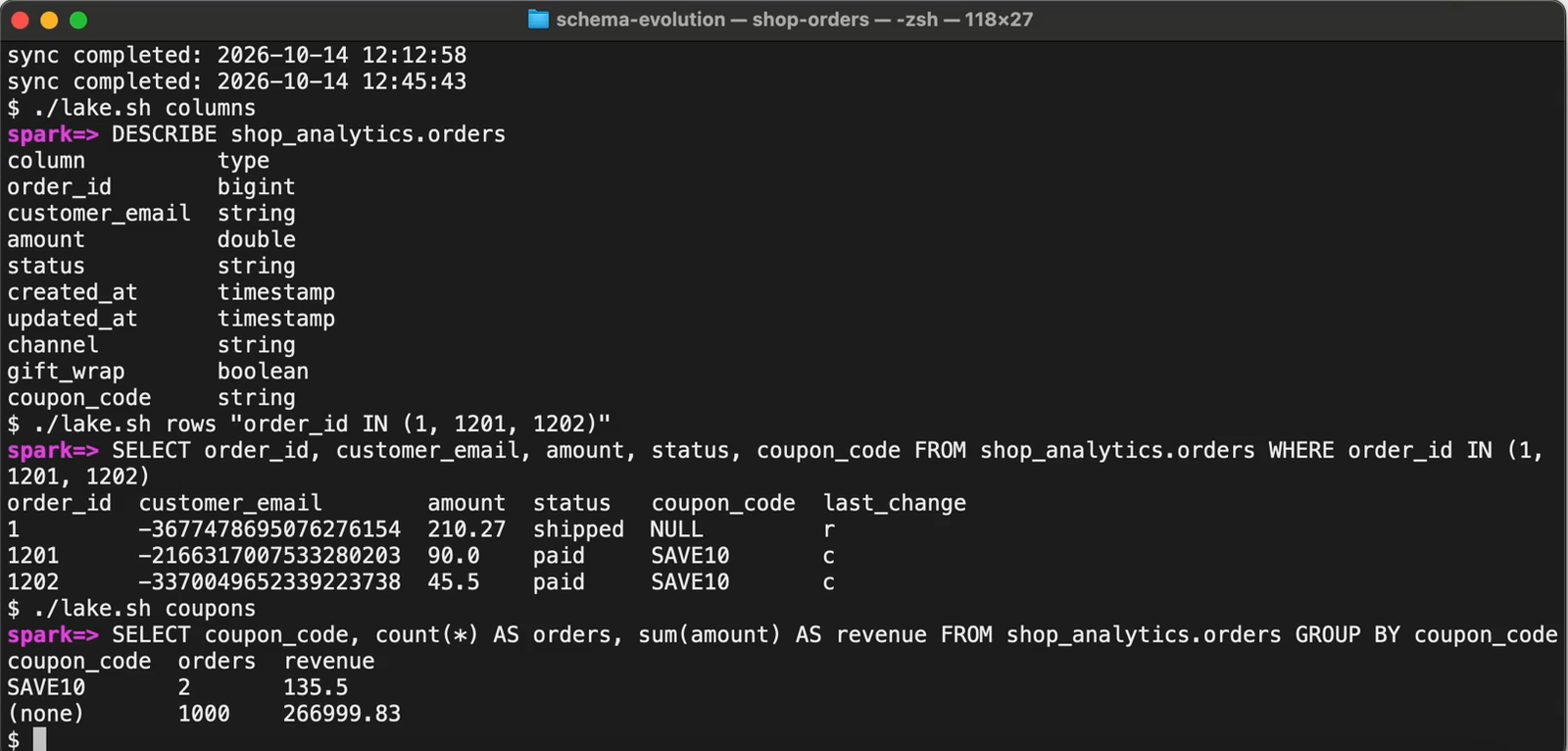
Marketing gets its answer the same morning. And the pipeline is still running, still last updated on Oct 12, with no ticket, no redeploy and no backfill.
Frequently asked questions
Do I need to change the flow when I add a column in Postgres?
No. In our run, the flow wasn’t edited or redeployed. Its setup still showed the original “last updated” date, and the new column arrived on the next sync.
How long until the new column can be queried?
On the next sync. In our run, that was about 6 minutes after the ALTER TABLE, with the default 5-minute sync.
What happens to rows that existed before the change?
They’re kept as they are, and the new column reads NULL for them. Nothing is rewritten or backfilled.
Do the flow’s other settings still apply to new rows?
Yes. The new rows went through the same Mutable write mode and Data Masking, so their emails were hashed.
Is a new column masked automatically?
No. Data Masking applies to the fields you selected. If a new column holds personal data, add it to Data Masking.
What about dropping, renaming or changing the type of a column?
This post covers adding a column, the most common case. Check the OneFlow docs for how other kinds of schema change are handled.
Conclusion
In this blog, we’ve shown what happens when a source schema changes under a running OneFlow pipeline. A column added in Postgres reached the Parquet table on S3 on the next sync, about six minutes later. Older rows stayed intact with NULL, new rows carried the value with emails still hashed, and the pipeline was never touched.
- Introducing Onehouse OneFlow: Ingest once, query anywhere
- Instantly unlock your CDC PostgreSQL data on a data lakehouse using Onehouse
To try it on your own database, start at onehouse.ai, or get in touch with our team at gtm@onehouse.ai.