Talk with our engineers by joining the new Onehouse community Slack!
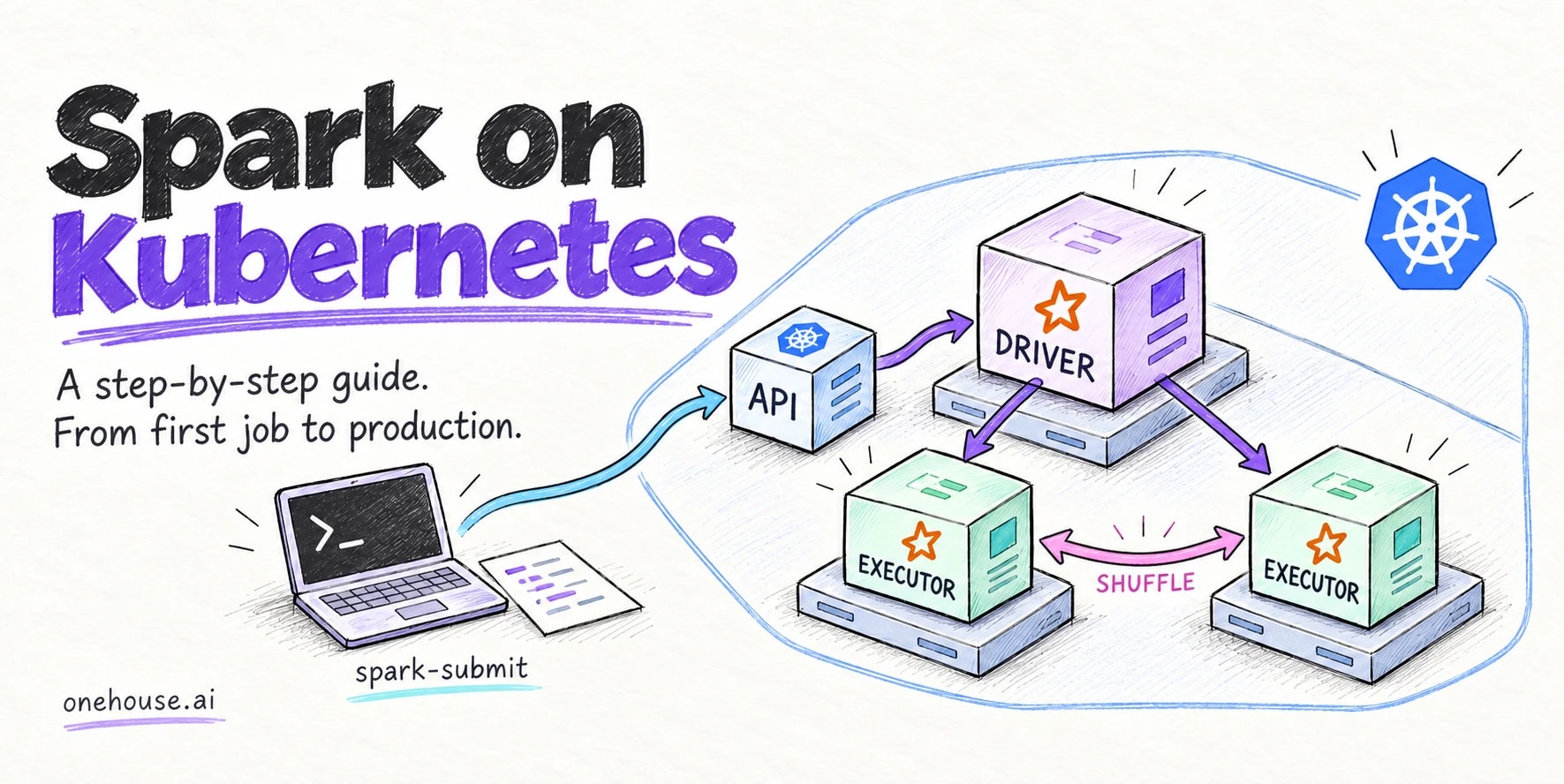
Spark on Kubernetes runs Apache Spark™ applications as containers that Kubernetes places on available worker nodes. Spark distributes data processing across executors, while Kubernetes supplies the resources those executors need. It allows organizations to reuse the deployment, monitoring, cost controls, chargebacks and access controls they already have for their other compute services, towards data intensive data workloads and Spark jobs.
This guide explains how to run Apache Spark on Kubernetes, from your first application to production operations. You will build an image, submit SparkPi, and deploy the same application through an operator. The production lessons come from operating Spark on Kubernetes at scale at Onehouse and cover memory management, storage, scheduling, and driver failures.
How Spark on Kubernetes works
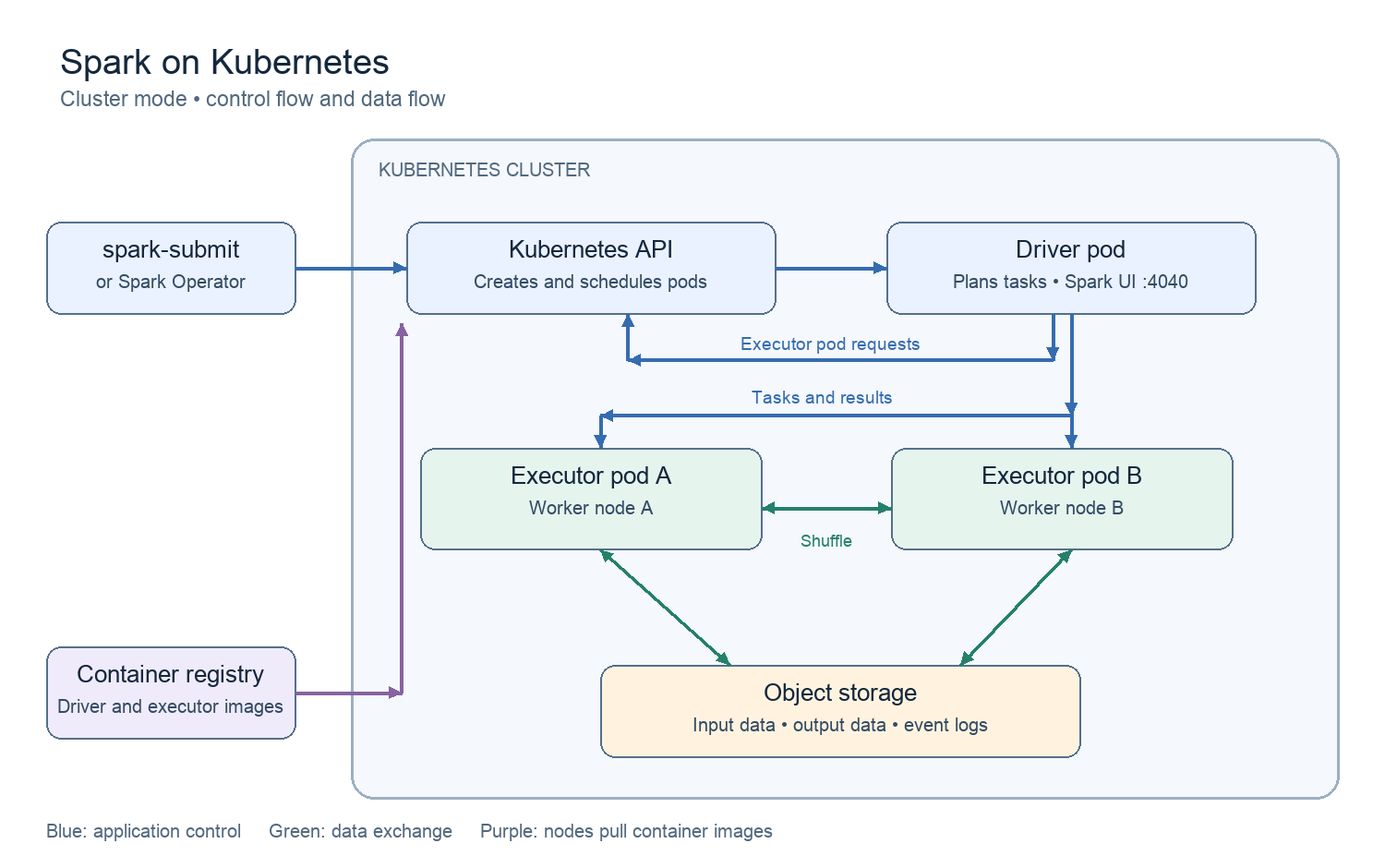
Each Spark application has a driver that coordinates work and executors that process data in parallel. Kubernetes places the driver and executor pods on nodes with suitable resources. Spark controls task scheduling and auto-scaling inside those executors, so performance depends on the Spark configuration as much as on kubernetes capacity. For optimal performance, a Spark cluster and the Kubernetes scheduler should operate smoothly together.
Let’s begin by understanding what happens during a Spark cluster-mode submission.
- The submission client asks the Kubernetes API server to create a driver pod for the application.
- The driver starts SparkContext and prepares the application for execution with the supplied configuration.
- The driver requests executor pods through the Kubernetes API, and the Kubernetes scheduler selects suitable nodes.
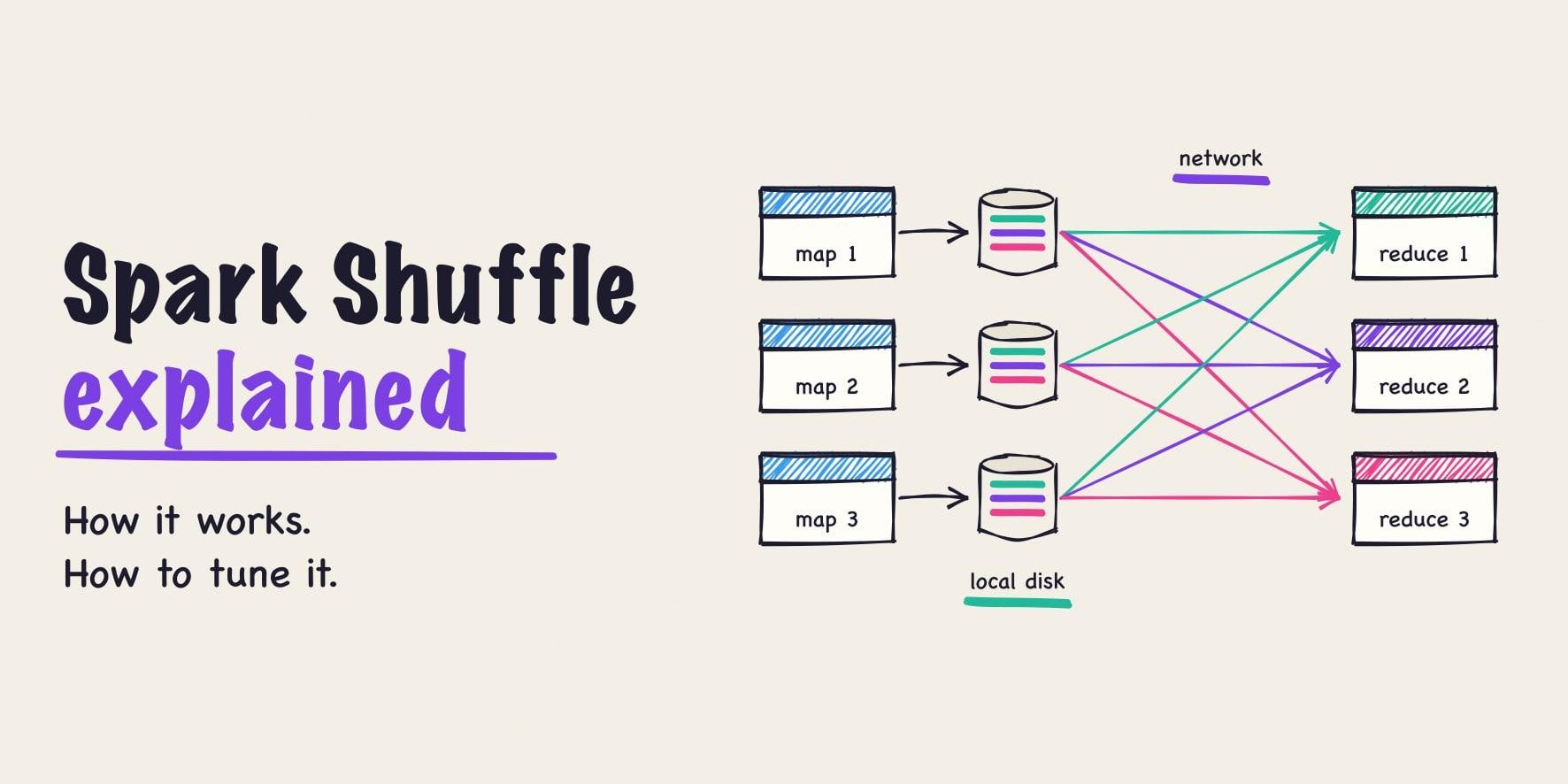
- Executors connect to the driver for tasks and exchange intermediate data during shuffle operations.
- Spark removes executor pods after completion, while the completed driver object remains until a controller or user removes it.
Cluster mode vs. Client mode
In cluster mode, Kubernetes runs the driver inside a pod with the resources and identity that the application specifies. This mode suits scheduled jobs and shared clusters because the application continues after the submission client disconnects. A driver failure still ends that application attempt, so recovery requires a restart policy and suitable application state.
In client mode, the submission process hosts the driver, often inside a notebook service or another pod. Executors need a stable route back to that driver throughout the application. For a driver pod, configure a headless Service, spark.driver.host, and spark.driver.port to provide a reachable address.
Why run Apache Spark on Kubernetes
Historically, Spark jobs were predominantly run inside Apache Hadoop YARN as the resource manager. YARN was purpose-built to run data workloads, and provided things like data locality aware co-scheduling of tasks with HDFS, which were very important in the networking architectures then. YARN also provided a built-in resource management queue, to isolate and resource-manage the underlying compute resources.
Over the past few years, compute infrastructure across the industry has standardized on Kubernetes. One system that already runs everything from microservices, stateful databases and background jobs/tasks. There is keen interest in standardizing data workloads also onto the same kubernetes substrate.
- Teams can use the same deployment pipeline, monitoring system, and access controls for Spark and their other services.
- Each application image contains its dependencies, which lets teams select different Spark or library versions within one cluster.
- Node autoscaling can add capacity for pending executors and remove unused nodes when applications release their resources.
- Namespaces, service accounts, quotas, and network policies provide separate controls for workload access and resource use.
- Application definitions transfer across clouds, although storage classes, identities, node labels, and network settings still need local configuration.
- By sharing the same resource scheduler layer, data workloads can expand to utilize spare compute resources during low traffic periods for other applications.
| YARN | Kubernetes | |
|---|---|---|
| Unit of scheduling | YARN container on a Hadoop node | Pod on any node pool |
| Dependency isolation | Distributed libraries and archives; container support depends on configuration | Per-job container image |
| Elasticity | Node capacity follows the platform autoscaling policy | Node autoscaler responds to unschedulable pod requests |
| Queueing and fairness | Built in (Capacity and Fair schedulers) | Add on; Add other projects or a batch scheduler when jobs need coordinated resource allocation |
| External shuffle service | Node-level service, standard | Not available by default; use shuffle tracking, decommissioning, or a remote shuffle service |
| Data locality with HDFS | Strong | Depends on storage layout; object storage and cloud networks reduce this need |
Two ways to deploy Spark on Kubernetes
spark-submit
Native spark-submit is the simplest starting point because Spark already includes a Kubernetes submission client. The command identifies the API server, image, application, and resource settings. Teams that use this method for recurring jobs need separate orchestration for schedules, retries, and application history.
A Spark operator
A kubernetes operator watches application resources and manages their submission and lifecycle according to the declared policy. You store the application definition in YAML and apply it through kubectl or your deployment pipeline. Two projects use similar names, but their resources and configuration are different.
- The Kubeflow Spark Operator uses sparkoperator.k8s.io/v1beta2 resources and supplies the operator example in this guide.
- The Apache Spark Kubernetes Operator is a separate Apache Spark subproject.
Start with spark-submit when you need to understand the submission process or adhoc job submission. Graduate to an operator when multiple users need versioned job definitions and consistent lifecycle management. Add Apache YuniKorn™ or Volcano when competing applications need batch scheduling features beyond ordinary pod placement.
Prerequisites
- For this local example, allocate at least 4 CPUs and 8 GB of memory to Docker and kind.
- Install kubectl and kind for the walkthrough, plus Helm 3 or later for the optional operator example.
- Install Docker, with access to a registry for managed clusters or local image loading for kind.
- Pick a Spark 4.x release and export it once as
SPARK_VERSION(Step 2 shows the line). Every command and manifest below reads that variable, so changing the release means changing one line; the apache/spark tags on Docker Hub list the available images. Install the same release locally with Scala 2.13 and Java 17 or later, and setSPARK_HOMEto that distribution. - Use a Kubernetes cluster at 1.30 or later and an account with permission to create the namespace and its RBAC resources. The Spark Kubernetes documentation describes release-specific prerequisites.
Run Apache Spark on Kubernetes in nine steps
Step 1. Create a cluster
kind create cluster --name spark
kubectl cluster-info
The remaining local commands use this dedicated cluster and the spark-jobs namespace. For EKS, GKE, or AKS, use your existing cluster context and a registry that its nodes can access.
Step 2. Build the application image
Save this Dockerfile in an empty working directory. SparkPi needs no additional libraries, so the image starts with the official Spark distribution. Production applications can add their own JARs and dependencies at this stage.
ARG SPARK_VERSION=4.1.3
FROM apache/spark:${SPARK_VERSION}
LABEL org.opencontainers.image.title="Spark Kubernetes tutorial"
Build the image and get it loaded into the k8s cluster.
export SPARK_VERSION=4.1.3   # any 4.x tag from Docker Hub
export IMAGE=spark-k8s-guide:${SPARK_VERSION}
docker build --build-arg SPARK_VERSION="$SPARK_VERSION" -t "$IMAGE" .
kind load docker-image "$IMAGE" --name spark

# Managed cluster alternative: replace the registry value, then push.
# export IMAGE=registry.example.com/team/spark-k8s-guide:${SPARK_VERSION}
# docker build --build-arg SPARK_VERSION="$SPARK_VERSION" -t "$IMAGE" .
# docker push "$IMAGE"
The later examples use this image. For object storage, match connector dependencies to the Hadoop version inside that image. Include startup plugins in /opt/spark/jars, and check both the CPU architecture and the effective configuration before deployment.
Step 3. Create a namespace, service account, and RBAC
The driver needs namespace permissions to manage executor pods and related resources through the Kubernetes API. Save this manifest as spark-rbac.yaml.
apiVersion: v1
kind: Namespace
metadata:
  name: spark-jobs
---
apiVersion: v1
kind: ServiceAccount
metadata:
  name: spark
  namespace: spark-jobs
---
apiVersion: rbac.authorization.k8s.io/v1
kind: Role
metadata:
  name: spark-driver
  namespace: spark-jobs
rules:
  - apiGroups: [""]
    resources: ["pods", "services", "configmaps"]
    verbs: ["get", "list", "watch", "create", "delete", "deletecollection", "patch", "update"]
---
apiVersion: rbac.authorization.k8s.io/v1
kind: RoleBinding
metadata:
  name: spark-driver
  namespace: spark-jobs
subjects:
  - kind: ServiceAccount
    name: spark
    namespace: spark-jobs
roleRef:
  apiGroup: rbac.authorization.k8s.io
  kind: Role
  name: spark-driver
Run kubectl apply -f spark-rbac.yaml to create these resources. The submission client uses your kubeconfig, while the driver uses the spark service account. Add persistentvolumeclaims to the resources list if you use the per-executor volumes described in the shuffle section; the driver creates and deletes those claims through the same API.
Step 4. Submit SparkPi with spark-submit
export K8S_API=$(kubectl config view --minify -o jsonpath='{.clusters[0].cluster.server}')

"$SPARK_HOME/bin/spark-submit" \
  --master "k8s://$K8S_API" \
  --deploy-mode cluster \
  --name spark-pi \
  --class org.apache.spark.examples.SparkPi \
  --conf spark.kubernetes.namespace=spark-jobs \
  --conf spark.kubernetes.authenticate.driver.serviceAccountName=spark \
  --conf spark.kubernetes.driver.pod.name=spark-pi-submit-driver \
  --conf "spark.kubernetes.container.image=$IMAGE" \
  --conf spark.kubernetes.container.image.pullPolicy=IfNotPresent \
  --conf spark.executor.instances=2 \
  --conf spark.executor.cores=1 \
  --conf spark.driver.memory=1g \
  --conf spark.executor.memory=1g \
  local:///opt/spark/examples/jars/spark-examples_2.13-${SPARK_VERSION}.jar 1000
The local:// path points to a JAR inside the container image. Run these checks in another terminal during submission. The completed driver log should contain a line that starts with Pi is roughly.
kubectl get pods -n spark-jobs
kubectl logs -n spark-jobs spark-pi-submit-driver --tail=30

# Before repeating the same submission:
kubectl delete pod -n spark-jobs spark-pi-submit-driver
Step 5. Run the same job with the Spark Operator
The optional example uses the Kubeflow Spark Operator installation and the service account from Step 3. Enable its mutating webhook: the chart default is off, and the operator needs it for pod customizations that Spark has no setting for, such as mounting volumes and ConfigMaps or setting pod affinity. The driver annotations in this example pass through Spark’s own spark.kubernetes.driver.annotation.* settings and work without the webhook. Record the installed chart version before adapting this example for production.
helm repo add spark-operator https://kubeflow.github.io/spark-operator
helm repo update
helm install spark-operator spark-operator/spark-operator \
  --namespace spark-operator --create-namespace \
  --set 'spark.jobNamespaces={spark-jobs}' \
  --set webhook.enable=true \
  --wait
helm list -n spark-operator
Generate the manifest as spark-pi.yaml with the heredoc below; it fills in SPARK_VERSION so the image tag, JAR name, and sparkVersion field stay in step. For a managed cluster, replace the image with the registry path from Step 2.
cat > spark-pi.yaml <<EOF
apiVersion: sparkoperator.k8s.io/v1beta2
kind: SparkApplication
metadata:
  name: spark-pi-operator
  namespace: spark-jobs
spec:
  type: Scala
  mode: cluster
  image: spark-k8s-guide:${SPARK_VERSION}
  imagePullPolicy: IfNotPresent
  mainClass: org.apache.spark.examples.SparkPi
  mainApplicationFile: local:///opt/spark/examples/jars/spark-examples_2.13-${SPARK_VERSION}.jar
  arguments: ["1000"]
  sparkVersion: "${SPARK_VERSION}"
  timeToLiveSeconds: 3600
  restartPolicy:
    type: Never
  driver:
    cores: 1
    memory: 1g
    serviceAccount: spark
    annotations:
      karpenter.sh/do-not-disrupt: "true"
      cluster-autoscaler.kubernetes.io/safe-to-evict: "false"
  executor:
    instances: 2
    cores: 1
    memory: 1g
EOF

Apply the manifest. The Helm chart installed the SparkApplication custom resource definition; kubectl apply creates one SparkApplication object from it, and the operator runs one Spark application for that object.
kubectl apply -f spark-pi.yaml
kubectl get sparkapplications.sparkoperator.k8s.io -n spark-jobs
kubectl describe sparkapplication.sparkoperator.k8s.io spark-pi-operator -n spark-jobsThe annotations tell Karpenter or Cluster Autoscaler to leave the driver pod alone during consolidation. Hardware failures, spot interruptions, and forced node termination still end the pod. The operator removes the completed application after its configured lifetime, which reduces retained API objects.
Step 6. Size executors and use pod templates
Task parallelism and the pod resource request are separate settings. These are the main ones.
| Setting | What it controls |
|---|---|
spark.executor.instances, spark.executor.cores, spark.executor.memory |
Executor count, task slots per executor, and JVM heap per executor |
spark.executor.memoryOverheadFactor or spark.executor.memoryOverhead |
Extra container memory; factor defaults to 0.10 for JVM jobs and 0.40 for Kubernetes non-JVM jobs. Minimum is 384MiB. container limit is additive: executor.memory + memoryOverhead + offHeap.size (+ pyspark.memory) |
spark.memory.offHeap.enabled, spark.memory.offHeap.size |
Explicit managed off-heap memory; Spark adds enabled off-heap capacity to the executor request |
spark.kubernetes.executor.request.cores, spark.kubernetes.executor.limit.cores |
CPU request and limit, separate from the task slot count |
spark.kubernetes.node.selector.<label> |
Node selector for driver and executors |
spark.kubernetes.driver.podTemplateFile, spark.kubernetes.executor.podTemplateFile |
A pod template for anything Spark has no setting for |
Pod templates add settings such as tolerations, security context, and ephemeral-storage requests. Save this local example as executor-template.yaml, then add the template option before the application JAR in Step 4. The Spark pod template documentation explains which fields Spark replaces.
apiVersion: v1
kind: Pod
spec:
  terminationGracePeriodSeconds: 120
  containers:
    - name: spark-executor
      resources:
        requests:
          ephemeral-storage: "1Gi"
        limits:
          ephemeral-storage: "4Gi"

# Add to spark-submit before the application JAR:
# --conf spark.kubernetes.executor.podTemplateFile=executor-template.yaml
Step 7. Give executors local disk for shuffle and spill
Spark writes shuffle output and spill files to its local directories, the paths set by spark.local.dir or SPARK_LOCAL_DIRS. Spark’s configuration reference calls this scratch space; this guide says local disk. Add these options before the application JAR to mount a small emptyDir volume as the local directory for the kind example.
--conf spark.kubernetes.executor.volumes.emptyDir.spark-local-dir-1.mount.path=/data/spark-local \
--conf spark.kubernetes.executor.volumes.emptyDir.spark-local-dir-1.mount.readOnly=false \
--conf spark.kubernetes.executor.volumes.emptyDir.spark-local-dir-1.options.sizeLimit=2Gi
Spark mounts any volume whose name starts with spark-local-dir- as a local directory. sizeLimit is a ceiling; it does not reserve disk. For larger jobs, choose node storage or PVCs with enough capacity and throughput for concurrent executors. The setting spark.kubernetes.local.dirs.tmpfs=true uses memory for default local directories, which increases container memory use.
Step 8. Monitor and debug
# Run while the driver is active; SparkPi may finish quickly.
kubectl port-forward -n spark-jobs pod/spark-pi-submit-driver 4040:4040

# Run the remaining checks in another terminal.
kubectl describe pod -n spark-jobs spark-pi-submit-driver
kubectl get events -n spark-jobs --sort-by=.lastTimestamp
kubectl get pods -n spark-jobs -o jsonpath='{range .items[*]}{.metadata.name}{"\n"}{range .status.containerStatuses[*]}{.name}{" current="}{.state.terminated}{" previous="}{.lastState.terminated}{"\n"}{end}{end}'
Open http://localhost:4040 while port forwarding runs to inspect the active application. For completed applications, enable event logs and configure a Spark History Server to read the same persistent directory. The following S3 example needs a real bucket, matching S3A libraries, and separate write and read permissions.
# Add these submission options before the application JAR.
# Replace YOUR_BUCKET with your bucket name.
--conf spark.eventLog.enabled=true \
--conf spark.eventLog.dir=s3a://YOUR_BUCKET/spark-events

# On a History Server host with matching S3A libraries and read access:
export SPARK_HISTORY_OPTS="-Dspark.history.fs.logDirectory=s3a://YOUR_BUCKET/spark-events"
"$SPARK_HOME/sbin/start-history-server.sh"
For executor metrics, enable spark.ui.prometheus.enabled and scrape /metrics/executors/prometheus on the driver. Configure the PrometheusServlet sink separately when you also need driver metrics, as the Spark monitoring documentation describes. In Grafana, track application duration, failed executors, pending pods, memory, disk throughput, and the age of the last successful commit.
Step 9. Clean up
# Remove only the resources created for this tutorial.
# Run this first command only if you installed the operator.

kubectl delete sparkapplication.sparkoperator.k8s.io spark-pi-operator -n spark-jobs --ignore-not-found
kubectl delete pod spark-pi-submit-driver -n spark-jobs --ignore-not-found

# Run only if you installed this tutorial's Helm release (CRDs will need own cleanup).
helm uninstall spark-operator -n spark-operator

# These commands delete the dedicated tutorial environment.
kubectl delete namespace spark-jobs
kind delete cluster --name spark
Operating Spark on Kubernetes in production
SparkPi proves the submission path works. Production jobs fail in different places. Most production failures start outside the task code, in pod sizing, disk capacity, or node lifecycle. The nine lessons below each start with the rule, then the evidence behind it, then what to change. Each one explains the Kubernetes or Spark piece involved in a line or two before using it. These are derived from over 1000 real production incidents from Onehouse’s operations, processing tens of petabytes using Spark on kubernetes.
Lesson 1: Size the whole executor pod, not just the heap
Kubernetes enforces a memory limit on the executor container, and the container holds more than the JVM heap. Executors that die at the limit, or that never get scheduled, almost always trace back to a memory allocation request that considered the heap alone.
What goes into the request
The executor container request is the sum of spark.executor.memory (the JVM heap), spark.executor.memoryOverhead (everything outside the heap: native allocations, direct buffers, threads, Python workers), spark.memory.offHeap.size when off-heap is enabled, and spark.executor.pyspark.memory when it is set. When Python has no separate memory setting, its workers share the overhead allowance. Kubernetes sets the container limit to that sum, and the scheduler needs a node with that much free allocatable memory to place the pod.
If the rendered request comes out at, say, 621 GiB on nodes with 372 GiB allocatable, every executor waits forever, because no node can fit even one pod. Compare the rendered request (kubectl get pod -o yaml) with node allocatable memory before submission.
Read the exit code before touching memory settings
The exit code tells you how the process died. The logs tell you why.
| What you see | What it means | Fix |
|---|---|---|
Exit code 52, java.lang.OutOfMemoryError: Java heap space in the executor log |
Spark reported an OutOfMemoryError; the log identifies the exhausted memory area | More spark.executor.memory, more partitions, or fix skew |
Exit code 137, reason OOMKilled |
The kernel killed the process because the container hit its memory limit. The JVM heap may have been fine; native memory counts too | Compare total container use, JVM heap, native allocations, and the container limit |
| Exit code 143 | The process received SIGTERM; events and controller logs identify the initiator | Check pod events and the autoscaler log first |
Reason Evicted, message mentions ephemeral-storage |
Kubelet detected a local storage limit or node storage pressure | See Lesson 5 |
Native memory is where the overhead goes
Exit code 137 with a healthy heap means something outside the heap grew. The JVM only reports what it manages; native libraries, direct buffers, and the C allocator all take memory the heap graphs never show. These are the usual places.
- Readers and native engines. Native libraries allocate outside what Spark tracks. Concurrent native reads can expand compressed input into a much larger working set; a reader that processes data incrementally cuts peak memory and usually improves runtime too. With a vectorized engine, a Parquet write can have the JVM heap at 3.9 of 4.5 GiB and the native pool at 4.4 of 4.5 GiB at the same time. Both pools have to fit, and the only fix is a larger executor.
- The allocator. The C allocator (glibc malloc) can hold on to freed native memory instead of returning it to the OS, so container memory stays high after a task finishes. Repeated executor failures with a flat heap often trace back to the allocator rather than to Spark.
- Direct memory. Direct byte buffers (used by Netty for shuffle transfer, and by many I/O libraries) come out of the same overhead budget. If MaxDirectMemorySize is derived from total container memory, direct buffers can take 96% of the overhead and leave about 120 MiB for metaspace, thread stacks, and GC structures, and executors exit 137 all day. Cap
MaxDirectMemorySizeat half the overhead or less. - Page cache on cgroups v2. On newer kernels, the file pages an executor reads and writes are charged to its container, and that cache can reach tens of GB per executor on fast local disk. The kernel reclaims it under pressure, but limits and alerts need to account for it. The AWS Data on EKS guide covers the kubelet MemoryQoS settings for this.
Size memoryOverhead from measurements of the real workload at its largest partitions and highest task concurrency. If an allocation is unbounded, raising the overhead only delays the failure. Use one overhead factor across a pool; a driver on memoryOverheadFactor 0.35 next to executors on the 0.10 default means someone tuned the process they could see. Turn on spark.executor.processTreeMetrics.enabled so RSS can be split into JVM, Python, and other at the moment of the kill, and add a startup check that fails fast when heap, direct memory, and off-heap do not fit under the container limit.
Make memory failures visible
A heap OutOfMemoryError that does not kill the process is worse than one that does. If the S3A connection pool shuts down after an OOM, the pod stays Ready and every retried task lands on the same dead executor until the stage hits its attempt limit. Set -XX:+ExitOnOutOfMemoryError so the JVM exits and Kubernetes replaces the executor.
Fit the pod on the node
The kubelet, the per-node agent that runs pods, reserves memory and CPU for itself and the OS; what remains is the node’s allocatable capacity. DaemonSets (pods that run on every node, such as the networking agent or a log shipper), sidecars, and init containers also take from it before an executor lands. Inspect the rendered pod and the existing requests on the node before changing instance sizes. Lowering kube-reserved or system-reserved to advertise more capacity needs measurements showing the node still has enough memory for the OS.
Lesson 2: Keep the node autoscaler and Spark from fighting
Two schedulers are involved in placing an executor. The Kubernetes scheduler picks a node for each pod from the nodes that exist; it never adds nodes. The node autoscaler (Cluster Autoscaler, which scales existing node groups, or Karpenter, which launches individual instances from a pool definition called a NodePool) adds nodes when pods cannot be scheduled and removes nodes that look underused. That removal is called consolidation. Most scheduling incidents come from one of three places: the node autoscaler removing or withholding nodes, a pool shared by every job on the cluster, or a batch scheduler’s own state. Each has its own fix.
Protect the driver, not every executor
A driver loss ends the application attempt, even when every executor is healthy. Consolidation will happily remove a driver after an hour of processing. Apply karpenter.sh/do-not-disrupt: "true" or cluster-autoscaler.kubernetes.io/safe-to-evict: "false" to the driver pod, according to your autoscaler. Karpenter’s disruption controls describe the exceptions, including forced termination paths. Recovery still needs checkpoints or safe retries in the application.
Do not extend that protection to executors. Blanket disruption constraints leave nodes idle for hours after demand falls while other workloads keep using the pool. Protect the driver, then test executor removal and shuffle recovery under realistic load, and review disruption budgets alongside pod annotations when nodes stay idle.
Why the autoscaler refuses to add nodes
The autoscaler can decline to launch for reasons that have nothing to do with cloud capacity. These are the ones that cost the most time to diagnose.
- DaemonSet overhead estimate. Karpenter estimates how much of a new node the DaemonSets will take before it launches it. If that estimate is off by one pod, Karpenter decides no instance type can fit the executor and launches nothing, for as long as it takes someone to notice. A dummy pod with the same selectors clears it. Give a pool more than one instance type, or leave more than 1 GiB of headroom between the executor request and node allocatable.
- Karpenter needs a node to run on. Karpenter is itself a pod. If the node group that hosts it is cordoned and deleted, Karpenter, CoreDNS, the Spark operator, and its webhook go Pending with nothing left to provision for them. Keep a small fallback pool for platform pods, or add tolerations so they can land on worker pools.
- Kubelet reservation scales with
maxPods. The kubelet reserves memory in proportion to the number of pods a node may host. Karpenter’s default on a 64-core node is over 700 pods, which reserves about 7 GiB. Pinning maxPods to the smaller of the ENI ceiling and 100, and lowering vmMemoryOverheadPercent from 7.5 to 5, gets 19 to 32 GiB per node back. - A PDB blocks every drain. A PodDisruptionBudget limits how many pods of a deployment can be down at once, and a node drain that would violate it waits. A PDB with
minAvailable: 1on a one-replica deployment can never be satisfied. That keeps Karpenter from replacing drifted nodes, and a driver behind it stays Pending until someone notices. - Launch is not registration. An instance that launches but never joins the cluster costs the full registration timeout, about 15 minutes in Karpenter. Set alert soak times above it.
Let one system scale executors down
Spark’s dynamic allocation (Lesson 3) releases idle executors on its own timer, and the node autoscaler consolidates nodes on another. Set consolidateAfter longer than spark.dynamicAllocation.executorIdleTimeout; otherwise the two evict the same executors in two rounds. Use WhenEmpty consolidation for pools that run long jobs, and a disruption budget so consolidation runs on a schedule.
Plan capacity per pool, not per job
- Pool limits are shared. A NodePool’s CPU and memory limit caps every job that lands on it. Two jobs that each ask for 256 executors on a 2,000-CPU pool cannot both have them; whichever starts second waits. Stagger schedules, cap
spark.dynamicAllocation.maxExecutorsper job, or split the pool. Pool limits cap the whole pool andmaxExecutorscaps one application, so set the two separately. Calculate the executor count from CPU, memory, disk, pod density, and expected concurrent jobs, and leave room for drivers and system pods. - Keep one application in one zone. Shuffle traffic between executors in different availability zones costs about $0.01 per GB in each direction on AWS and adds latency. Pin executors to the driver’s zone with pod affinity on
topology.kubernetes.io/zone. Spread zones across pools, not inside a job, and give each pool several compatible instance types so a shortage of one type or one zone has a fallback. - Separate the three failure modes. Cloud capacity failures, account quotas, and Kubernetes placement failures all look like a Pending pod. Autoscaler logs identify launch errors; pod events (
kubectl describe pod) expose resource, label, affinity, and volume constraints. Track time from submission to pod startup for each pool so rising delays appear before applications miss their deadlines.
A batch scheduler adds a second state machine
YuniKorn and Volcano install on top of Kubernetes to add queues, quotas, and gang scheduling (all executors placed together or none). Queue policies are worth having, but the scheduler keeps its own view of what is allocated, so a pending pod now has one more place to be stuck. These checks find most of them.
- Check scheduler state when a pending driver has no useful events. Reused application identities attach a new submission to an old scheduler record, and the pod waits on state that belongs to a finished job. Give each submission a unique application identity through the integration that creates it.
- Compare queue headroom with the complete pod request, including overhead, instead of the configured JVM heap.
- Check queue membership for monitoring and security pods, because system workloads can consume resources intended for application drivers.
- Check queue accounting after a scheduler restart. A restart re-registers running allocations without admission checks, so a YuniKorn queue can end up over its memory maximum; core headroom looks fine and every new allocation is refused. If a cronjob restarts the scheduler on a schedule, that is the cause.
- Give queues their own instance types. Two queues that share one instance type take executors from each other.
- Review preemption before adding guaranteed resources to a queue. Guaranteed resources combined with priority classes make the scheduler preempt drivers and executors across teams.
A pending pod with no events points toward the scheduler, but events expire, and admission or controller delays look the same. Compare the pod, operator, scheduler, and autoscaler records for the same submission before picking a fix.
Lesson 3: Scale executors with dynamic allocation, and decommission before removing capacity
Dynamic allocation is Spark’s own scaling: the driver asks for more executors when tasks back up and releases executors that sit idle. It changes the executor count inside one application; the node autoscaler changes the machines. The two form a chain: pending tasks trigger executor requests after the backlog delay, unschedulable executor pods trigger node provisioning, and the node has to start, pull the image, and register the executor. Measure each delay before tuning allocation timeouts. If the bottleneck is storage throughput or a stage with too few tasks, the new executors will sit idle.
For a production trial, save these settings as autoscaling.conf and pass --properties-file autoscaling.conf before the application JAR in spark-submit.
spark.dynamicAllocation.enabled true
spark.dynamicAllocation.minExecutors 2
spark.dynamicAllocation.initialExecutors 2
spark.dynamicAllocation.maxExecutors 10
spark.dynamicAllocation.schedulerBacklogTimeout 5s
spark.dynamicAllocation.sustainedSchedulerBacklogTimeout 5s
spark.dynamicAllocation.executorIdleTimeout 120s
spark.dynamicAllocation.shuffleTracking.enabled true
These values need a larger cluster than the kind walkthrough. Remove the fixed spark.executor.instances setting when adapting that submission, because a higher value can raise the initial executor count. Budget the maximum across concurrent applications and include drivers, memory overhead, and system workloads.
- Define idle carefully if you write your own scaler. If idle means low task throughput, a scaler will take the executor count to zero mid-commit. The shuffle output goes with the executors, and the stage aborts after four MetadataFetchFailedExceptions. Keep
minExecutorsat one or more, and make scale-down check active stages and registered map outputs. Withspark.dynamicAllocation.enabled false, theshuffleTrackingsettings do nothing. - Keep
maxExecutorsaboveinitialExecutors. A maxExecutors below initialExecutors blocks SparkContext startup with “initial executor 96 must be between 0 and 20”. Disabling dynamic allocation to work around it is worse: hundreds of static executors register and the driver stalls on single-threaded planning while they sit idle. - Shuffle tracking keeps executors alive on purpose. With no external shuffle service on Kubernetes, shuffle files live on the executor that wrote them. Shuffle tracking retains executors that hold shuffle data later stages still need, so idle executors do not always disappear immediately. Leave
spark.dynamicAllocation.shuffleTracking.timeoutat its default unless measurements justify a finite timeout. Spark’s dynamic allocation documentation explains how cached data and shuffle preservation affect removal.
Decommission executors before removing capacity
Decommissioning is Spark’s graceful executor shutdown: the executor copies its shuffle and cached RDD blocks to surviving executors before it exits, instead of taking them with it. Add these settings to autoscaling.conf for a controlled shutdown trial.
spark.decommission.enabled true
spark.storage.decommission.enabled true
spark.storage.decommission.shuffleBlocks.enabled true
spark.storage.decommission.rddBlocks.enabled true
With decommissioning enabled, Spark uses graceful removal for dynamic allocation. On Kubernetes, Spark adds a preStop hook (a command Kubernetes runs inside the container before it sends SIGTERM) to executor pods that runs spark.kubernetes.decommission.script, whose default is /opt/decom.sh. The setting has existed since Spark 3.2. Check that your image contains this script and that the rendered executor pod contains the hook.
Set terminationGracePeriodSeconds in the executor template to cover measured migration time, including the shutdown hook. The 120-second value in this guide is only a starting point. Coordinate node draining and interruption handling with this budget, because a cloud termination deadline (two minutes for an AWS spot interruption) can end the process earlier.
Block migration needs surviving executors with enough disk and network bandwidth. Forced deletion, abrupt node loss, or insufficient shutdown time can still destroy shuffle data. Test recovery from those failures separately; some recomputation will still happen. Spot executors that are decommissioned while holding shuffle data produce FetchFailedException on FileSegmentManagedBuffer and stage retries. Shuffle-heavy stages belong on on-demand capacity for this reason. Reusing volumes, described in Lesson 5, is the other option.
Test autoscaling against changing demand
Run a representative workload through steady demand, a sudden spike, a large historical backfill, and a return to normal demand. Record source backlog, processing delay, requested executors, registered executors, pending pods, and node count on the same timeline.
During scale-up, measure how long the application takes to recover its processing target. During scale-down, measure idle resource cost, migrated data, fetch failures, and repeated tasks. Repeat the test with concurrent applications and a controlled executor drain to expose competition and shutdown problems.
For ingestion workloads, alert on source backlog and the time from data arrival to committed output. For batch workloads, track queue delay, completion time, and cost per successful run. CPU utilization rises either way, so it does not tell you whether the extra capacity produced more output.
Lesson 4: Isolate capacity, and place drivers away from executors
Cap a namespace with a ResourceQuota
A ResourceQuota caps aggregate resource use within a namespace; the API server rejects any pod that would push the namespace past it. It does not reserve nodes or guarantee fair sharing between applications. Use separate namespaces for team budgets and a batch scheduler when applications need queue admission or fairness. Save this example as spark-quota.yaml and apply it with kubectl apply -f spark-quota.yaml.
apiVersion: v1
kind: ResourceQuota
metadata:
  name: spark-budget
  namespace: spark-jobs
spec:
  hard:
    requests.cpu: "16"
    requests.memory: 64Gi
    pods: "30"
This illustrative budget covers all counted pods in spark-jobs, including drivers and concurrent applications. With one requested CPU per executor, two applications cannot both obtain ten executors within this CPU budget. Quota rejection happens at admission, before scheduling, so adding nodes has no effect on it.
Put drivers on on-demand nodes and executors wherever is cheapest
Spot (preemptible) instances are cheap because the cloud can take them back with short notice. That suits executors when the application tolerates interruptions and the cost of repeated work. Keep drivers on on-demand capacity when losing an application attempt costs more than the expected savings. Compare cost per successful run, including retries.
Use separate pod templates to express driver and executor placement. A node selector restricts a pod to nodes carrying a label; a taint on a node keeps pods away unless they carry a matching toleration. These production examples assume node pools with matching workload labels and NoSchedule taints. Configure the driver pool to use on-demand instances through your infrastructure provider. Save the driver template as driver-production.yaml.
apiVersion: v1
kind: Pod
spec:
  nodeSelector:
    workload: spark-driver
  tolerations:
    - key: workload
      operator: Equal
      value: spark-driver
      effect: NoSchedule
  containers:
    - name: spark-driver
Save the executor template as executor-production.yaml. Merge its settings with the storage requests and limits from Step 6.
apiVersion: v1
kind: Pod
spec:
  nodeSelector:
    workload: spark-executor
  tolerations:
    - key: workload
      operator: Equal
      value: spark-executor
      effect: NoSchedule
  terminationGracePeriodSeconds: 120
  containers:
    - name: spark-executor
      resources:
        requests:
          ephemeral-storage: "1Gi"
        limits:
          ephemeral-storage: "4Gi"
Add these options before the application JAR in spark-submit.
--conf spark.kubernetes.driver.podTemplateFile=driver-production.yaml \
--conf spark.kubernetes.executor.podTemplateFile=executor-production.yaml
You still have to create the node pools. Skip these templates in the kind walkthrough, and check where the pods landed before raising executor limits.
Lesson 5: Give shuffle a disk budget per executor and per node
Shuffle is the exchange of intermediate data between stages; spill is what a task writes to disk when it runs out of memory. Both land on the executor’s local directories (Step 7), and nothing budgets that disk for you. Every failure in this lesson is a missing budget: no request, no cap, no cleanup, or not enough throughput.
Kubernetes only accounts for what you declare
Kubernetes tracks local disk through one resource, ephemeral-storage, which covers the container’s writable layer, its logs, and emptyDir volumes on the node’s root disk. Anything else is invisible to it.
- A hostPath disk (a directory mounted straight from the node’s filesystem) can sit at 96% use while Kubernetes reports no disk pressure, because hostPath usage is not counted as ephemeral storage. Use monitored storage, suitable volume limits, and disk requests where Kubernetes supports their accounting.
- An
ephemeral-storagerequest lets the scheduler account for expected local disk before it places a pod. A zero request exposes the pod to eviction when its usage exceeds that request, with eviction order also set by priority. AnemptyDirsizeLimitdoes not reserve capacity and does not guarantee an immediate write failure at that size. - The
ephemeral-storagerequest does not cover a separately mounted NVMe volume. Fourteen executors with no request will pack onto a 50 GB root volume and get evicted mid-run. Declare the request so placement is a scheduling decision, and point every library at the big disk:fs.s3a.buffer.dir,java.io.tmpdir, and table-format spill paths such ashoodie.memory.spillable.map.pathdo not readSPARK_LOCAL_DIRS. - Nothing caps local disk per executor by default. One query writing spill at 400 MB/s fills a 400 GB instance store in minutes and takes down every other query on the node. Use an
emptyDirsizeLimitor a sized PVC so one task cannot consume the node.
Clean up what Spark cannot
Spark removes its local directories when the executor JVM exits normally. SIGKILL (what the kernel sends on an OOM kill, and what Kubernetes sends when the grace period runs out) skips that cleanup. On hostPath storage, an executor that exits 52 frees its files and one that exits 137 frees nothing. The leaked files fill the node over a few days and fail unrelated jobs that land on it. Cancelled applications leave files the same way when no component owns their cleanup. Run a node-level reaper that removes local directories whose owning pod is gone, and make sure it never touches directories that active executors still need.
Throughput and partitions
Measure storage throughput when executors wait despite low CPU use. The AWS gp3 documentation specifies a baseline of 125 MiB/s per volume, which concurrent shuffle writers can saturate. Jobs often speed up after raising provisioned throughput or moving shuffle to local NVMe. Check instance-level storage bandwidth as well as the volume limit before paying for additional throughput. EBS-backed shuffle is the first bottleneck most teams hit after the move from YARN.
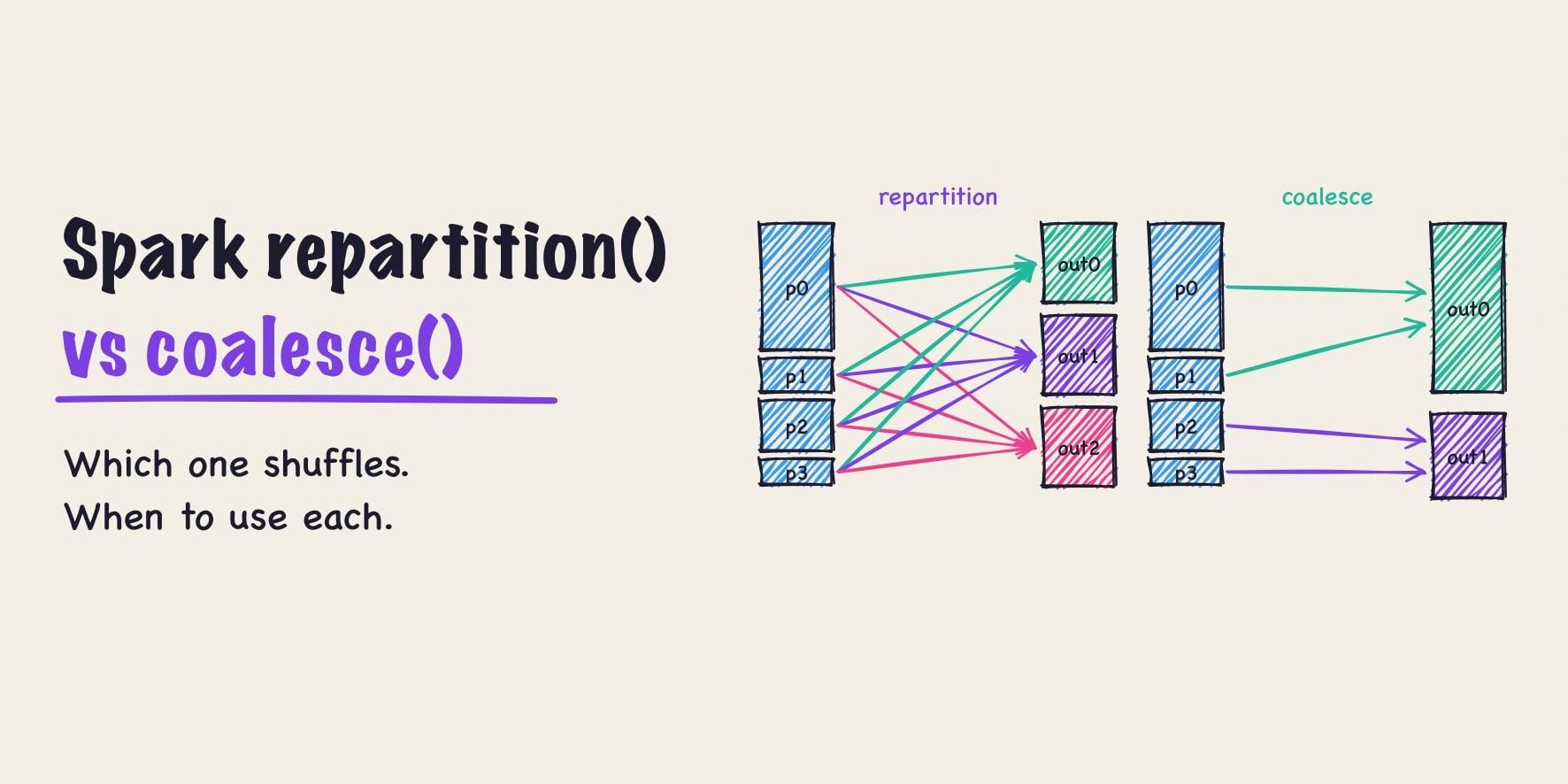
Partition count changes task memory, spill volume, and scheduling overhead, so one fixed value cannot suit every dataset. Large or skewed partitions can exhaust memory even when aggregate cluster memory looks sufficient. Start with measured partition sizes and task metrics, then adjust spark.sql.shuffle.partitions and adaptive execution settings. Check the effective job configuration, because application settings can override platform defaults.
Reuse volumes so a replacement executor inherits shuffle data
Losing an executor removes shuffle files that later stages still need, which produces fetch failures and repeated work. Spark can instead create a PersistentVolumeClaim (a request for a cloud disk that outlives the pod) per executor and hand it to the replacement when the executor dies. Mount an OnDemand claim as spark-local-dir-1, set spark.kubernetes.driver.ownPersistentVolumeClaim and spark.kubernetes.driver.reusePersistentVolumeClaim to true, and set spark.shuffle.sort.io.plugin.class to org.apache.spark.shuffle.KubernetesLocalDiskShuffleDataIO. The new executor recovers the shuffle files on the volume and later stages fetch from it. This is the cheapest way to survive spot interruptions without a remote shuffle service. The driver’s Role needs persistentvolumeclaims permissions for this (Step 3).
--conf spark.kubernetes.executor.volumes.persistentVolumeClaim.spark-local-dir-1.options.claimName=OnDemand \
--conf spark.kubernetes.executor.volumes.persistentVolumeClaim.spark-local-dir-1.options.storageClass=gp3 \
--conf spark.kubernetes.executor.volumes.persistentVolumeClaim.spark-local-dir-1.options.sizeLimit=200Gi \
--conf spark.kubernetes.executor.volumes.persistentVolumeClaim.spark-local-dir-1.mount.path=/data/spark-local \
--conf spark.kubernetes.executor.volumes.persistentVolumeClaim.spark-local-dir-1.mount.readOnly=false \
--conf spark.kubernetes.driver.ownPersistentVolumeClaim=true \
--conf spark.kubernetes.driver.reusePersistentVolumeClaim=true \
--conf spark.kubernetes.driver.waitToReusePersistentVolumeClaim=true \
--conf spark.shuffle.sort.io.plugin.class=org.apache.spark.shuffle.KubernetesLocalDiskShuffleDataIO
For instance-store NVMe (the local SSDs attached to some instance types), format the disks in the node bootstrap and mount them behind /var/lib/kubelet as RAID0, so a plain emptyDir lands on NVMe and no hostPath is needed. Karpenter does this with instanceStorePolicy: RAID0 in the EC2NodeClass; GKE does it with --ephemeral-storage-local-ssd.
Above roughly 500 GB of shuffle per job, or for jobs that run for days, a remote shuffle service such as Apache Celeborn™ is worth the extra component. It takes shuffle data out of the executor lifetime entirely, at the cost of a service with its own capacity and recovery plan.
Lesson 6: Treat the driver as a single point of failure
The driver holds the application’s state: the DAG, task scheduling, and the metadata of every shuffle. Executors are replaceable; the driver is not. Its reliability depends on application progress, resource use, and maintenance policy throughout the full run, and a pod in Running state can host a stuck application.
- Controller upgrades and node drains can interrupt long commits when they restart the driver. Plan maintenance around application recovery boundaries, and test restart behavior before upgrading a production pool.
- A liveness probe (Kubernetes’ periodic health check that restarts a container on failure) can kill a driver during a long garbage collection pause. Set probe thresholds from observed startup and pause times, and use a startup probe when appropriate. Keep health checks local so a slow cloud API does not restart a healthy process.
- Expensive metrics collection can delay driver work, which makes frequent scraping another source of load. Alert on task or commit progress alongside process health, and reduce scrape frequency if collection affects the application.
- Custom listeners and client threads can keep a driver alive after application work ends. Close those resources during shutdown and call
spark.stop()when the application owns its Spark session. Preserve failure exit status so the controller can tell a failed attempt from success. - A driver that looks idle near completion can still be committing output files. Inspect a thread dump before changing executor count or memory. Choose a committer with failure semantics that match the storage system and application requirements.
spark-submitwith--packagesresolves JARs inside the submitting pod and shares one Ivy cache. Two submissions at the same moment race on.partfile renames and fail before any driver pod exists, with no driver logs and a misleading “module not found”. Setspark.jars.ivyper submission, or bake the JARs into the image.- A driver killed at its memory limit while holding a table lock strands that lock until the lease expires, and the next writer rolls back. Size driver memory for the commit phase, and keep lock leases short.
Lesson 7: Size the network before the cluster
Every pod needs an IP address from the cluster’s subnet, and the CNI plugin (the networking add-on that hands out those addresses) often reserves a warm pool of them per node. Network address capacity can run out while the cluster still has CPU and memory for more executors. Node warm-address reservations can consume most of a small subnet before useful application capacity arrives. Plan address space from peak nodes, pod density, networking mode, and warm-pool settings. Deleting completed pod objects does not always free their addresses, so check CNI state directly.
Networking and storage add-ons need coordinated upgrades because new nodes depend on them during startup. Test fresh node launches during a canary upgrade, including DNS, image pulls, and volume attachment. Existing nodes can hide startup failures that only appear when the autoscaler adds capacity.
Catalog and object-store connectivity stay part of application reliability after the main Spark stages finish. Metadata operations can fail after the data write completes. Check DNS, endpoint reachability, credentials, and retry behavior from the actual driver and executor network paths.
CoreDNS, the cluster’s DNS service, throttles above roughly 1,024 packets per second per replica, and the symptom is UnknownHostException on S3 or JDBC endpoints while everything else looks healthy. Scale CoreDNS with node count, enable NodeLocal DNSCache, and graph DNS errors next to executor failures.
Lesson 8: Identity, images, and object storage
Use a workload identity for each application rather than the node identity for data access. A workload identity (IRSA or Pod Identity on EKS, Workload Identity on GKE) ties cloud permissions to the pod’s service account instead of the whole node. The mechanism depends on the cloud, and each client library has to support it. Check JVM and native storage clients separately, because they can use different credential provider chains. A working aws s3 ls from a shell says nothing about which identity the JVM client picked up.
A registry cache can hide an upstream authentication failure until a new node requests an uncached image. Application startup fails on new nodes while existing containers keep running. Mirror critical base and init images into a registry you control, pin production images by digest, and test image pulls from a fresh node as part of release checks.
Spark images run 3 to 5 GB, and a fresh node spends tens of seconds pulling one before the first executor starts. Keep the registry in the same region behind a VPC endpoint, keep layers lean, and look at parallel-pull options such as SOCI on EKS. Lazy loading is a poor fit for the JVM, which reads most of the image at startup.
Pass credentials through spark.kubernetes.driver.secrets and spark.kubernetes.executor.secrets or a workload identity, never through spark-submit arguments. If the namespace enforces the restricted Pod Security Standard, hostPath volumes are rejected, so the local-disk advice in Lesson 5 needs emptyDir on NVMe-backed kubelet storage or PVCs instead.
A mounted configuration directory hides files at the same path inside the container image. If it hides spark-defaults.conf, expected settings vanish and the execution path changes. Put critical settings in the submitted application configuration, then inspect the Spark UI and rendered pod after deployment.
S3 has no rename; a rename is a copy plus a delete, which makes rename-based output commits expensive and unsuitable for atomic directory changes. The Hadoop S3A committer documentation explains storage-aware alternatives and their required configuration. Use matching Spark and Hadoop modules when selecting those committers. Table formats such as Apache Hudi™, Apache Iceberg™, and Delta Lake use their own commit protocols, which need separate recovery tests.
Lesson 9: Package dependencies and schedule recurring jobs
SparkPi needs nothing beyond the image. Real applications have three choices for dependencies. Bake JARs into the image and reference them with local://, which is the fastest and most reproducible. Upload client-side JARs at submit time through spark.kubernetes.file.upload.path, which needs a bucket both the client and the driver can reach. Resolve with --packages at submit time, which pulls from Maven on every run and needs the Ivy fix from Lesson 6. For PySpark, pack the environment with venv-pack or conda-pack, ship it with --archives, and set PYSPARK_PYTHON to the unpacked interpreter.
For recurring jobs, the Kubeflow operator’s ScheduledSparkApplication adds cron scheduling, a concurrency policy, and run history on top of SparkApplication. Airflow’s SparkKubernetesOperator submits the same resource from a DAG and waits on its status, which keeps retries and upstream dependencies in one place.
Troubleshooting Cheatsheet
| Symptom | First thing to check | Likely cause |
|---|---|---|
| Driver pod never created | Submission output and the submitting user’s permission to create pods | Wrong API URL, missing RBAC, namespace does not exist |
| Pod Pending, no events | Batch scheduler logs and queue status | Scheduler state, queue admission, or controller delay; events may have expired |
Pod Pending, FailedScheduling |
kubectl describe pod, autoscaler logs |
Pod larger than any node, pool limit reached, no pool matches the node selector, zone or capacity shortage |
ImagePullBackOff only on new nodes |
Registry and pull-through cache credentials | Expired upstream credential; cached images still work on old nodes |
Executors exit 137 OOMKilled |
Termination reason, total container memory, JVM heap, and native allocations | Container or node memory pressure; inspect evidence before increasing overhead |
| Executors exit 52 | Executor log for OutOfMemoryError |
Heap too small, skew, too few partitions |
| Executors exit 143 in bulk | Node events and autoscaler log | Consolidation, spot interruption, dynamic allocation scale-down |
Evicted, ephemeral-storage |
Executor local-dir usage and pod ephemeral requests | Unbounded shuffle or spill on node disk |
FetchFailedException |
Whether the executor holding that shuffle was removed | Executor lost to decommission, scale-down, or OOM |
| Job slow, executors idle | Node disk throughput and I/O wait | Shuffle limited by disk throughput |
| Driver idle at end of job | Thread dump of the driver | Output committer renaming files on object storage |
| New nodes have no pod IPs | CNI logs, subnet free addresses | Subnet capacity, warm reservations, or CNI allocation failure |
Production checklist
We leave with you a checklist of things you need for the road.
- Compare complete pod requests with node allocatable resources before allowing a production submission.
- Measure native memory and task concurrency before selecting heap, off-heap, and overhead allowances.
- Protect drivers from voluntary disruption and test recovery after forced termination.
- Provide capacity alternatives across instance types and document any deliberate single-zone constraint.
- Budget local disk capacity and throughput for every executor that can share a node.
- Select shuffle partition settings from task measurements and check the effective application configuration.
- Test dynamic allocation, decommissioning, and node autoscaling under spikes, backfills, concurrent applications, and a return to normal demand.
- Check that every storage client uses the intended workload identity.
- Pin application and init images, and test their availability from newly created nodes.
- Size network address capacity from the actual CNI configuration and expected peak cluster size.
- Keep persistent event logs and alert on application progress, executor failures, and resource pressure.
- Test commit recovery and cancellation cleanup before accepting a workload into production.
About Onehouse and Quanton
Onehouse Quanton engine is the fastest spark engine in the market at this time. The Quanton Operator extends the Kubeflow Spark Operator to run workloads with Onehouse’s Quanton engine on your Kubernetes infrastructure, while solving all the numerous deployment and operational challenges described in this guide. Its documentation describes the required application resources and deployment examples. Evaluate it with representative jobs, including startup time, retry behavior, output correctness, and cost per successful run. The operator and Onehouse Cloud have different operating responsibilities. With the operator, your team runs the Kubernetes cluster and owns scheduling, storage, and observability. Onehouse Cloud also runs that infrastructure for you. Quanton also runs inside EMR and other Spark platforms; the operator is the path for self-managed Kubernetes.
Most of the production problems in this guide have a solution in the Onehouse Compute Runtime. Its Spark autoscaler scales on CPU and memory utilization, pending-task growth, and shuffle volume instead of task backlog alone, and it removes executors selectively so intermediate data survives scale-down. The autoscaler post describes the design and the ETL workloads it was built against. The runtime also manages node pools, budget caps, and per-pipeline cost tracking inside your VPC, which covers the scheduling and capacity lessons above without a batch scheduler of your own.
The engineers who wrote this guide are in the Onehouse community Slack. If you are hitting any of the problems above, join and compare notes with them.
Author

Vinoth Chandar
CEO
Onehouse founder/CEO; Original creator and PMC Chair of Apache Hudi. Experience includes Confluent, Uber, Box, LinkedIn, Oracle. Education: Anna University / MIT; UT Austin. Onehouse author and speaker.