Talk with our engineers by joining the new Onehouse community Slack!
TL;DR
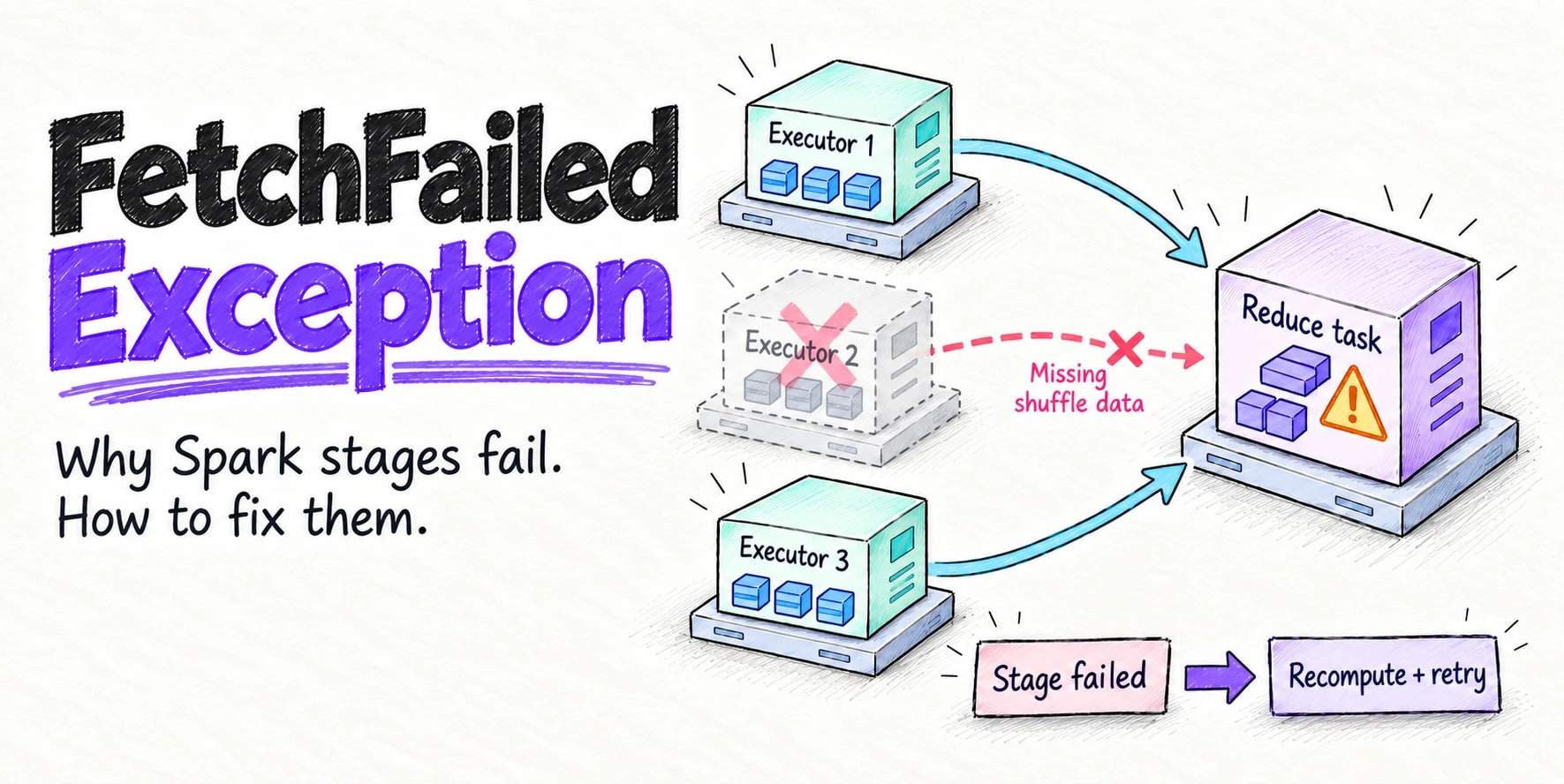
org.apache.spark.shuffle.FetchFailedException means a reduce task couldn't read shuffle data that an earlier stage wrote, almost always because the executor holding it died or was removed. Spark fails the whole stage, recomputes the lost map output and retries, and after four failed attempts in a row it aborts the job with Job aborted due to stage failure. Find the executor named in the error, find out why it left (out of memory, a container killed at exit code 137, autoscaling or spot loss), and fix that. More retries and longer timeouts only help when the executor is alive but slow.
org.apache.spark.shuffle.FetchFailedException means a task in one Apache Spark™ stage could not read shuffle data that a task in an earlier stage wrote. Spark doesn’t retry that task the way it retries other failures. It fails the whole stage, reruns the stage that produced the missing data, and aborts the job if the same stage fails four times in a row. The exception is rarely the root cause. It’s the symptom of an executor that died, was removed, or stopped answering while other tasks still needed its shuffle files.
This is what it looks like in the driver log:
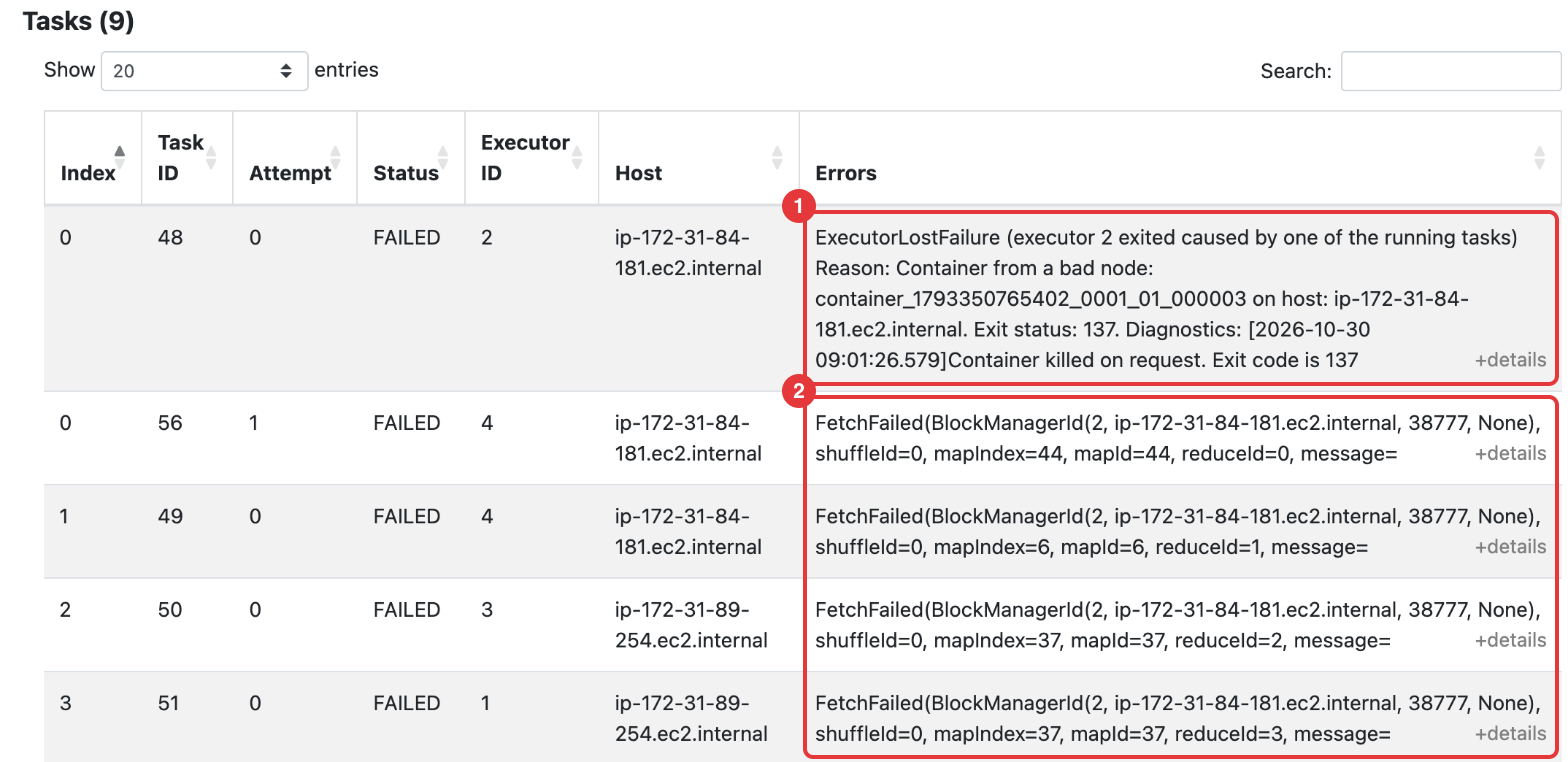
26/10/30 09:01:28 WARN TaskSetManager: Lost task 1.0 in stage 2.0 (TID 49) (ip-172-31-84-181.ec2.internal executor 4): FetchFailed(BlockManagerId(2, ip-172-31-84-181.ec2.internal, 38777, None), shuffleId=0, mapIndex=6, mapId=6, reduceId=1, message=
org.apache.spark.shuffle.FetchFailedException
    at org.apache.spark.errors.SparkCoreErrors$.fetchFailedError(SparkCoreErrors.scala:438)
    at org.apache.spark.storage.ShuffleBlockFetcherIterator.throwFetchFailedException(ShuffleBlockFetcherIterator.scala:1253)
    ...
Caused by: org.apache.spark.ExecutorDeadException: [INTERNAL_ERROR_NETWORK] The relative remote executor(Id: 2), which maintains the block data to fetch is dead.
    at org.apache.spark.network.netty.NettyBlockTransferService$$anon$2.createAndStart(NettyBlockTransferService.scala:145)
    ...
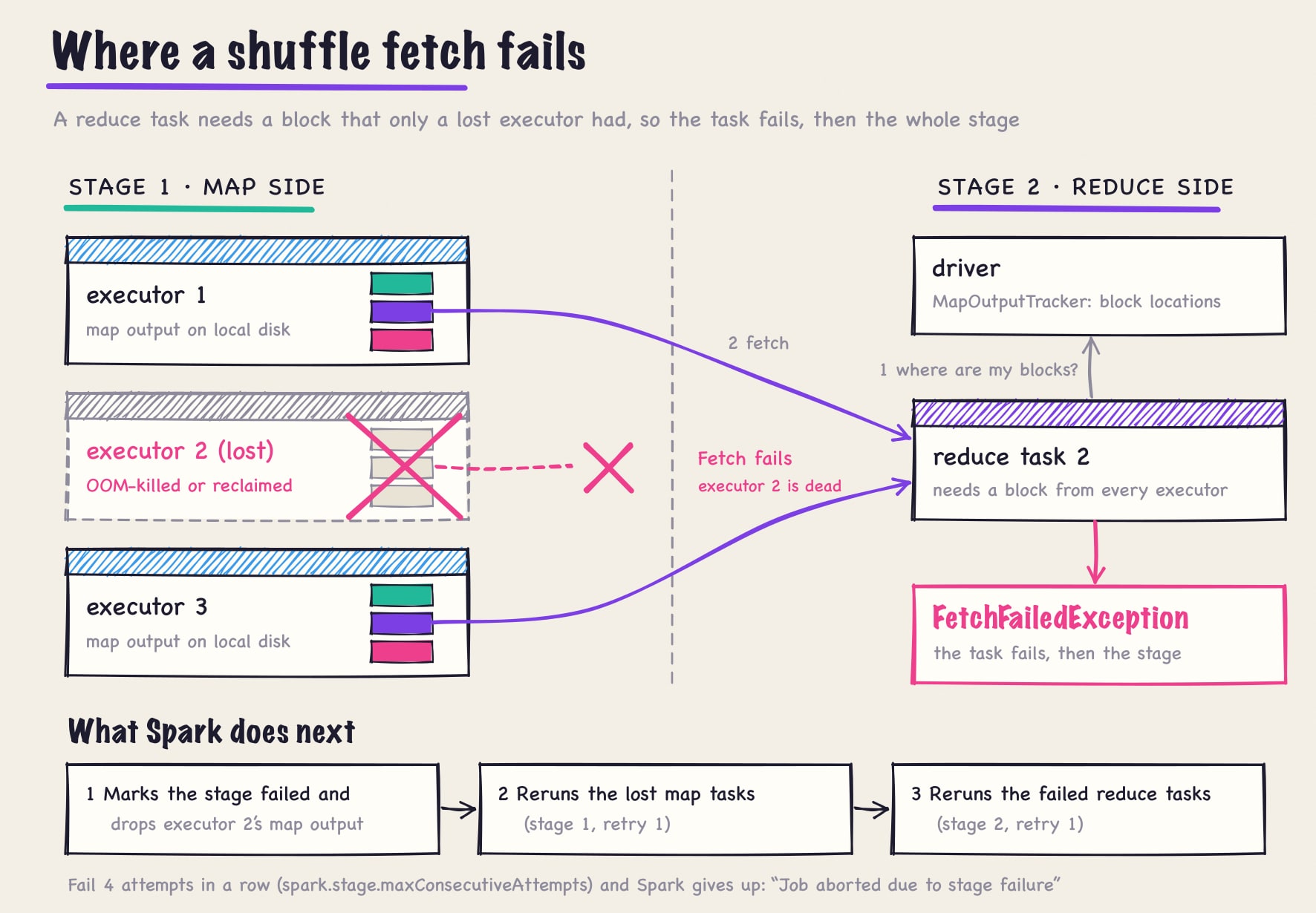
Read that log carefully, because it points the wrong way. The task that failed ran on executor 4, and that’s where the exception was thrown, but executor 4 is healthy. The problem is executor 2, the remote executor named in BlockManagerId(2, ...), which wrote the shuffle block and then died. That’s what makes this error so counterintuitive: the executor that throws it is almost never the one that failed, so its logs, memory and GC metrics look normal. To find the root cause, you have to follow the BlockManagerId to the other executor, which is often already gone.
This guide covers what the exception means, how one failed fetch becomes Job aborted due to stage failure, how to find your cause, and the fix for each. Every log line and screenshot below comes from a real Spark 3.5 job on Amazon EMR, in which we killed one executor mid-shuffle.
Quick answer
A reduce task could not fetch a shuffle block from the executor, or external shuffle service, that held it. The usual causes, most common first:
- The executor that wrote the block died. It ran out of heap (
java.lang.OutOfMemoryError), or the cluster manager killed its container for using too much memory: exit code 137,OOMKilled, orContainer killed by YARN for exceeding physical memory limits. - The executor or its node was removed by dynamic allocation, an autoscaler, or a spot or preemptible instance reclaim.
- It was alive but didn’t answer in time, because of long garbage-collection pauses, a saturated network or an overloaded shuffle service.
- The block itself was the problem: a huge, skewed partition, or a full or failing local disk.
Find the executor named in the exception’s BlockManagerId (not the one that threw it), find out what happened to it, and fix that. More retries and longer timeouts only help with cause 3.
What org.apache.spark.shuffle.FetchFailedException means
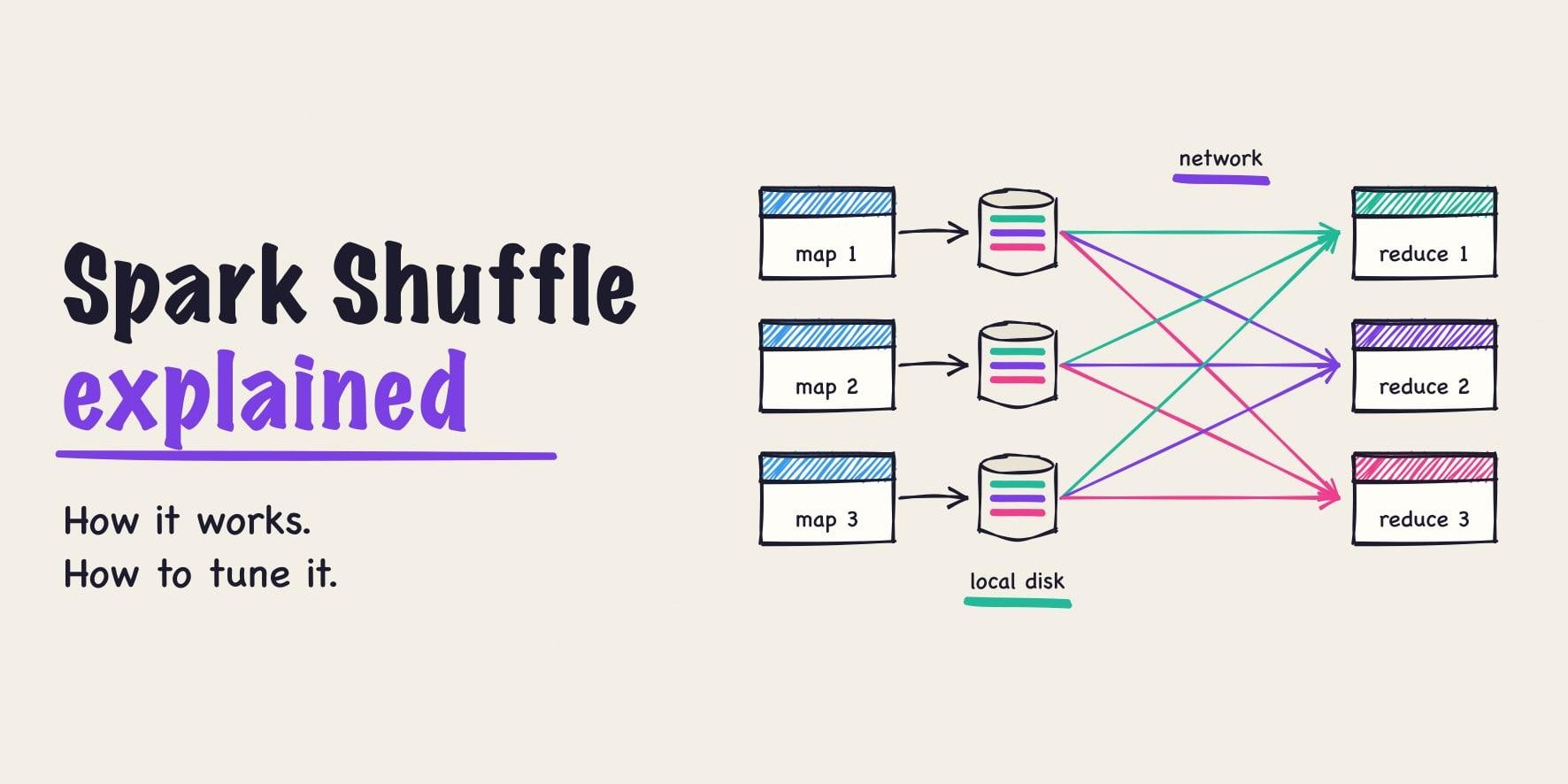
Every shuffle splits a job into stages. Map-side tasks write their output to local disk, one block per downstream partition. Each reduce-side task then fetches its block from every map output, mostly over the network. The Spark shuffle guide covers the mechanics.
FetchFailedException is what a reduce task throws when one of those fetches fails for good. The first line names the block:
BlockManagerId(2, ip-172-31-84-181.ec2.internal, 38777, None)is where Spark tried to fetch from: executor 2, on that host and port. If an external shuffle service serves the block, the port is the service’s, 7337 by default.shuffleId,mapIndexandreduceIdidentify the shuffle, the map task that wrote the block, and the reduce partition that needed it.- The
Caused by:lines say why: the executor is dead, the connection was refused or timed out, or the data was corrupt.
That executor ID is the most useful thing in the stack trace. It’s usually a different, remote executor from the one that ran the failing task, and whatever happened to it is your root cause.
How a shuffle read works, and where it breaks
A reduce task first asks the driver’s MapOutputTracker where its blocks live. It reads local blocks from disk and fetches the rest over the network, from the executor that wrote them or, when spark.shuffle.service.enabled=true, from the external shuffle service on that node, with at most spark.reducer.maxSizeInFlight (48 MB by default) in flight.
A fetch can break at three points:
- Before the fetch. The driver already knows the map output is lost, so it has no location to give. The task fails with
org.apache.spark.shuffle.MetadataFetchFailedException: Missing an output location for shuffle 0 partition 3. That’s a subclass ofFetchFailedException, and Spark handles it the same way. - When connecting. Spark retries connection errors up to
spark.shuffle.io.maxRetriestimes (3 by default),spark.shuffle.io.retryWait(5 seconds) apart, then gives up withFailed to connect to <host>:<port>. Since Spark 3.0 (SPARK-27637), when the block is served by an executor, it first asks the driver whether that executor is still alive. If not, Spark skips the retries and fails at once withExecutorDeadException, as in our run. - After the bytes arrive. If a block is corrupt, Spark detects it on decompression (
spark.shuffle.detectCorrupt, on by default), refetches it once, and then fails withStream is corrupted.
Why one fetch failure aborts the stage, then the job
Most task failures are retried task by task, up to spark.task.maxFailures (4 by default). Rerunning a reduce task after a fetch failure would only look for the same missing block, so Spark changes the plan instead:
- It records a
FetchFailedreason for the task. That doesn’t count towardspark.task.maxFailures. - It stops launching tasks in that stage attempt and marks the stage failed.
- It unregisters the map output of the executor that couldn’t serve the block, so those map partitions count as missing.
- It resubmits the parent map stage to recompute only the missing partitions, then reruns the failed stage. Both appear in the Spark UI as new attempts, labelled
(retry 1).
If the same stage fails spark.stage.maxConsecutiveAttempts times in a row (4 by default), Spark gives up and aborts the job.
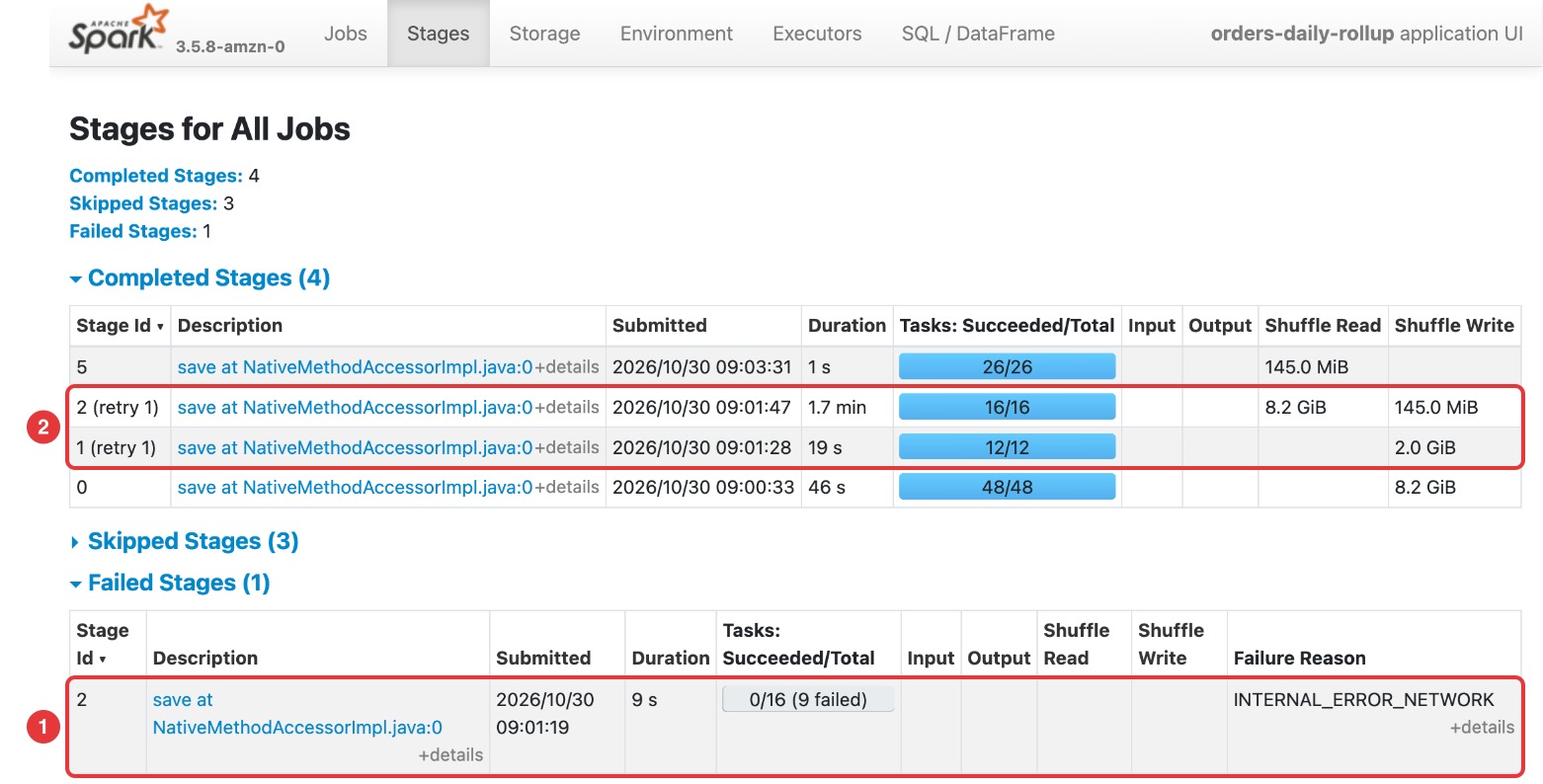
A retry that succeeds still costs you: each one recomputes upstream work, so one dying executor can stretch a 20-minute job past an hour.
Reading “Job aborted due to stage failure”
When the fourth attempt fails, the driver throws org.apache.spark.SparkException and your application fails with it. This is from a second run, in which an executor died on every attempt:
py4j.protocol.Py4JJavaError: An error occurred while calling o169.save.
: org.apache.spark.SparkException: Job aborted due to stage failure: ShuffleMapStage 2 (save at NativeMethodAccessorImpl.java:0) has failed the maximum allowable number of times: 4. Most recent failure reason:
org.apache.spark.shuffle.FetchFailedException
    ...
Caused by: org.apache.spark.ExecutorDeadException: [INTERNAL_ERROR_NETWORK] The relative remote executor(Id: 2), which maintains the block data to fetch is dead.
    ... 34 more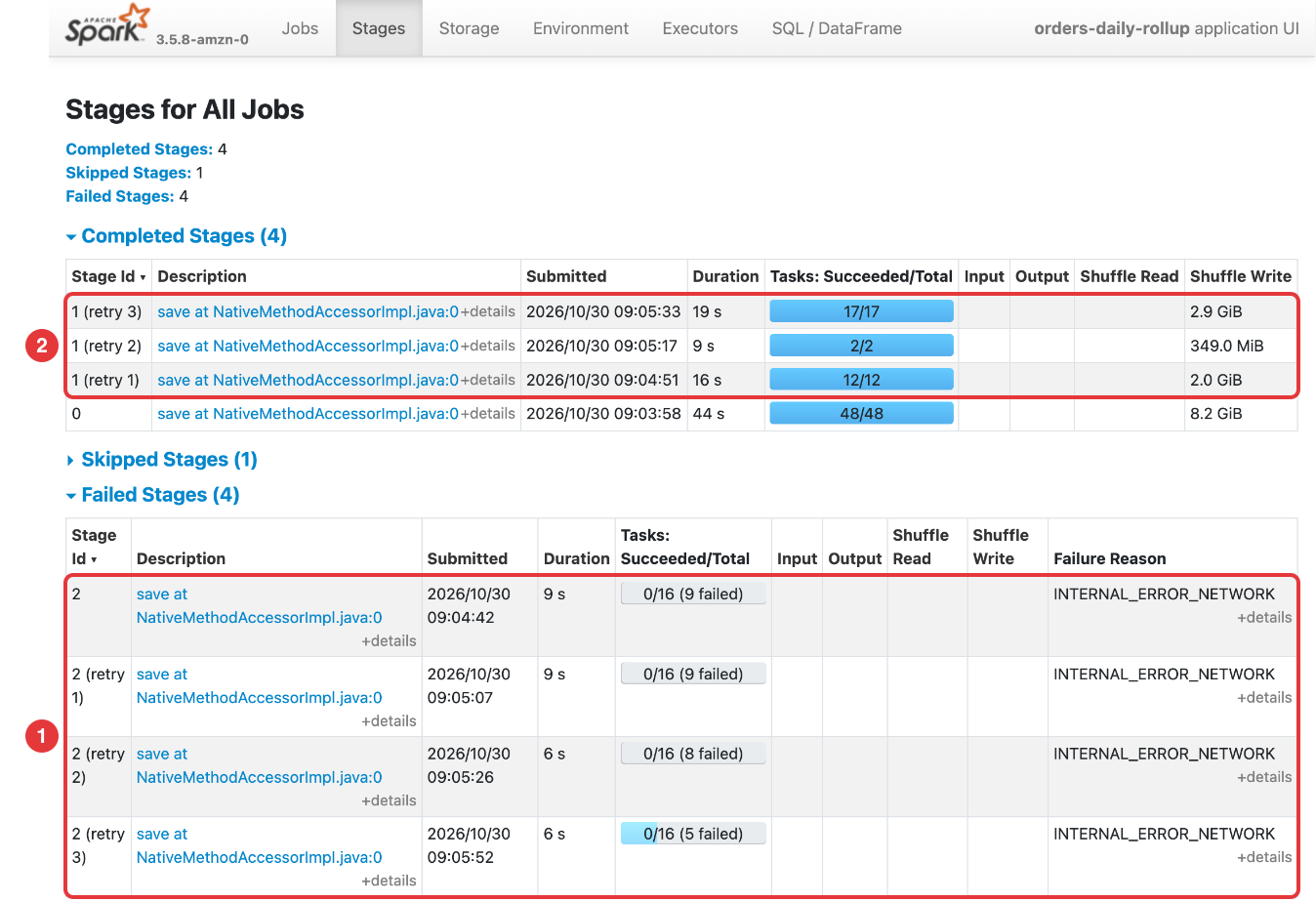
Skip the driver’s own stack trace and read the reason after “stage failure:” and the Caused by: lines. The same wrapper covers several unrelated problems:
| After “Job aborted due to stage failure:” | What it means | What to do |
|---|---|---|
... has failed the maximum allowable number of times: 4. Most recent failure reason: org.apache.spark.shuffle.FetchFailedException |
Four consecutive fetch failures in one stage | Keep reading this guide |
Task 7 in stage 3.0 failed 4 times, most recent failure: ... ExecutorLostFailure (executor 5 exited caused by one of the running tasks) |
The same task killed its executor four times, almost always by running out of memory | Size executor memory and overhead with the memory guide |
Total size of serialized results of 412 tasks (1025.3 MiB) is bigger than spark.driver.maxResultSize (1024.0 MiB) |
collect() or toPandas() pulled too much data to the driver |
Write the result out, or aggregate before collecting |
Serialized task 12:0 was 268435456 bytes, which exceeds max allowed: spark.rpc.message.maxSize (134217728 bytes) |
A large object was captured in a task closure | Broadcast it, or load it inside the task |
The common causes
1. Executor out of memory
The JVM runs out of heap, throws java.lang.OutOfMemoryError, and exits with code 52. Its map output goes with it unless an external shuffle service serves those files. Tasks fetching from it fail with FetchFailedException, and tasks starting later with MetadataFetchFailedException.
2. A container killed for exceeding its memory limit
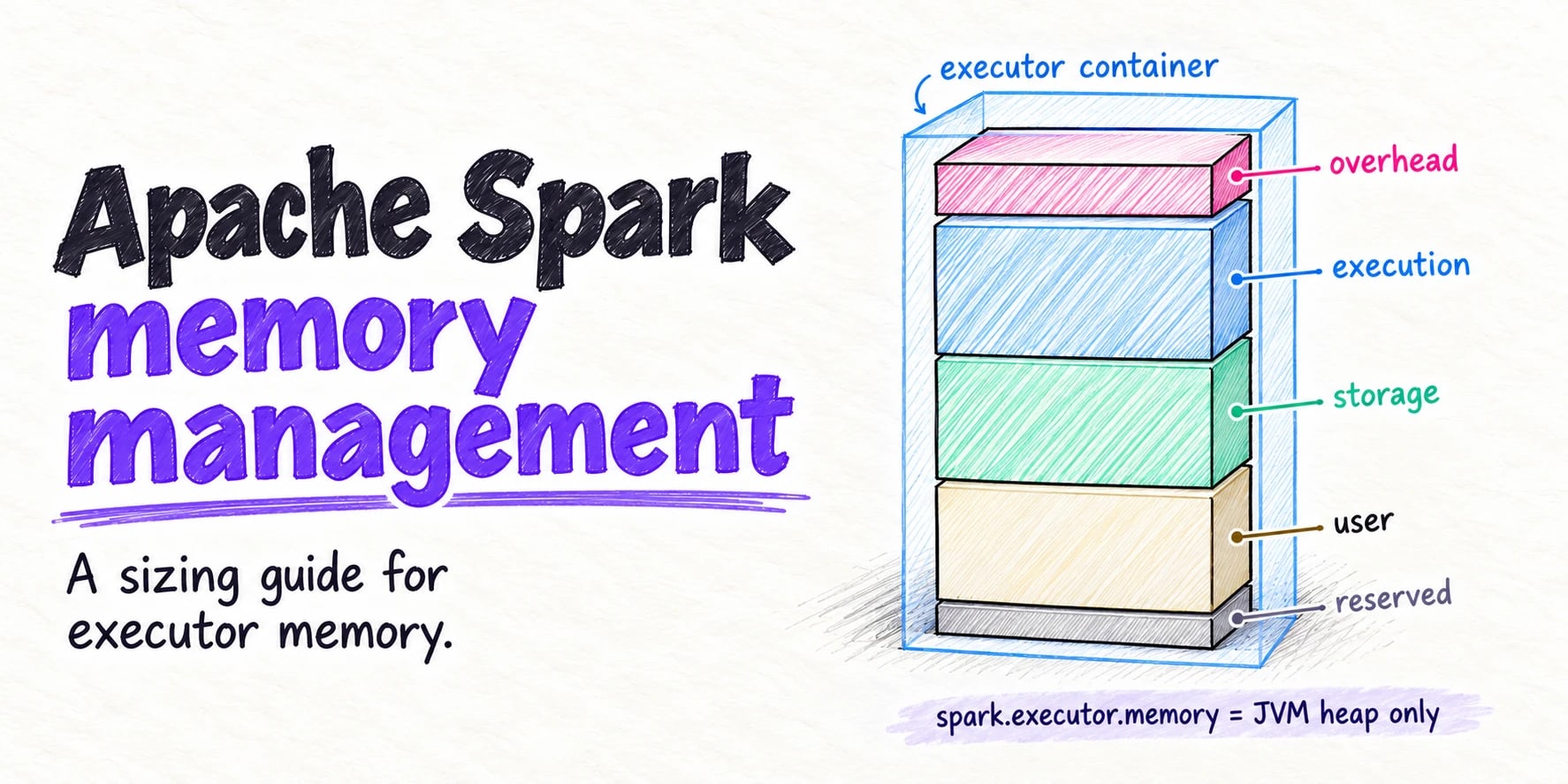
The heap is only part of an executor’s memory. Netty buffers, thread stacks and PySpark workers live in the memory overhead (spark.executor.memoryOverhead, 10% of executor memory, minimum 384 MiB). When the process outgrows its container, the cluster manager kills it with no Java exception:
- YARN:
Container killed by YARN for exceeding physical memory limits, or exit status 137. - Kubernetes: the pod’s last state is
OOMKilled, exit code 137 (Kubernetes docs). - Any Linux host: an
oom-killline indmesg.
Exit code 137 means the process received SIGKILL.
3. Executors removed by autoscaling, dynamic allocation or spot reclamation
Dynamic allocation removes an idle executor, an autoscaler drains its node, or a spot instance is reclaimed with a short warning (two minutes on AWS). If its shuffle files are still needed and nothing else serves them, fetches fail.
On YARN, the external shuffle service keeps serving an executor’s files after it leaves, but not after the node goes. Kubernetes doesn’t support an external shuffle service, so losing an executor there always loses its shuffle files.
4. Network timeouts and long GC pauses
The executor is alive but doesn’t respond: a full GC pauses the JVM for a minute, a large shuffle saturates the network, or a shuffle service is swamped with requests. From the fetching side these look alike: Connection reset by peer, Connection from ... closed, or a timeout.
5. Oversized blocks and data skew
A few huge partitions mean a few huge blocks, which can hit timeouts and push executors over their memory limits. Since Spark 2.4, blocks larger than spark.network.maxRemoteBlockSizeFetchToMem (200 MB by default) are streamed to disk, so the old Too large frame error from blocks over 2 GB belongs mostly to older versions.
6. Local disk problems
Shuffle files live on the executor’s local disks (spark.local.dir or the cluster manager’s local directories). A full disk fails the map task writing to it (No space left on device). A failing disk, or files deleted by something else, breaks the read side with FileNotFoundException or Stream is corrupted. Use fast local NVMe or SSD with room for the largest shuffle plus spill.
How to diagnose which cause you have
Work back from the first failure, not the last. By the time a job aborts, the logs are full of secondary errors.
- Find the first fetch failure. Search the driver log for the earliest
FetchFailed(line, or open the Spark UI’s Stages tab, where failed attempts are under Failed Stages and retries show as(retry 1),(retry 2)and so on. Open the failed attempt to see each task’s error. - Follow the remote executor, not the local one. In
Lost task 1.0 in stage 2.0 (TID 49) (... executor 4): FetchFailed(BlockManagerId(2, ..., the task ran on executor 4 but the block lived on executor 2. Executor 4’s logs and metrics will look normal; executor 2 is the one to investigate. Then read how the fetch failed: in theCaused by:lines,ExecutorDeadExceptionorConnection refusedmeans it was gone, a timeout means it was too slow, andStream is corruptedmeans the data was bad.
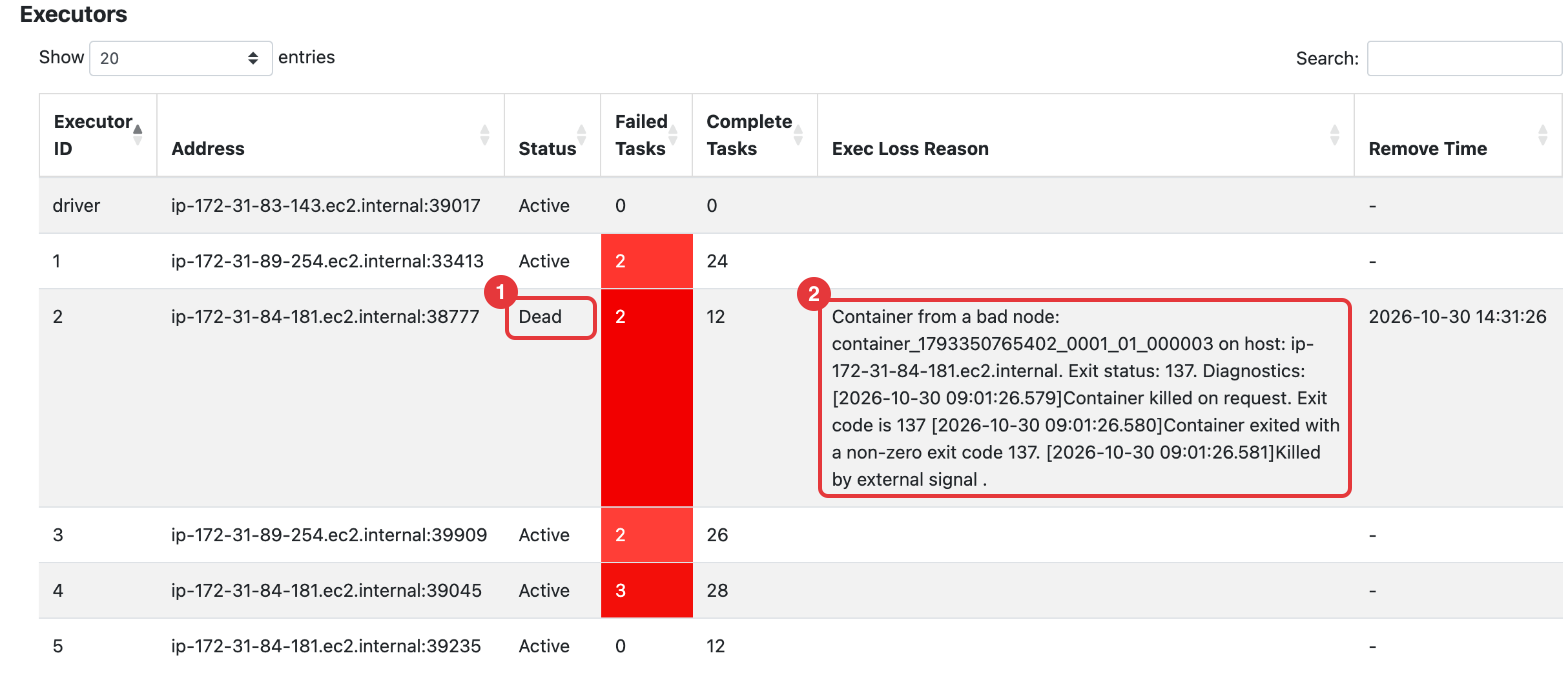
- Find out what happened to that executor. Open the Executors tab, where a lost executor shows as Dead. Tick Exec Loss Reason under Show Additional Metrics to see why it left. The driver log records the same reason:
ERROR YarnScheduler: Lost executor 1 on ip-172-31-89-254.ec2.internal: Container from a bad node: container_1793350765402_0002_01_000002 on host: ip-172-31-89-254.ec2.internal. Exit status: 137. Diagnostics: [2026-10-30 09:04:49.481]Container killed on request. Exit code is 137For more detail, check YARN container diagnostics, kubectl describe pod for OOMKilled, spot interruption notices, or the autoscaler’s history.
- Check the stage that was running. Compare Max against Median shuffle read size and duration (many times higher means skew), and look at Spill and GC Time on the lost executor (heavy means memory).
This table maps what you see to the most likely cause:
| What you see | Most likely cause |
|---|---|
ExecutorDeadException, or Failed to connect with Connection refused |
The executor or node was gone: OOM, a killed container, scale-down or spot loss |
MetadataFetchFailedException: Missing an output location for shuffle |
Spark already knew the executor was lost when the task started |
ExecutorLostFailure ... exited caused by one of the running tasks next to the fetch failures |
An executor ran out of memory or was killed while running tasks |
Exit code 137, OOMKilled, Container killed by YARN for exceeding physical memory limits |
Not enough memory overhead for off-heap and Python memory |
Connection reset by peer, Connection from ... closed, timeouts, with the executor still alive |
GC pauses, network saturation or an overloaded shuffle service |
Port 7337 in the failing BlockManagerId |
The external shuffle service on that node, or the node itself |
Stream is corrupted, FileNotFoundException, No space left on device |
Local disk problems |
If your jobs run on Quanton, its free AI Spark engineer lives in the Spark UI and diagnoses fetch failures, OOMs and skew from the same plan, metrics and logs, using your own LLM API key.
How to fix it, by cause
Fix the cause you found. The retry and timeout settings at the end are band-aids: they help a job ride out a slow executor, not a missing one.
Give executors enough memory
- Raise
spark.executor.memoryOverheadwhen containers are killed from outside (exit code 137,OOMKilled, YARN memory-limit messages). PySpark jobs often need well over the 10% default. - Raise
spark.executor.memory, or lowerspark.executor.cores, when the JVM throwsOutOfMemoryError. The Spark memory management guide shows how to size both.
Shuffle less data
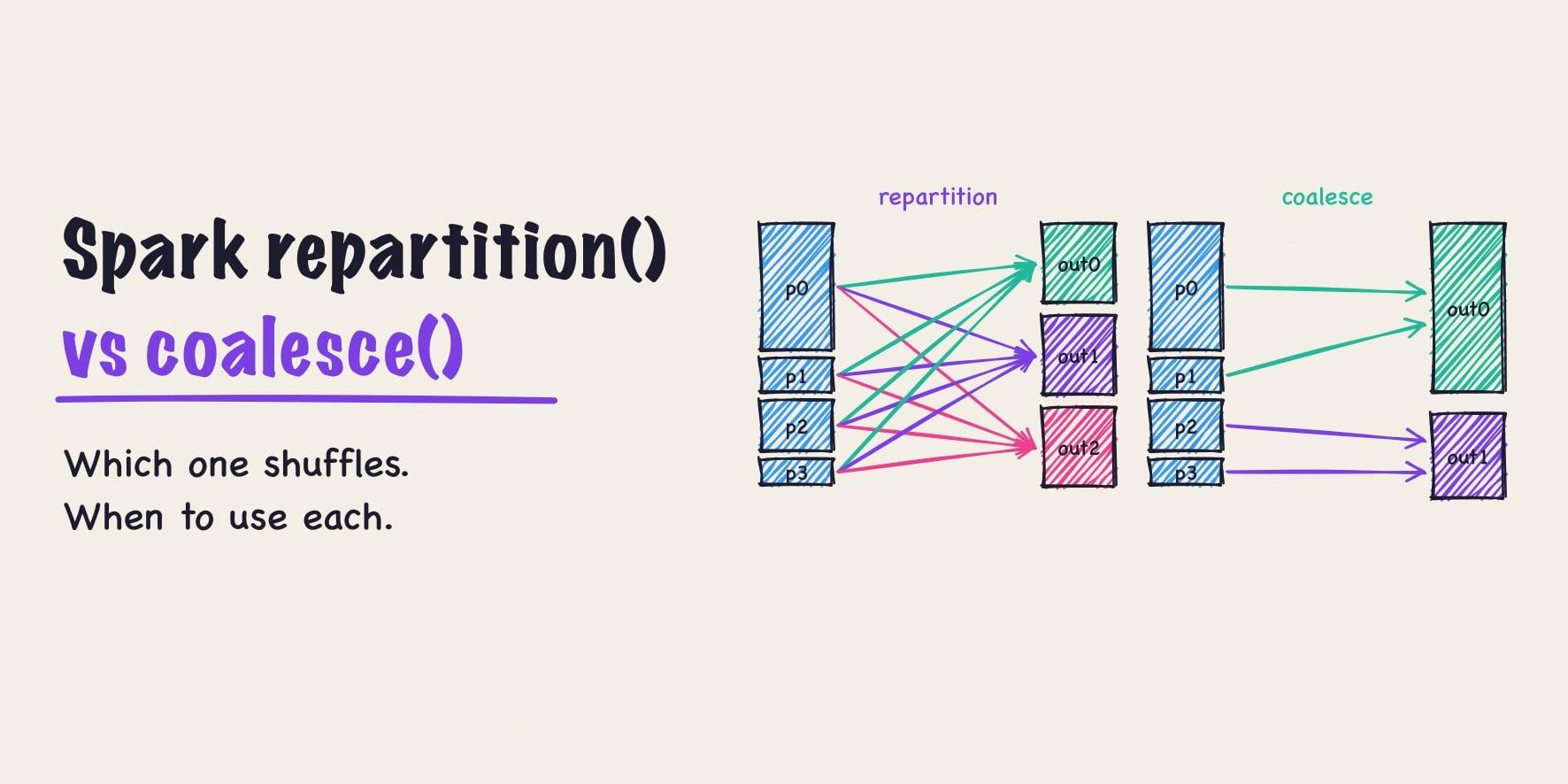
Filter rows and drop columns before joins and aggregations, broadcast the small side of a join, and remove any repartition() the next operation makes redundant.
Size partitions and handle skew
- Aim for shuffle partitions of roughly 100 to 200 MB: set
spark.sql.shuffle.partitionsfrom your data size, or set it high and let adaptive query execution (AQE) coalesce partitions towardspark.sql.adaptive.advisoryPartitionSizeInBytes(64 MB by default). - Keep
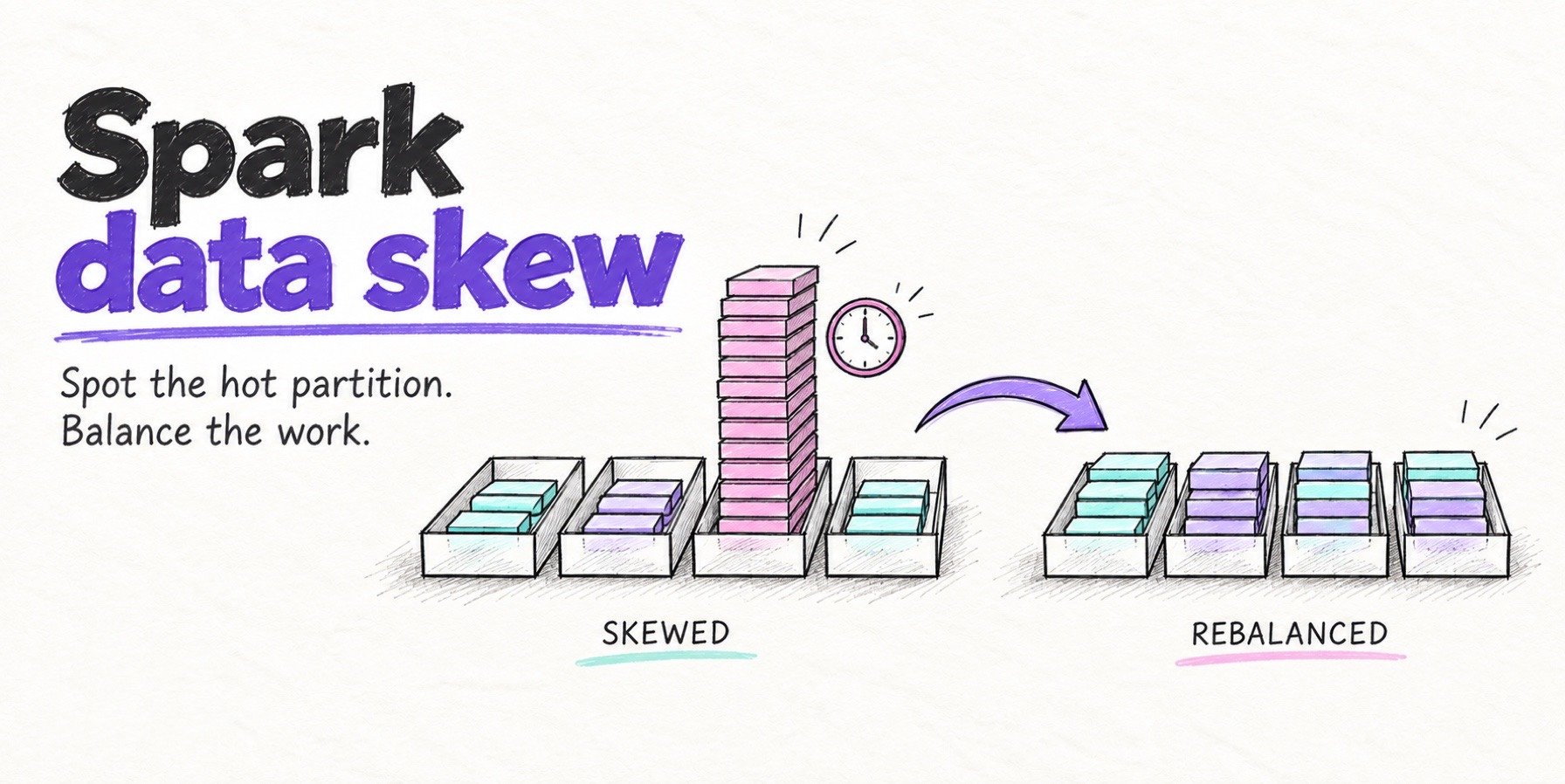
spark.sql.adaptive.skewJoin.enabledon (the default), and salt the hot key for skew AQE can’t split. The Spark data skew guide walks through it.
Survive executor loss
- YARN and standalone: enable the external shuffle service (
spark.shuffle.service.enabled=true) so shuffle files outlive their executors. Amazon EMR configures it for you along with dynamic allocation. - Kubernetes: keep
spark.dynamicAllocation.shuffleTracking.enabledon (the default since Spark 3.4), so dynamic allocation doesn’t remove executors whose shuffle data is still needed. - Spot instances and scale-down: turn on graceful decommissioning with
spark.decommission.enabledandspark.storage.decommission.enabled(Spark 3.1 and later). On a shutdown notice, Spark migrates the executor’s shuffle blocks to other executors, or tospark.storage.decommission.fallbackStorage.pathin object storage. Since Spark 3.4, fetch failures from decommissioned executors don’t count toward the stage’s attempt limit. - Very large or very elastic clusters: a remote shuffle service such as Apache Celeborn keeps shuffle data outside the executors, at the cost of another service to run.
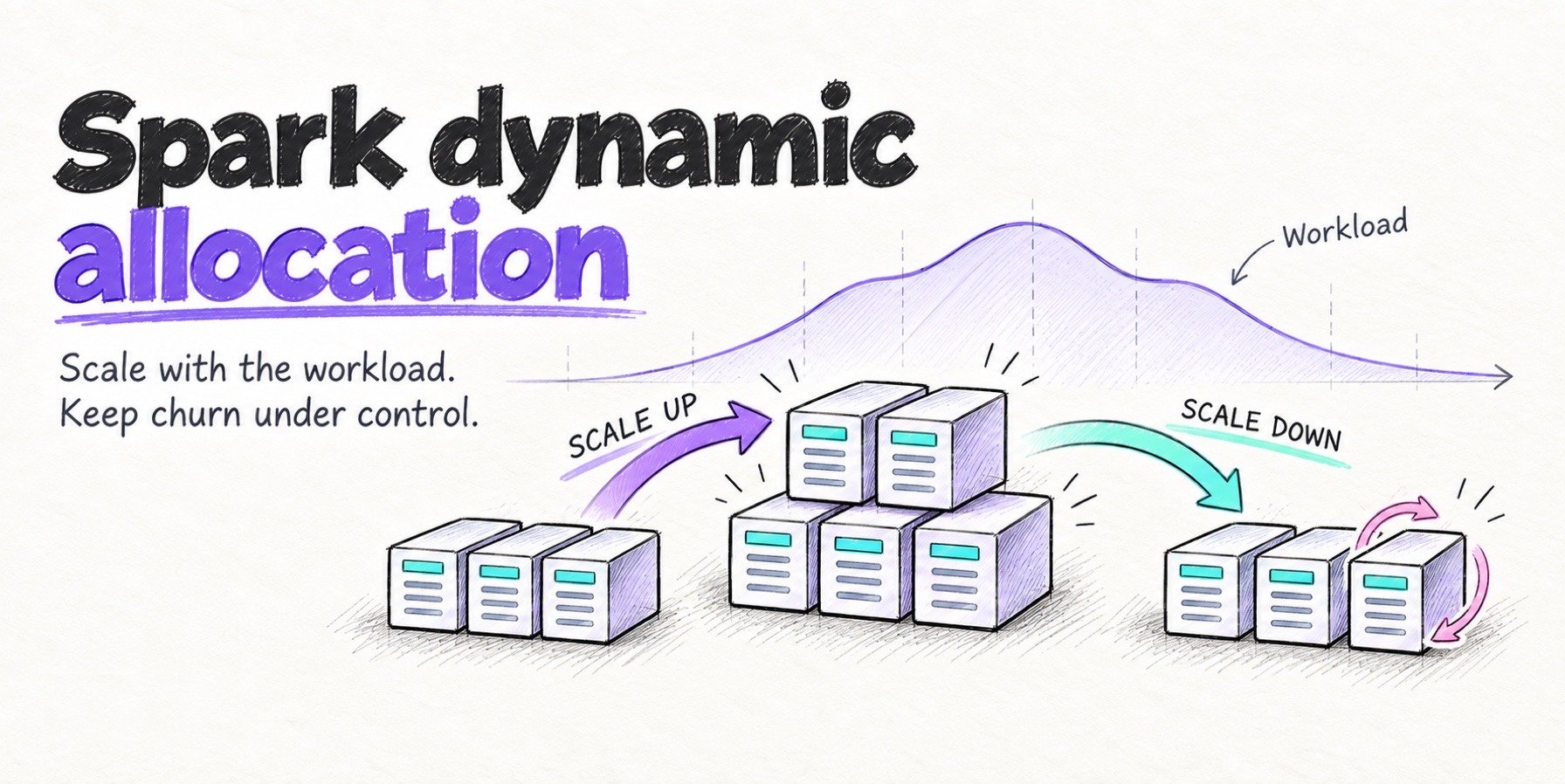
- Capacity: keep shuffle-heavy stages off the cheapest capacity. On EMR, run core nodes on demand and spot for task nodes. The Spark dynamic allocation guide covers the trade-offs.
Band-aids: retries and timeouts
These help when executors are alive but slow:
| Setting | Default | What changing it does |
|---|---|---|
spark.shuffle.io.maxRetries |
3 |
Raise it for more connection retries per fetch |
spark.shuffle.io.retryWait |
5s |
Raise it for a longer wait between retries |
spark.network.timeout |
120s |
Raise it for a longer default timeout on network calls, including shuffle connections |
spark.reducer.maxReqsInFlight |
unlimited | Lower it to cap concurrent fetch requests per reduce task, easing load on a busy shuffle service |
spark.reducer.maxBlocksInFlightPerAddress |
unlimited | Lower it to cap blocks fetched at once from one host |
If the executor is dead, Spark already skips the retries, and no timeout brings its shuffle files back.
Preventing fetch failures in production
- Test at production volume. A job that’s fine on a sample can fail once a partition passes a few gigabytes.
- Right-size partitions, and recheck Max against Median shuffle read after every change to the job or its input.
- Alert on stage retries, not just failed jobs. A job that succeeds after
(retry 2)is one bad night from failing. Count stage attempts above 0 from your event logs or aSparkListener. - Set autoscaling and spot policies deliberately for shuffle-heavy jobs, using the options above.
- Rehearse an executor loss. Kill an executor mid-shuffle on a staging cluster and check that the job recovers and your alert fires. That’s how we produced every error here: on a three-node EMR cluster with the external shuffle service off, a PySpark UDF sent
SIGKILLto its own executor while other tasks were still fetching from it.
Frequently asked questions
What causes org.apache.spark.shuffle.FetchFailedException?
A reduce task couldn’t fetch a shuffle block written by an earlier stage, usually because the executor holding it died or was removed: an out-of-memory error, a container killed at its memory limit, dynamic allocation, autoscaling or spot reclamation. Less often the executor was too slow to respond, or the block was corrupt.
Why does FetchFailedException blame a different executor?
Because the failure happens on the reading side. The reduce task that throws the exception, and the executor it runs on, are usually fine. The block it needed lived on another executor, the one named in BlockManagerId, and that executor died, was removed or stopped answering. Investigate that remote executor.
What is the difference between FetchFailedException and MetadataFetchFailedException?
FetchFailedException means the task knew where a block was but couldn’t fetch it. MetadataFetchFailedException (“Missing an output location for shuffle”) means the driver had no location to give, because it already knew the map output was lost. It’s a subclass of FetchFailedException, and Spark handles both by rerunning the map stage.
How many times does Spark retry a stage after a fetch failure?
Spark reruns a stage after each fetch failure and aborts the job when the same stage fails spark.stage.maxConsecutiveAttempts times in a row, 4 by default. A fetch failure doesn’t count toward spark.task.maxFailures, because it fails the stage rather than the task.
Will increasing spark.shuffle.io.maxRetries or spark.network.timeout fix it?
Only if the executor is alive but slow, for example during long GC pauses or with an overloaded shuffle service. If it died or was removed, its shuffle files are gone and no retry brings them back.