Talk with our engineers by joining the new Onehouse community Slack!
TL;DR
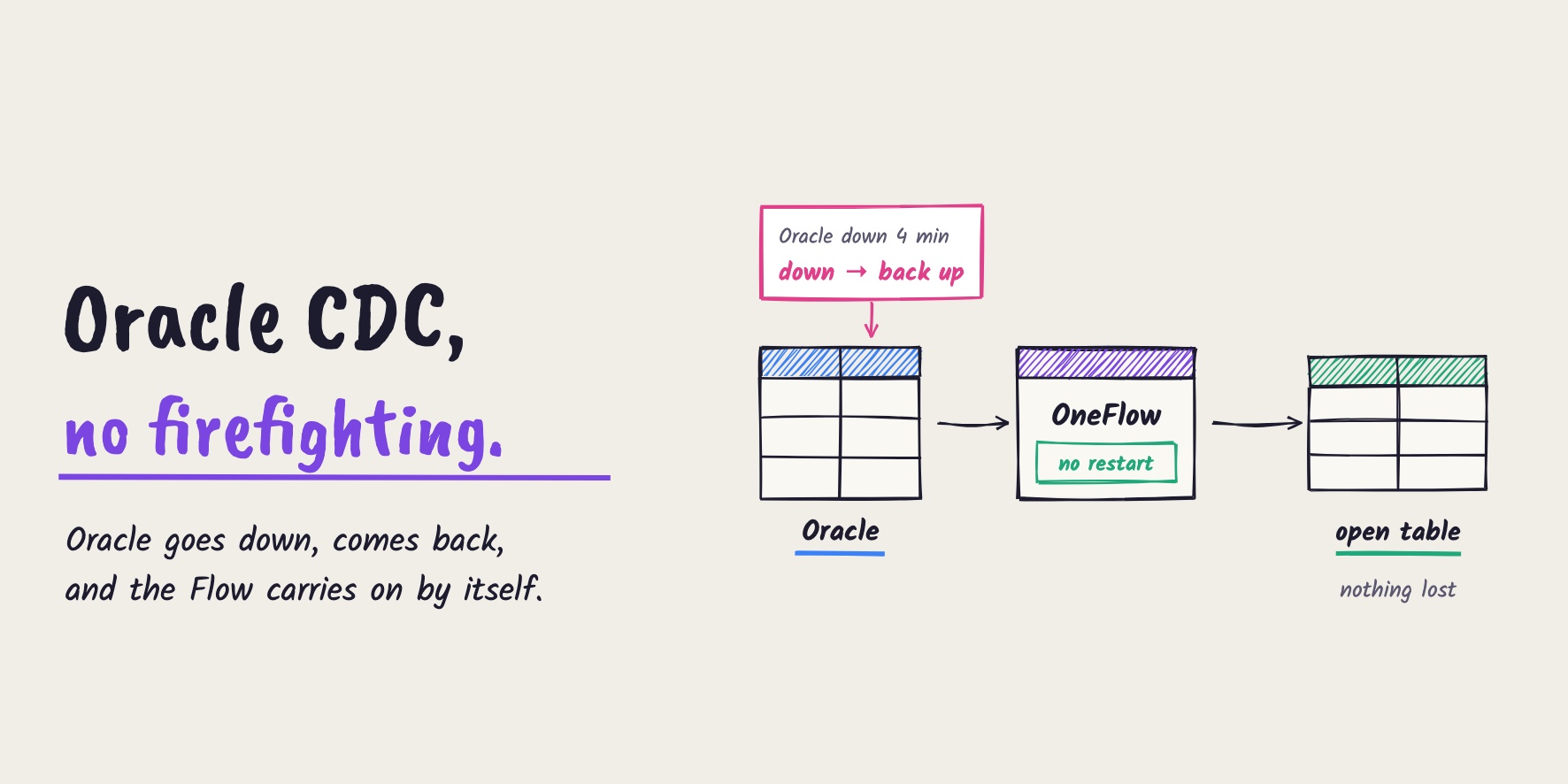
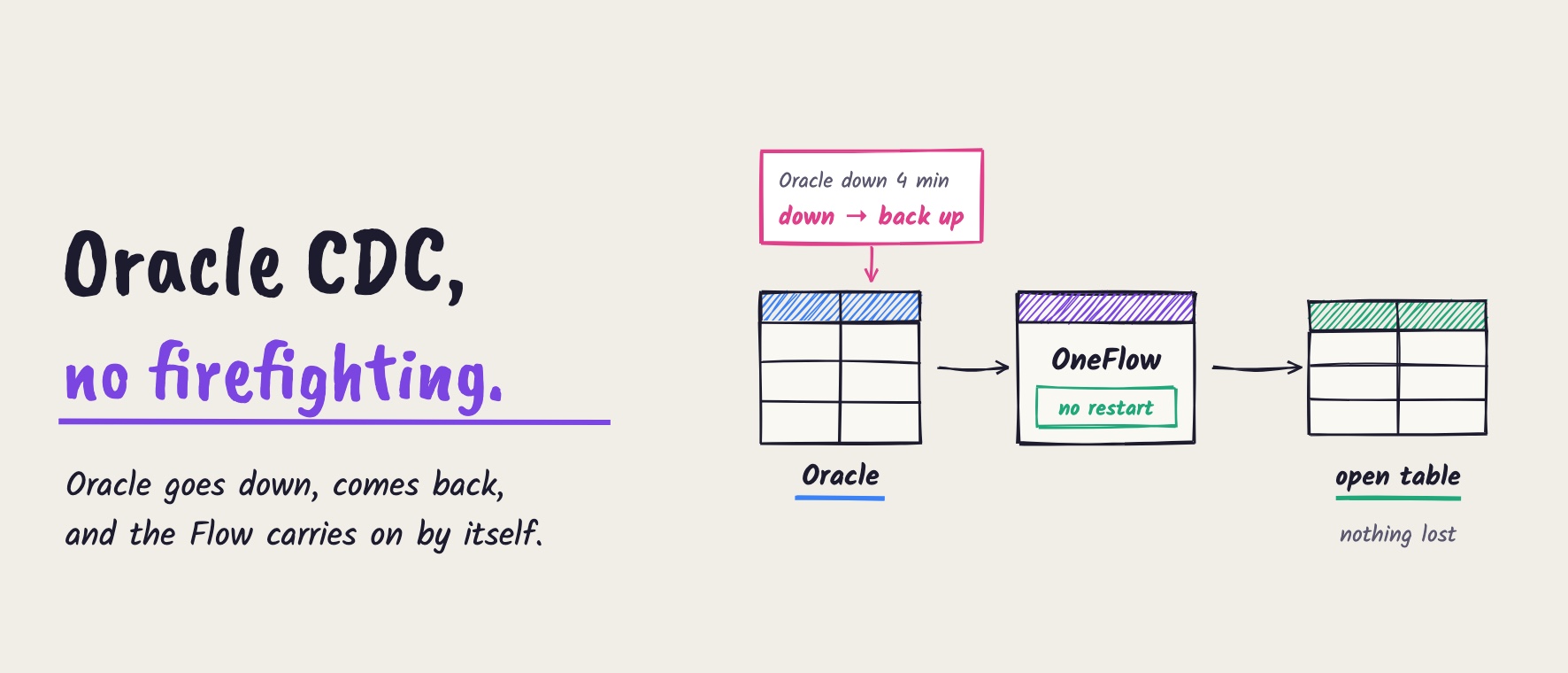
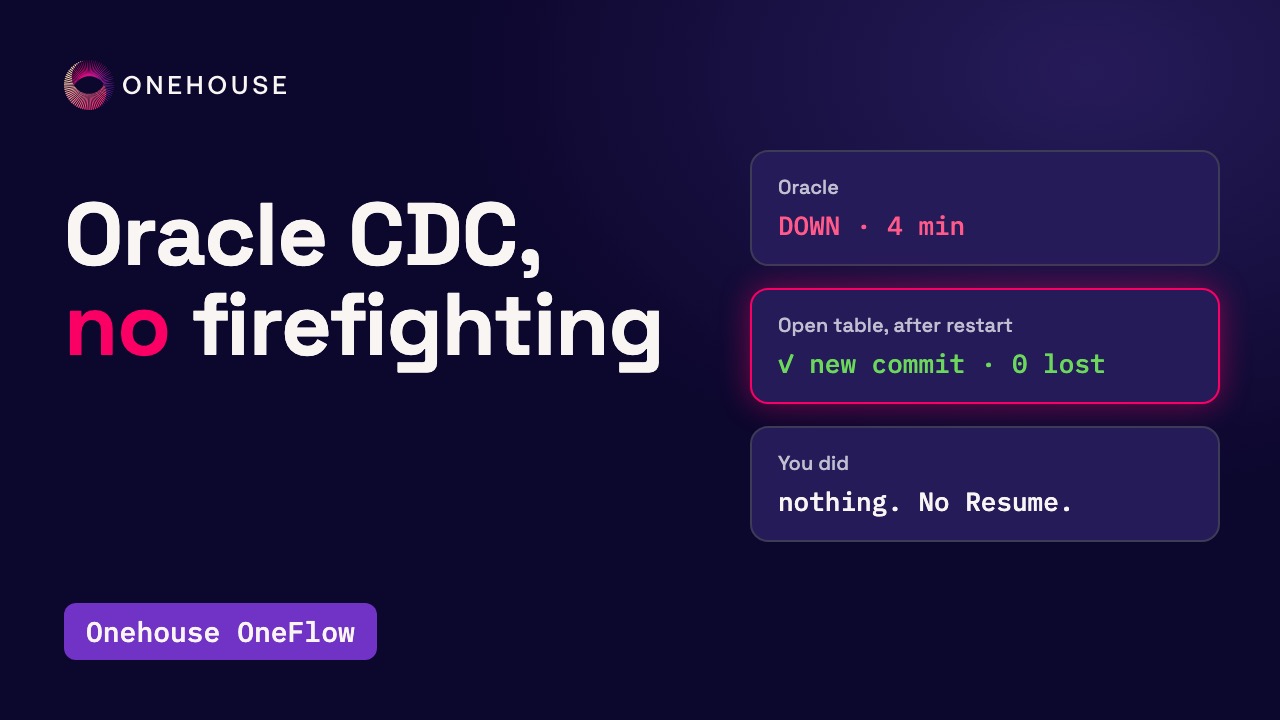
Onehouse OneFlow streams an Oracle table into an open table on Amazon S3, readable as Apache Iceberg™, with one Oracle CDC source and one Flow, both created in the console. Onehouse runs the Apache Kafka™ part as Amazon MSK in your own AWS account. In our run, the first commit held all 1,000 rows of the orders table; the next sync showed one insert, one update and one delete. Then Oracle was down for about four minutes. Nobody touched the Flow, and about a minute after a new order went in, a new commit held it. Nothing was lost.
Near real-time Oracle CDC, without pipeline firefighting
Change data capture (CDC) from Oracle means bringing every insert, update and delete into another table, within minutes, in the right order, with nothing lost and nothing counted twice. Setting this up yourself takes many moving parts, and once it runs, each part needs monitoring.
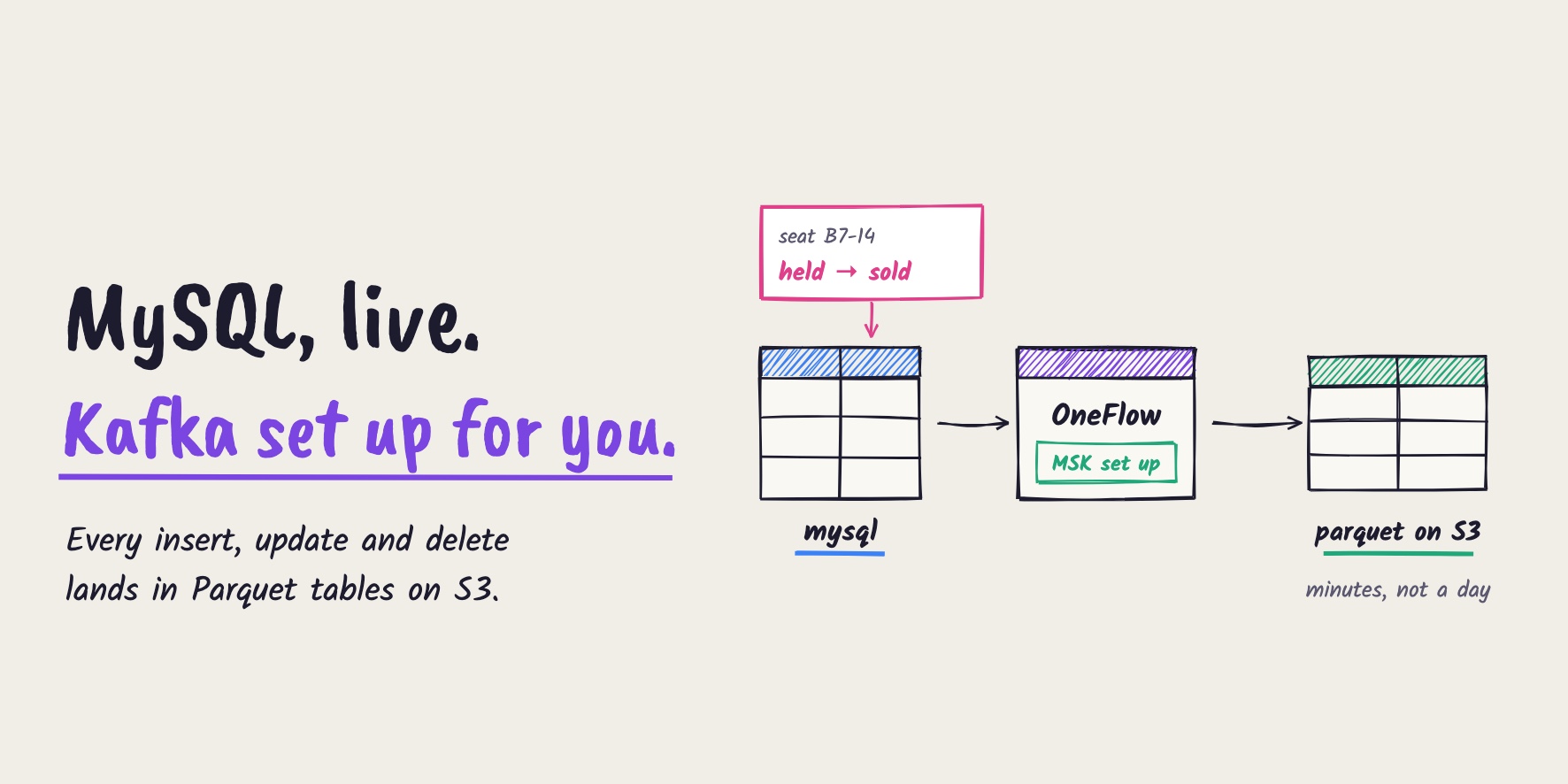
With Onehouse OneFlow, the same job is one Oracle CDC source and one Flow, both created in the console. Every change lands in an open table that Apache Iceberg™ engines can read too. In this post, we set it up step by step, then stop Oracle for a few minutes and check that the table still gets every change.
What does a hand-built Oracle CDC pipeline need?
A hand-built Oracle CDC pipeline usually has these parts:
- Oracle’s change log (archive logs with supplemental logging)
- An Apache Kafka™ cluster to carry the change events
- Kafka Connect with the Debezium Oracle connector to read the log
- A schema registry to track the format of the events
- An Apache Spark™ job that merges inserts, updates and deletes into the table
- Table upkeep jobs to keep the files fast to query
Each part needs its own monitoring: archive-log space, consumer lag and retention, connector and task status, job failures and table freshness. When the table goes stale, the cause can be anywhere: a database outage, a failed connector task, a schema change, or just a job that fell behind. You follow the trail through each tool’s logs, and then you check that nothing was lost along the way.
How does Oracle CDC work in Onehouse OneFlow?
In OneFlow, the whole pipeline is one source and one Flow:
- Oracle CDC source: reads the changes from Oracle’s log in the Debezium Oracle change format.
- Amazon MSK: carries the changes. Onehouse provisions this Kafka cluster in your AWS account when you create your first Flow with an Oracle CDC source, and later Flows reuse it (Oracle CDC docs).
- The Flow: first copies the rows already in Oracle, then applies each change to the table. In Mutable mode, updates and deletes change the existing rows.
- The open table on S3: Onehouse writes one copy of the table and can expose it in more than one format, so Iceberg engines read the same data without a second copy.
How to stream Oracle changes into an open table, step by step
Our example is an orders table in Oracle 19c (not a container database) with 1,000 rows. Each order has an order_id (the primary key), a status, an amount and an updated_at time.
Step 1: Prepare Oracle for change data capture
This part is the same whether you build the pipeline yourself or use OneFlow. Oracle has to keep its change log, and each change has to carry the row’s primary key:
-- as SYSDBA, with the database mounted
ALTER DATABASE ARCHIVELOG;
ALTER DATABASE ADD SUPPLEMENTAL LOG DATA;
ALTER DATABASE ADD SUPPLEMENTAL LOG DATA (PRIMARY KEY) COLUMNS;
Then check all three settings:
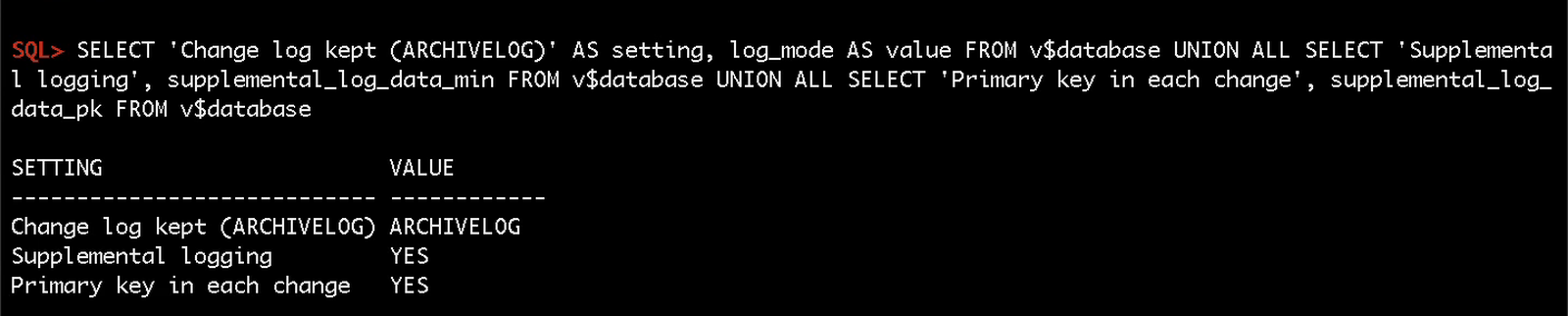
You also need a dedicated CDC user (ours is oh_cdc) with the privileges in the Debezium guide, plus SELECT on V$DATABASE. Every table you sync needs a primary key. The Oracle CDC docs list every prerequisite, including the network rule for Oracle’s listener ports.
Step 2: Create a schema registry in AWS Glue
OneFlow keeps track of the format of the change events in an AWS Glue schema registry. In the AWS console, open Glue, go to “Schema registries”, click “Add registry” and note its name.
Step 3: Create an Oracle CDC source in Onehouse
In the Onehouse console, open “Sources” and click “Add New Source”:
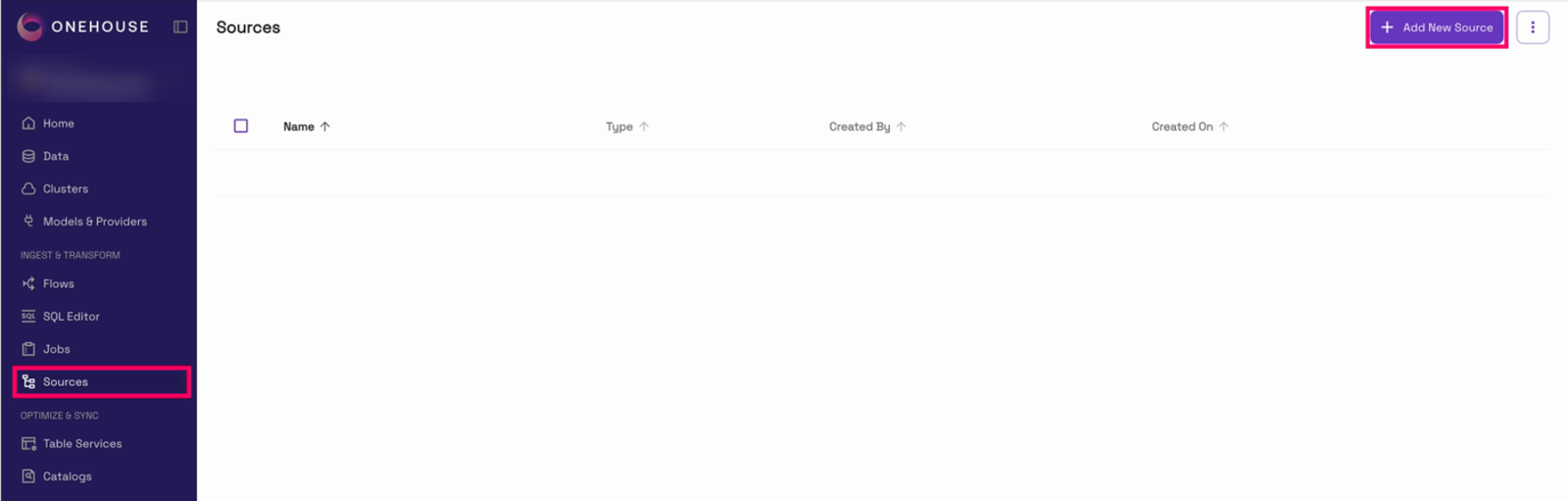
Then pick “Oracle CDC” from the list of source types:
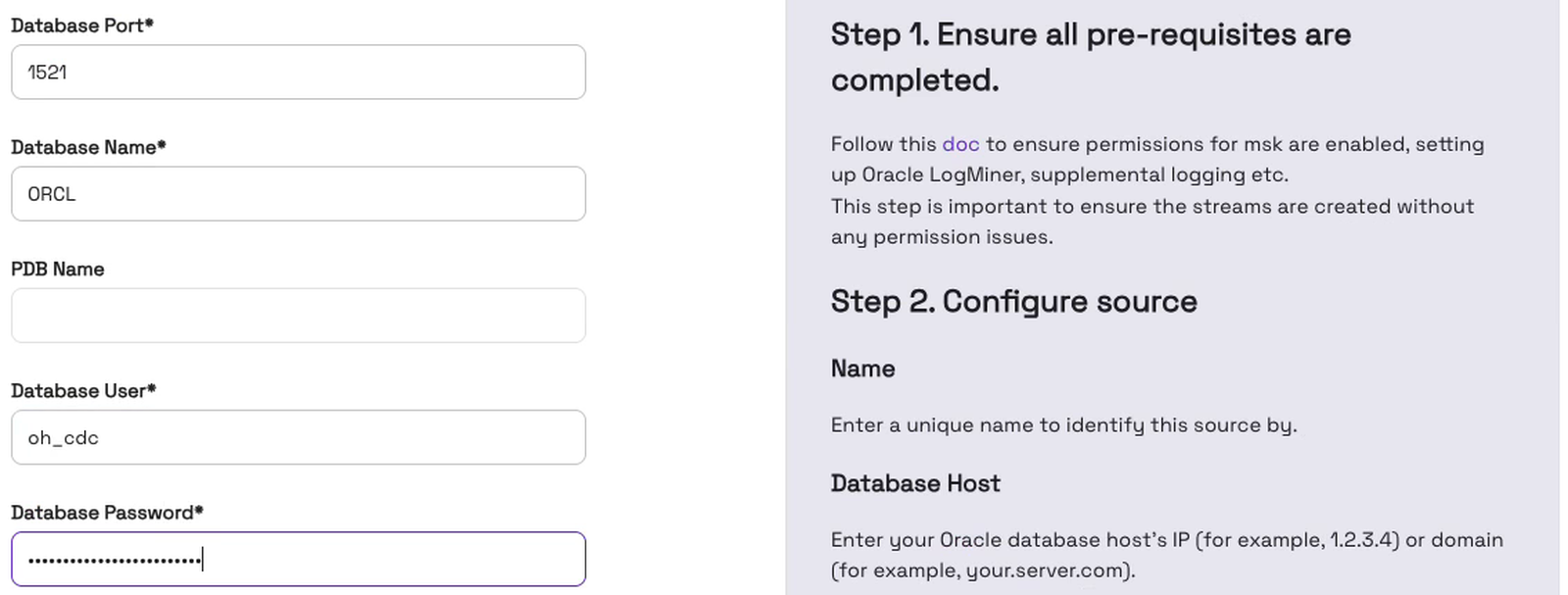
Give the source a name and enter the database host. Below the host, enter the port (1521 by default), the database name and the CDC user with its password. Leave the PDB name empty for a non-container database; for a container database (CDB), enter the PDB name. Here’s ours, below the host field:
Next comes the log message bus, which carries the changes. “Lakelog” stages them in object storage; we pick “Amazon MSK (Apache Kafka)”. As the form says, Onehouse deploys a managed Kafka cluster in your AWS environment, so there are no brokers for you to size or look after. Under “Schema Registry”, keep “AWS Glue Schema Registry”, enter the name of the registry from Step 2 and click “Create source”:
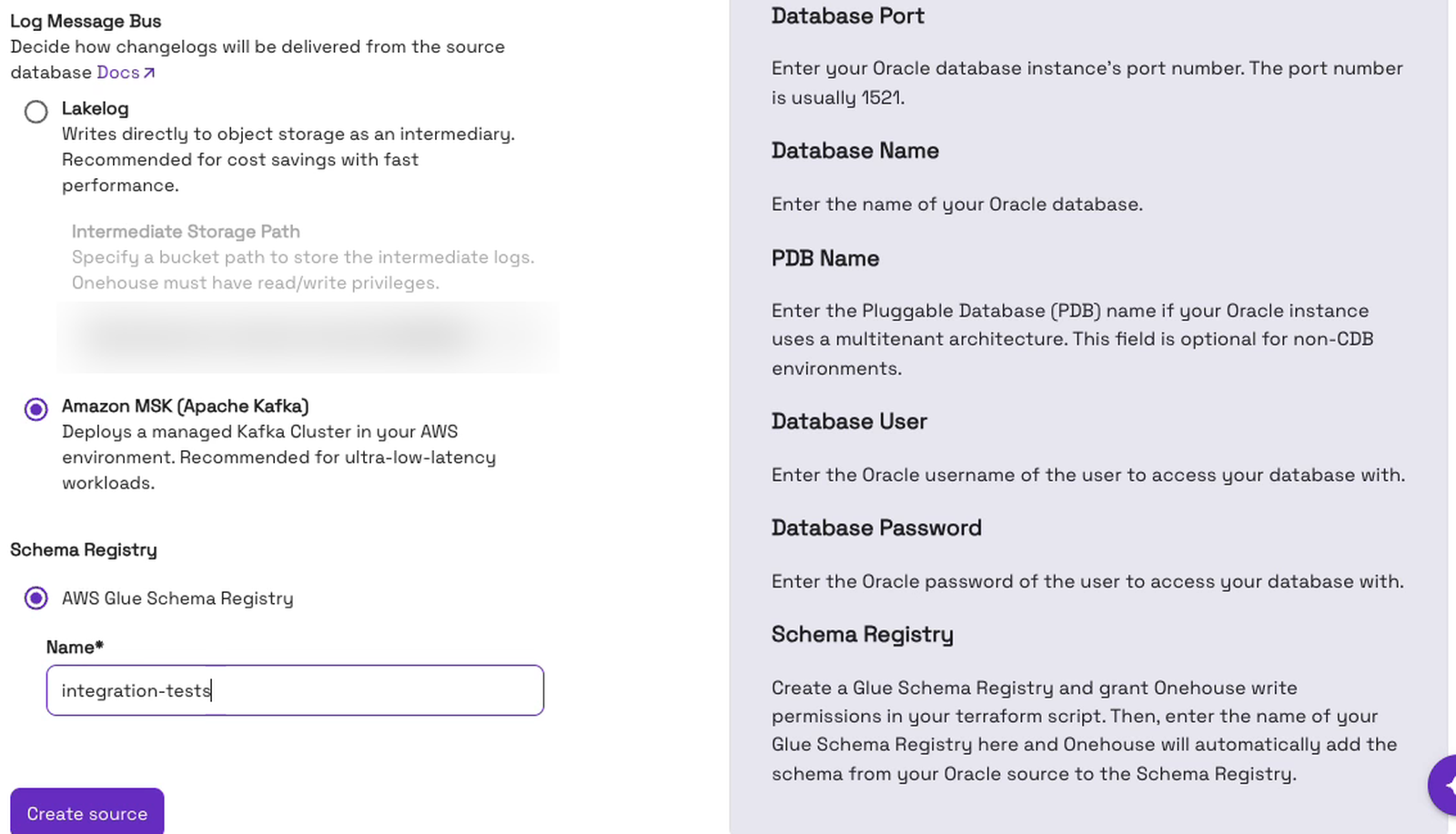
A source is set up once, and every Flow can reuse it.
Step 4: Create a Flow in Mutable mode
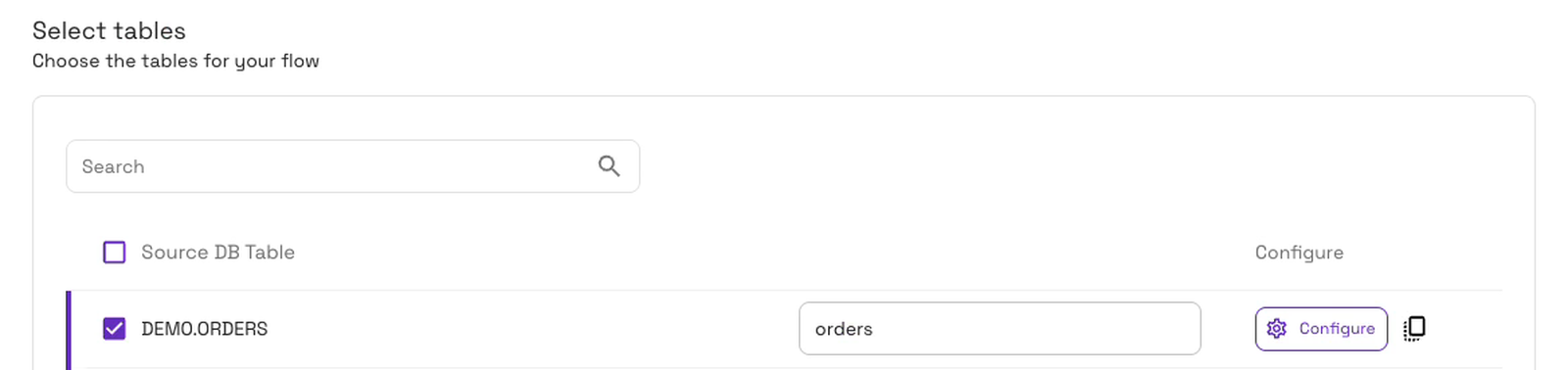
Open “Flows” and click “Add New Flow”. We name the Flow orders, pick our Oracle source and choose the “Mutable (Updates/ deletes)” write mode:
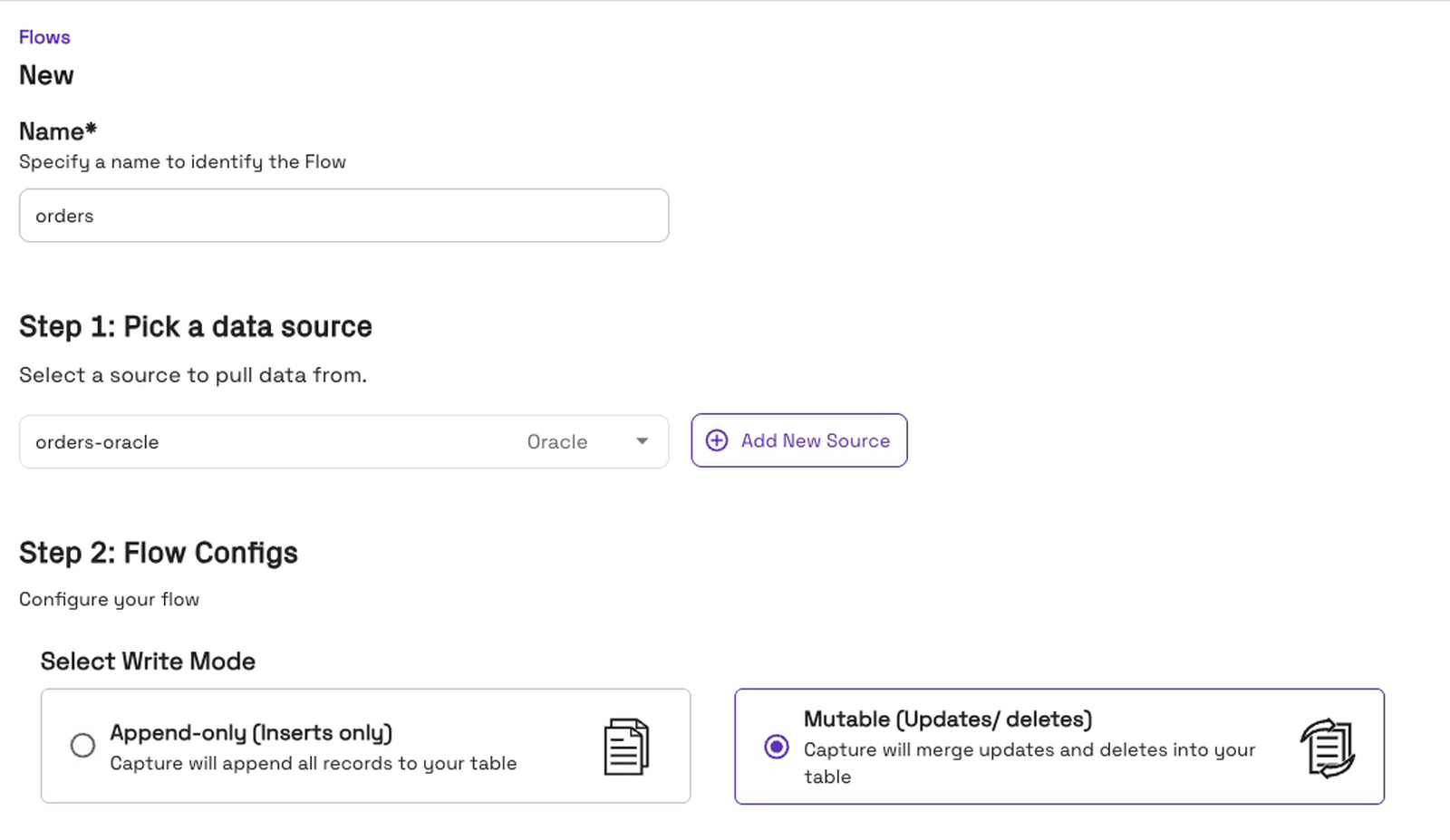
Mutable applies each change to the existing row, so the table shows each order’s current state. Append-only would add every change as a new row instead. Under “Select tables”, we tick DEMO.ORDERS and name the destination table orders. (Oracle lists table names in capitals; it’s the same table as demo.orders in our SQL.)
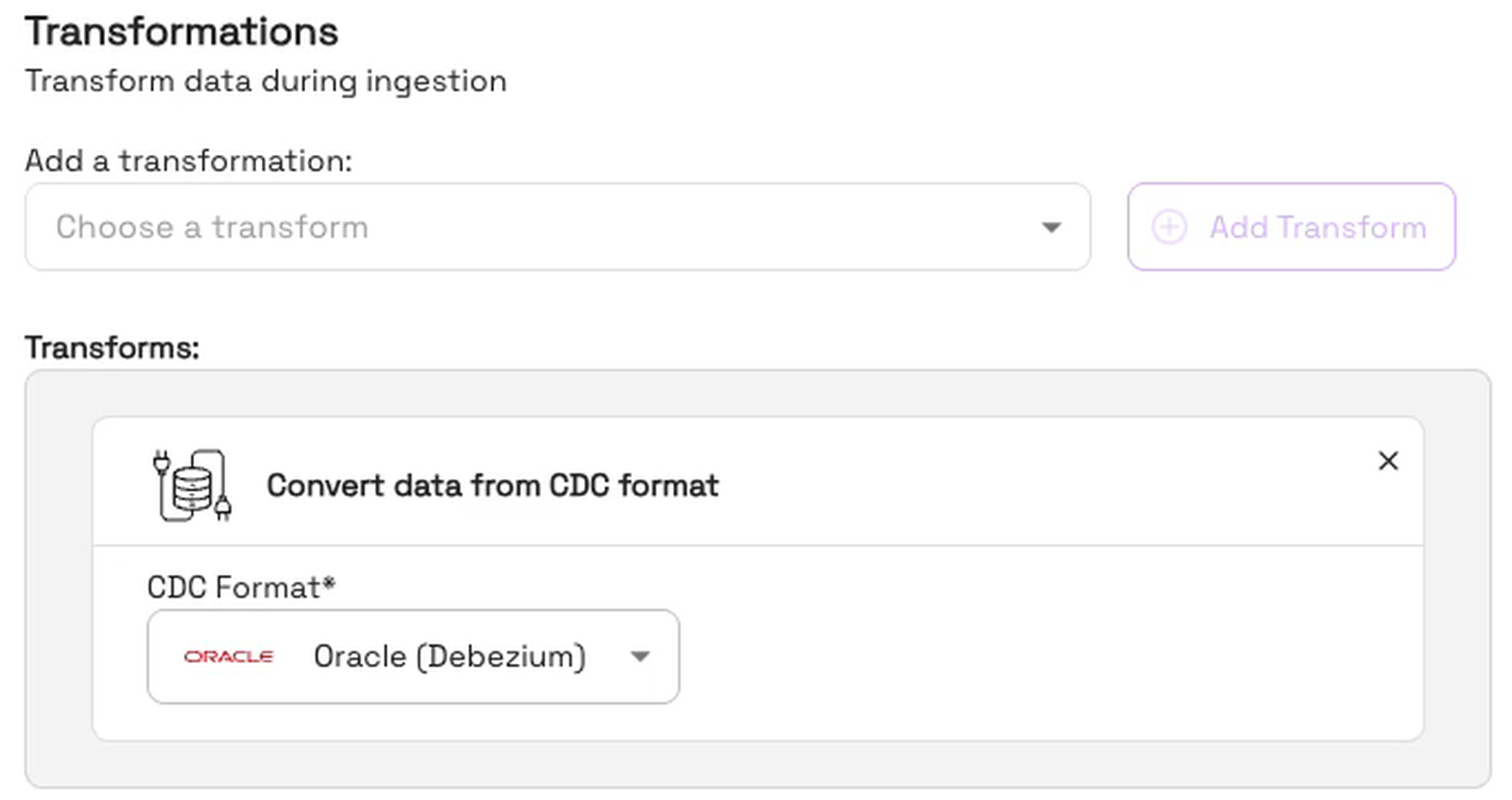
Onehouse then adds the step that turns change records into rows, “Convert data from CDC format”, with Oracle (Debezium) selected:
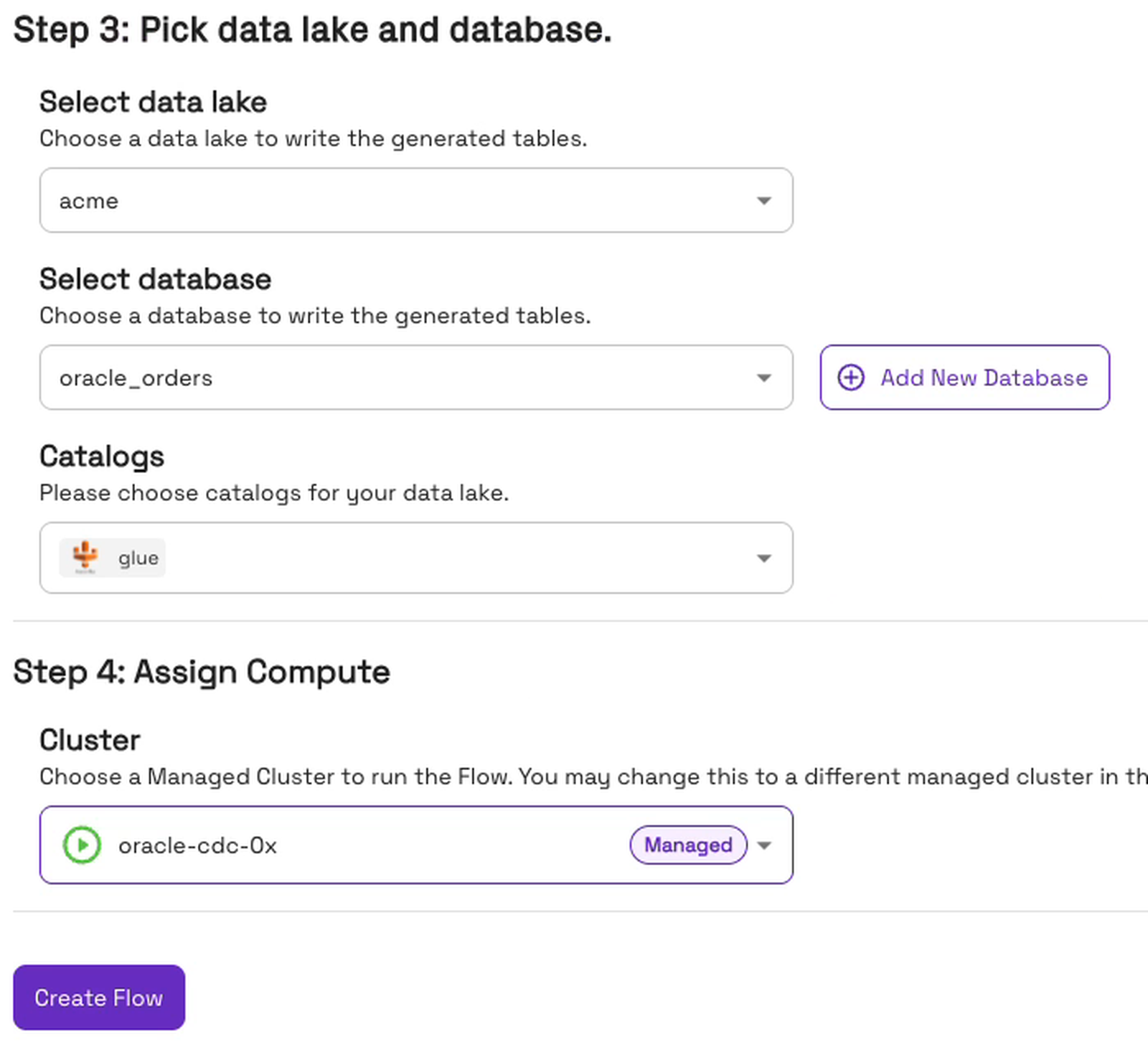
Under “Pick data lake and database”, choose the data lake, the database and the catalog for the new table. Under “Assign Compute”, pick the cluster that runs the Flow. Then click “Create Flow”:
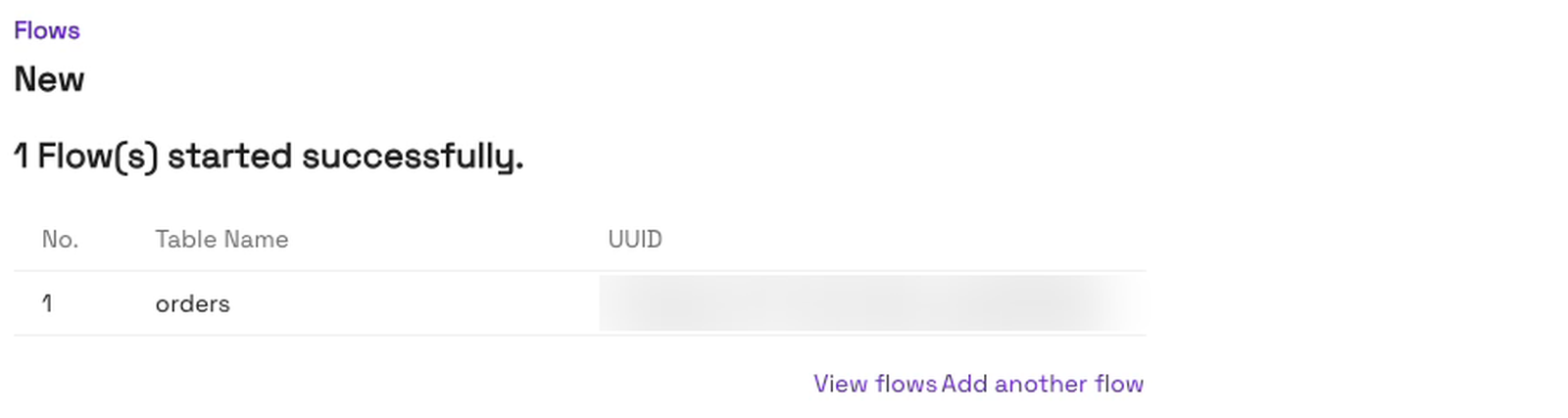
The console confirms that the Flow started:
The first Flow with an Oracle CDC source can stay in “Provisioning” for up to an hour while Onehouse sets up the MSK cluster.
Step 5: Check the first commit
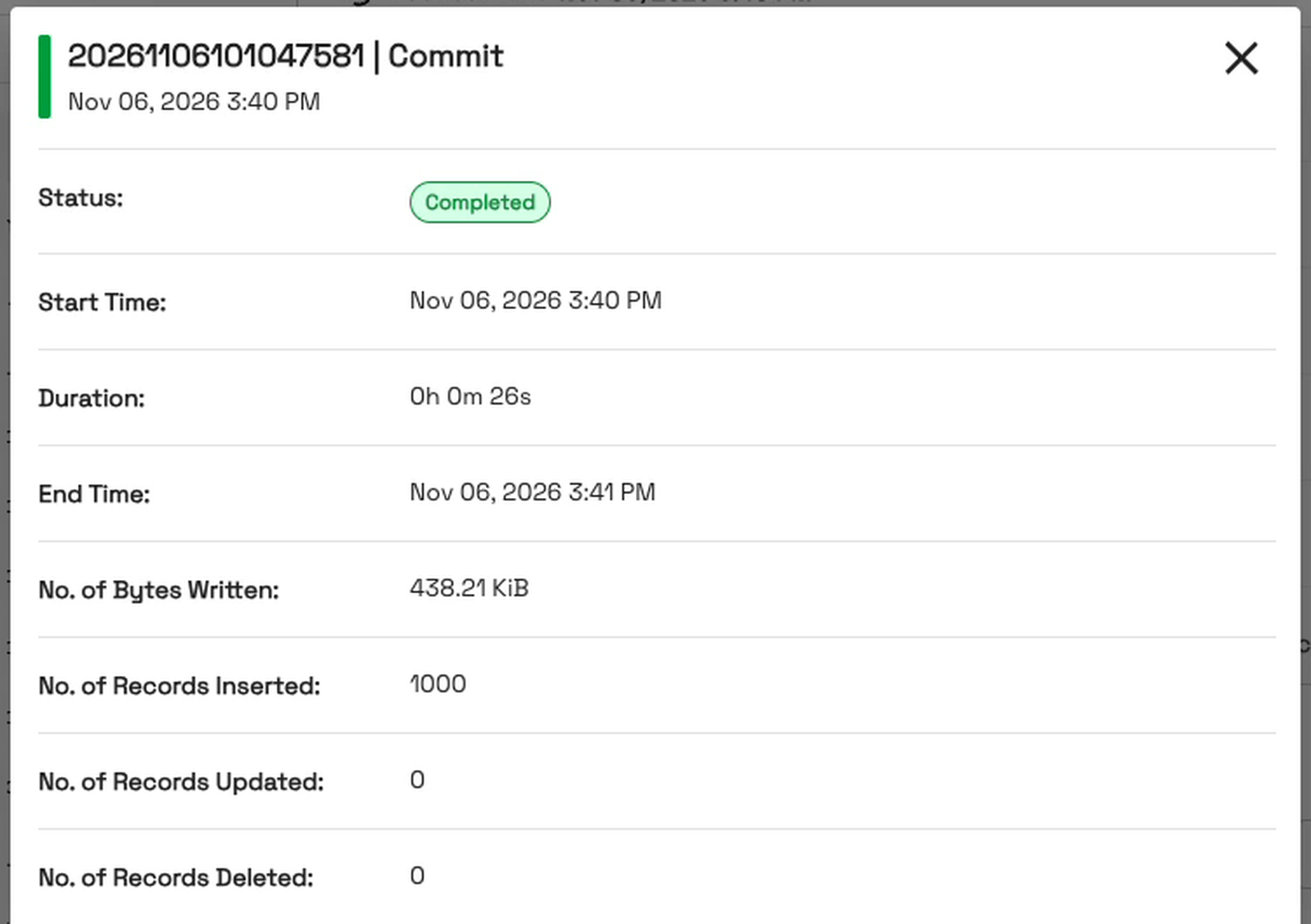
OneFlow first copies the rows already in Oracle, then switches to live changes. To check, open the table in “Data” and go to its History tab. Every commit is listed there. Click “Details” next to a commit to see how many records it inserted, updated and deleted. About 8 minutes after we clicked “Create Flow”, the first commit held all 1,000 rows:
Step 6: Change the data and watch the next sync
Now we change the data. Order 42 ships, a new order comes in, and an old one is deleted:
UPDATE demo.orders SET status = 'shipped', updated_at = SYSTIMESTAMP WHERE order_id = 42;
INSERT INTO demo.orders (order_id, status, amount) VALUES (1001, 'new', 49.90);
DELETE FROM demo.orders WHERE order_id = 7;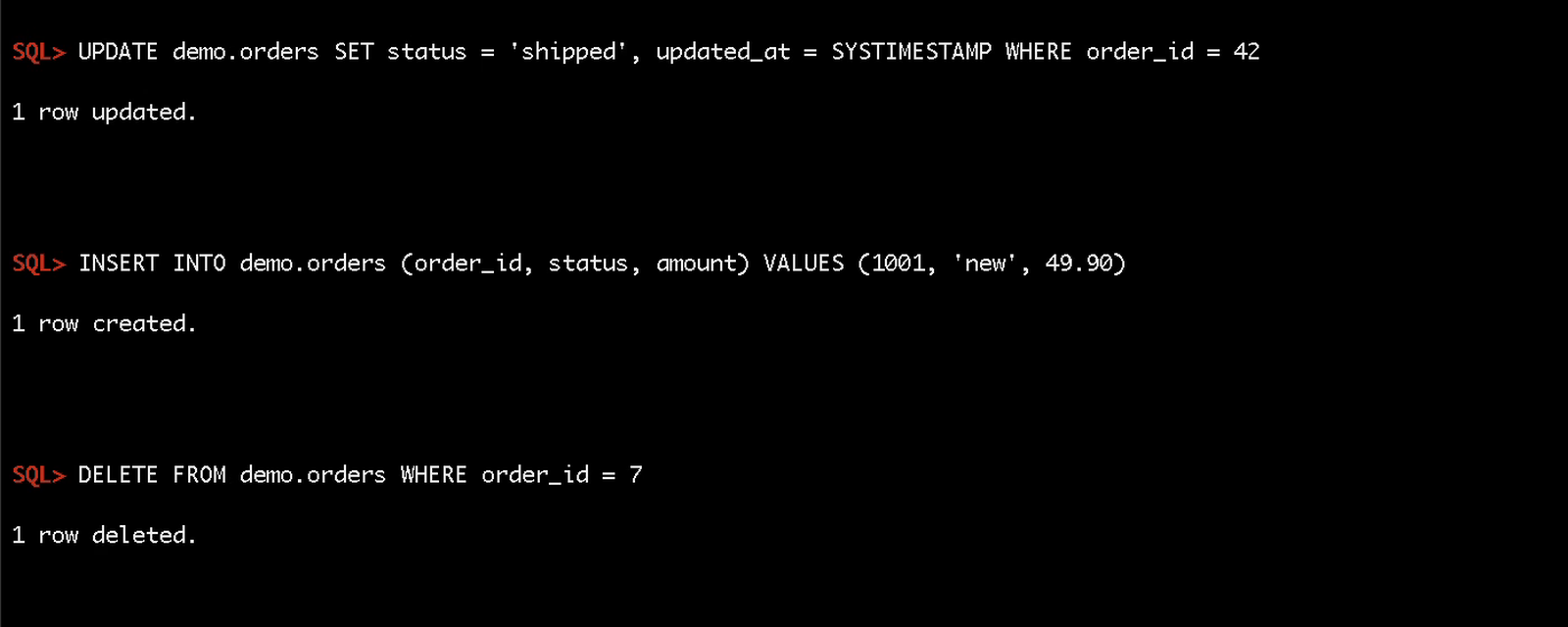
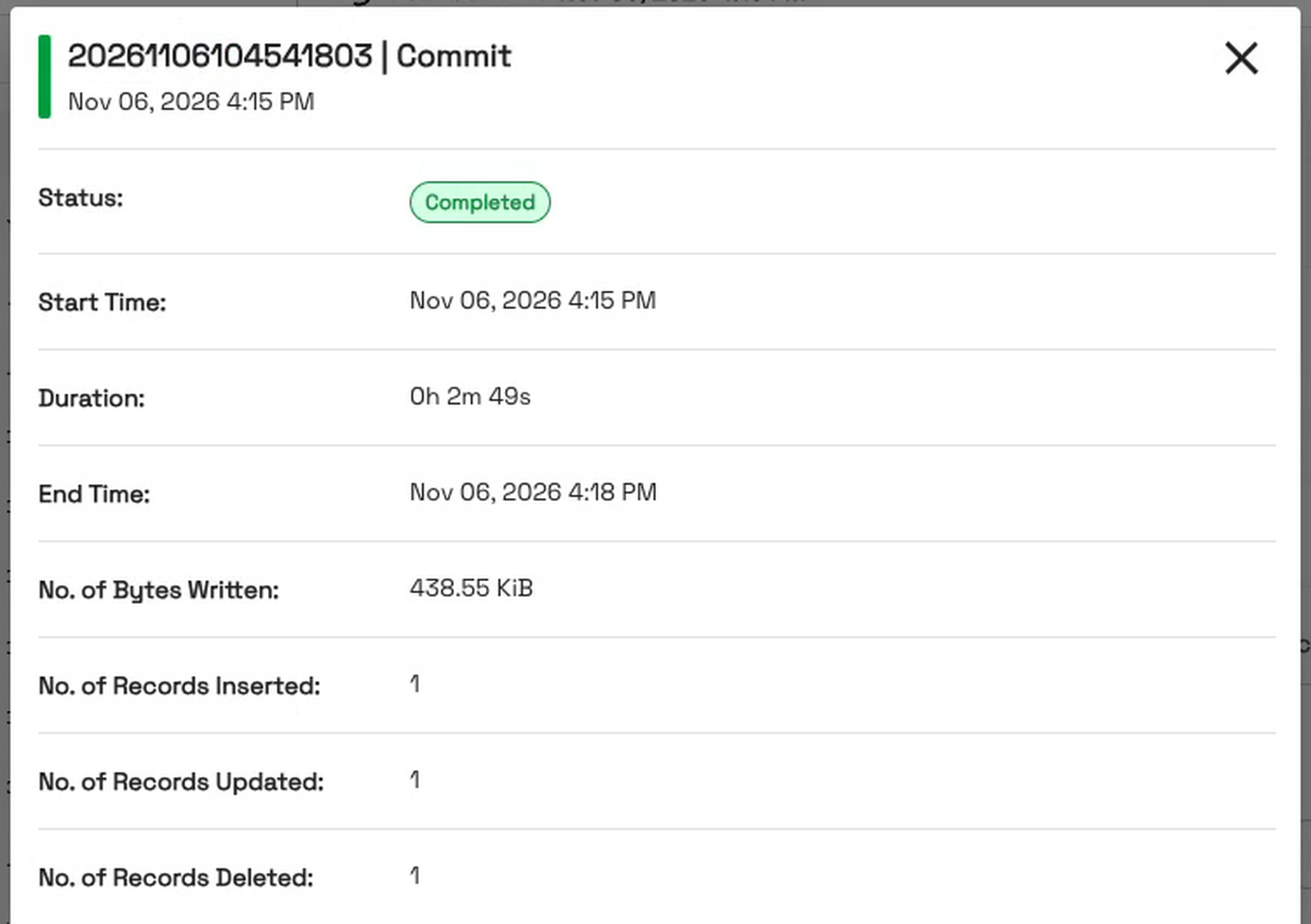
On the next sync, one commit holds all three. Its Details show one insert, one update and one delete:
What happens to the Flow when Oracle goes down?
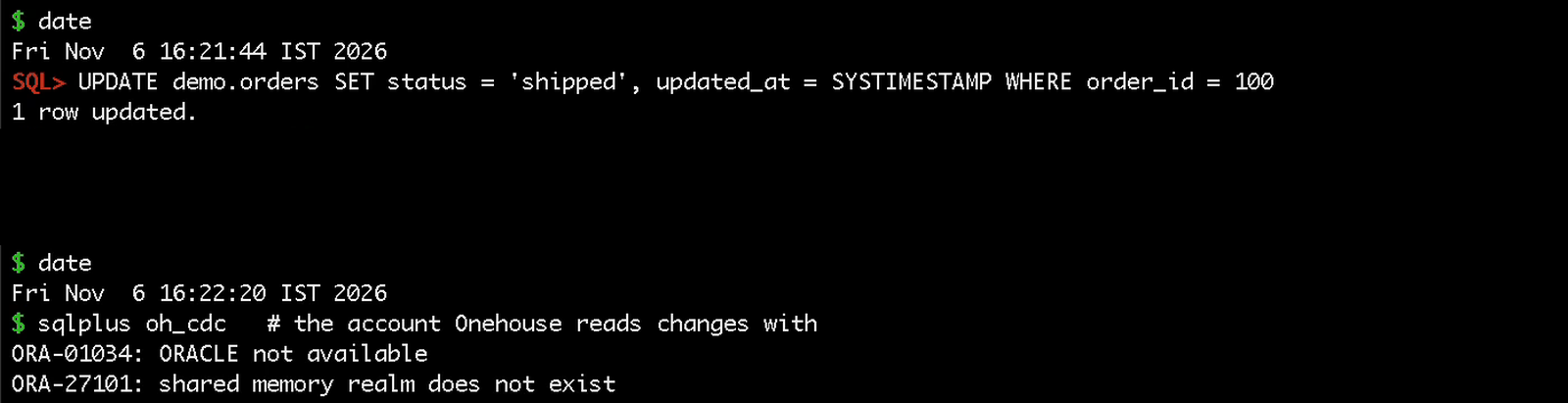
Outages happen: often a patch, but sometimes a restart, and other times a failover. So we stopped Oracle in the middle of the run.
Oracle goes down
Right before the outage, order 100 ships. Then Oracle stops, and it refuses every connection, including the oh_cdc account that OneFlow reads the changes with:
Oracle comes back, and nobody touches the Flow
Oracle was down for about four minutes. When it came back, we added one more order, order 1002:
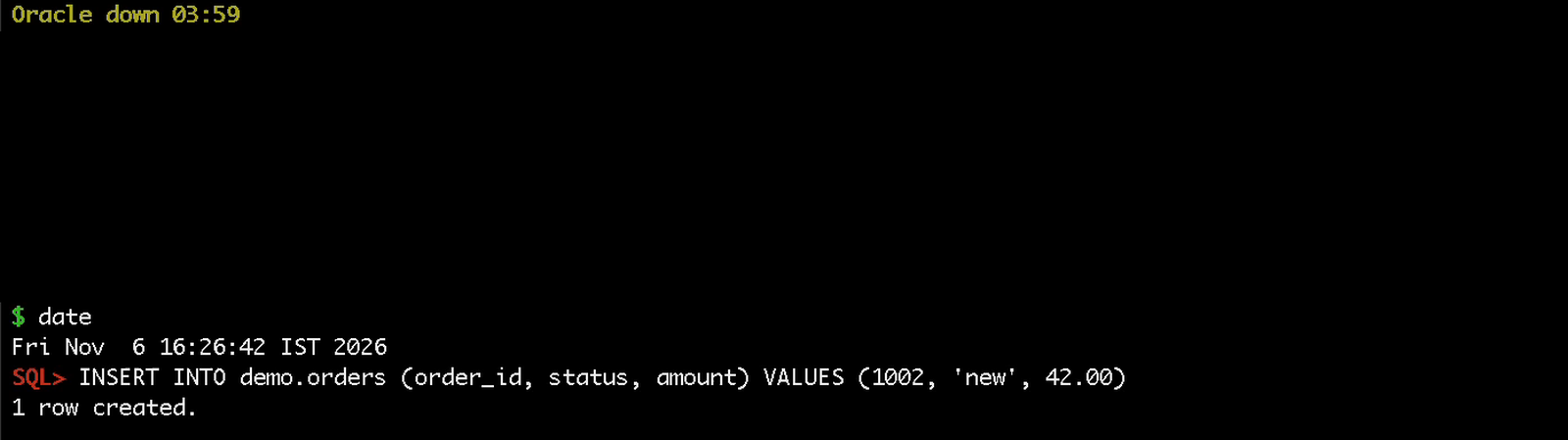
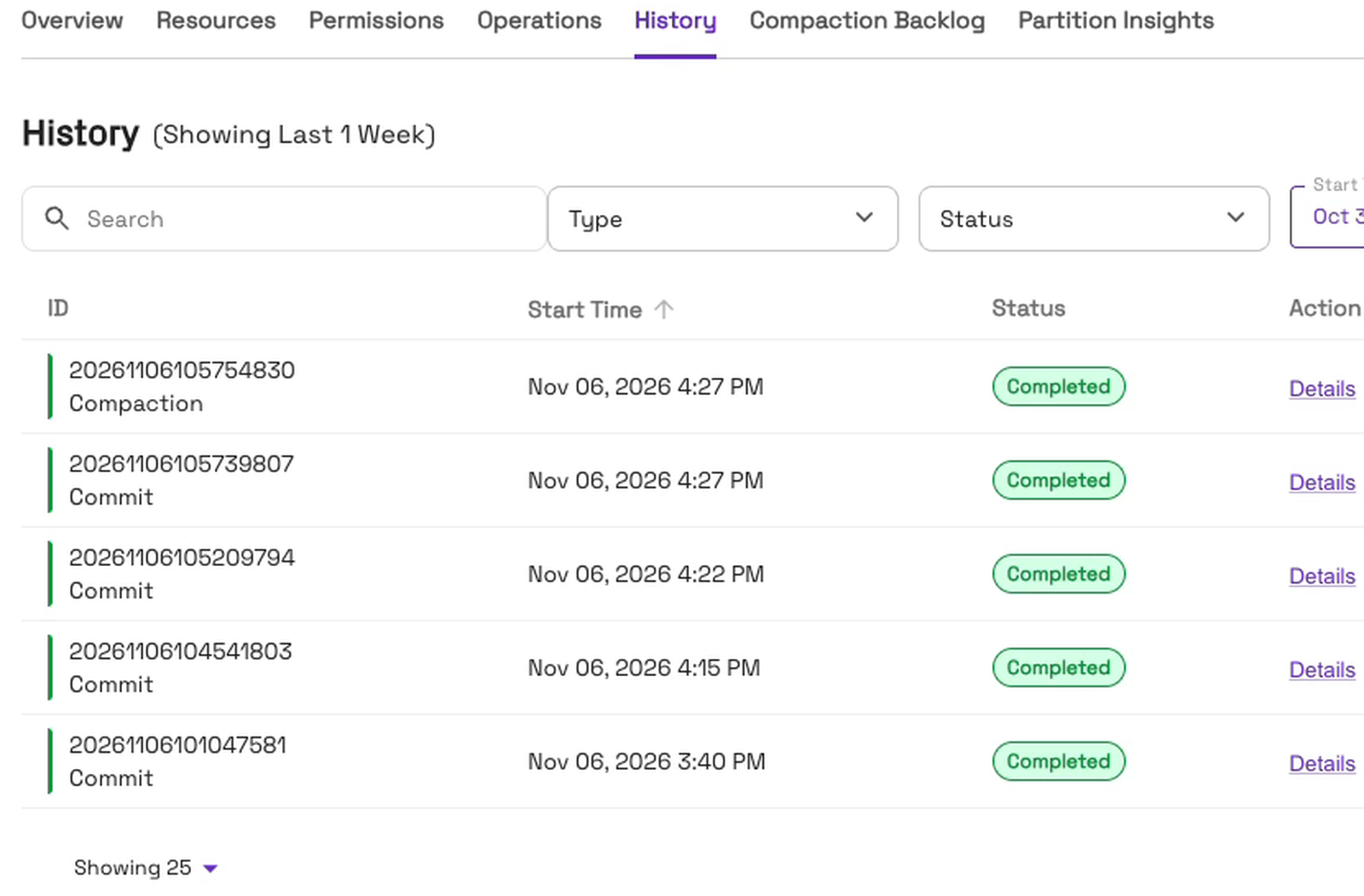
We didn’t touch the Flow: no Resume and no Restart. About a minute after the insert, the Flow made a new commit. In the table’s History, it’s the 4:27 PM commit. The row above it is a compaction, Onehouse’s routine table upkeep:
Nothing lost
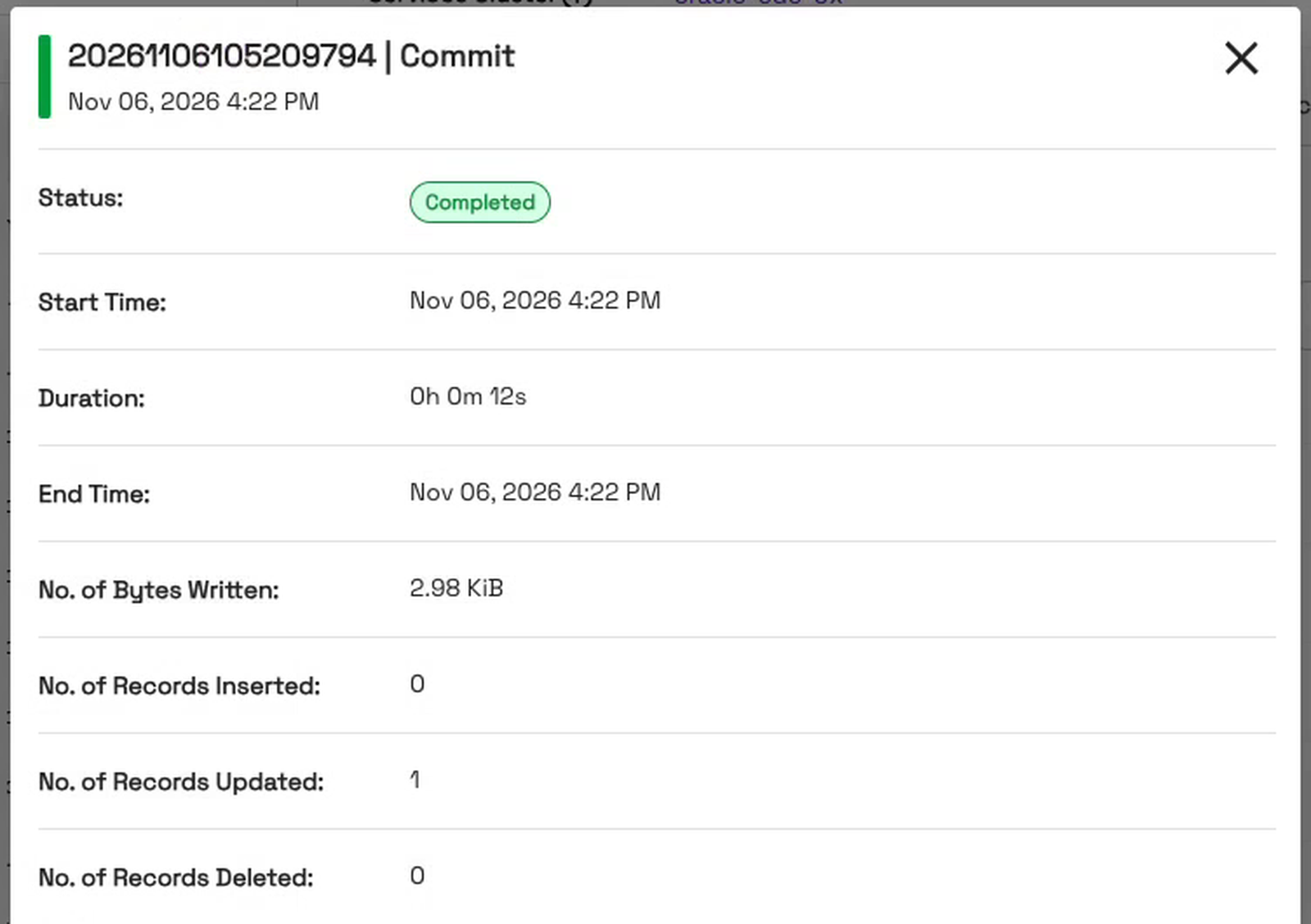
The history has both changes. The 4:22 PM commit, which started seconds before Oracle stopped, holds the update to order 100, the order that shipped just before the outage:
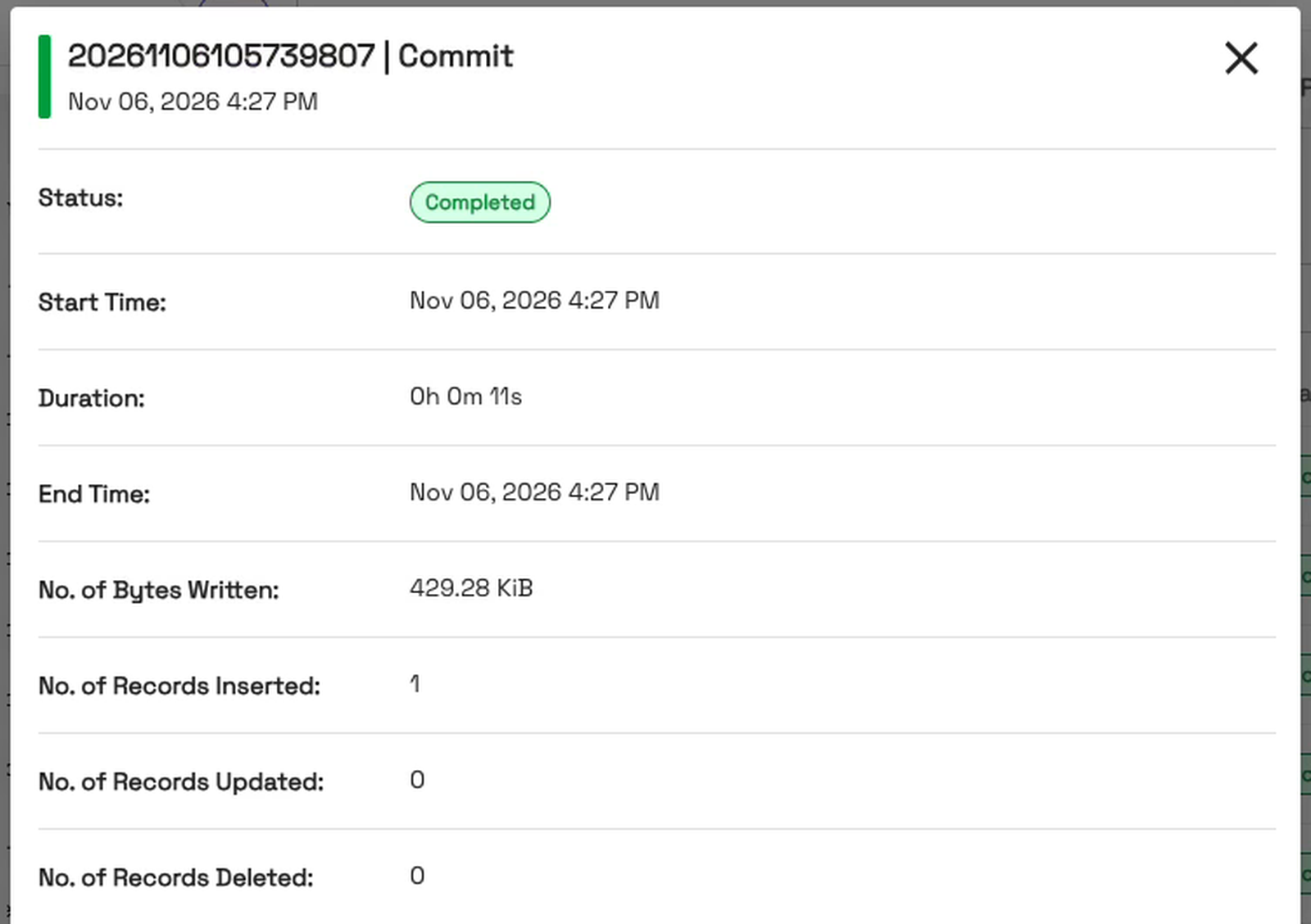
The 4:27 PM commit holds order 1002, the one added after Oracle came back:
Here’s the whole run: what happened, by the Oracle terminal’s clock, and the commit each change landed in, from the table’s History:
| Time (IST) | What happened | Commit in the table |
|---|---|---|
| 3:40 PM | First copy of the table | 1,000 inserted |
| 4:15 PM | Order 42 ships, order 1001 added, order 7 deleted | 1 inserted, 1 updated, 1 deleted |
| 4:21 PM | Order 100 ships, then Oracle stops (about four minutes) | 1 updated (4:22 PM) |
| 4:26 PM | Oracle is back; order 1002 added | 1 inserted (4:27 PM) |
Nothing was lost, and nobody had to fix anything. One limit to know: we tested a short outage. How long an outage the Flow can ride out depends on how long Oracle keeps its archive logs and Kafka keeps its events, and we didn’t test long outages.
Conclusion
In this blog, we’ve shown near real-time Oracle CDC with Onehouse OneFlow: one Oracle CDC source and one Flow, created in the console, with Amazon MSK run for us in our own AWS account. Every insert, update and delete reached an open table, readable as Iceberg. When Oracle went down for about four minutes, the Flow carried on by itself after Oracle came back, and nothing was lost.
Other recommended blogs:
- Quarantine bad records without stopping your Postgres CDC pipeline
- Introducing Onehouse OneFlow: Ingest once, query anywhere
To try it on your own Oracle data, start at onehouse.ai, or get in touch with our team at gtm@onehouse.ai.
Frequently asked questions
What is Oracle CDC?
Oracle change data capture (CDC) reads every insert, update and delete from Oracle’s change log and sends it to another system as it happens, so the copy stays current without reloading the whole table.
What does Oracle need for CDC with OneFlow?
ARCHIVELOG mode, supplemental logging (at minimum database-level, plus primary-key columns), a primary key on every synced table, and a CDC user with the Debezium privileges and SELECT on V$DATABASE. For a container database, enter the PDB name in the source; for a non-CDB database, leave it empty.
Do I need to run Kafka myself?
No. Onehouse provisions an Amazon MSK cluster in your AWS account when you create your first Flow with an Oracle CDC source, and later Flows reuse it. It stays up until you shut it down in your account.
Are updates and deletes applied, or only appended?
With the Mutable write mode and the “Convert data from CDC format” transformation, they’re applied to the existing row. Append-only keeps every raw change event as its own row instead.
What happens if Oracle goes down?
In our run, Oracle was down for about four minutes. When it came back, the Flow picked up again by itself, with no Resume or Restart, and both the change made just before the outage and the one made after it reached the table. We didn’t test long outages; they depend on how long Oracle keeps its archive logs and Kafka keeps its events.
How quickly do changes show up?
On the next sync. In our run, the new order after the outage reached the table in about a minute.
Can Apache Iceberg engines read the table?
Yes. Onehouse writes one copy of the table and can expose it in more than one format, so Iceberg engines read the same data without a second copy.
Which Oracle operations are supported?
INSERT, UPDATE and DELETE. TRUNCATE is not supported, and some column type changes, such as widening NUMBER precision, are not supported either.
Which clouds are supported?
The Oracle CDC source runs on AWS.
Show video transcript
Change data capture from Oracle means bringing every insert, update and delete into an open table, readable as Iceberg, within minutes. When built by hand, it's a lot of work.
That means: resolving every insert, update and delete in the right order, such that nothing is lost or duplicated and also ensuring that the table delivers low-latency queries. You need a Kafka cluster, a Debezium connector, a schema registry, a Spark job to merge the changes, and a slew of other jobs to keep the table healthy.
And each resource needs some monitoring. Be it the connector status; the lag and retention metrics on the Kafka side; job failures; or even things like freshness of data in the table. And sometimes things break at unearthly hours.
Finding the root cause isn't always simple, especially with so many moving parts. A stale table can start anywhere: a database outage… a failed connector task… maybe a schema change or just a job that fell behind. You follow the trail through each tool's logs, then check that nothing was lost along the way.
Onehouse OneFlow does the same job as one source and one Flow. Onehouse runs the Kafka part in your AWS account, and every change lands in an open table that Iceberg engines can read too.
One part is the same either way. Oracle has to keep its change log, with each row's primary key. Here, both are on.
In the Onehouse console, we configure an Oracle CDC source, with the usual suspects: the host, the database, and a user that can read the log. For the Kafka part, Onehouse runs Amazon MSK for you, in your own AWS account.
Now onto a Flow. We pick the orders table and set the Flow to Mutable mode, so updates and deletes change the rows, in place. The step that turns change records into rows gets added automatically. Just hit Create Flow and we are ready.
OneFlow first copies the rows already in Oracle. A few minutes later, the table's first commit holds all one thousand.
Now we change the data. Order 42 ships, a new order comes in, and an old one is deleted. On the next sync, the table's history shows all three: one insert, one update, one delete.
Now Oracle goes down, right after an order ships. Oracle refuses every connection, including the account that OneFlow reads the changes with. Outages like this happen: often a patch, but sometimes it could be a restart, and other times it's just a failover.
In most cases, Oracle is back within a few minutes. We add one more order. We don't touch the Flow: no Resume or Restart. About a minute later, a new commit shows up in the table.
The table's history shows both changes: the order that shipped just before the outage, and the new one after it. Nothing was lost, and nobody had to fix anything.
Same fresh data, with far fewer moving parts, and no firefighting after a short outage.
To try it on your own Oracle data, start at onehouse.ai.