Talk with our engineers by joining the new Onehouse community Slack!
Core capabilities
Spark jobs
To run Spark code on Onehouse, create a Spark cluster, then create a job that runs on it. You write jobs in Python, Java, or Scala, and Onehouse provides autoscaling, logs, and the Spark UI.
Create a Spark cluster
Create the cluster in the console or through the API. The form asks for a name, the cluster type, and the catalog the cluster reads and writes through: the Onehouse catalog, an external Iceberg REST catalog, or a Hive Metastore-compatible catalog. Under Compute, you set the minimum and maximum OCU per hour, the worker instance type, and whether workers run on on-demand or spot instances. The driver type defaults to Auto. On AWS, you can also give the cluster its own IAM role, so its jobs authenticate as that role instead of the node identity. See Compute runtime for instance types and scaling.
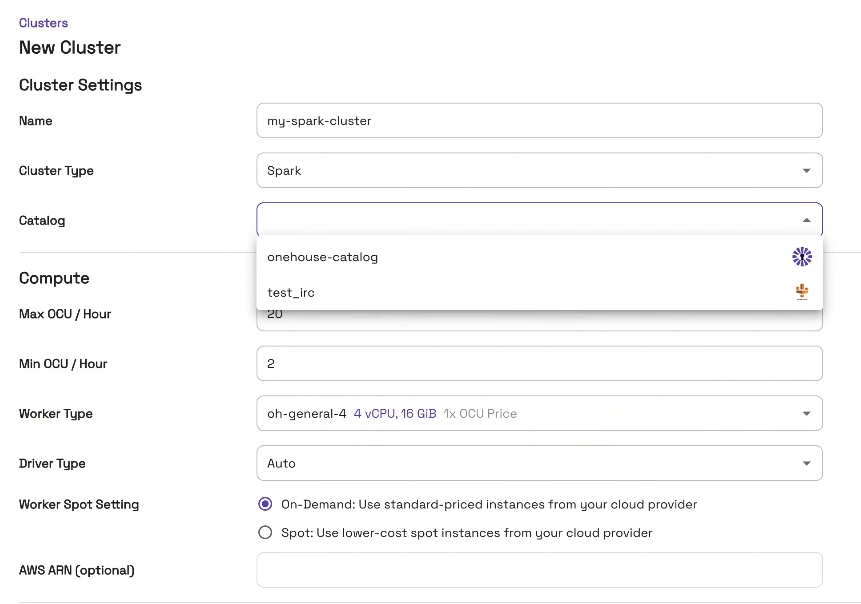
Creating a Spark cluster: type, catalog, OCU range, worker instance type, spot or on-demand workers, and an optional IAM role.
Several jobs can run on one cluster and share its compute. The autoscaler sizes the cluster from real-time resource use rather than task counts; see why Spark’s autoscaler fails your lakehouse.
Submit jobs
- Upload your JAR or Python artifact through the console or the API.
- Create the job. Point it at the cluster and set its parameters. Jobs can later be assigned to a different cluster if needed.
- Run it from the console, the API, the CLI, or an Airflow operator.
Each job keeps a run history with status, duration, driver logs, and a link to the Spark UI. You can clone and edit jobs, set permissions per job, and allow runs to overlap.
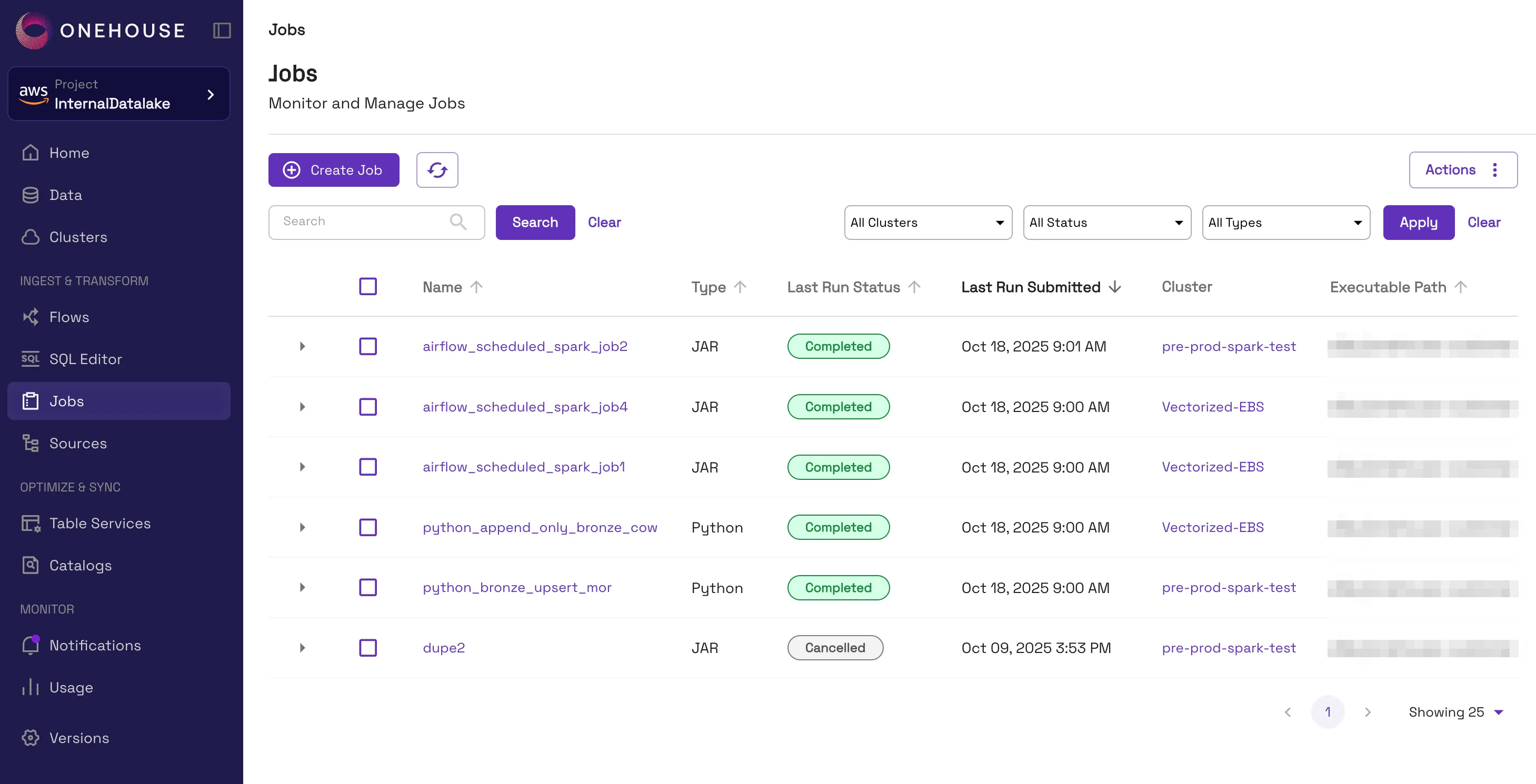
The Jobs page: JAR and Python jobs, their last run status, and the cluster each runs on.
Bring existing jobs as they are. Batch and Structured Streaming jobs written for EMR, Databricks, Dataproc, or open-source Spark run unchanged, on Spark 3.5 or Spark 4.x. Moving a job is usually just changing the submission endpoint in your orchestrator.
Dependencies. Spark, Hudi 1.x, Apache XTable (Incubating), and current Iceberg are already on every Spark cluster, so reading and writing lakehouse tables needs nothing extra. For anything else, such as Delta Lake, ML libraries, or your own packages, package the Python dependencies as a virtual environment archive. The image ships Python 3.11 by default, with 3.12 and older versions available. The driver installs it for that job only, so jobs that share a cluster never conflict over versions.
Monitoring and cost
Every Spark cluster comes with a Spark history server, Grafana dashboards for lakehouse jobs, and cost reported per job.
Beyond stock Spark
Unstructured data
Spark jobs on Onehouse can also process unstructured data: wikis, Word documents, PDFs, HTML pages, and other office files, alongside the tables. The quanton_unstructured data source, on every Spark cluster, reads a folder of such files and returns one row per file: the extracted text, a chunks array of text pieces ready to embed (2,000 characters each by default), the content type detected from the file’s bytes, and a parse_status for filtering out files that failed to parse. Because the job is native PySpark, any Python parsing library works where the built-in parsers do not fit.
import quanton_unstructured
quanton_unstructured.register(spark)

docs = spark.read.format("quanton_unstructured").load("s3://bucket/wiki/")
chunks = (docs.where("parse_status = 'SUCCESS'")
  .select("uri", F.posexplode("chunks").alias("pos", "chunk")))
The results land in open tables with storage built for this content. Write the chunks and their embeddings to a Hudi table with hoodie.table.base.file.format set to LANCE, and the vectors and the blobs sit in the same table as the text, in a format made for them, ready for Lakegres to search. RAG on your lakehouse walks through the whole pipeline, and Unstructured data and embeddings covers the same flow as a managed Flow.
An AI agent in the Spark UI
The Spark UI on every job has an AI agent that reads the stages, tasks, executor metrics, and SQL plans while the job runs, compares the run with earlier runs from the history server, and answers questions such as why a stage is slow or whether this run is slower than usual. It flags skew, spill, GC pressure, out-of-memory failures, and executor churn as they happen, and reports the executor-seconds the job wasted. Open the Spark UI from the job’s run page and click AI Agent. You supply an API key for the model you want (Anthropic, OpenAI, or Google), the key stays in your browser, and nothing about the job leaves your account except the calls to that model. See Agentic AI.