Talk with our engineers by joining the new Onehouse community Slack!
Core capabilities
Notebooks
Use a Notebook cluster to work in Jupyter with PySpark on your production tables, on the same compute as the rest of the project. Create a Notebook cluster, open the notebook, point a Spark session at the project catalog, and query tables directly: exploration, feature engineering, and analysis at lakehouse scale.
- Packages. Spark, Hudi 1.x, and current Iceberg are pre-installed. Install anything else with
pipinside the notebook. - Your files persist. Notebook files live on attached storage and survive cluster restarts.
- Access. The notebook sits behind an internal load balancer, reached through a VPN or a bastion host. If your project enables data plane access, you can also open it through an authenticated Onehouse URL, served by a reverse proxy.
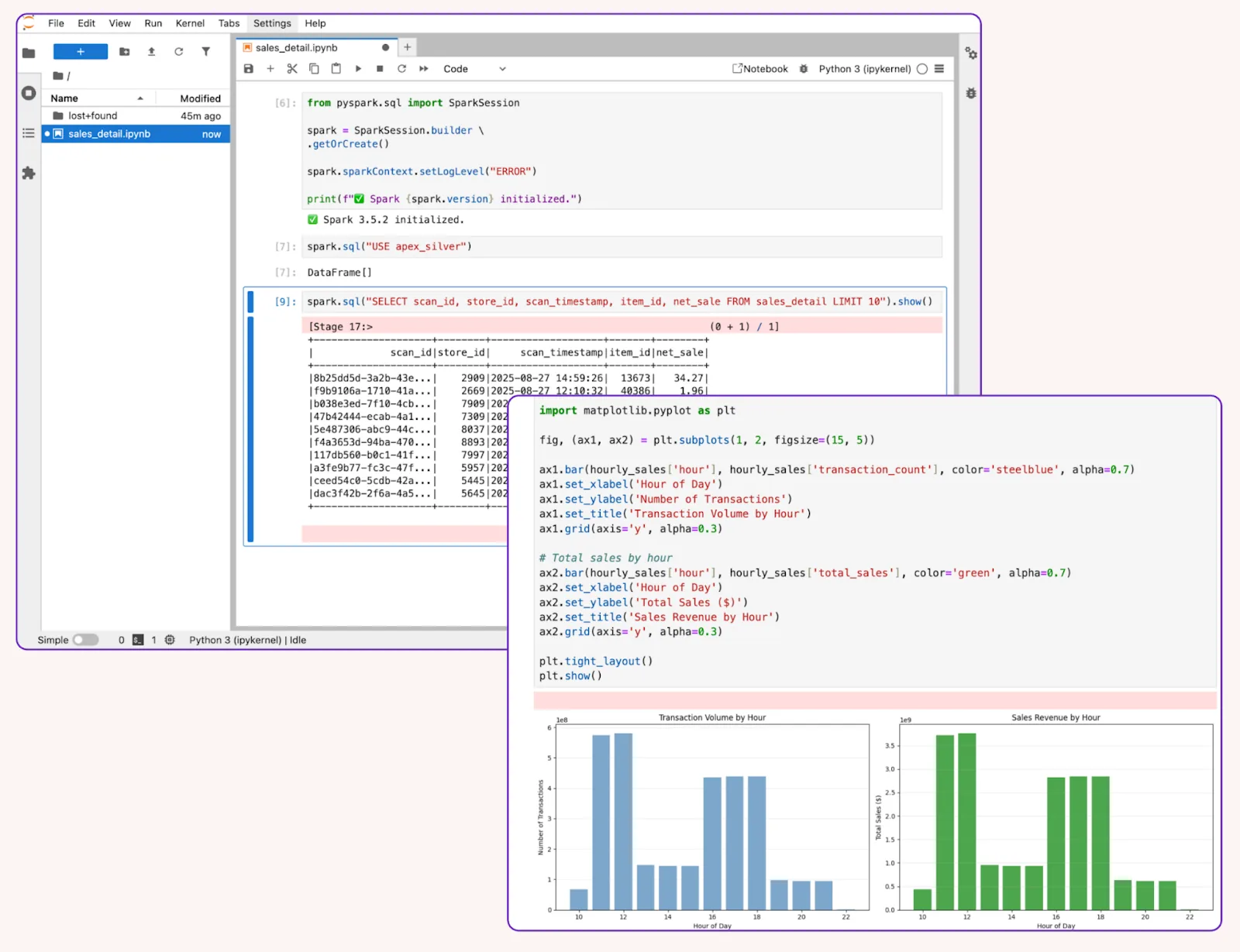
A notebook cluster: PySpark against a production table, with results charted inline. From the Onehouse Notebooks launch post.