Talk with our engineers by joining the new Onehouse community Slack!
Core Lakehouse Services
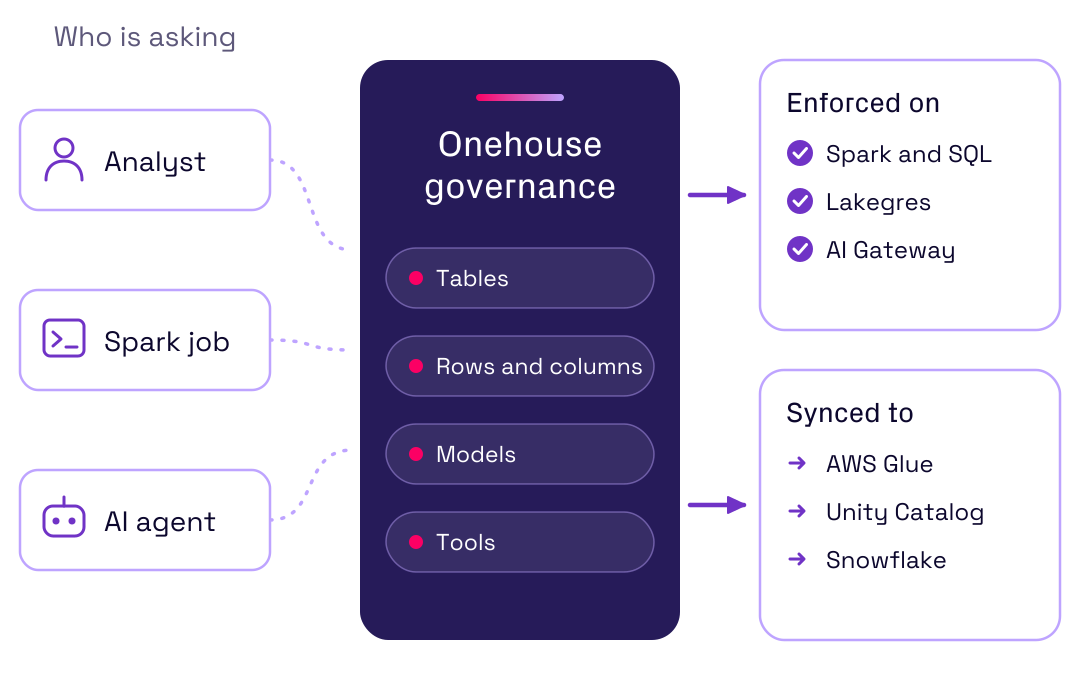
Onehouse is the most open way to govern your data. One Iceberg REST-compatible catalog governs Iceberg, Hudi, Delta Lake and Parquet tables down to rows and columns, translates permissions to the catalogs you already use, and extends to AI models and tools.
“This allows enterprises to maintain a single open copy of data while supporting zero-copy, multi-engine analytical querying”

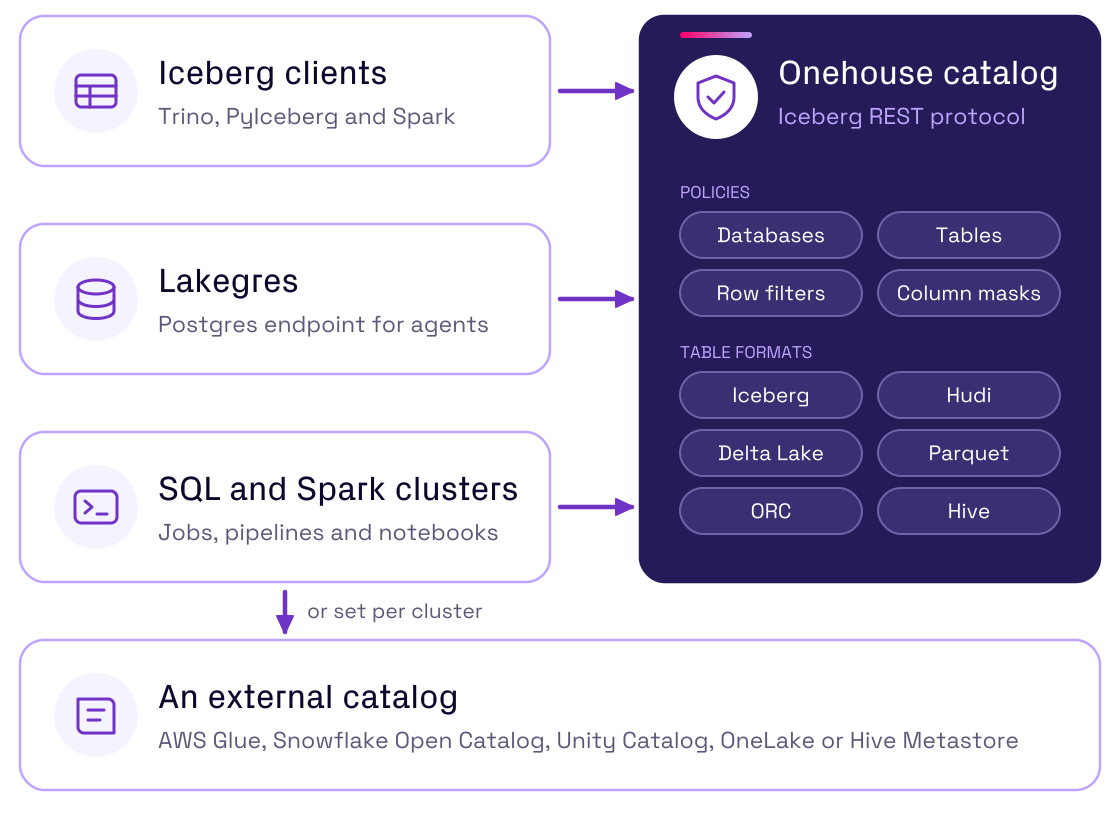
Iceberg clients connect over the Iceberg REST protocol. Hudi, Delta Lake, Parquet, ORC and Hive tables register in the same catalog under the same policies, including row filters.

Policies are evaluated for the end user behind each request, so people with different access can share one SQL cluster or notebook.

You set each SQL or Spark cluster to use the Onehouse catalog or an external catalog you already run, such as AWS Glue or Snowflake Open Catalog.

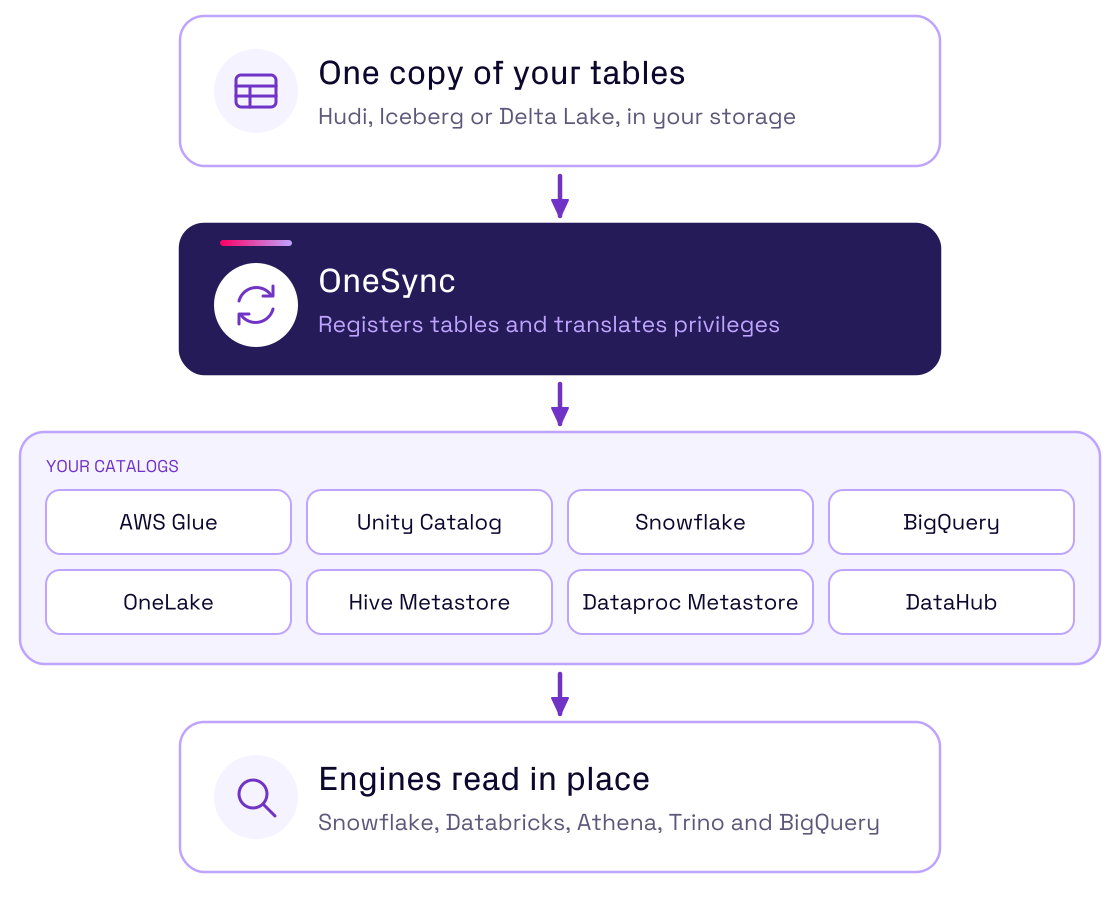
OneSync registers each table in the catalogs your other engines use, and those engines read the same files in place.

OneSync translates database and table privileges between AWS Lake Formation, Databricks Unity Catalog, Snowflake Horizon and Microsoft OneLake.

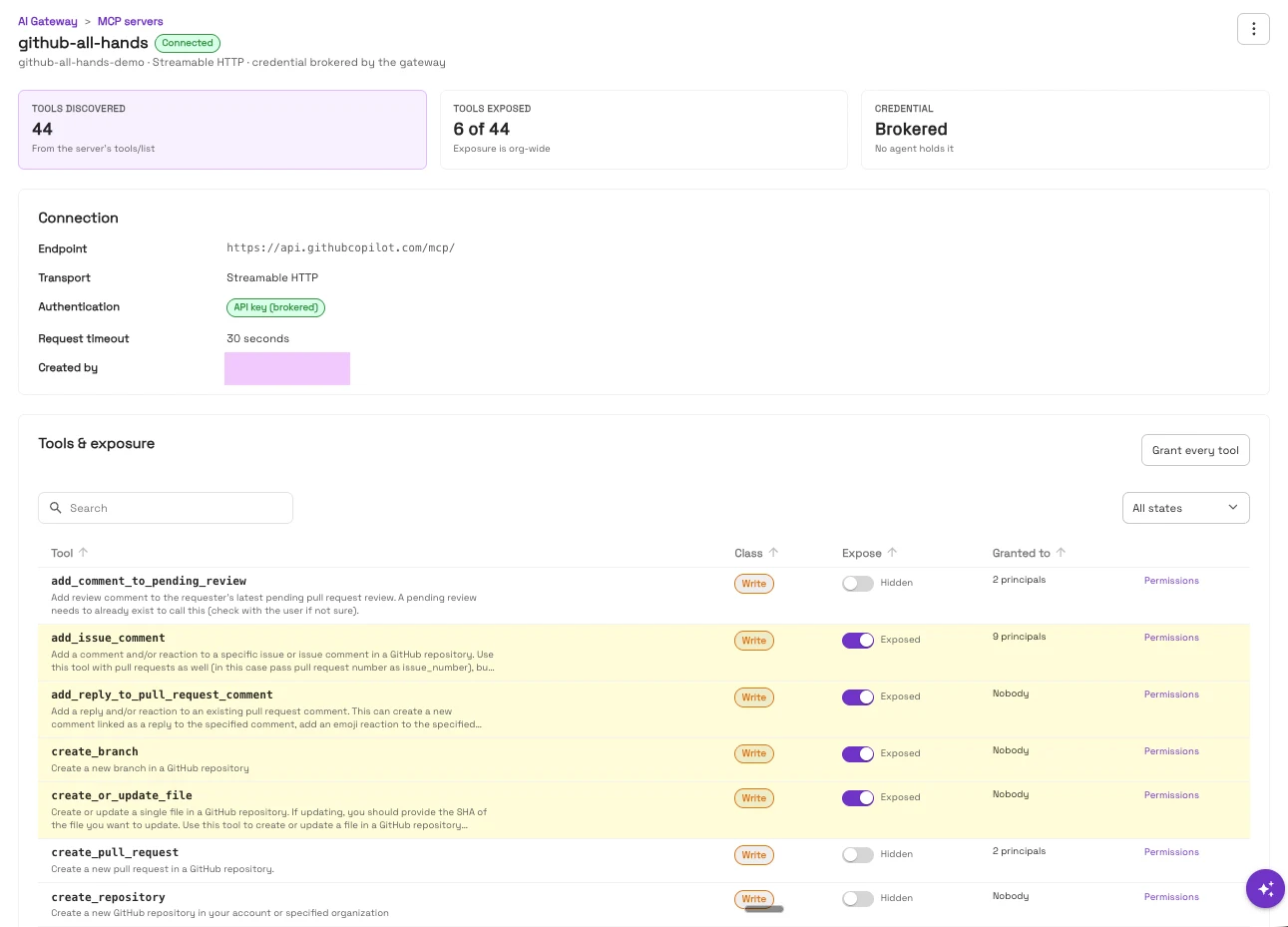
The AI Gateway sets which users and groups may call each model and each MCP tool.
Onehouse ships with its own governance catalog. Any Iceberg client connects to it over the Iceberg REST Catalog protocol. Hudi, Delta Lake, Parquet, ORC and Hive tables register in the same catalog under the same policies, so existing tables come under governance without conversion.
Table, row and column access control. Grant database and table privileges in the console or with SQL statements. Row filters limit the rows a principal sees, and column policies hide or mask sensitive columns.
Grants apply within seconds. The catalog server refreshes its policy set every few seconds. On TPC-DS at 1 TB and 10 TB, table-level authorization added no measurable query time.
Set the catalog per cluster. You set each SQL or Spark cluster to the Onehouse catalog, AWS Glue, Snowflake Open Catalog, Unity Catalog, OneLake, any Iceberg REST catalog or a Hive Metastore. Onehouse policies apply on clusters that use the Onehouse catalog.
OneSync registers each table in the catalogs your other engines use, so Snowflake, Databricks, Amazon Athena, Trino and BigQuery read the same files in place through their own catalog. The data is not copied.
Table format metadata translation. Apache XTable (Incubating), the open source project Onehouse originated, translates table metadata so that one copy of the data reads as Hudi, Iceberg or Delta Lake.
Microsoft OneLake. OneLake itself uses XTable to serve data as both Iceberg and Delta Lake. OneSync registers your tables in the OneLake catalog for Fabric and Power BI, on Onehouse for Azure.
Supported catalogs. AWS Glue, Databricks Unity Catalog, Snowflake, BigQuery, Dataproc Metastore, Microsoft OneLake, Hive Metastore and DataHub.
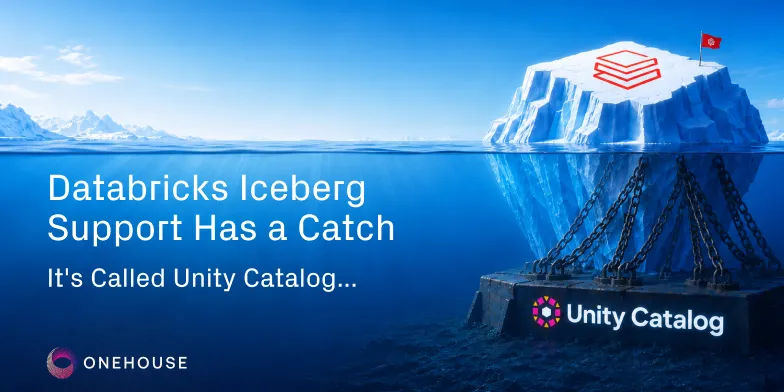
Open table formats ended the table format wars, and Databricks and Snowflake have since moved the lock-in up to the catalog. Databricks, for example, requires Unity Catalog for Iceberg tables. Privileges granted in one vendor's catalog do not carry over to another.
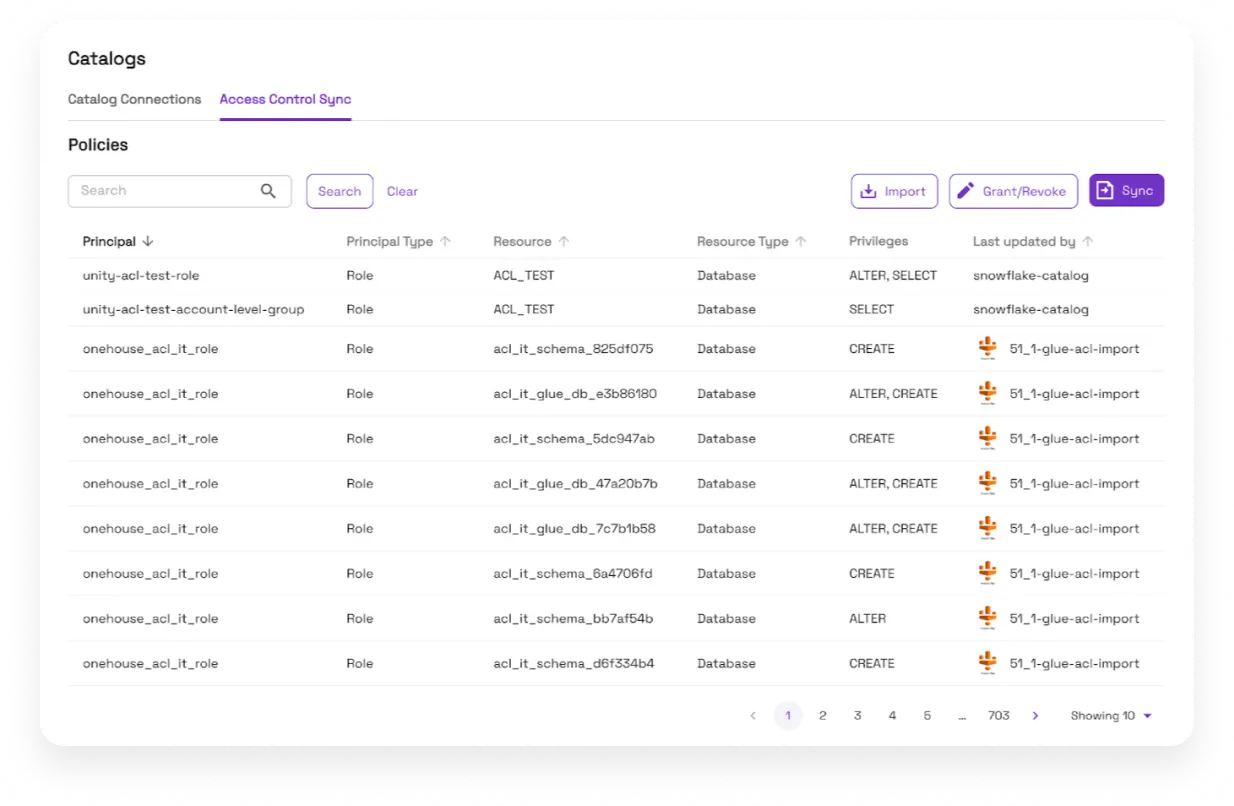
Privileges mapped between four catalogs. OneSync maps database and table privileges between AWS Lake Formation, Databricks Unity Catalog, Snowflake Horizon and Microsoft OneLake, using each catalog's own principals and privilege model.
Any catalog can be the source. Import the privileges a catalog already holds into a Onehouse data role, grant or revoke there, and sync the result to the catalogs you choose. The console keeps the sync history.
What stays in the Onehouse catalog. Row filters and column masks are not synced to other catalogs. Onehouse engines enforce them through the governance catalog.
Agents reach data through models, tools and metric definitions as well as tables. Onehouse grants each of these to the same users and groups that hold table privileges.
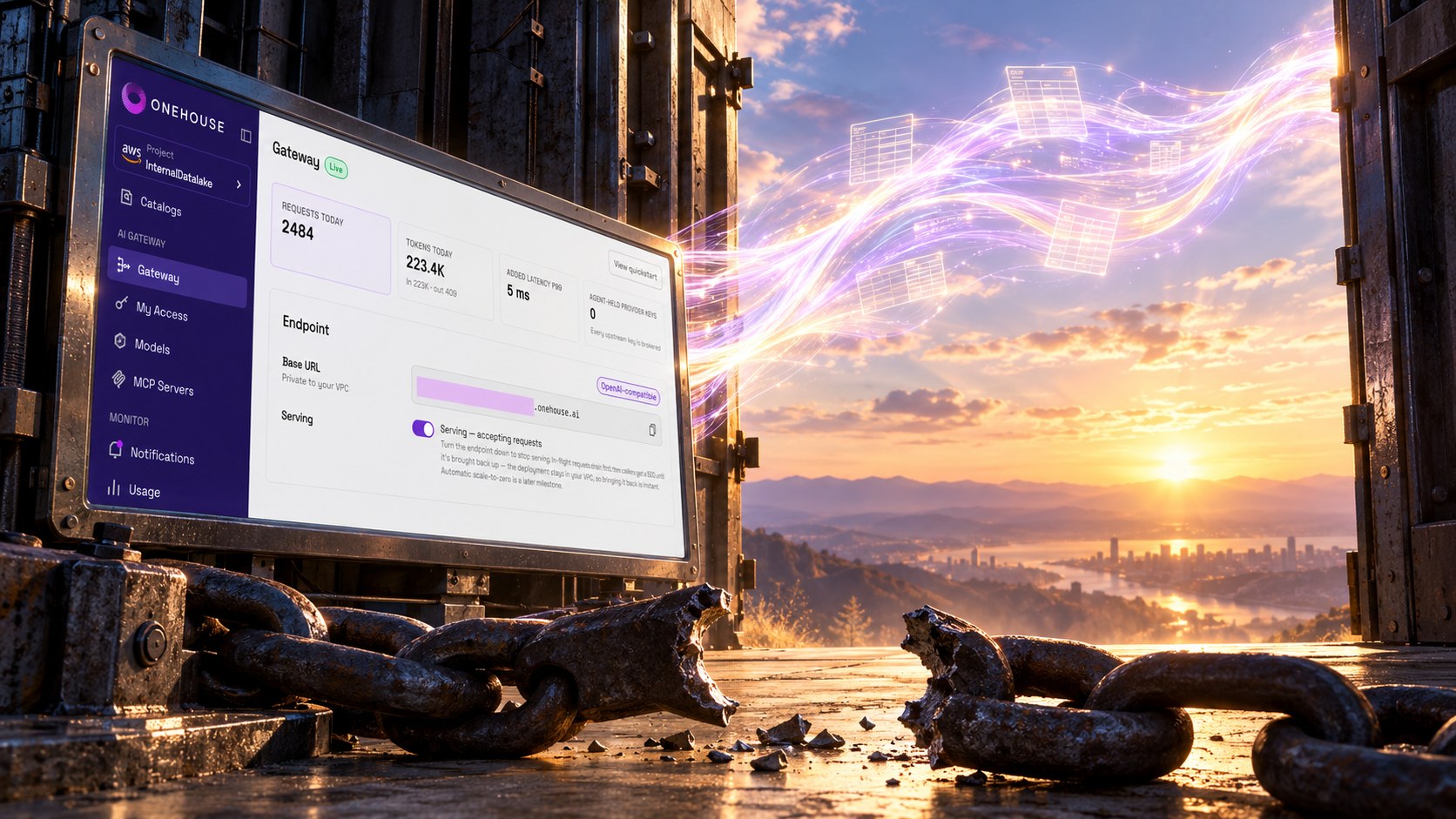
Models. In the AI Gateway you choose which users and groups may call each model. The gateway holds the provider keys, so agents never do.
Tools. You decide which groups get which tools on each MCP server. Agent queries reach tables through Lakegres, which enforces the catalog's policies on each call.
Certified metrics. The semantic layer matches a question against the certified metrics the user is allowed to see, and the generated SQL runs read-only as that user.
OneSync is the Onehouse service that registers your tables in external catalogs and syncs database and table privileges with them. It works alongside the governance catalog, which makes the access decisions for Onehouse engines, and the AI Gateway, which controls model and tool access. Engines outside Onehouse, such as Snowflake, Databricks and Amazon Athena, read the tables through the catalogs OneSync keeps in step.
No. Syncing registers the table in the other catalog, and each engine reads the same files in your storage through that catalog. Apache XTable (Incubating), an open source project, translates the table format metadata, so one copy of the data reads as Hudi, Iceberg or Delta Lake. A project can also nominate default catalogs, which apply automatically to tables created through SQL and to newly registered external tables.
Permission sync covers database and table privileges, in both directions, with AWS Lake Formation, Databricks Unity Catalog, Snowflake Horizon and Microsoft OneLake. Row filters and column masks are not synced, and Onehouse engines enforce them through the governance catalog. Privileges map to each catalog's principal types: IAM users, groups and roles in Lake Formation; users, service principals and groups in Unity Catalog; users and roles in Horizon; Entra users, Entra groups and OneLake roles in OneLake. Lake Formation is available on AWS and OneLake on Azure.
Yes. A SQL or Spark cluster can use one external catalog: AWS Glue, Snowflake Open Catalog, Databricks Unity Catalog, Microsoft OneLake, any other Iceberg REST catalog, or a Hive Metastore-compatible catalog. A cluster on an external catalog does not enforce Onehouse catalog policies. Clusters that use the Onehouse catalog enforce them, and OneSync, the catalog sync service, can still register the same tables in your external catalogs.
Another platform, such as Snowflake, can be added to the AI Gateway as an MCP server, and its tools come under the same tool controls as every other server. MCP (Model Context Protocol) servers are the services that expose tools to agents, and you decide which groups get which tools on each one. Tables in Onehouse are served to agents by Lakegres, the Postgres-compatible SQL engine in Onehouse, under the governance catalog's policies.
Roles apply to Onehouse resources such as projects, clusters, sources, catalogs, flows and jobs, generally as Viewer, User, Editor and Manager. Privileges apply to data objects: lakes, databases and tables. A policy set at the database level also covers tables created in that database later. Project membership and resource access are separate, so an invited user sees nothing until granted roles on individual resources.
Users sign in through your identity provider, and SCIM 2.0, the standard protocol for provisioning accounts, syncs users and groups from Microsoft Entra. Single sign-on through Okta, Google, Microsoft Entra or any SAML provider is on by default, and you can restrict sign-in to one provider. The SCIM sync runs one way, from your identity provider into Onehouse. Service principals issue tokens for programmatic access.
Onehouse is SOC 2 Type I and Type II certified and holds PCI DSS certification. Tables are held in open formats in your own storage, so other tools can still read your data if you remove the platform. The table format supports record-level deletion for regulations such as GDPR. See security and governance.
Access rules maintained by hand in each catalog, engine and agent drift apart over time. Grant a group access to one table in the Onehouse catalog, sync that grant to a catalog you already use, and point one agent at the AI Gateway.