Talk with our engineers by joining the new Onehouse community Slack!
AI Data Layer
Fine-tuning and post-training need your business tables, the semantic layer that gives them meaning, and your agent traces. Only your lake holds all three. A dataset built without one of them gives the model incomplete or mislabeled examples.
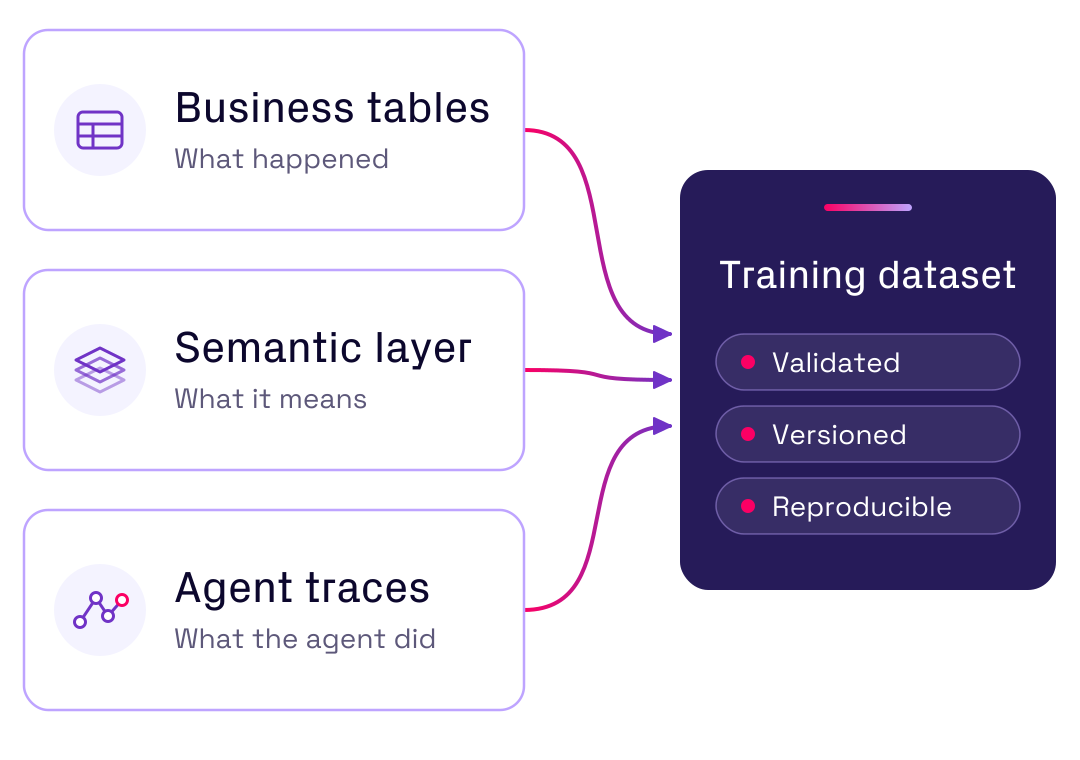

A trace shows what the agent did. Joined to the business tables, each run also carries its outcome, so the model stops learning from answers that sounded right and failed.

Certified metric definitions state what "resolved" or "churned" means. Every pipeline that labels a run applies the same definition, so the same run gets the same label in every dataset.

Time travel reads the business tables as they were when each run happened. Each example's context holds only what the agent could have known at that time, so data recorded later does not leak into the prompt.

The exporter checks the DataFrame schema against the provider's contract before writing anything, then checks each row as it writes. A failed job removes its partial output, so a malformed dataset does not reach the provider.

Every export is an immutable version. When a new model scores worse, you compare its training set with the last one and find the examples that changed.

When a label or a parser changes, the pipeline rebuilds the affected datasets from corrected source records and writes a new export, so the next training run uses the corrected label.
In your lake
Business tablesOnehouse
Datasets
Supervised fine-tuningMessages, or prompt and completion pairsPreference tuningPreference pairsText corporaRaw textTraining
Training providersBaseten, Fireworks and Together AI Your own GPUsPyTorch or Ray reads the tables directly
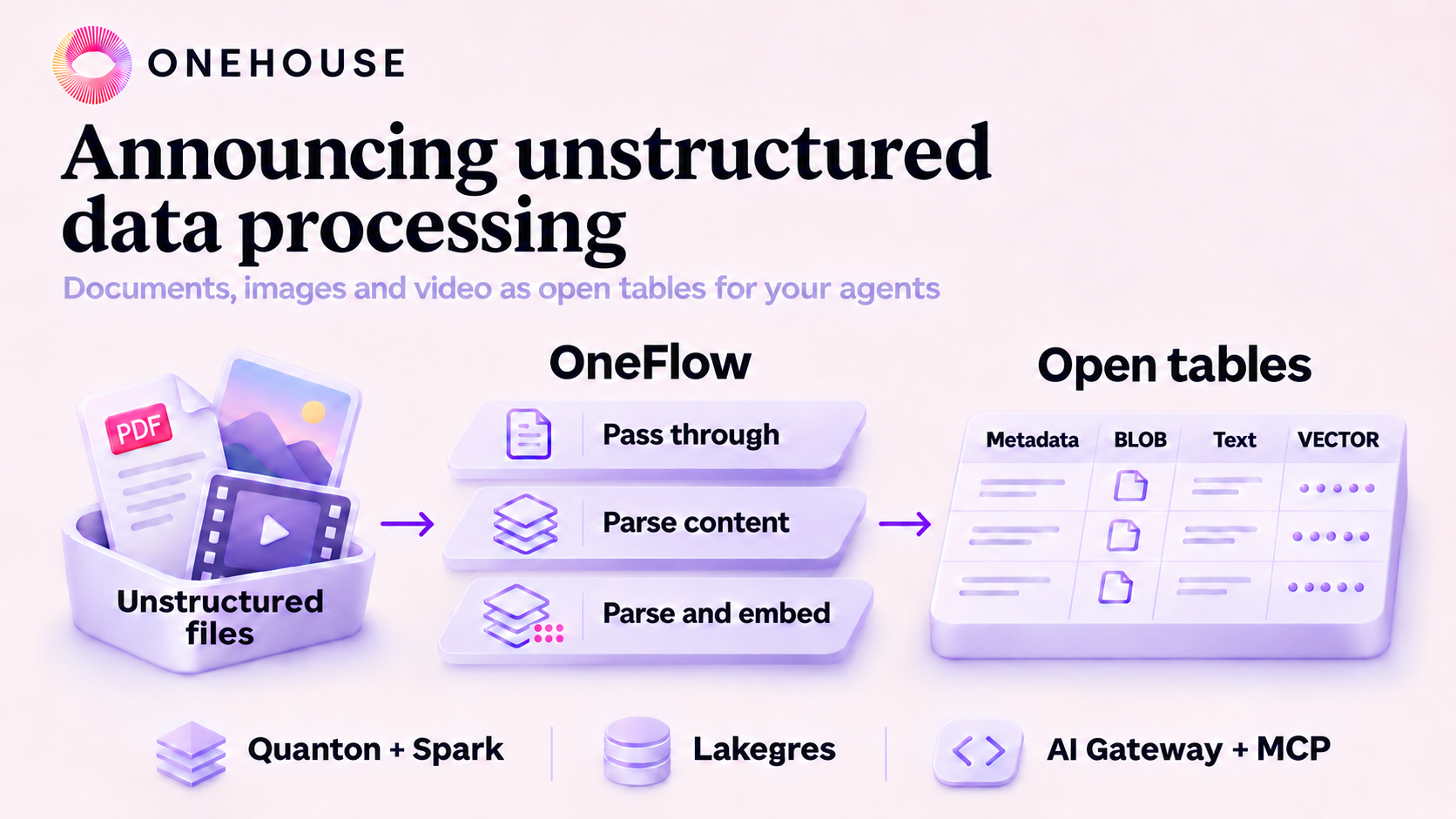
A pipeline joins agent run traces to outcomes from your operational data, filters records by policy, and selects the cases the model handles poorly. Curation runs on Quanton, which reads structured and unstructured data in one engine.
Batch inference in the same job. Curation jobs also run embedding, classification and extraction models over the lake at Spark scale.
Similar cases pulled in. Vector search over the same tables finds examples similar to a set of failed runs, so related cases can be added for review.
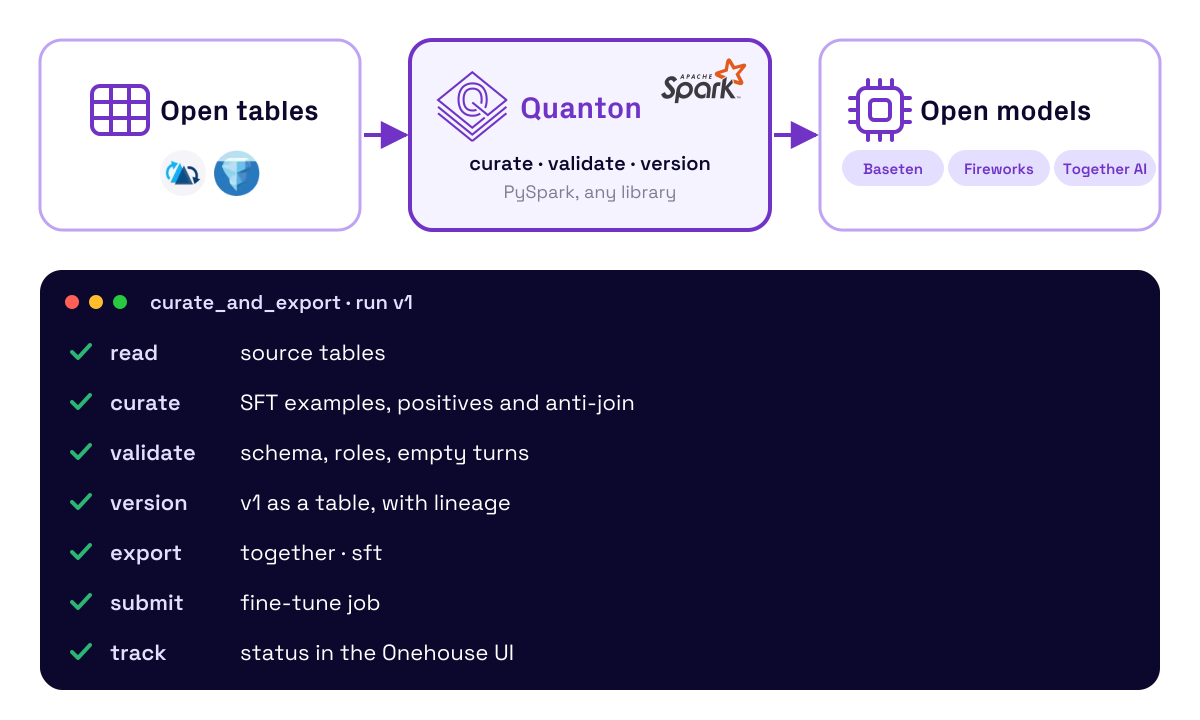
The exporter is a Spark write format on every Spark cluster. It writes the dataset for Baseten, Fireworks or Together AI, with a _manifest.json that includes the provider's load command. Onehouse then submits the training job and tracks its status in the console.
Or your own GPUs. Hand the dataset to a training cluster you run, for example on a NeoCloud next to the GPUs.
import quanton_llm_training
quanton_llm_training.register(spark)

(train.write.format("training_dataset")
  .option("provider", "together")      # together, fireworks, or baseten
  .option("training_type", "sft")      # sft, preference, or text
  .option("rowIdColumn", "chunk_id")   # named in validation errors
  .mode("append")
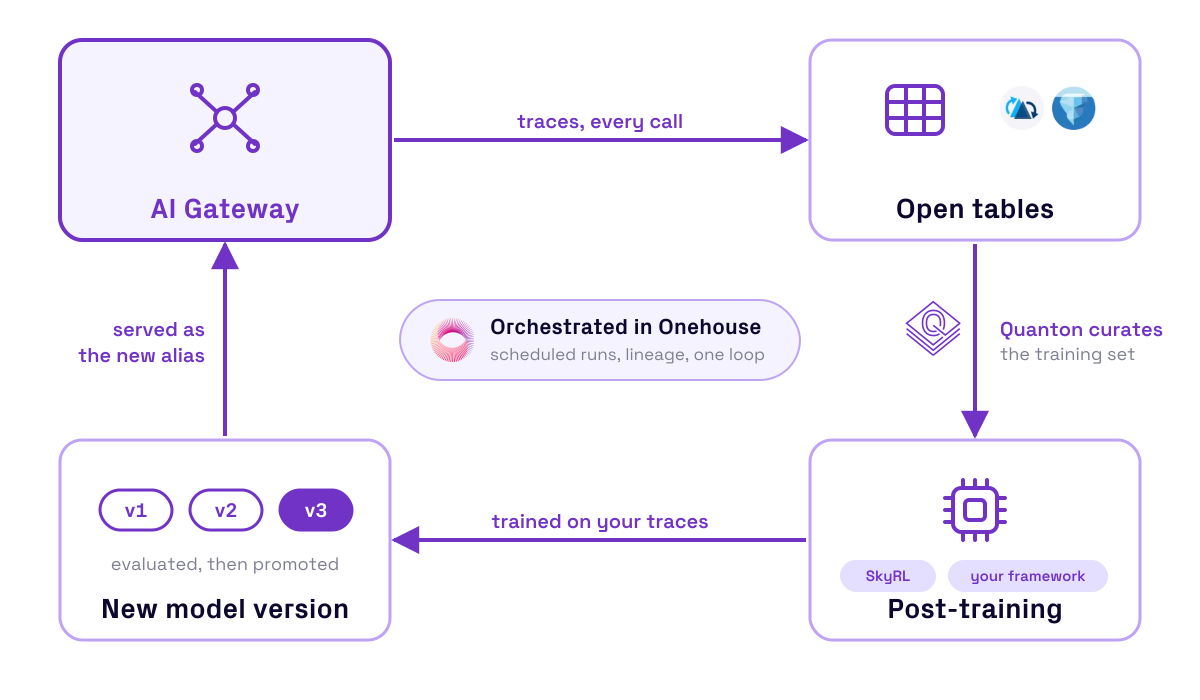
.save("s3://bucket/exports/contract-analyst/v1"))Once the trained model is serving, the AI Gateway records its runs, and those runs become the input to the next dataset.
Scheduled with Airflow. Apache Airflow can coordinate curation, export and the provider's training job. The Onehouse Airflow provider supplies Spark job operators and completion sensors.
Lineage with the tools you run. Lineage tools already used on the lake, such as OpenLineage's Spark integration, record which source tables fed each dataset.
A training data pipeline is a data pipeline that turns agent runs and business records into a dataset a model can be fine-tuned or post-trained on. Post-training means adapting a pretrained model to a task or behavior. On Onehouse the pipeline has three steps: it curates the data in PySpark on Quanton, validates and versions the export, and submits it to a training provider. The platform guide covers each step.
No. The training provider runs the training, and Onehouse manages the data that goes into it. Onehouse is responsible for the dataset's contents, provenance and reproducibility, and the provider is responsible for training compute and optimization. Onehouse submits the job to Baseten, Fireworks or Together AI and shows its status in the console. The dataset itself remains in open tables in your own account throughout.
The exporter writes datasets for three training types: supervised fine-tuning, preference tuning and continued pre-training on raw text. A supervised fine-tuning dataset holds message arrays or prompt and completion pairs, and a preference dataset holds a prompt with a preferred and a rejected response. Output is JSONL, or Parquet pre-tokenized for a given tokenizer and sequence length. Providers accept different subsets: the Quanton guide documents all three types for Together AI, supervised fine-tuning and raw text for Baseten, and supervised fine-tuning for Fireworks.
Yes. The curated dataset is an open table in your account, and PyTorch and Ray read it directly for training. You can also hand the exported dataset to a training cluster you run, for example on a NeoCloud close to the GPUs. Baseten, Fireworks and Together AI are the providers Onehouse submits jobs to and tracks for you.
The exporter checks the dataset against the provider's schema in two passes. Before writing anything, it checks the DataFrame schema and the provider options. While writing, it checks the roles in each row and catches empty content and missing assistant turns, and the rowIdColumn option names the column reported in validation errors. A job that fails removes its partial output. These checks are structural, so they cannot tell whether a label is correct or whether an example belongs in the dataset.
Every export is written to a new path and is never overwritten. A later write to a populated path fails, so the next dataset goes to v2 beside v1. The export is versioned with a savepoint, a bookmark of a table at a point in time, so the exact training set can be reproduced later. When a model scores worse, comparing two versions shows which examples changed. Retention policies decide how long older inputs and exports stay available for evaluation.
Agent runs recorded by the AI Gateway land in open tables, and a PySpark pipeline joins them to the business tables that hold each run's outcome. The pipeline filters records by policy, selects the cases the model handles poorly and reshapes the result for the trainer. Time travel reads the business tables as of the moment each run happened, which keeps data recorded later out of the example.
When traces, business tables and metric definitions sit in separate systems, every fine-tuning set starts with a manual join and a guess at what each label means. With all three in the lake, one PySpark pipeline builds the dataset and exports it to your training provider.