Announcing OneSync™ Permissions: Unified Access Control Across All Your Data Catalogs
Today, we're expanding OneSync™ with a powerful new capability: cross-catalog permission translation. OneSync can now automatically translate and enforce access control policies across Microsoft OneLake, AWS Lake Formation, Databricks Unity Catalog, and Snowflake automatically, so you can manage permissions once and have them respected everywhere your data lives.
The Access Control Problem Nobody Talks About
The modern data stack is multi-cloud and multi-platform by necessity. Your data engineering team might live in AWS. Your data scientists work in Databricks. Your BI team queries through Snowflake. Your analysts have started adopting Microsoft Fabric and PowerBI.
When we announced OneSync last year, we solved the data access problem: one copy of data, queryable from any engine, with table metadata synced across all your catalogs automatically. But that left an important gap.
What happens when you've carefully defined who can access what in AWS Lake Formation — which tables the finance team can query, which databases are off-limits to contractors — and you want those same rules enforced when those users access data through OneLake or Databricks? Today, you either duplicate your permission model in every catalog by hand, accept that access controls are inconsistently enforced across platforms, or build and maintain custom scripts to keep them in sync.
None of these options scale easily, and inconsistent access controls become a compliance risk.
Introducing Permission Translation in OneSync
OneSync now translates access control policies across catalogs, automatically. Define your permissions in one place, and OneSync handles the translation and enforcement everywhere else.
At launch, OneSync Permissions support database-level and table-level permissions across:
- Microsoft OneLake Catalog (enforced via OneLake Security)
- AWS Glue Catalog (enforced via AWS Lake Formation)
- Databricks Unity Catalog
- Snowflake Horizon Catalog
How It Works: AWS Lake Formation to OneLake
Let's walk through a common scenario: your organization manages its canonical permission model in AWS Lake Formation, and you're expanding into Microsoft Fabric with OneLake. You need those same access controls enforced on the OneLake side, without re-doing all your permission work.
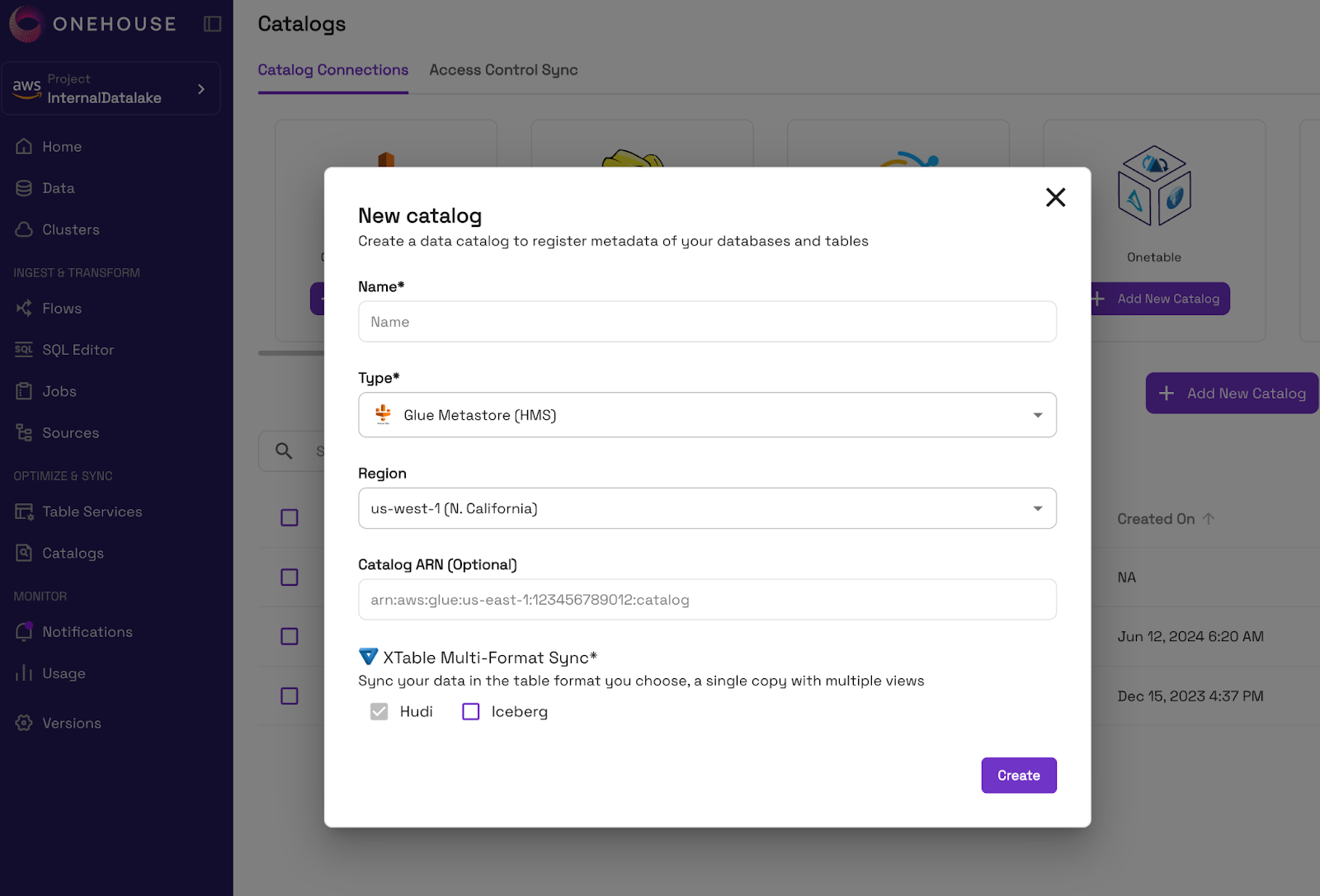
Step 1: Connect Your Catalogs to Onehouse
Add your catalogs to Onehouse to sync metadata and/or permissions.
Step 2: Import Policies from External Catalogs
Import policies from your external catalog into Onehouse.
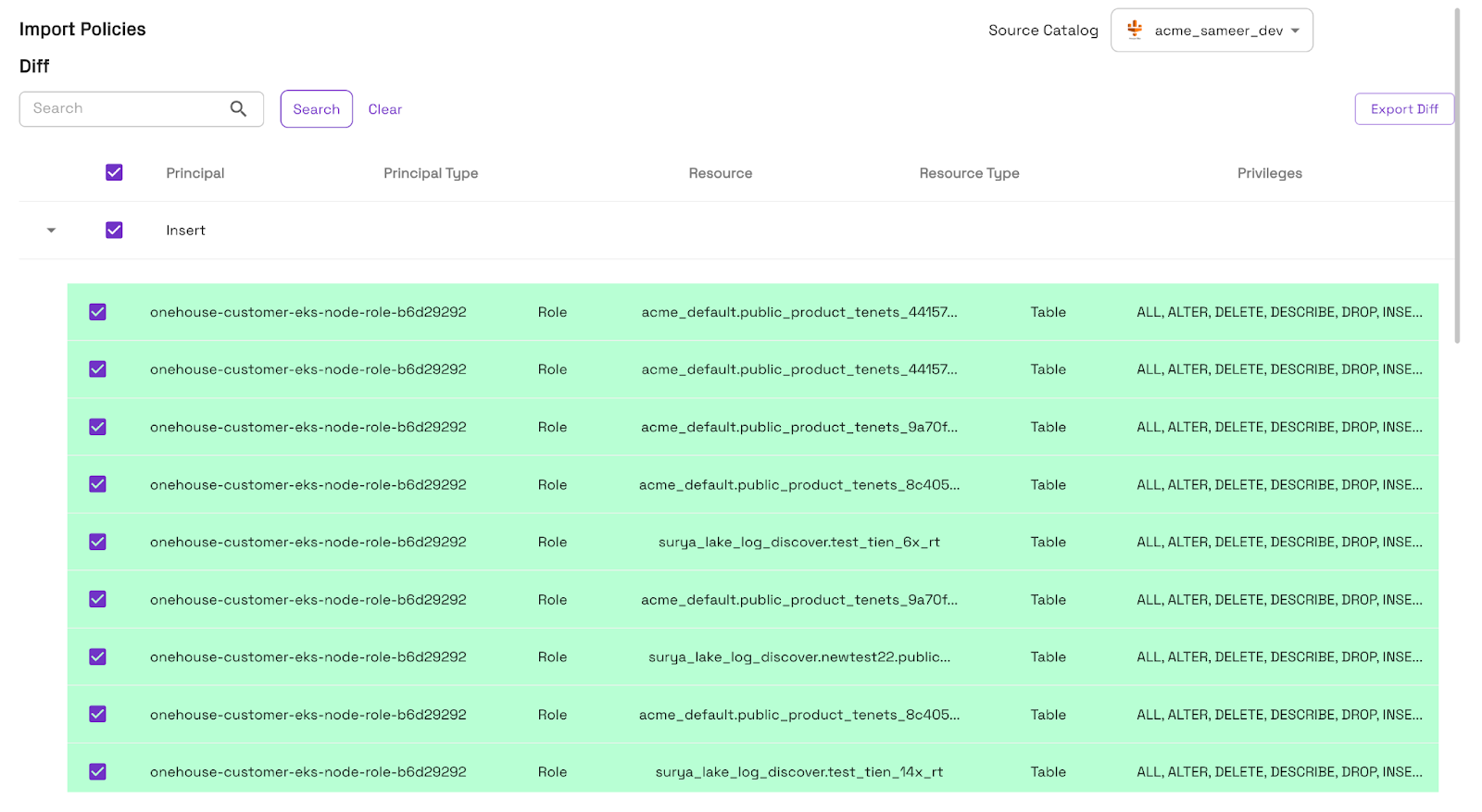
In seconds, the policies are visible in the Onehouse console, providing a single source of truth.
Step 3: Optionally Modify Permissions
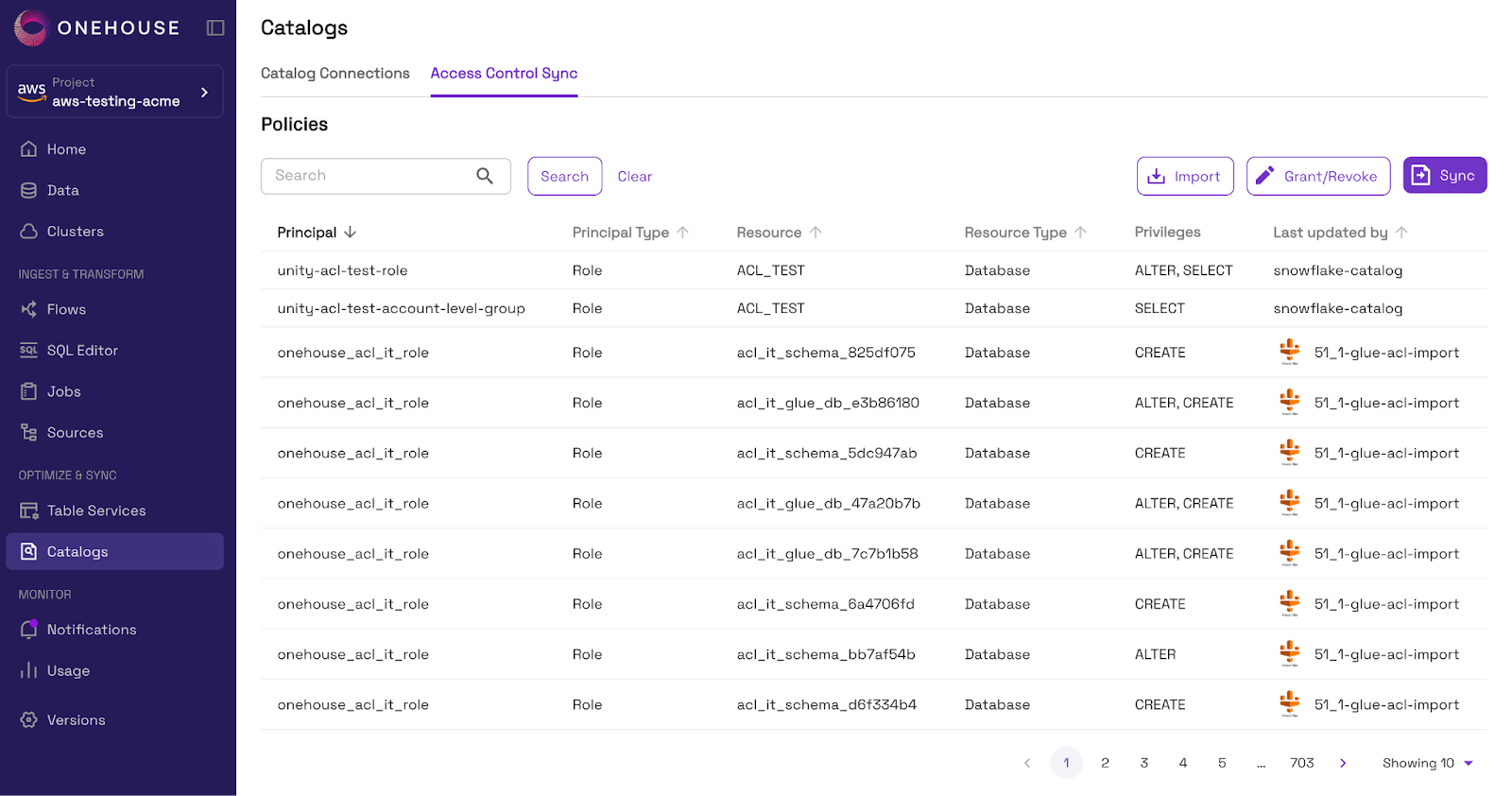
If you want to grant or revoke permissions before syncing to another catalog (or back to the original catalog), you can do so directly in the Onehouse console.
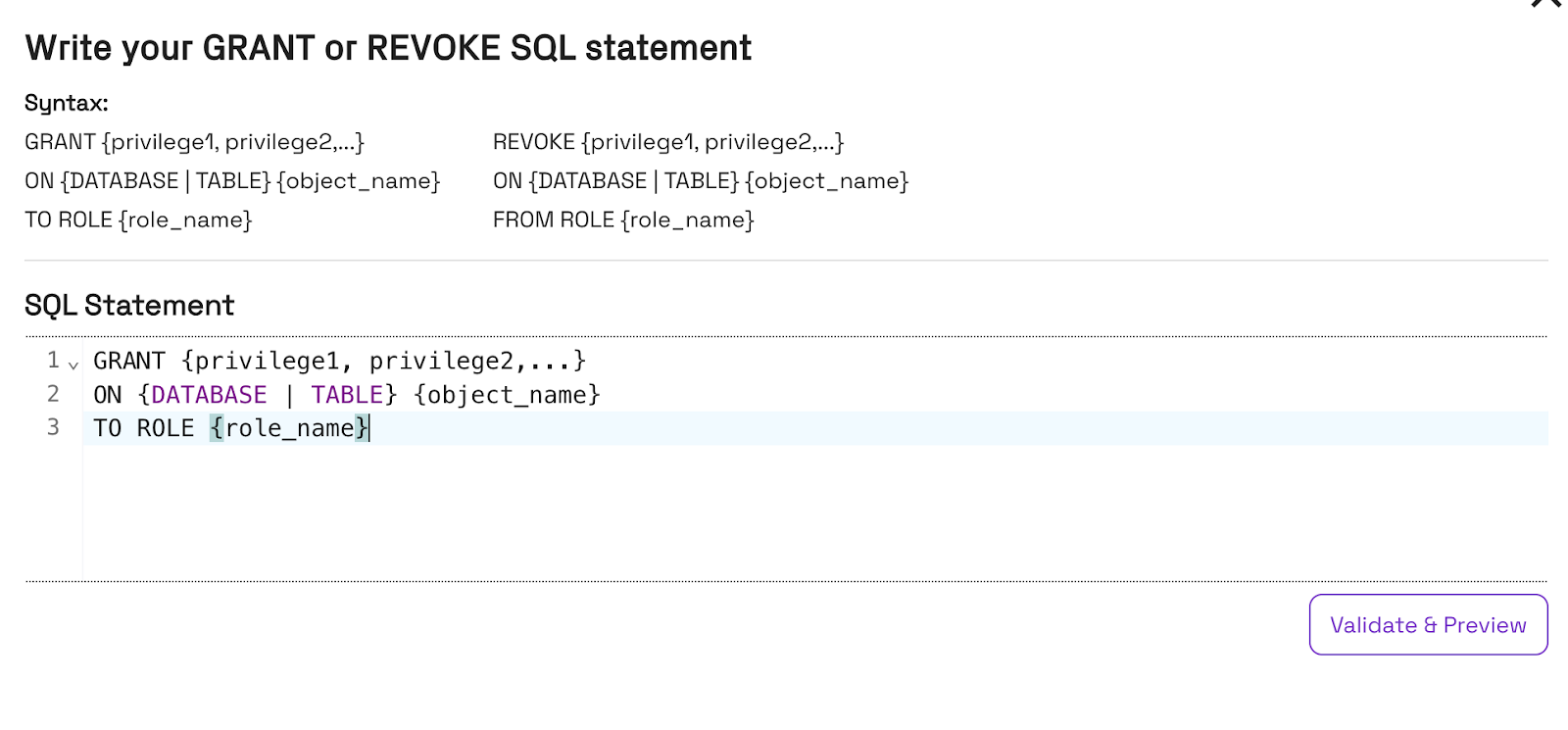
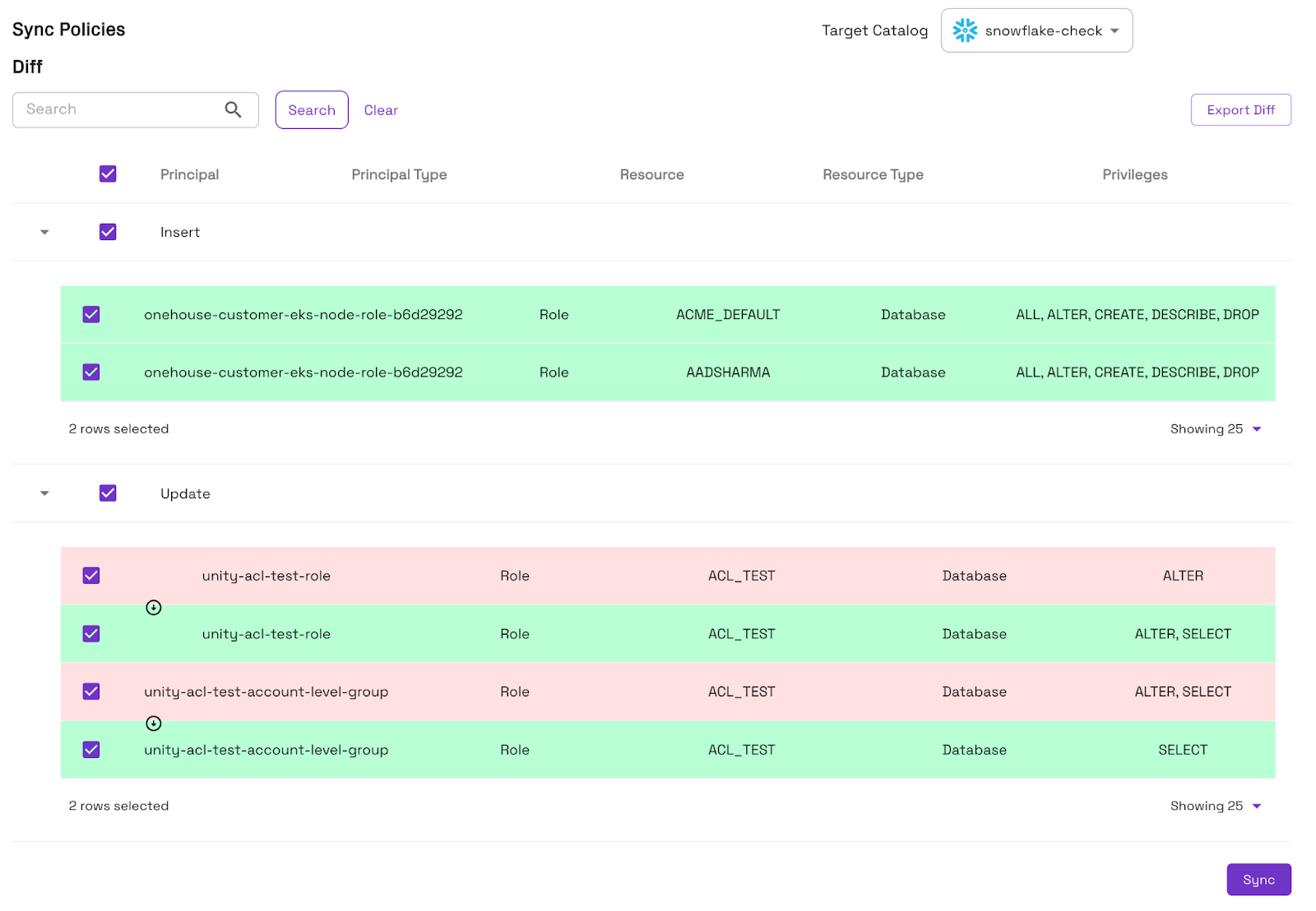
Step 4: Sync Policies to Your Catalog(s)
Sync your policies to the target catalog(s) of your choice to ensure consistent permissions enforcement everywhere consumers query your data.
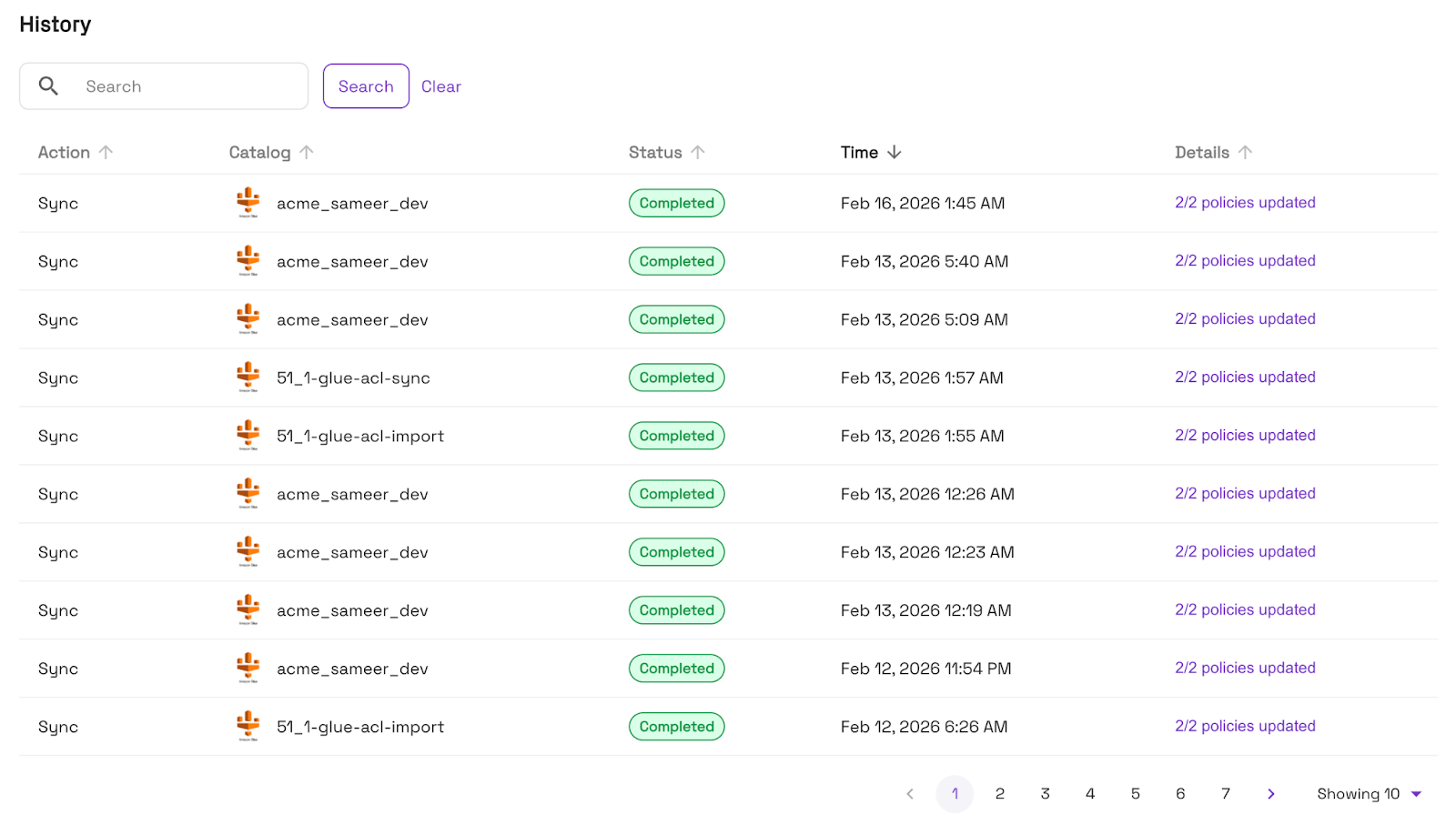
You can audit the full permission sync history from the Onehouse console.
The Same Model, Everywhere
OneSync permission translation is fully bidirectional and supports any combination of the four catalogs, with plans to add more catalogs in the future. Some patterns we see frequently:
- Multi-cloud governance. For organizations that span AWS and Azure, OneSync ensures a consistent permission posture across both clouds without requiring a centralized identity layer.
- Databricks Unity Catalog as the source of truth. Teams that live primarily in Databricks can define permissions once in Unity Catalog and have them propagated to Snowflake and OneLake automatically.
- Snowflake-first organizations expanding into the lakehouse. If your permission model lives in Snowflake, OneSync can translate those grants to Lake Formation and Unity Catalog as you expand your architecture.
What's Supported Today
At launch, OneSync permission translation covers:
- Database-level permissions — access grants applied at the database or schema level
- Table-level permissions — granular access grants on individual tables
These cover a wide variety of real-world access control needs in a lakehouse environment.
What's Coming Next
We're already working on the next layer of granularity:
- Column-level permissions — restrict access to specific columns within a table, translated consistently across all catalogs
- Row-level permissions — translate row filter policies so that users see only the data they're authorized to access, regardless of which engine they use to query it
These capabilities will allow organizations to implement even stricter data governance policies, like masking PII columns or restricting access to specific regional data, with full cross-catalog consistency.
Why This Matters for Open Data Architectures
When we talk about the Universal Data Lakehouse, we mean more than just data portability. True openness requires that your governance model travels with your data. Without consistent access controls across catalogs, "open" data architectures create security gaps that force organizations back toward consolidation onto a single platform, undermining the entire value of the open lakehouse.
OneSync Permissions close that gap. Your data can live in open formats, be queried from any engine, and be governed by a single, consistent policy regardless of which catalog your users are working through.
Get Started
OneSync Permissions are available today. If you're already an Onehouse customer, navigate to the Catalogs page and enable Permission Sync for your connected catalogs.
Not yet using Onehouse? Start your free trial today.


Read More:

.png)
.webp)
Announcing OneSync™ - Multi-Catalog Sync with Snowflake, Databricks, BigQuery


Subscribe to the Blog
Be the first to read new posts